


Create stunning, interactive digital flipbooks in minutes — no design or writing expertise required.
🌟 Introduction
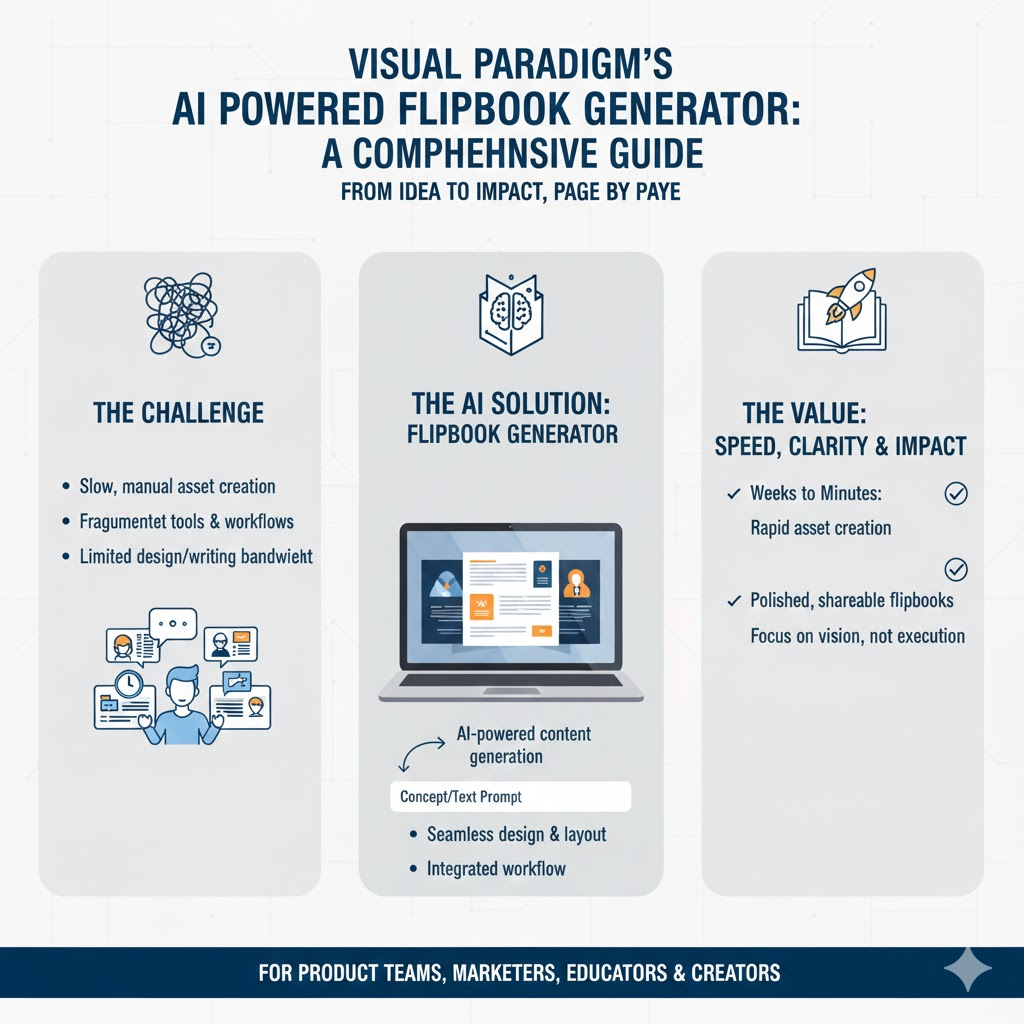
In today’s fast-moving digital landscape, the ability to communicate ideas clearly, compellingly, and quickly is no longer a nice-to-have — it’s a competitive necessity. Yet for product teams, marketers, educators, and creators, turning a concept into a polished, shareable asset often means wrestling with fragmented tools, tight deadlines, and limited design or writing bandwidth. Enter the AI Flipbook Generator: a breakthrough that collapses weeks of effort into minutes. More than just a “tool,” it’s a new creative workflow — one where your expertise drives the vision, and AI handles the execution. This guide unpacks why this shift matters, when and for whom it delivers the greatest impact, and how to harness it effectively — with real-world examples to help you go from idea to impact, page by page.
✅ Why Use the AI Flipbook Generator?

(The Strategic Value & Pain Points Solved)
| Traditional Workflow | AI Flipbook Workflow | Strategic Benefit |
|---|---|---|
| Requires copywriter + designer + developer coordination | ✅ End-to-end AI generation: text + visuals + layout | ~90% faster time-to-market |
| High cost per asset (e.g., $2k–$10k for a branded ebook) | ✅ Near-zero marginal cost per flipbook | Dramatically improves ROI on content |
| Static PDFs → low engagement, no interactivity | ✅ Page-flip UI, mobile-responsive, trackable links | Higher engagement & conversion |
| Versioning & localization = manual effort | ✅ Regenerate/update with one prompt tweak | Agile content iteration |
💡 Key Strategic Wins:
- Democratizes content creation (non-writers can ship polished assets)
- Scales personalized content (e.g., generate 50 client-specific versions for ABM)
- Accelerates feedback loops (prototype ideas in <15 mins for stakeholder review)
📅 When to Use It

(Ideal Scenarios & Timing Triggers)
| Category | Use Case | Example Prompt Input |
|---|---|---|
| Product & Marketing | Launch announcement | “A 6-page flipbook for SaaS founders explaining our new AI analytics dashboard. 150 words/page, clean tech illustration style.” |
| Customer onboarding | “A friendly 8-page guide for non-technical users setting up our CRM. Cartoon-style, 120 words/page.” | |
| Sales Enablement | Pitch decks / battle cards | “A 5-page flipbook comparing our product vs. Competitor X for enterprise buyers. Professional infographic style.” |
| Education & Training | Microlearning modules | “A 10-page primer on GDPR compliance for HR teams. Minimalist design, 200 words/page, diagrams where helpful.” |
| Internal Comms | Change management comms | “A 4-page visual guide to our new hybrid work policy for all employees. Warm, inclusive illustration style.” |
| Creative & Personal | Children’s stories | “A 12-page bedtime story about a robot exploring the ocean. Watercolor art style, rhyming text, ages 4–7.” |
| Portfolio showcase | “A 6-page flipbook highlighting my UX case studies. Modern portfolio style, with sketch + final UI mockups.” |
⏱️ When not to use it:
- Ultra-high-fidelity brand-critical assets (e.g., flagship investor prospectus)
- Content requiring deep domain expertise the AI can’t replicate (e.g., medical diagnosis guides)
(→ Use AI draft + human polish workflow instead)
👥 Who Should Use It?
(Role-Based Adoption & Customization Tips)
| Role | Primary Benefit | Pro Tips |
|---|---|---|
| Product Managers | Rapidly prototype user-facing docs (release notes, feature guides) & internal comms (roadmap updates) | → Use for sprint demos: generate “What’s New” flipbook before retro → Pair with user research: create concept test flipbooks to gather early feedback |
| Marketing Managers | Scale gated content (ebooks, whitepapers) without agency dependency | → Generate topic variants for A/B testing lead gen performance → Localize by regenerating with audience = “German SMB owners” |
| Sales Leaders | Equip reps with client-personalized battle cards & ROI calculators | → Pre-fill with deal context: “For Acme Corp (manufacturing), focus on uptime savings” |
| Instructional Designers | Build interactive microlearning in <1 hour vs. 2 weeks | → Add QR codes linking to videos/LMS → Use consistent art style for course series branding |
| Founders / Solo Creators | Produce investor updates, pitch materials, and thought leadership | → Export as PDF for offline sharing → Embed in Notion/docs via iframe |
🎯 Ideal user profile:
Someone who knows what they want to communicate but lacks bandwidth, budget, or skills to produce polished visuals + copy quickly.
🛠️ How to Use It — End-to-End Workflow with Examples
🔹 Step 1: Define & Configure
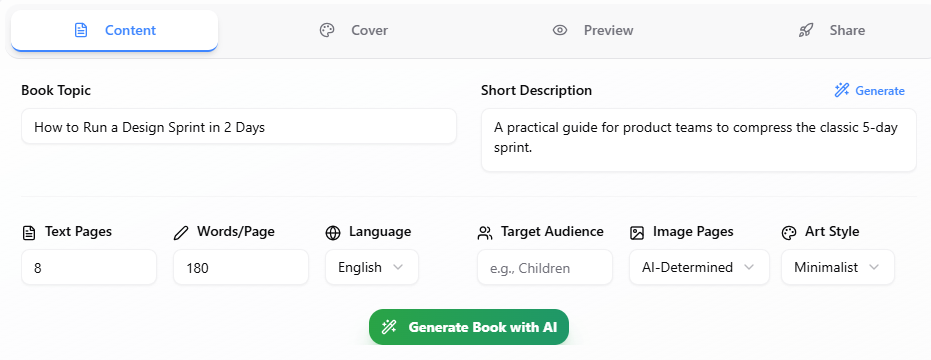
Enter core inputs in the prompt panel:
Topic: How to Run a Design Sprint in 2 Days
Description: A practical guide for product teams to compress the classic 5-day sprint.
Target Audience: Startup PMs and designers
Pages: 8
Words per Page: 180
Art Style: Minimalist
✅ Pro Tip: Be descriptive about your book’s content
🔹 Step 2: Generate Content
Click Generate Book → AI produces:
- Chapter headings (e.g., “Chapter 1: The Two-Day Sprint Promise” “Chapter 2: Setting the Vision in 6 Hours”)
- Image placeholders (automatically labeled for context)
🔹 Step 3: Refine in the Editor
Use the Markdown editor to:
- ✏️ Rewrite awkward sentences
- ➕ Insert new pages
- 🖼️ Regenerate images (e.g., change “sketch-like UI mockup” → “clean Figma-style wireframe”)
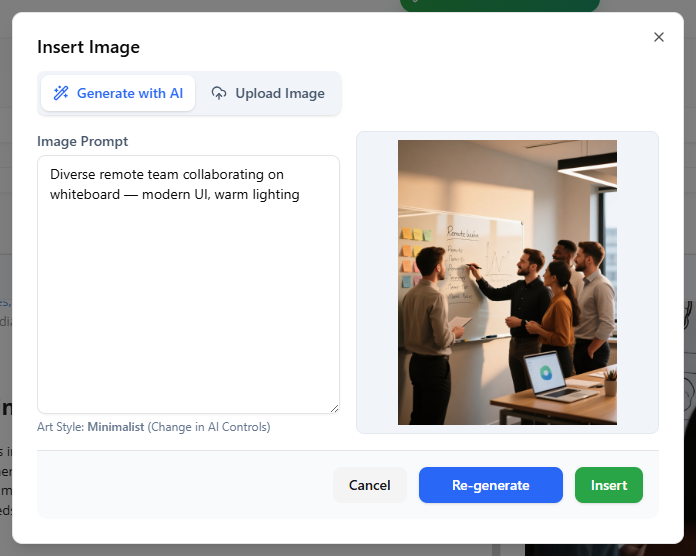
🖼️ Image Regen Example:
Original prompt for Chapter 3 image: “Team sketching on whiteboard”
→ Tweak to: “Diverse remote team collaborating on whiteboard — modern UI, warm lighting”
🔹 Step 4: Design the Cover
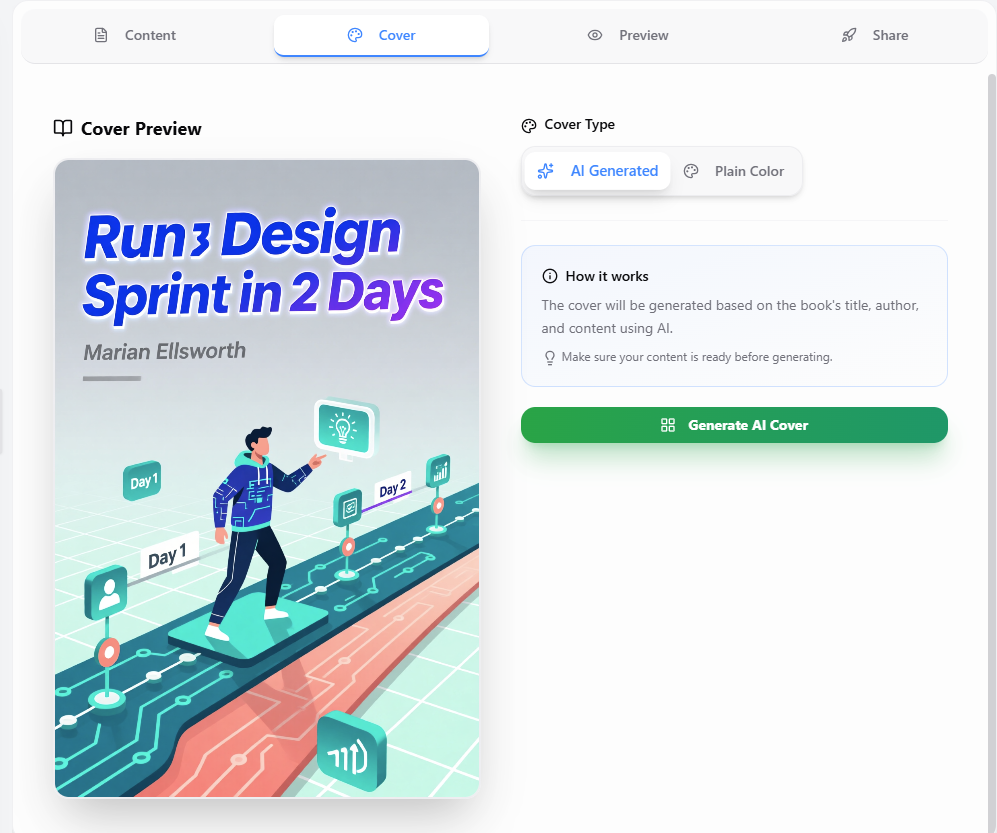
Go to Cover Tab and click Generate AI Cover.
🔹 Step 5: Publish & Share
Click Share and then Publish & Get Share Link → Get:
- 🔗 Public shareable link (e.g.,
https://ai-toolbox.visual-paradigm.com/app/ai-powered-flipbook-maker/?share=241a5607-848e-4406-bf0f-14d8bee263dc)
🌐 Distribution Ideas:
- Embed in Notion/docs via iframe
- Add to email nurture sequence as interactive asset
- QR code on sales leave-behinds
🌟 Real-World Example Walkthrough
Scenario: Acme Cloud (where Alex Johnson works) launching a new AI governance feature.
- Book Topic: AI Governance Dashboard
- Short Description:
“Explainer for enterprise security buyers on our new AI Governance Dashboard. Focus on audit trails, model drift detection, and RBAC. Professional, enterprise-SaaS style.” - Other Settings:
- Text pages: 6
- Words/page: 200
- Target audience: Enterprise security buyers
- Image pages: AI-Determined
- Art style: Photorealistic
- AI Output Includes:
- Page 1: Title + “Chapter 1: The Enterprise Security Challenge”
- Page 2: Audit Trails as a Foundation
- Page 3: Detecting Model Drift in Production
- Page 4: Role-Based Access Control in Action
- Page 5: Operationalizing Governance at Scale
- Page 6: Building Trust through Visibility
- Edits Made:
- Inserted customer quote on Page 5: “Reduced compliance review time by 70%” — CISO, Fortune 500 Client
- Result:
→ Shared with sales team for Q4 pipeline acceleration
→ Included in investor update deck appendix
You can also read this book with Visual Paradigm’s online flipbook viewer:
🔮 Pro Tips for PMs & Power Users
- Version Control: Save prompt + output as template (e.g., “Product Launch Template v1”)
- Consistency: Reuse art style + tone descriptors across all company flipbooks
- Hybrid Workflow: Generate AI draft → export to Google Docs → team edits → re-import Markdown
- Feedback Loop: Add final page: “How can we improve? [Link to Typeform]”
- Accessibility: Manually add alt-text to regenerated images before publishing
📈 Measuring Success
| Metric | How to Track | Target |
|---|---|---|
| Time Saved | (Manual hours) – (AI hours) | ≥ 80% reduction |
| Content Output | # flipbooks/month | 3–5x increase |
| Engagement | Avg. time on flipbook (via link analytics*) | > 2.5 mins |
| Conversion | % clicking CTA (e.g., demo request) | ≥ 15% |
* Basic analytics coming; for now, pair with UTM parameters or Bitly links.
🚀 Conclusion
The AI Flipbook Generator isn’t about replacing human creativity — it’s about amplifying it. By automating the heavy lifting of drafting, illustrating, and formatting, it frees you to focus on what truly matters: storytelling, strategy, and connection. Whether you’re a product manager aligning stakeholders around a roadmap, a marketer scaling personalized content, or a founder bringing a vision to life, this tool turns “I wish we had time to make that” into “Here — take a look.” As AI continues to evolve from assistant to collaborator, the real advantage won’t go to those with the most resources, but to those who act fastest on their best ideas. Your next great flipbook? It’s already one prompt away.
🚀 Ready to Start?
→ Create Your First AI Flipbook Now
→ For teams: Use in sprint planning to visualize Q1 roadmap as an interactive flipbook — stakeholders love it.
This post is also available in Deutsch, Español, فارسی, Français, English, Bahasa Indonesia, 日本語, Polski, Portuguese, Ру́сский, Việt Nam, 简体中文 and 繁體中文.