
Your personal knowledge base and documentation hub — combining rich text editing, professional diagramming, and AI-powered automation in one intuitive, web-based platform.
What is OpenDocs?
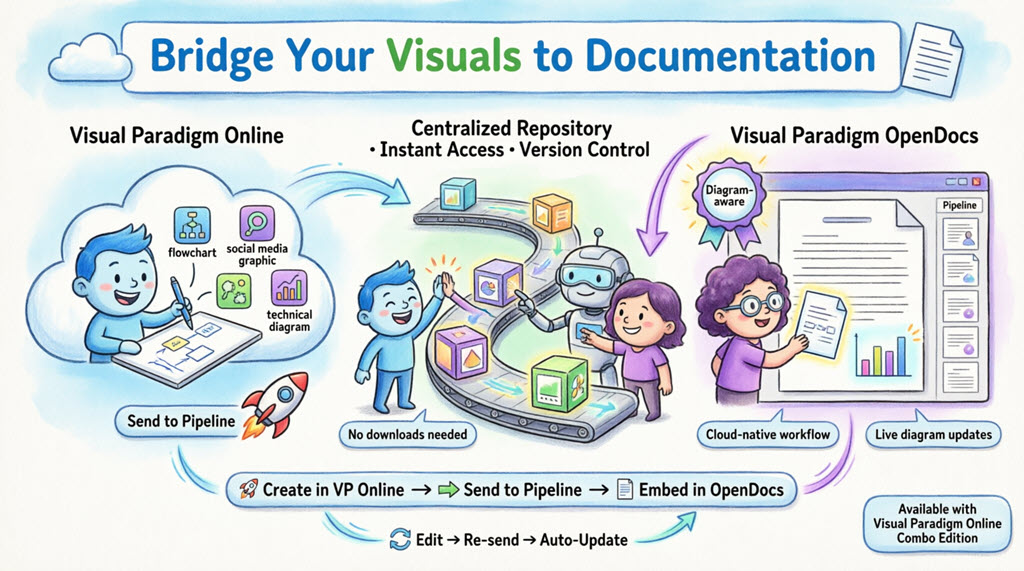
OpenDocs is an AI-powered knowledge management and documentation platform developed by Visual Paradigm. It functions as a “visual knowledge engine,” allowing individuals and teams to create, organize, and share documents and professional diagrams in a single, web-based workspace.
Whether you’re building a personal knowledge repository, creating project documentation, or collaborating with a team, OpenDocs offers the tools you need to capture and structure information effectively — all without switching between multiple applications.
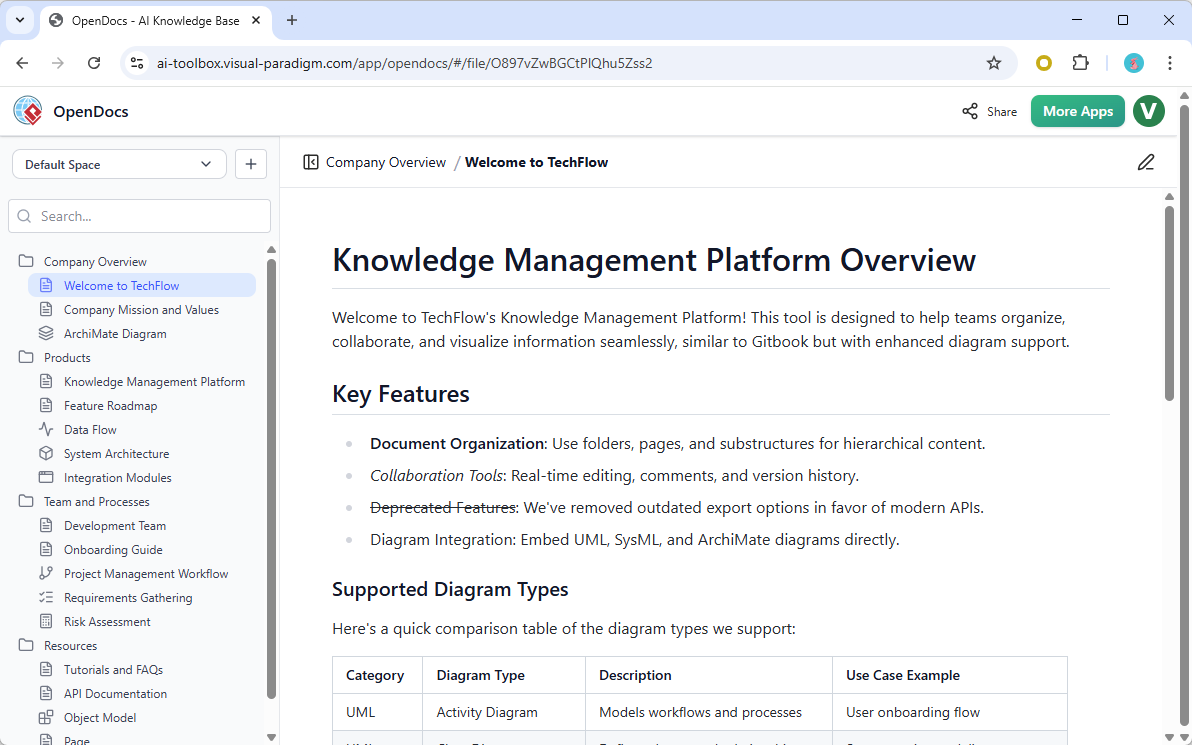
OpenDocs: Your centralized hub for text, diagrams, and AI-powered documentation
Core Features
✍️ Rich Markdown Editor
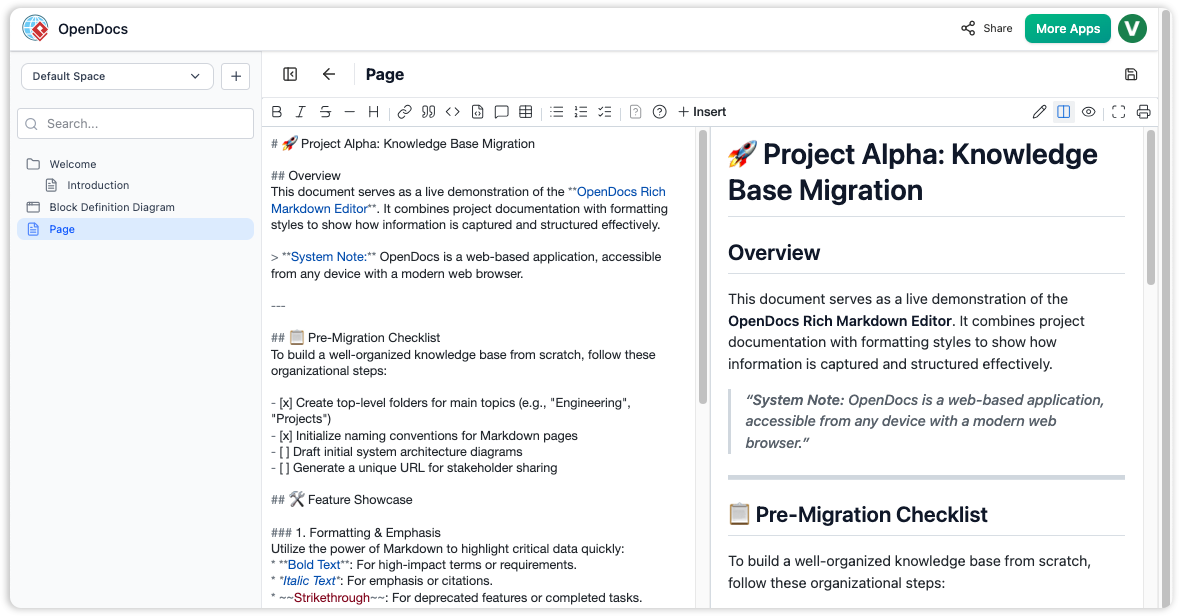
Split-pane Markdown editor with live preview
OpenDocs includes a full-featured Markdown editor designed for power users who value speed and precision:
-
Live Preview: See your formatted document update in real-time as you type
-
Full Markdown Support: Headings, lists, tables, code blocks, blockquotes, and more
-
Split-Pane View: Edit raw Markdown on the left, view rendered output on the right
-
Keyboard-First Workflow: Format text without touching your mouse
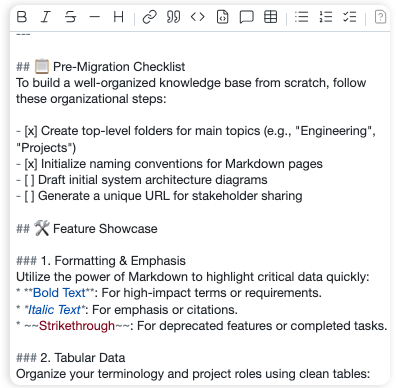
Format technical documentation with ease using Markdown syntax
🎨 Integrated Diagram Editor
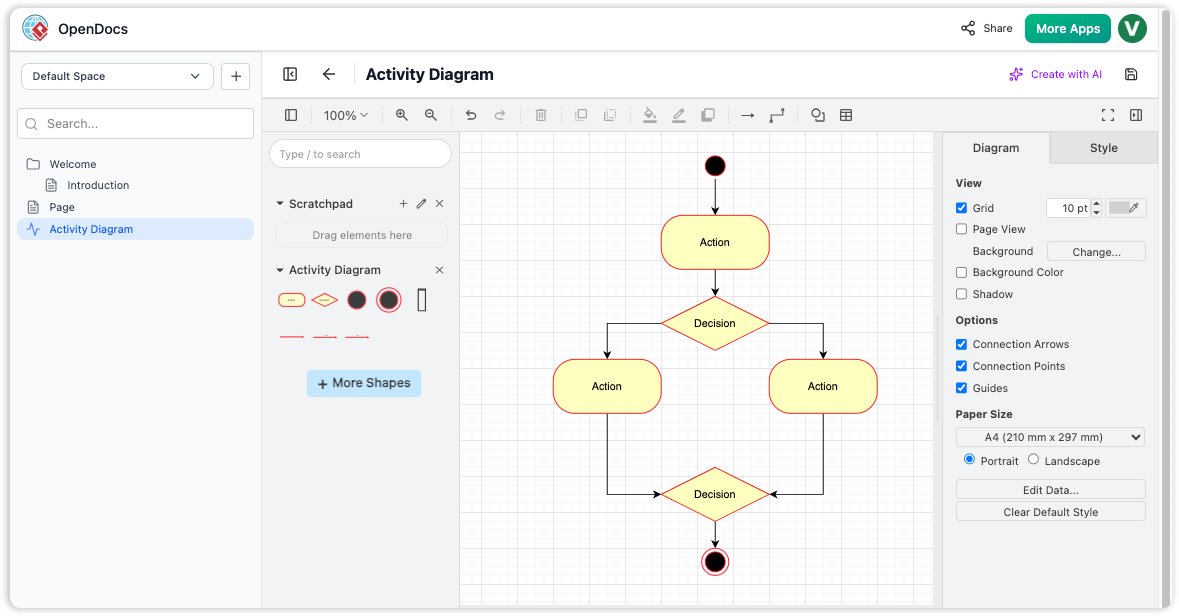
Create professional diagrams directly within your documentation
Stop jumping between tools. OpenDocs puts a powerful diagramming engine right inside your workspace:
-
Wide Diagram Support: Flowcharts, UML diagrams, BPMN, ERDs, mind maps, PERT charts, and more
-
Extensive Shape Library: Hundreds of professional stencils and connectors
-
Drag-and-Drop Editing: Intuitive visual editing with snap-to-grid alignment
-
Seamless Integration: Embed diagrams directly into your Markdown pages
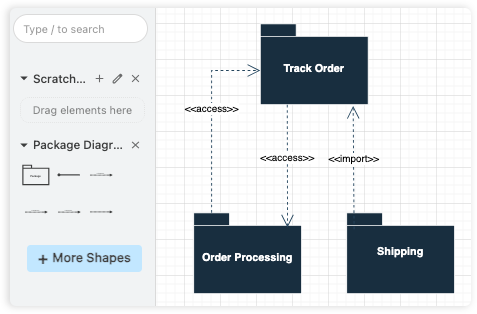
Build visual documentation without leaving your page
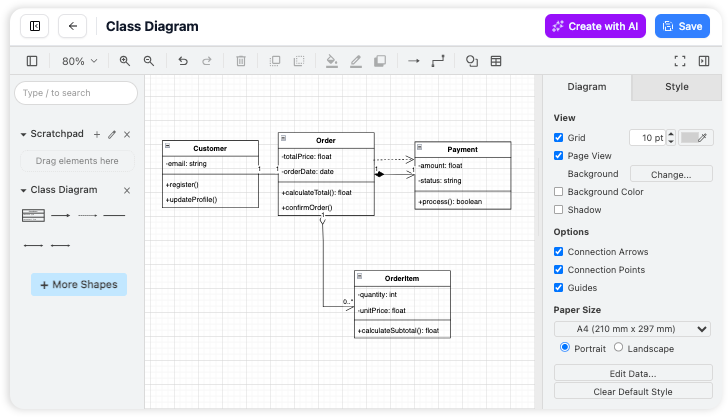
All-in-one workspace: write text and create visuals in the same place
🤖 AI-Powered Diagram Generation
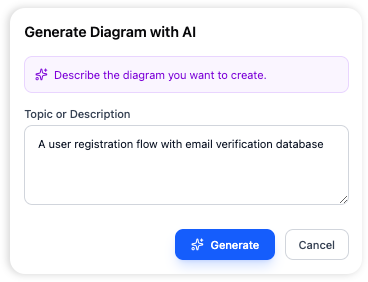
AI transforms plain English into professional diagrams instantly
Forget manual diagramming. With OpenDocs’ AI assistant:
-
Type a simple description: “Create a flowchart for our customer onboarding process”
-
The AI generates a complete, editable diagram instantly
-
Refine colors, labels, and layout using the visual editor
Supported AI Diagram Types:
-
Flowcharts & Process Maps
-
Entity-Relationship Diagrams (ERDs)
-
UML Diagrams (Use Case, Class, Sequence, Activity)
-
Mind Maps & Breakdown Structures
-
Network Diagrams & Architecture Charts
📁 Hierarchical Folder Structure
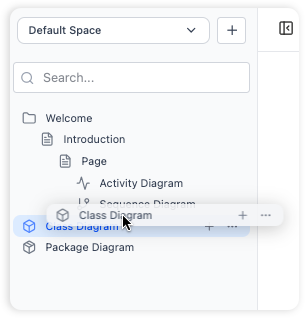
Organize your knowledge base with intuitive nested folders
Keep large repositories navigable with a familiar tree-like structure:
-
Nested Folders: Create folders within folders for logical project organization
-
Drag-and-Drop Reordering: Restructure your hierarchy instantly
-
Scalable Architecture: Grow from personal notes to enterprise documentation
-
Visual Clarity: Expand/collapse sections to focus on relevant content
Build a scalable information architecture that grows with your needs
Getting Started: Step-by-Step
Follow these five steps to launch your OpenDocs workspace:
1️⃣ Launch & Initialize
Open the OpenDocs application in your browser. You’ll see a welcome screen with options to create a new workspace or open recent projects.
2️⃣ Create and Name Your First Page
Click the “New Page” button in the sidebar. Give your document a descriptive name (e.g., “Project Requirements” or “Team Onboarding Guide”).
3️⃣ Write and Format Content
Use the Markdown editor to start writing. Apply standard Markdown syntax:
# Main Heading
## Subheading
- Bullet list item
1. Numbered list item
**Bold text** and *italic text*
`inline code` or ```code blocks```
4️⃣ Generate Visual Diagrams
Click “New Diagram” to open the visual editor. Choose to:
-
Draw manually using the shape library, OR
-
Use AI: Describe your diagram in plain English and let the assistant build it
5️⃣ Organize with Folders
Create folders via the sidebar and drag-and-drop your pages or diagrams to build a structured knowledge base.
Core Workflows
Master the essentials of building, documenting, and sharing your knowledge base.
🔷 Structure Knowledge
Build a robust hierarchy using top-level folders and sub-folders. Easily drag and drop to restructure as your projects grow.
🔷 Markdown Writing
Create rich documents with headers, code blocks, and lists. See your formatting instantly with our real-time live preview.
🔷 Visual Diagrams
Complement your notes with visual models. Use professional shape libraries and connectors to illustrate complex relationships.
🔷 Share Instantly
Ready to collaborate? Generate a unique URL to share your entire knowledge base instantly via secure, read-only links.
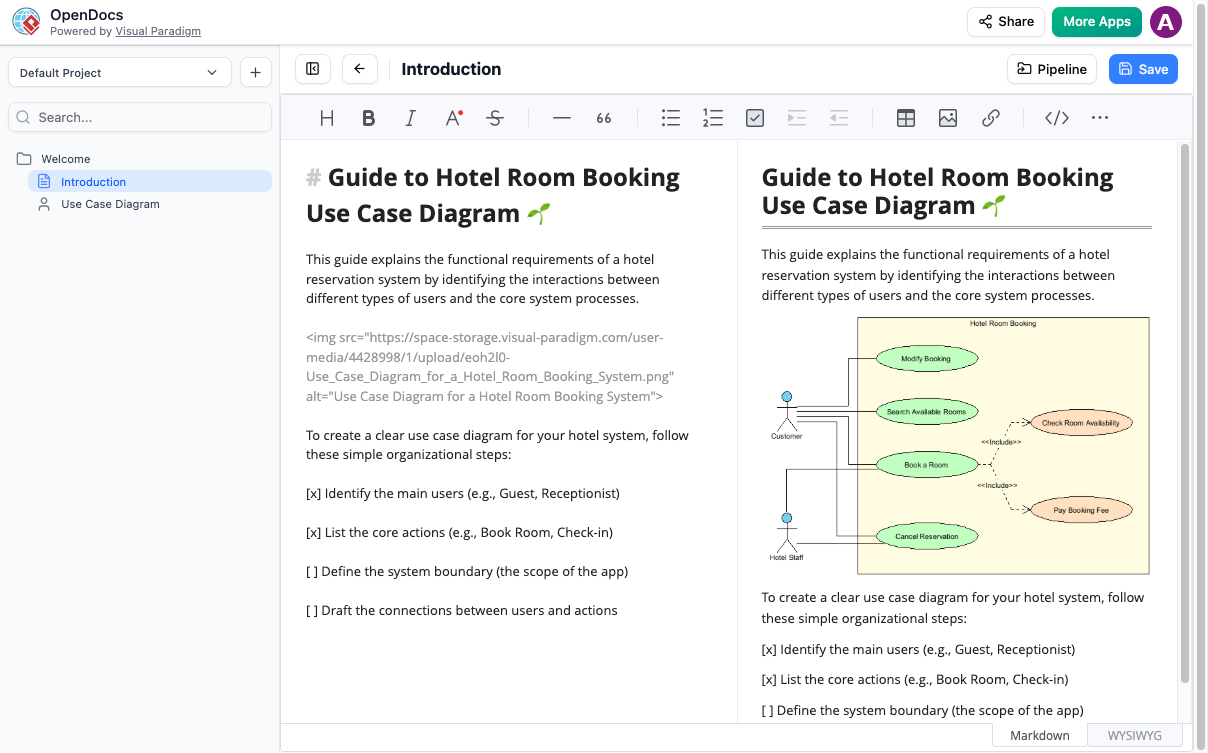
Example: Use Case Diagram created directly in OpenDocs
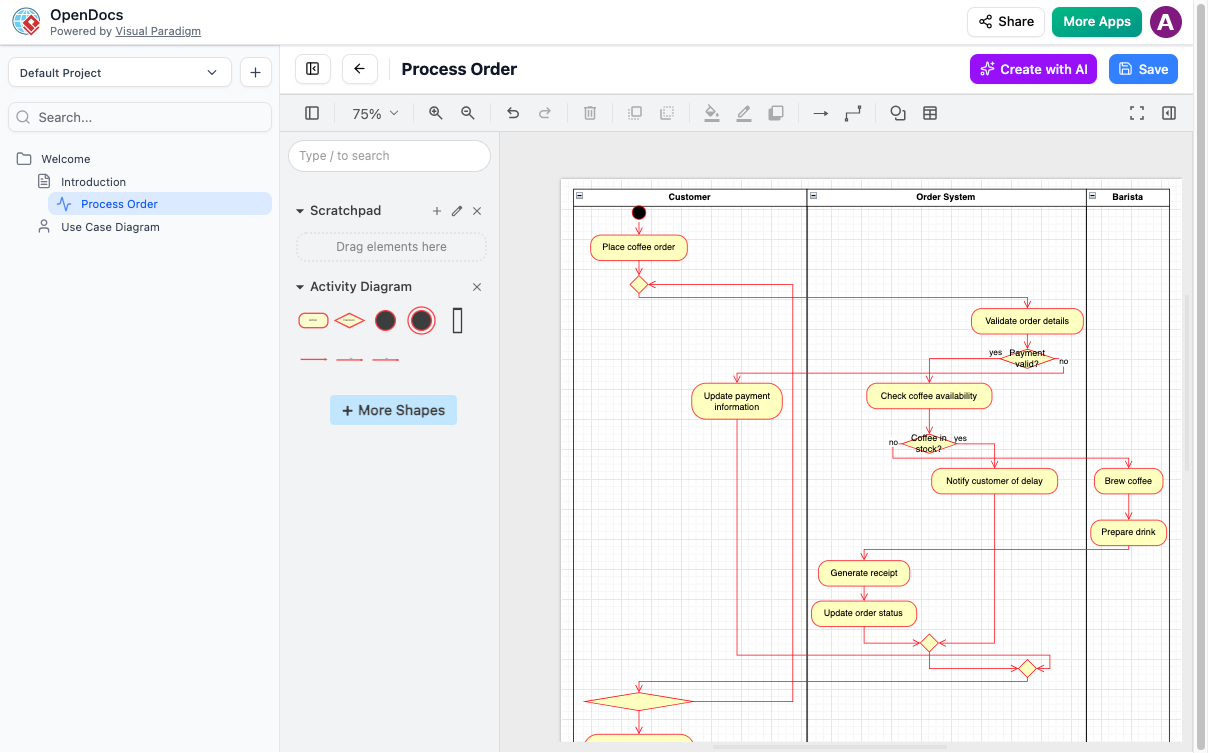
Example: Process workflow diagram for order management
AI-Powered Capabilities
🎯 From Text to Diagram in Seconds
“You shouldn’t have to fight with your mouse to create a flowchart. Just tell the AI what you need in plain English, and it draws the entire process for you.”
Example Prompts:
-
“Generate an ERD for a library management system with books, members, and loans”
-
“Create a BPMN diagram for our employee onboarding workflow”
-
“Draw a mind map for product launch planning”
🔗 Pipeline Integration: Connect Visual Paradigm Desktop & Online
OpenDocs features a Pipeline that bridges Visual Paradigm Desktop and Online editions:
-
Send diagrams from your modeling environment directly into OpenDocs documentation
-
Maintain a “single source of truth” across your toolchain
-
Sync updates automatically to keep documentation current
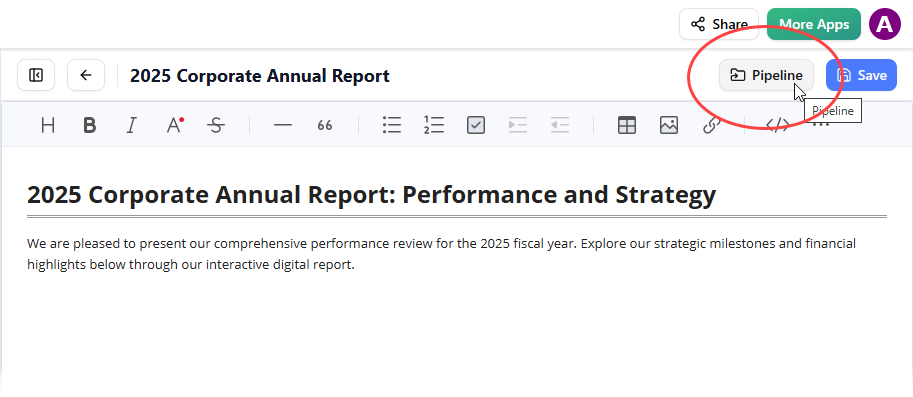
Use the Pipeline button to insert shared assets into your OpenDocs page
New Integration: Flipbooks in OpenDocs
Announced April 1, 2026
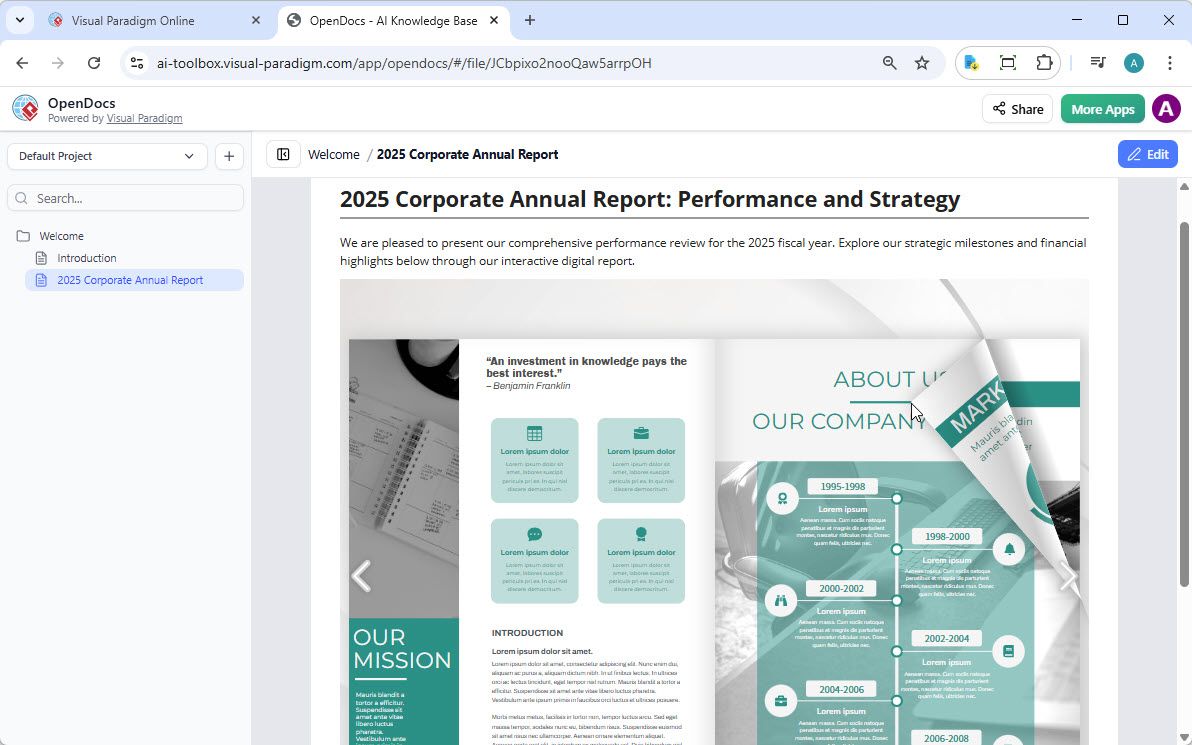
Embed interactive flipbooks directly into your OpenDocs pages
What Can You Do with Visual Paradigm Flipbooks?
Transform static documents into dynamic, engaging experiences:
✅ Convert & Create: Instantly transform PDFs, Word docs, and PowerPoint slides into flipbooks, or design from scratch
✅ AI-Powered Generation: Use AI to generate book outlines, write content, and create matching illustrations
✅ Interactive Elements: Embed videos, audio, clickable links, and realistic page-flipping effects
✅ Professional Branding: Customize covers, themes, and backgrounds to match your identity
✅ Mobile-First Reading: Fully responsive design for desktops, tablets, and smartphones
How to Share Your Flipbook to OpenDocs
-
Open your workspace in Visual Paradigm Online
-
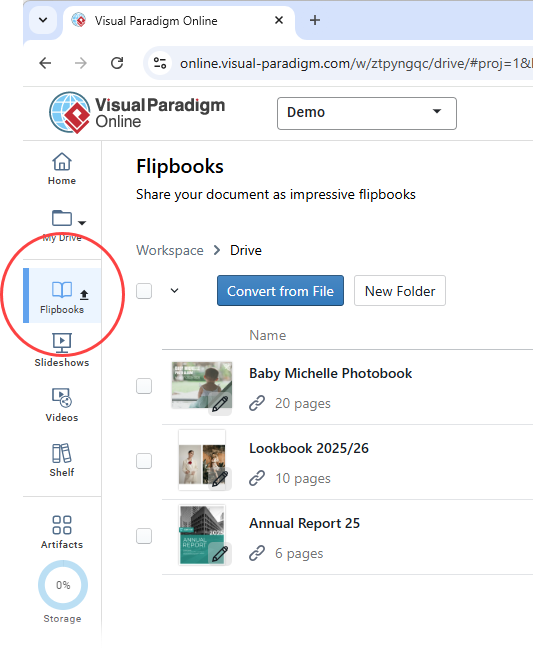
Select Flipbooks from the left-hand menu
-
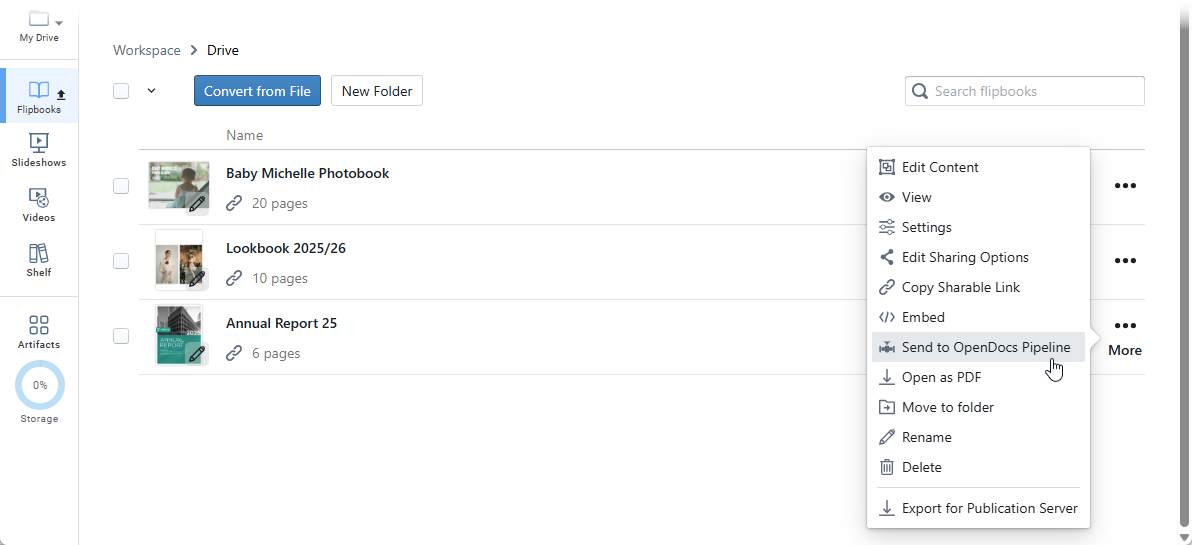
Locate your flipbook and click More… → Send to OpenDocs [Pipeline]
-
(Optional) Add a comment and click OK
Embedding Your Flipbook in OpenDocs
-
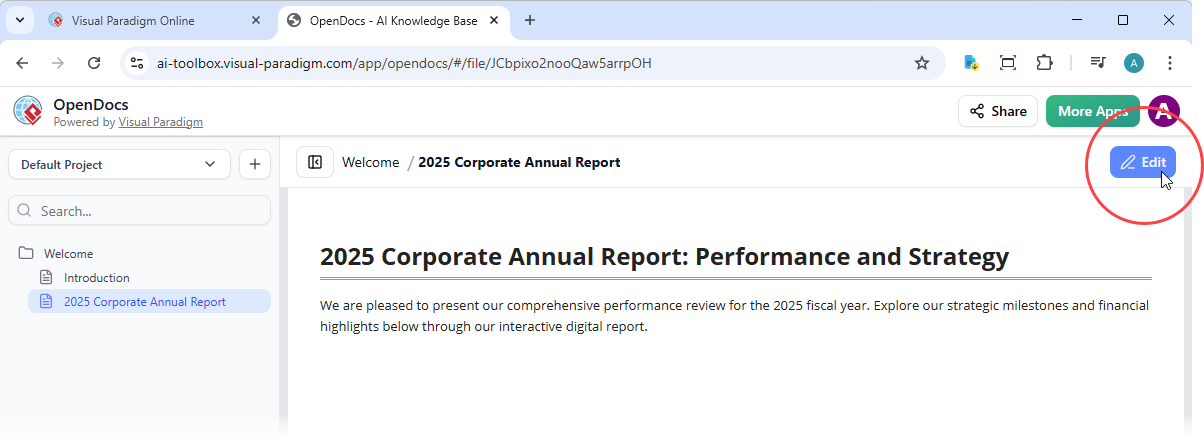
Navigate to your target OpenDocs page and click Edit
-
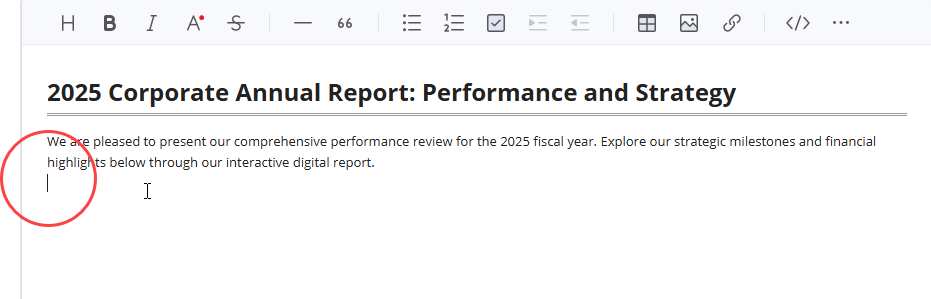
Position your cursor where the flipbook should appear
-
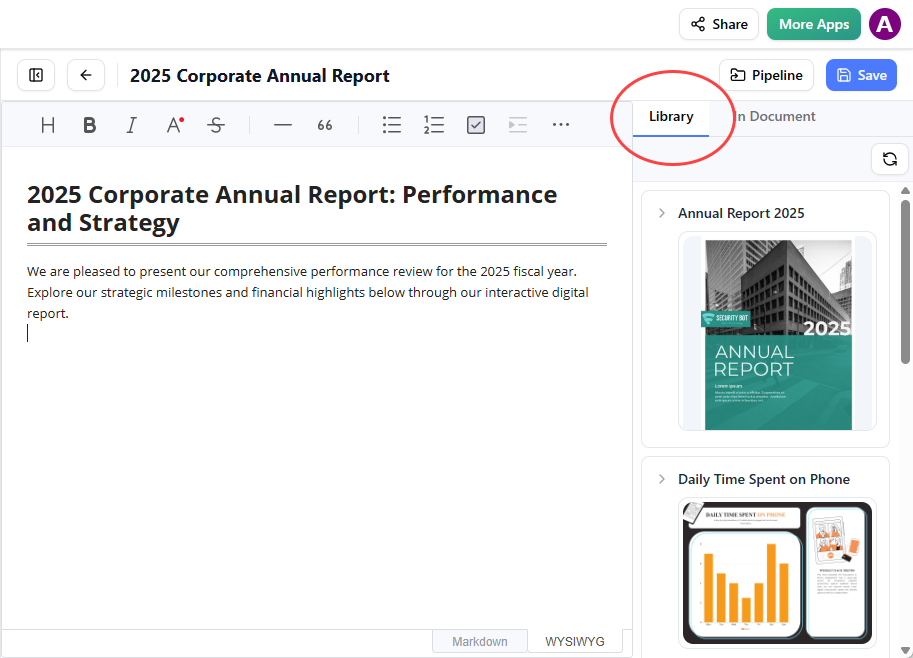
Click the Pipeline button (top right)
-
Open the Library tab to see your shared flipbook
-
Click to insert
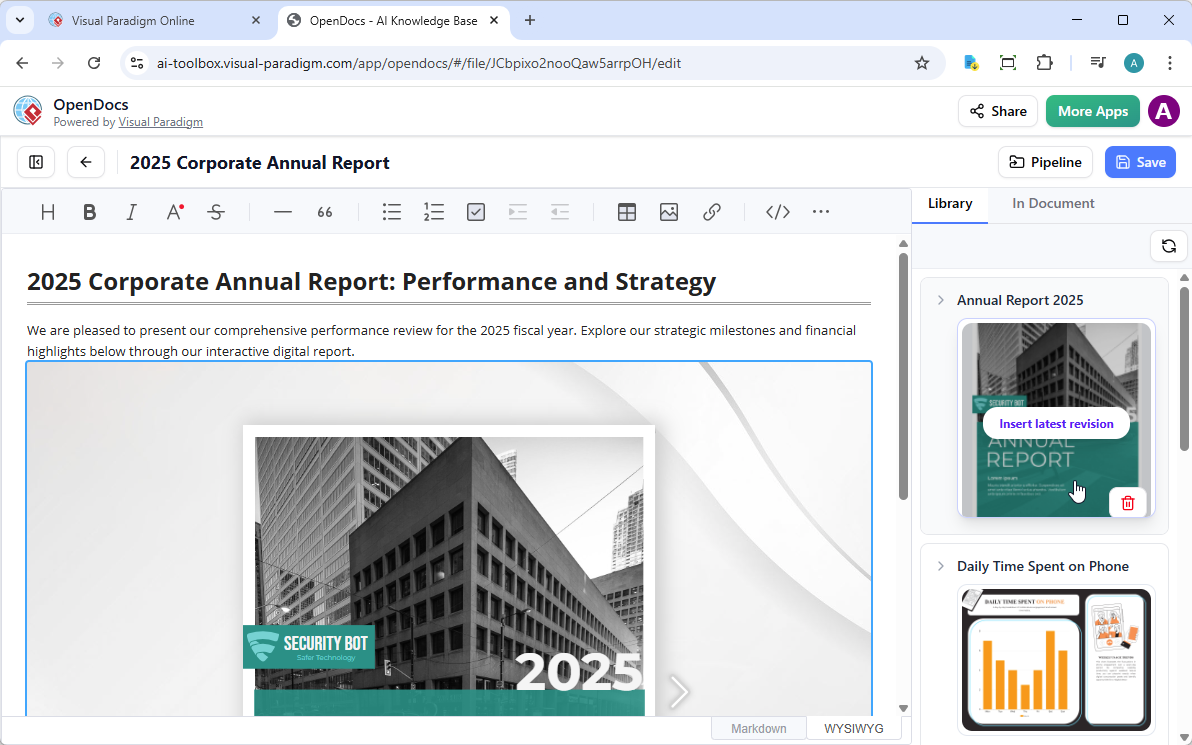
💡 Tip: In Edit mode, flipbooks appear static. Save and exit Edit mode to interact with the live flipbook.
Key Benefits
| Benefit | Description |
|---|---|
| 🧠 All-in-One Knowledge Hub | Combine text and diagrams in a single platform — no more tab-switching |
| 🗂️ Structure Your Thoughts | Organize hierarchically with nested folders for easy navigation at scale |
| 🤝 Effortless Collaboration | Share your entire knowledge base with one secure, read-only link |
| 🎨 Visually Rich Documentation | Go beyond plain text with professional diagrams that clarify complex systems |
| ⌨️ Markdown for Power Users | Leverage Markdown’s simplicity for fast, efficient document formatting |
| 🌐 Accessible Anywhere | Use any modern web browser — no desktop installation required |
| 🤖 AI Acceleration | Generate diagrams, outlines, and content faster with intelligent assistance |
| 🔗 Pipeline Ecosystem | Connect Visual Paradigm Desktop, Online, and OpenDocs for seamless workflows |
Frequently Asked Questions
❓ Can I import existing documents into OpenDocs?
OpenDocs is designed for creating content within the application. Currently, there is no direct import feature for existing files.
❓ What types of diagrams can I create?
The integrated diagram editor supports a wide variety: flowcharts, UML diagrams (Use Case, Class, Sequence, Activity), BPMN, ERDs, network diagrams, mind maps, PERT charts, Breakdown Structures, and more.
❓ Can I export my documents to other formats?
The application is focused on sharing within the platform. At this time, there is no direct export functionality to formats like PDF or Word.
❓ Is there a version history for my documents?
OpenDocs does not currently have a built-in version history feature. We recommend maintaining regular backups of your key documentation.
❓ Can I share a single page?
The sharing feature is designed to share the entire knowledge base to provide full context. There is no option to share individual pages or folders at this time.
❓ Is OpenDocs available as a desktop app?
OpenDocs is a web-based application, accessible from any modern web browser without installation.
❓ Who develops OpenDocs?
OpenDocs is developed and offered by Visual Paradigm, a leading provider of professional modeling and diagramming software tools.
❓ What kind of drawings can I make?
Almost anything! You can make flowcharts, mind maps, technical system maps, UML diagrams, BPMN workflows, ERDs, and more using our visual tools.
❓ Can I save my pages as PDFs?
Direct PDF export is not currently supported. Content is optimized for web viewing and sharing via secure links.
❓ Do I need to download software?
No. OpenDocs runs entirely in your web browser. Just visit the application URL and start documenting.
Ready to Build Your Better Knowledge Base?
Stop losing important notes. OpenDocs combines easy writing with professional drawing tools so you can organize your projects and share them with one link.
- Reference
- OpenDocs: AI-Powered Knowledge Management Platform | Visual Paradigm: Official product page detailing OpenDocs features, capabilities, and use cases for individuals and teams seeking integrated documentation and diagramming.
- Visual Paradigm OpenDocs: The Complete Guide to AI-Powered Knowledge Management and Diagram Generation: Comprehensive third-party guide covering setup, workflows, AI features, and best practices for maximizing OpenDocs productivity.
- Visual Paradigm Online to OpenDocs Export: Release announcement detailing the workflow for exporting diagrams and content from Visual Paradigm Online directly into OpenDocs via the Pipeline integration.
- OpenDocs: AI-Powered Knowledge Platform Release: Official launch announcement introducing OpenDocs as Visual Paradigm’s unified knowledge management solution with AI diagram generation and Markdown support.
- OpenDocs Entity-Relationship Diagram (ERD) AI Generation: Feature update highlighting AI-powered ERD creation, allowing users to generate database schema diagrams from natural language descriptions.
- AI Flowchart Generator: OpenDocs Update: Release notes covering enhancements to the AI flowchart generation engine, including improved prompt understanding and layout optimization.
- OpenDocs WYSIWYG Editor Update: AI Knowledge Management Tool: Announcement of the optional WYSIWYG editor mode, providing an alternative to Markdown for users preferring visual formatting controls.
- Mastering the Pipeline in Visual Paradigm OpenDocs: A Complete Guide to Streamlined Knowledge Management: In-depth tutorial on leveraging the Pipeline feature to synchronize content across Visual Paradigm Desktop, Online, and OpenDocs.
- OpenDocs Tutorial Video: Official video walkthrough demonstrating core OpenDocs workflows, including page creation, diagram insertion, folder organization, and sharing.
- OpenDocs Professional Mind Map Integration: Feature release adding advanced mind mapping capabilities with collapsible branches, styling options, and export-ready layouts.
- AI Breakdown Structure Chart Maker in OpenDocs: Update introducing AI-assisted creation of Work Breakdown Structures (WBS) and hierarchical decomposition charts for project planning.