
Your all-in-one suite for visual modeling, enterprise architecture, business analysis, project management, and agile development
Introduction
Visual Paradigm is a comprehensive visual modeling and project management platform designed to help teams design software, manage projects, and document processes within a single integrated environment. Available as both a desktop application (Visual Paradigm Desktop) and a cloud-based solution (VP Online), it supports a wide range of industry standards and methodologies—from UML and BPMN to TOGAF and Scrum.
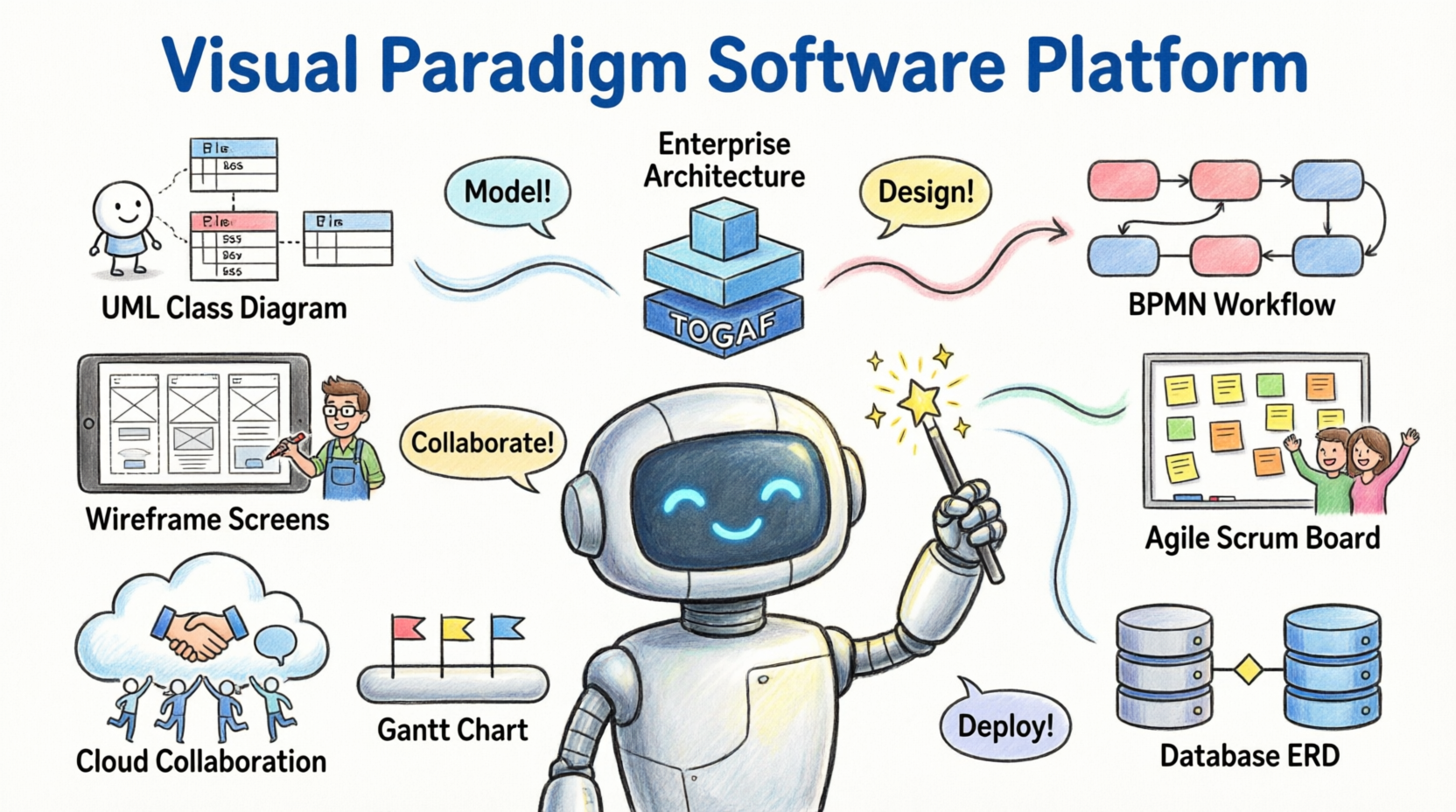
Key Value Propositions:
-
✅ All-in-one suite covering modeling, analysis, design, and delivery
-
✅ Support for 50+ diagram types and industry frameworks
-
✅ Cloud-based collaboration with real-time team synchronization
-
✅ AI-powered features for accelerated diagram generation and analysis
-
✅ Flexible editions from free Community to enterprise-grade solutions
Try Visual Paradigm Free: Download a free trial to explore all features.
Core Feature Categories
🔷 Visual Modeling
Build and manage diagrams and model elements with an intuitive, drag-and-drop editor designed for efficiency and precision.
Supported Standards:
-
UML (Unified Modeling Language) for software design
-
BPMN (Business Process Model and Notation) for workflow visualization
-
ArchiMate for enterprise architecture modeling
-
DFD (Data Flow Diagrams) in multiple notations (Yourdon/DeMarco, Gane/Sarson)
-
ERD (Entity Relationship Diagrams) for database design
-
SysML for systems engineering
-
SoaML for service-oriented architecture
-
CMMN for case management
Key Capabilities:
-
Element reusability and transformation tools
-
Syntax validation to ensure model correctness
-
Custom properties and extensive formatting options
-
Diagram animation for process simulation and presentation
UML Tool: Create class, sequence, use case, and activity diagrams with full UML 2.5 support.
BPMN Diagram and Tools: Model business processes with animation and simulation capabilities.
ArchiMate Tools: Design enterprise architecture views aligned with The Open Group standards.
🏢 Enterprise Architecture
Leverage industry-leading frameworks to align business strategy with IT execution.
Framework Support:
-
TOGAF ADM with guided lifecycle navigation and auto-generated deliverables
-
DoDAF, NAF, and MODAF for defense and government architecture
-
Zachman Framework for enterprise ontology modeling
Productivity Features:
-
Step-by-step ADM phase guidance with actionable work items
-
Built-in ArchiMate modeling with viewpoint templates
-
Capability analysis and gap assessment tools
-
AI-enhanced TOGAF guidance for faster architecture development
TOGAF ADM Tools: Navigate the Architecture Development Method with guided templates and deliverable automation.
AI-Enhanced TOGAF Guide-Through: Accelerate architecture planning with AI-assisted recommendations.
📊 Business Analysis & Design
Transform business strategy into executable processes with integrated analysis tools.
Strategic Planning:
-
Define goals using Business Motivation Model (BMM)
-
Map capabilities and value streams
-
Align initiatives with organizational objectives
Process Design & Analysis:
-
Visualize workflows with BPMN 2.0
-
Animate processes to identify bottlenecks
-
Simulate resource allocation and throughput
-
Generate professional process documentation
Process Reengineering:
-
Document as-is and to-be processes
-
Conduct gap analysis with KPI tracking
-
Plan implementation with WBS and roadmaps
Business Process Reengineering Canvas: One-page canvas for documenting, analyzing, and improving business processes.
Decision Table Tool: Model complex business rules in a structured, executable format.
🗂️ Project Management
Maximize project outcomes with a full suite of planning, execution, and control tools.
Planning & Scheduling:
-
Gantt charts with dependency management
-
PERT charts for critical path analysis
-
Work Breakdown Structure (WBS) decomposition
-
Roadmaps and implementation plans
Execution & Monitoring:
-
Task assignment and progress tracking
-
Risk registers and issue logs
-
Spider/radar charts for performance visualization
-
Fishbone diagrams for root cause analysis
Methodology Support:
-
PMBOK® Guide-aligned process templates
-
Just-in-Time process maps for agile or traditional projects
-
Integrated document generation for status reports
Project Management Lifecycle Guide-Through: Navigate project phases with actionable templates and automated reporting.
Enhanced PERT Chart: Visualize task dependencies and calculate project duration with probabilistic estimates.
🔄 Agile & Scrum Development
Empower agile teams with backlog management, sprint planning, and retrospective tools.
User Story Management:
-
Drag-and-drop story mapping with affinity estimation
-
3C’s framework (Card, Conversation, Confirmation)
-
Story-based storyboards and wireframe linking
Scrum Execution:
-
Scrum Process Canvas: One-page view of roles, events, and artifacts
-
Sprint backlog, burndown charts, and task boards
-
Daily Scrum records and impediment tracking
-
Automated report generation for reviews and retrospectives
Scaled Agile Support:
-
LeSS Canvas for Large-Scale Scrum
-
Nexus Canvas for scaled product development
-
Cross-team dependency management
Agile User Story Mapping Tool: Organize epics, stories, and tasks visually with estimation and sprint planning.
Scrum Process Canvas: Manage your entire Scrum project on a single, actionable canvas.
🌐 Online Diagrams & Collaboration
Create, share, and collaborate on diagrams from any device with VP Online.
Cloud Advantages:
-
Zero installation; works in any modern browser
-
Real-time concurrent editing with team members
-
Cloud repository with version history and access control
-
Embed diagrams in Confluence, MS Office, or web pages
Diagram Library:
-
100+ diagram types: flowcharts, org charts, mind maps, UML, BPMN, and more
-
1,000+ professionally designed templates
-
Visio-compatible import/export
Collaboration Features:
-
Commenting and review workflows
-
Task assignment linked to diagram elements
-
Change request management and approval trails
Team Collaboration Toolset: Enable concurrent modeling, revision control, and discussion within shared projects.
Online Diagrams: Access cloud-based diagramming with no setup required.
👤 User & Customer Experience Design
Clarify requirements and validate designs with UX-focused tools.
Wireframing & Prototyping:
-
Low-fidelity wireframes for layout exploration
-
Wireflow diagrams to visualize screen transitions
-
Interactive prototypes for stakeholder validation
-
High-fidelity mockups for detailed UI design
Animation & Presentation:
-
Wireflow animation to demonstrate user journeys
-
Storyboards for scenario-based requirements
-
Export to video or interactive HTML for presentations
Customer Journey Mapping:
-
Map touchpoints, emotions, and pain points across the customer lifecycle
-
Identify improvement opportunities with value-stream analysis
-
Link journey insights to process redesign initiatives
UX Design and Wireframe Tools: Create wireframes, wireflows, and prototypes in an integrated environment.
Customer Journey Mapping Tool: Visualize and analyze customer experiences to drive value-centric improvements.
⚙️ Code & Database Engineering
Bridge design and implementation with bidirectional engineering capabilities.
Code Engineering:
-
Generate code from UML models (Java, C#, C++, Python, and 10+ languages)
-
Reverse-engineer code into class and sequence diagrams
-
Round-trip engineering to keep models and code synchronized
-
Generate state machine code from UML state diagrams
API Design:
-
Visual REST API designer with OpenAPI/Swagger support
-
Generate API documentation and client SDKs
-
Validate API contracts against models
Database Engineering:
-
Generate DDL scripts from ER diagrams
-
Reverse-engineer databases into ERD models
-
Support for MySQL, PostgreSQL, Oracle, SQL Server, and more
-
Hibernate ORM mapping tools
Code Engineering Tools: Achieve round-trip synchronization between UML models and source code.
Visual REST API Designer: Design, document, and generate REST APIs visually with OpenAPI compliance.
🗺️ Process Map Designer
Plan complex business operations with a flexible, matrix-style editor.
Key Features:
-
Unlimited rows and columns for scalable process documentation
-
Configurable cell formats: text, bullet lists, tables, or charts
-
40+ pre-built templates for ITIL, ISO, Six Sigma, and more
-
Data visualization with embedded charts and KPIs
Use Cases:
-
RACI matrices for role clarification
-
Process catalogs for enterprise governance
-
Compliance documentation with audit trails
Process Map Designer: Create structured, visual process documentation with matrix-style editing.
📄 Documentation & Reporting
Transform models into professional documentation with minimal effort.
Doc. Composer:
-
Drag-and-drop model elements into rich-text documents
-
Thousands of customizable templates for reports, specs, and manuals
-
Auto-update content when models change
-
Export to PDF, Word, HTML, or Confluence
Project Publisher:
-
Generate interactive web portals from project models
-
Role-based access for stakeholders
-
Integrated navigation and search
Document Generation Tools: Build professional reports by dragging model elements into a WYSIWYG editor.
Edition Comparison
Visual Paradigm offers five editions to match team size and project complexity:
| Feature Category | Community | Modeler | Standard | Professional | Enterprise |
|---|---|---|---|---|---|
| Core Diagramming | ✅ Basic UML, Flowcharts | ✅ + BPMN, DFD, ERD | ✅ + SysML, SoaML | ✅ + CMMN, BMM | ✅ All diagram types |
| Enterprise Architecture | ❌ | ❌ | ❌ | ✅ ArchiMate, TOGAF | ✅ + DoDAF, NAF, MODAF, AI-TOGAF |
| Agile & Scrum | ❌ | ❌ | ✅ User Stories | ✅ + Scrum Canvas | ✅ + LeSS, Nexus, Customization |
| Code/Database Engineering | ❌ | ❌ | ✅ Basic round-trip | ✅ + REST API, Hibernate | ✅ Full bidirectional engineering |
| Team Collaboration | ✅ Basic sharing | ✅ + Revision history | ✅ + Review/commenting | ✅ + Task management | ✅ + Change requests, ETL |
| AI Features | ❌ | ❌ | ❌ | ✅ AI diagram generation | ✅ + AI-TOGAF, Chatbot import |
| Customization | ❌ | ❌ | ❌ | ✅ Plug-ins | ✅ Guide-through creation, ETL |
💡 Recommendation Guide:
-
Community: Students, hobbyists, or lightweight diagramming
-
Modeler: Business analysts needing BPMN/DFD/ERD
-
Standard: Software teams requiring UML + basic agile tools
-
Professional: Enterprise architects and agile coaches
-
Enterprise: Large organizations with framework compliance needs
Compare Editions: Review detailed feature matrices and pricing.
Getting Started
1. Choose Your Deployment
-
Desktop: Full-featured Windows/macOS/Linux application for offline work
-
VP Online: Cloud-based access with real-time collaboration
-
Hybrid: Sync desktop projects to cloud for team access
2. Install or Sign Up
-
Download the installer from Try it Free
-
Or create a free VP Online account at online.visual-paradigm.com
3. Explore Templates
-
Browse 1,000+ templates across diagram types
-
Start with “New Project” wizards for UML, BPMN, Scrum, or TOGAF
4. Learn the Basics
-
Use built-in tutorials and STEPS wizards for guided modeling
-
Access video guides via Support
5. Collaborate & Scale
-
Invite team members to shared projects
-
Configure permissions, notifications, and integration with Jira/Confluence
6. Request Personalized Guidance
-
Request a Demo for enterprise onboarding
-
Contact Sales Support for licensing questions
Reference List
Visual Paradigm Homepage: Official website for Visual Paradigm products, features, and resources.
VP Online: Cloud-based diagramming and modeling platform with zero-installation access.
Features Overview: Comprehensive listing of all Visual Paradigm capabilities across modeling, analysis, and delivery.
What’s New: Release notes, feature updates, and product announcements.
Support Center: Documentation, tutorials, forums, and technical assistance.
Pricing & Shop: Edition comparisons, licensing options, and purchase portal.
Request a Demo: Schedule a personalized product demonstration with a solutions expert.
Download Free Trial: Try Visual Paradigm Desktop or VP Online at no cost.
UML Tool: Create and manage UML 2.5 diagrams including class, sequence, use case, and state machine.
BPMN Diagram and Tools: Model, animate, and simulate business processes using BPMN 2.0 standard.
ArchiMate Tools: Design enterprise architecture views aligned with The Open Group ArchiMate® specification.
Data Flow Diagram Tool: Create DFDs using Yourdon/DeMarco, Gane/Sarson, or custom notations.
Database Design with ERD Tools: Model relational databases with entity-relationship diagrams and forward/reverse engineering.
SoaML Diagrams and Tools: Design service-oriented architectures using the SoaML specification.
SysML Diagram Tool: Model complex systems with SysML diagrams for requirements, structure, behavior, and parametrics.
CMMN Diagram Tools: Model case management workflows using the CMMN standard.
TOGAF ADM Tools: Navigate the TOGAF Architecture Development Method with guided phases and deliverable automation.
BPMN Process Animation: Simulate and animate business processes to validate logic and identify bottlenecks.
Business Process Reengineering Canvas: One-page canvas for documenting, analyzing, and improving business processes with KPI tracking.
Project Management Lifecycle Guide-Through: Navigate project phases with actionable templates aligned to PMBOK® and other standards.
PMBOK Just-in-Time Templates: Access PMBOK®-aligned process templates on demand for planning and execution.
Enhanced PERT Chart: Visualize task dependencies, calculate critical paths, and perform probabilistic scheduling.
Roadmap Tool: Create strategic product and technology roadmaps with timeline visualization.
Implementation Plan: Break down initiatives into executable work packages with dependencies and owners.
Radar Chart Tool: Visualize multi-dimensional performance data for capability assessment or risk analysis.
Breakdown Structure Diagram Tool: Decompose projects, products, or work into hierarchical WBS structures.
Cause and Effect Diagram Tool: Create fishbone/Ishikawa diagrams for root cause analysis and quality improvement.
Agile User Story Mapping Tool: Organize epics, user stories, and tasks visually with estimation and sprint planning.
Scrum Process Canvas: Manage your entire Scrum project on a single, actionable canvas with automated reporting.
UX Design and Wireframe Tools: Create wireframes, wireflows, storyboards, and prototypes for user experience design.
Wireflow Diagram: Visualize screen transitions and user navigation paths as interactive flowcharts.
Wireflow Animation: Animate wireflows to demonstrate user journeys in presentations or stakeholder reviews.
Prototyping Tool: Build clickable prototypes to validate designs before development.
Customer Journey Mapping Tool: Map customer touchpoints, emotions, and pain points to identify value-driven improvements.
Code Generation and Reversal: Achieve bidirectional synchronization between UML models and source code for 10+ languages.
Form Sequence Diagram from Java: Automatically generate sequence diagrams by analyzing Java method calls.
Hibernate ORM Tools: Model and generate Hibernate mapping configurations from class diagrams.
Visual REST API Designer: Design, document, and generate REST APIs visually with OpenAPI/Swagger compliance.
Database Engineering Tools: Forward/reverse engineer databases with ERD modeling and DDL script generation.
Process Map Designer: Create structured, matrix-style process documentation with configurable cells and embedded charts.
Team Collaboration Toolset: Enable concurrent modeling, revision control, commenting, and task management for distributed teams.
Document Generation Tools: Build professional reports by dragging model elements into a rich-text editor with template support.
Flowchart Editor: Create process flows, decision trees, and workflow diagrams with smart connectors and styling.
Organization Chart: Visualize reporting structures and team hierarchies with auto-layout.
Chen ERD Editor: Model databases using Chen notation for academic or conceptual design.
Mind Mapping Diagram and Tools: Brainstorm ideas and structure knowledge with radial mind maps and brainstorming diagrams.
C4 Model Diagrams: Document software architecture at Context, Container, Component, and Code levels.
Business Motivation Model Tool: Define strategic goals, drivers, and influences using the BMM framework.
Textual Analysis Tool: Extract requirements and model elements from natural language documents.
Analysis Canvas: Structure problem analysis with SWOT, PESTLE, or custom frameworks on a visual canvas.
Atlassian Confluence Integration: Embed and edit Visual Paradigm diagrams directly within Confluence pages.
Jira Integration: Link model elements to Jira issues for traceability between design and execution.
AI Diagram Generation: Generate UML, BPMN, or ERD diagrams from natural language prompts using AI.
Import ArchiMate from Chatbot: Create ArchiMate diagrams via conversational AI and import into Visual Paradigm.
Community Edition: Free edition for students and lightweight diagramming needs.
Modeler Edition: Professional modeling for business analysts with BPMN, DFD, and ERD support.
Standard Edition: Software development focus with UML, agile tools, and basic code engineering.
Professional Edition: Enterprise architecture and advanced agile with TOGAF, Scrum Canvas, and API design.
Enterprise Edition: Full-featured suite with scaled agile, defense frameworks, AI enhancements, and customization.
Partners & Resellers: Find authorized partners for implementation, training, and localized support.
Contact Sales Support: Submit inquiries about licensing, deployment, or enterprise solutions.
💡 Pro Tip: Start with the edition that matches your primary use case, then scale up as team collaboration, framework compliance, or engineering needs grow. All editions support free trial evaluation.