


Every business analyst and systems engineer knows the struggle: you are staring at a mess of meeting minutes, emails, or a vague problem statement, and you need to turn it into a structured technical model. In the past, manually parsing a problem description like a “fragmented university student record system” could take hours of highlighting and sketching. But with Visual Paradigm‘s AI Textual Analysis Generation, you can transform unstructured text into professional analysis artifacts and visual models in seconds.
This tutorial demonstrates exactly how to use this AI-powered requirements engineering tool to tackle a real-world scenario—fixing a legacy student record system—and rapidly generating a domain class model. By leveraging this feature, you move from “rough idea” to “visual diagram” with unprecedented speed.
Quick Summary: Why Use AI for Textual Analysis?
-
Instant Structure: Convert raw problem descriptions into structured summaries and candidate item lists immediately.
-
Smart Extraction: Automatically identify Functional Requirements, Actors, Classes, and Use Cases without manual tagging.
-
Seamless Modeling: Transition directly from analysis text to visual diagrams (like Class Diagrams) in a few clicks.
-
Gap Detection: Let the AI highlight ambiguities and missing logic before you start building.
Step 1: Inputting the Problem Description
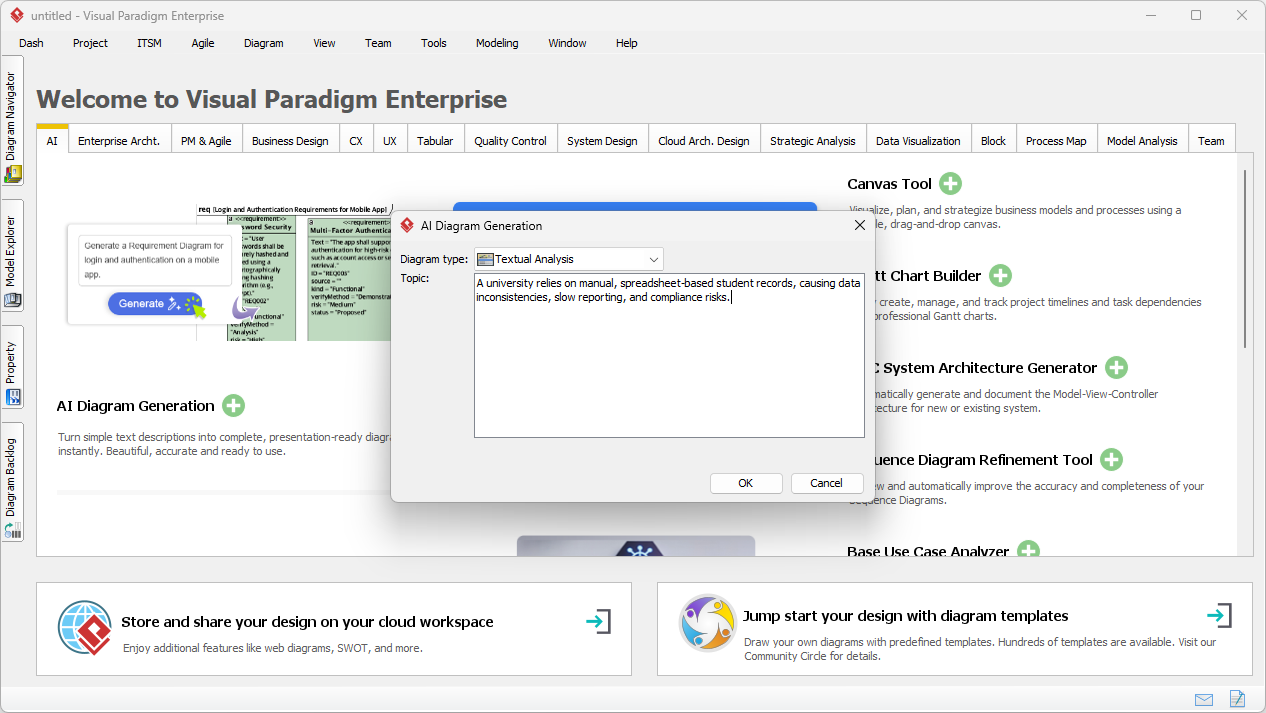
The journey begins with a problem. In our example scenarios, a university is suffering from data inconsistencies due to reliance on manual, spreadsheet-based student records. This is a classic “unstructured” problem statement. Instead of breaking this down on a whiteboard, we launch the AI Diagram Generation tool within Visual Paradigm Desktop.
By selecting “Textual Analysis” as the diagram type, we can simply paste our raw problem description into the prompt window. Whether it’s a paragraph about compliance risks or a transcript from a stakeholder interview, the AI textual analysis generator is designed to parse natural language and extract technical meaning.
Step 2: Reviewing AI-Generated Candidate Elements
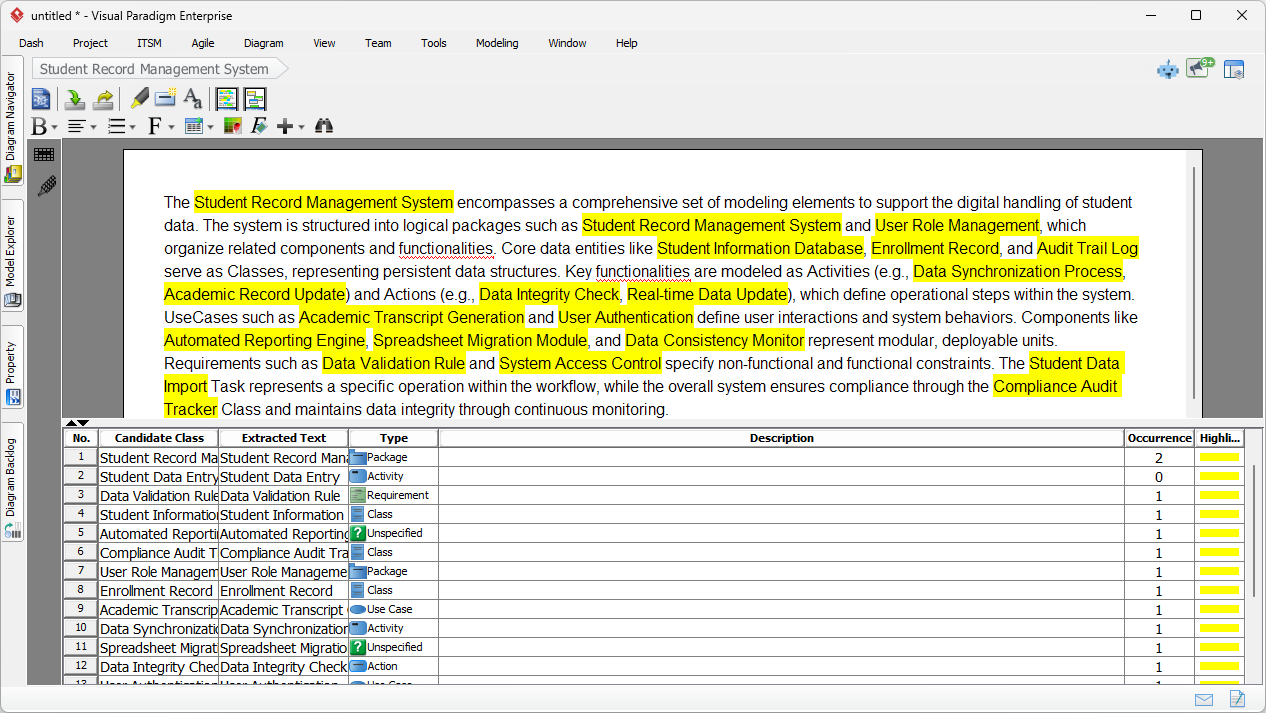
Once you click OK, the engine goes to work. It doesn’t just summarize the text; it performs a deep semantic analysis to identify specific candidate elements. The result is a comprehensive textual analysis document where key concepts are highlighted and categorized.
As you can see in the workspace below, the AI has successfully parsed the student record problem. It has generated a “Candidate Class” table that lists potential system components such as Student Information Database, Enrollment Record, and Compliance Audit Tracker. It even identifies the “Type” of each element (e.g., Package, Class, Requirement, Activity). This automated candidate item identification saves massive amounts of time during the elicitation phase.
Step 3: Converting Text to Visual Models
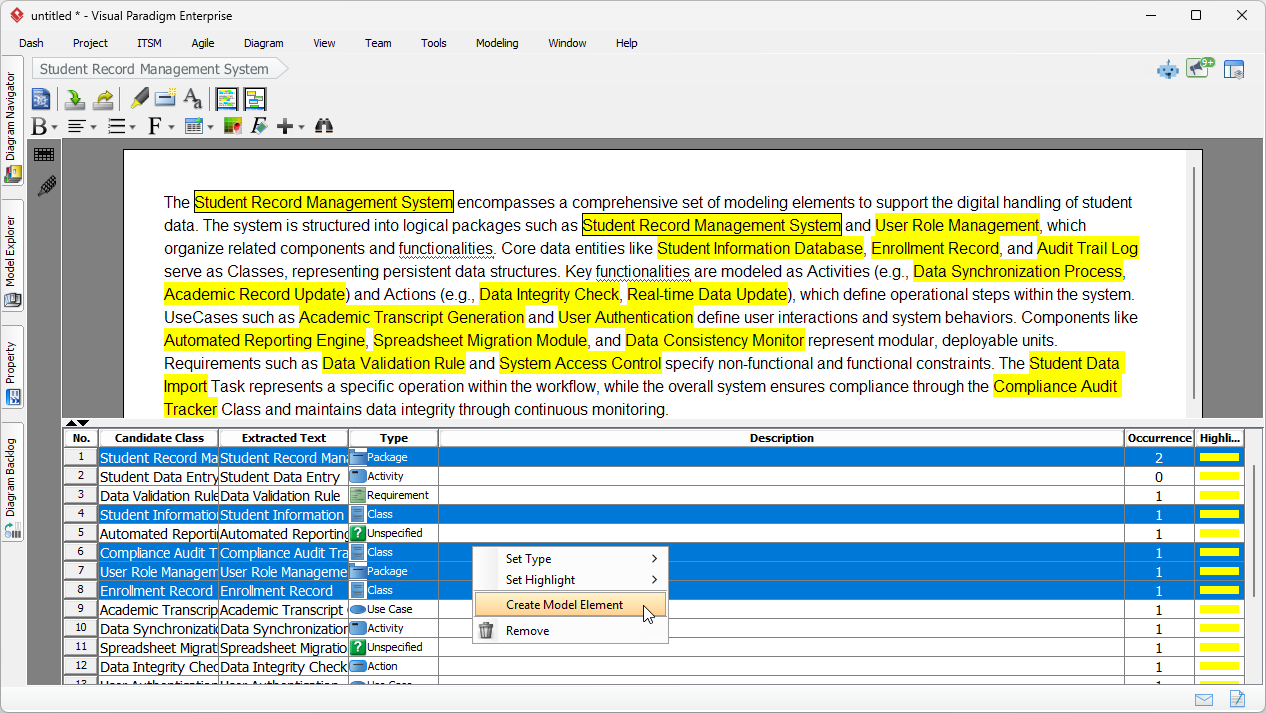
Here is where Visual Paradigm distinguishes itself from generic text generators. We don’t just want a list; we want a visual model. Since the AI has already tagged items like Compliance Audit Tracker and User Role Management as classes or packages, we can instantly bridge the gap between text and diagram.
In the candidate list, you simply select the rows you want to visualize. By right-clicking the selection, you access the “Create Model Element” feature. This workflow allows you to pick specific entities derived from your requirements elicitation process and push them directly into the modeling environment.
Step 4: configuring the Diagram Generation
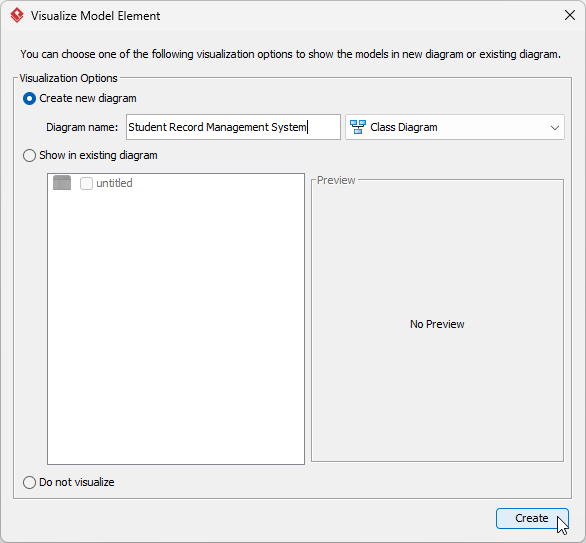
After selecting your elements, the tool gives you full control over how they should be visualized. You aren’t forced into a single format. In this case, because our analysis identified clear domain entities, we want to create a Class Diagram to represent the static structure of the new Student Record Management System.
You give the new diagram a name and confirm the type. This step ensures that your new visual model is properly organized within your project architecture, maintaining the traceability between your original problem text and the resulting design artifacts.
Step 5: Refining the Generated Class Model
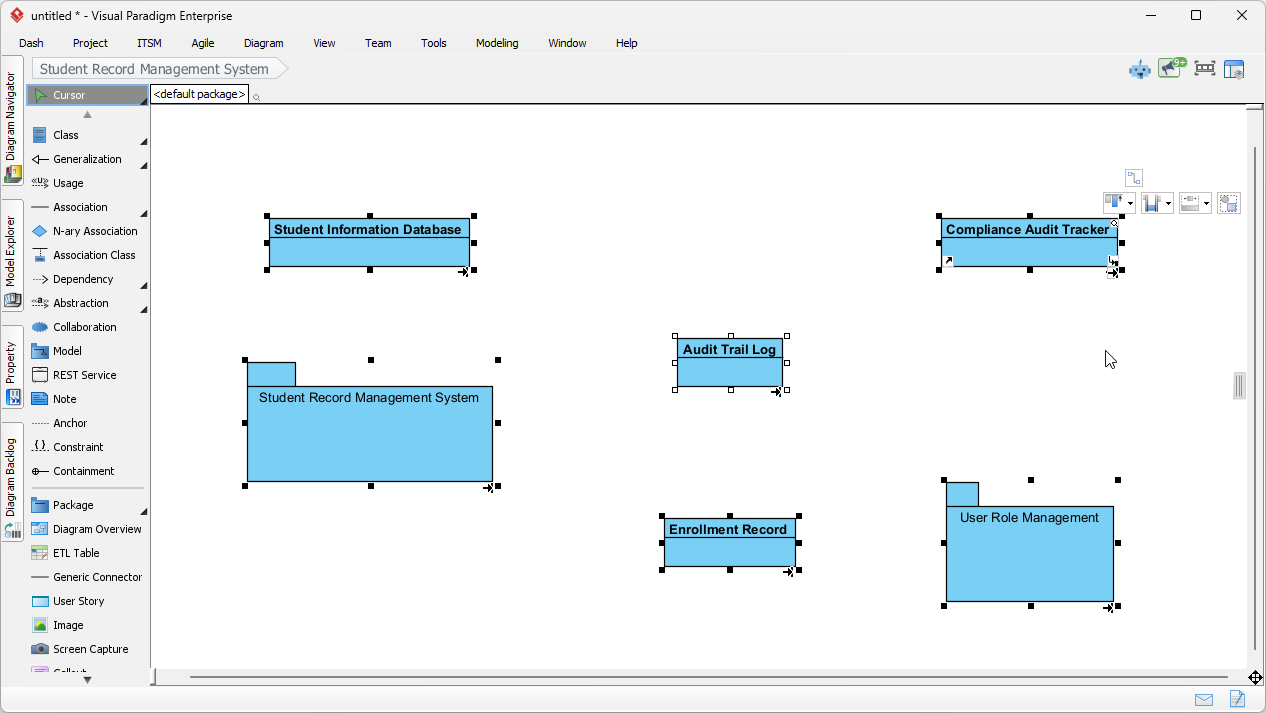
Boom! In a matter of seconds, you have gone from a complaint about spreadsheets to a structured Class Diagram. The elements selected from the textual analysis—such as the Student Information Database, Audit Trail Log, and Enrollment Record—are now visual model elements on your canvas.
This generated diagram serves as a powerful foundation. While the AI handles the heavy lifting of identifying and creating the core classes, your expertise comes in to refine relationships, add specific attributes, and define operations. You have effectively skipped the “blank page syndrome” and moved straight to high-value modeling tasks. This workflow proves invaluable for Agile teams and Systems Analysts who need to iterate quickly on stakeholder feedback synthesis.
Conclusion
Using AI Textual Analysis Generation in Visual Paradigm isn’t just about reading text faster—it’s about fundamentally changing how we build models. By automating the extraction of candidate classes and requirements, you reduce human error and free up time for critical thinking. Whether you are modernizing a university database or building complex enterprise software, this workflow turns raw words into actionable diagrams instantly.
Ready to boost your productivity and streamline your requirements gathering? Download Visual Paradigm today and experience the power of AI-assisted modeling.
Related Links
Textual analysis in Visual Paradigm provides a robust method for transforming unstructured written descriptions into structured visual models, including UML, BPMN, and ERD diagrams. These tools leverage AI-driven automation and natural language processing to extract system requirements, identify candidate patterns, and improve documentation traceability. Advanced techniques within the suite support sentiment analysis and keyword extraction, allowing architects to quickly identify domain classes and relationships directly from problem descriptions.
-
AI Textual Analysis – Transform Text into Visual Models Automatically: An overview of the AI feature that analyzes documents to automatically generate various diagram types for faster modeling.
-
From Problem Description to Class Diagram: AI-Powered Textual Analysis: A specialized tutorial on converting natural language text into accurate class diagrams using AI.
-
Textual Analysis in Visual Paradigm: From Text to Diagram: The official user guide detailing how to transform written descriptions into structured UML and use case diagrams.
-
AI Textual Analysis Tool by Visual Paradigm: A dedicated tool interface for turning natural language inputs into structured software design components.
-
How to Use Textual Analysis in Visual Paradigm: A practical tutorial on identifying patterns and extracting insights from unstructured text using analytical tools.
-
Visual Paradigm Textual Analysis Tool Features: A comprehensive list of capabilities that enable users to derive meaningful insights from large volumes of textual data.
-
Documenting Requirements Using Textual Analysis: Explains the process of extracting and organizing requirements from existing documents to enhance project clarity.
-
What is Textual Analysis? – Visual Paradigm Circle: A foundational resource covering the purpose and benefits of textual analysis in professional project workflows.
-
AI-Powered Textual Analysis Tutorial for Software Design: A hands-on guide for using AI to extract design elements directly from natural language requirements.
-
Visual Paradigm AI Toolbox: Textual Analysis Tool: An application within the AI Toolbox that transforms unstructured text into structured models by identifying entities and relationships.
This post is also available in Deutsch, Español, فارسی, Français, English, Bahasa Indonesia, 日本語, Polski, Portuguese, Ру́сский, Việt Nam, 简体中文 and 繁體中文.