


Visual Paradigm’s AI Diagram Generator represents a transformative leap in visual modeling tools, merging the precision of UML-based software engineering with intelligent, context-aware AI assistance. As of late 2025, this platform has evolved from a traditional diagramming suite into a dynamic, AI-first environment that enables developers, system architects, business analysts, and project managers to generate accurate, standards-compliant diagrams with minimal input.
Evolution of the AI Diagram Generator
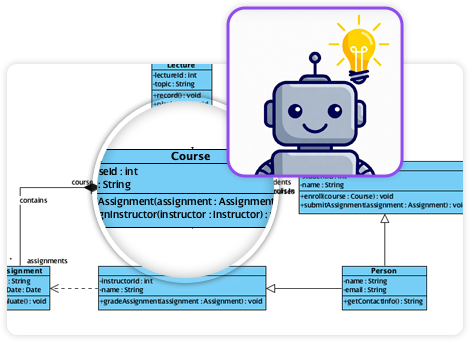
Originally designed to support core UML 2.x diagram types, the AI Diagram Generator has expanded significantly over the past few years. What began as a tool for automating basic diagram creation—through text prompts or structured inputs—has matured into a comprehensive modeling ecosystem where AI not only generates diagrams but actively guides users through the modeling process.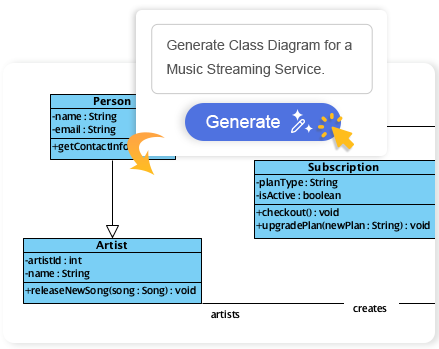
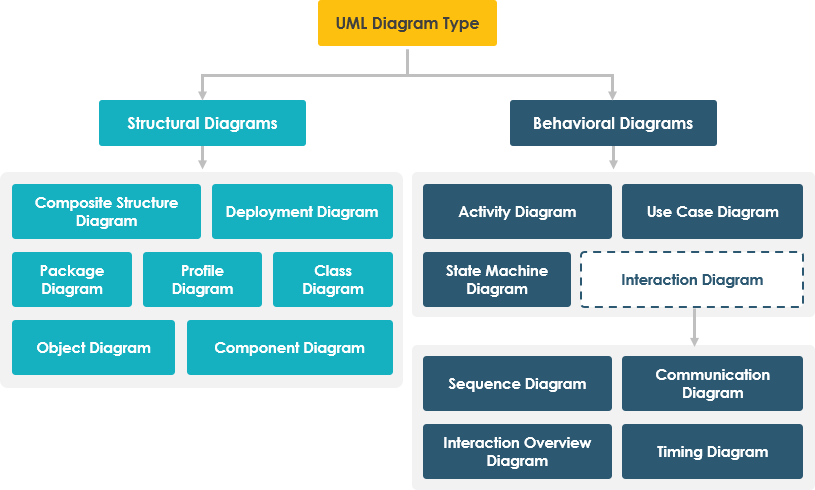
The system now supports over 14 standard UML diagrams, aligning fully with the UML 2.0 specification. However, its true value lies in its ability to extend beyond pure object-oriented modeling into data, process, systems, and business domains—making it a versatile solution across software development, database design, and enterprise architecture.
Core UML Diagram Support with AI-Powered Assistance
The AI Generator provides robust, intelligent support for all 14 UML 2.x diagram types, with special emphasis on those requiring high abstraction or complex relationships. The integration of AI-driven tools ensures not only diagram accuracy but also contextual intelligence during creation.
Key UML Diagrams with AI Features
- Use Case Diagram: AI assists in identifying actors, system boundaries, and use cases from textual descriptions. It suggests logical groupings, helps avoid cyclomatic complexity, and supports the creation of modular, readable models.
- Class Diagram: A cornerstone of OOP modeling, this diagram benefits from AI-assisted step-by-step generation. The AI breaks down class hierarchies, identifies inheritance patterns, suggests associations, and even flags potential inconsistencies (like circular dependencies or missing visibility).
- Sequence Diagram: Ideal for modeling interactions between objects in time. The AI interprets natural language prompts (e.g., “Show how a login request flows through the system”) and generates accurate message sequences, including sequence points, lifelines, and return values.
- State Machine (Statechart) Diagram: Supports modeling complex behavioral states (e.g., order processing, user authentication). The AI analyzes transitions, identifies guard conditions, and ensures proper event triggers and entry/exit actions.
- Object Diagram: Enables validation of a specific instance of a class structure. AI can generate instances based on use-case scenarios or automatically infer object references from existing class models.
- Deployment Diagram: Crucial for understanding hardware-software interactions. AI helps define nodes, communication links, and network topologies, especially useful in distributed system design.
- Requirement Diagram: Bridges business and technical domains. AI parses functional and non-functional requirements, maps them to use cases, and ensures traceability throughout the development lifecycle.
- Package Diagram: Added in recent updates, this is essential for architectural modeling. AI assists in organizing components by module, layer, or subsystem, with intelligent suggestions for visibility, inheritance, and dependency resolution.
- Component Diagram: Enhances modeling of internal software architecture. AI supports dynamic layout generation, interface definition, and dependency clarity—especially helpful when working with microservices or modular systems.
- Activity Diagram: Offers specialized support for converting use cases into flow-oriented process models. The AI generates structured activities, control flows, and decisions, making it ideal for business process modeling and workflow automation.
- Timing Diagram: Addresses the temporal behavior of systems. AI supports the generation of time-based interactions—such as timer events or periodic polling—within a clear, readable timeline format.
Complementary and Domain-Specific Diagrams
While UML forms the foundation, the AI Generator’s true power emerges when it supports non-UML, domain-specific modeling. These diagrams are vital in data modeling, project planning, business analysis, and stakeholder communication.
Key Complementary Diagrams
- Entity Relationship Diagram (ERD): Supports both Chen Notation and modern entity-attribute-relationship (E-A-R) styles. AI can infer relationships from text descriptions, suggest normalization rules, and generate primary/foreign key constraints—directly supporting database design.
- Data Flow Diagram (DFD): With support for multiple notations (Gane-Sarson, Yourdon & Coad, Yourdon DeMarco), AI interprets textual descriptions of data flows and processes to produce clean, readable diagrams suitable for business process analysis or system integration planning.
- PERT Chart: A project management tool used for scheduling tasks with dependencies. AI generates activity nodes, durations, and critical paths from project descriptions, aiding in risk assessment and resource planning.
- Decision Table: Enables formalization of business rules. AI constructs tables from rule sets, clarifies conditions and actions, and ensures completeness and consistency—especially useful in compliance and regulatory domains.
- Mind Maps: Ideal for ideation and brainstorming. AI generates hierarchical idea structures from free-text inputs, helping teams explore concepts without committing to a final structure.
- SysML Diagrams: Includes Internal Block Diagrams (IBD), which model system structure and decomposition. AI assists in breaking down complex systems into manageable components, supporting systems engineering in aerospace, automotive, and industrial software.
AI Features Beyond Diagram Generation
Visual Paradigm’s AI ecosystem includes more than just diagram creation. It features an AI-powered Chatbot embedded within the interface that serves as a modeling assistant:

- Interprets natural language prompts (e.g., “Create a class diagram for a library management system with borrowing and returns”)
- Provides real-time suggestions for classes, attributes, methods, and relationships
- Validates model consistency and suggests improvements
- Generates model explanations in plain language for stakeholders
In addition to the AI Chatbot, the platform supports text-to-diagram generation, where users can paste a paragraph, paragraph list, or system description and receive a fully rendered, structured diagram. This capability reduces the time required for early-stage modeling and enables rapid prototyping.
Use Cases Across Industries
The versatility of this tool makes it applicable across diverse domains:
- Software Development: From initial class modeling to deployment planning, the AI speeds up design phases.
- Database Design: ERD generation with AI-driven normalization ensures data integrity.
- Business Process Modeling: DFDs and activity diagrams help visualize end-to-end workflows.
- Systems Engineering: SysML and component diagrams enable precise modeling of complex systems.
- Project Management: PERT charts and decision tables provide visibility into timelines and rule-based logic.
- Stakeholder Communication: Mind maps and simplified diagrams make abstract concepts accessible.
Best Practices for Effective Use
To maximize the value of the AI Diagram Generator, consider the following best practices:
- Start with clear, domain-specific inputs: The quality of the generated diagram depends on the clarity and specificity of the prompt.
- Use AI as a co-pilot, not a replacement: Review and refine AI-generated outputs to ensure accuracy, completeness, and alignment with organizational standards.
- Apply iterative modeling: Generate a diagram, use it to refine the prompt, and iterate until the model reflects business or technical needs.
- Integrate with version control and traceability: Leverage the platform’s capabilities to maintain consistent, auditable models across development cycles.
Conclusion: A Unified Modeling Environment
Visual Paradigm’s AI Diagram Generator is no longer just a diagramming tool—it’s a cognitive assistant for system architects and engineers. By combining deep UML 2.0 compliance with intelligent AI features, it enables fast, accurate, and meaningful modeling across software, data, and business domains.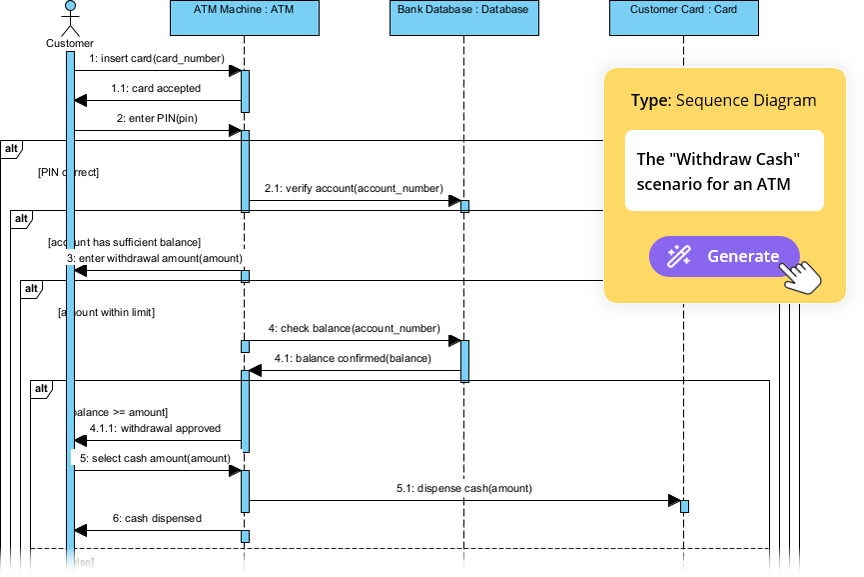
With continuous updates and real-time learning capabilities, the tool is evolving to support new diagram types, better language understanding, and deeper model validation. For teams engaged in agile development, system design, or enterprise architecture, this represents a paradigm shift in how visual models are created, reviewed, and maintained.
For the most current list of supported diagrams or to explore live features, refer to the official Visual Paradigm Updates Portal or try the tool directly in a trial environment.
Articles and resources
-
AI-Powered Visual Modeling and Design Solutions by Visual Paradigm: This portal allows users to explore cutting-edge AI-driven tools for visual modeling, diagramming, and software design. It serves as a central hub for various intelligent modeling applications designed to enable faster development workflows.
-
AI Chatbot Feature – Intelligent Assistance for Visual Paradigm Users: This feature leverages AI-powered chatbot functionality to provide users with instant guidance and task automation. It is designed to enhance productivity by interpreting natural language instructions within the modeling environment.
-
Visual Paradigm Chat – AI-Powered Interactive Design Assistant: This interactive AI chat interface assists users in generating diagrams, writing code, and solving design challenges in real time. It supports real-time collaboration and conversational creation of various visual models.
-
AI Textual Analysis – Transform Text into Visual Models Automatically: This tool utilizes AI to analyze unstructured text documents and automatically generate structured diagrams such as UML, BPMN, and ERD. It streamlines documentation workflows by identifying entities and relationships directly from natural language descriptions.
-
AI-Assisted UML Class Diagram Generator – Visual Paradigm: This application provides an interactive, step-by-step tool that helps users create UML class diagrams using AI-powered suggestions and validation. It also includes support for PlantUML export and design analysis for software engineers.
-
AI Tree Diagram Maker | Visualize Hierarchical Data Instantly: This tool, also known as IntelliTree, combines generative AI with Markdown-style text editing to create stunning hierarchical diagrams. Users can simply describe a topic to instantly generate mind maps, organizational charts, and work breakdown structures.
-
C4-PlantUML Studio | AI-Powered C4 Diagram Generator: This specialized tool transforms natural language prompts into correct, layered C4 diagrams for software architecture. It supports all core levels of the C4 model, including Context, Container, Component, and Code.
-
AI-Powered SWOT Analysis in Visual Paradigm: This resource explains how AI facilitates automated insights and strategic planning within the SWOT framework. It helps teams move from descriptive analysis to actionable TOWS strategies through intelligent interpretation of internal and external factors.
-
AI Powered Chart Generator Archives: This collection of articles details how AI transforms raw data into ready-to-use charts. It covers tools for generating bar charts, column charts, and other data visualizations to make insight generation more efficient.
-
AI Table Generator Launch for Rapid Data Modeling: This release introduces an AI-driven tool that can generate database tables and models from data inputs in seconds. It is designed to accelerate rapid data modeling and schema design for developers.
This post is also available in Deutsch, Español, فارسی, Français, Bahasa Indonesia, 日本語, Polski, Portuguese, Ру́сский, Việt Nam, 简体中文 and 繁體中文.