


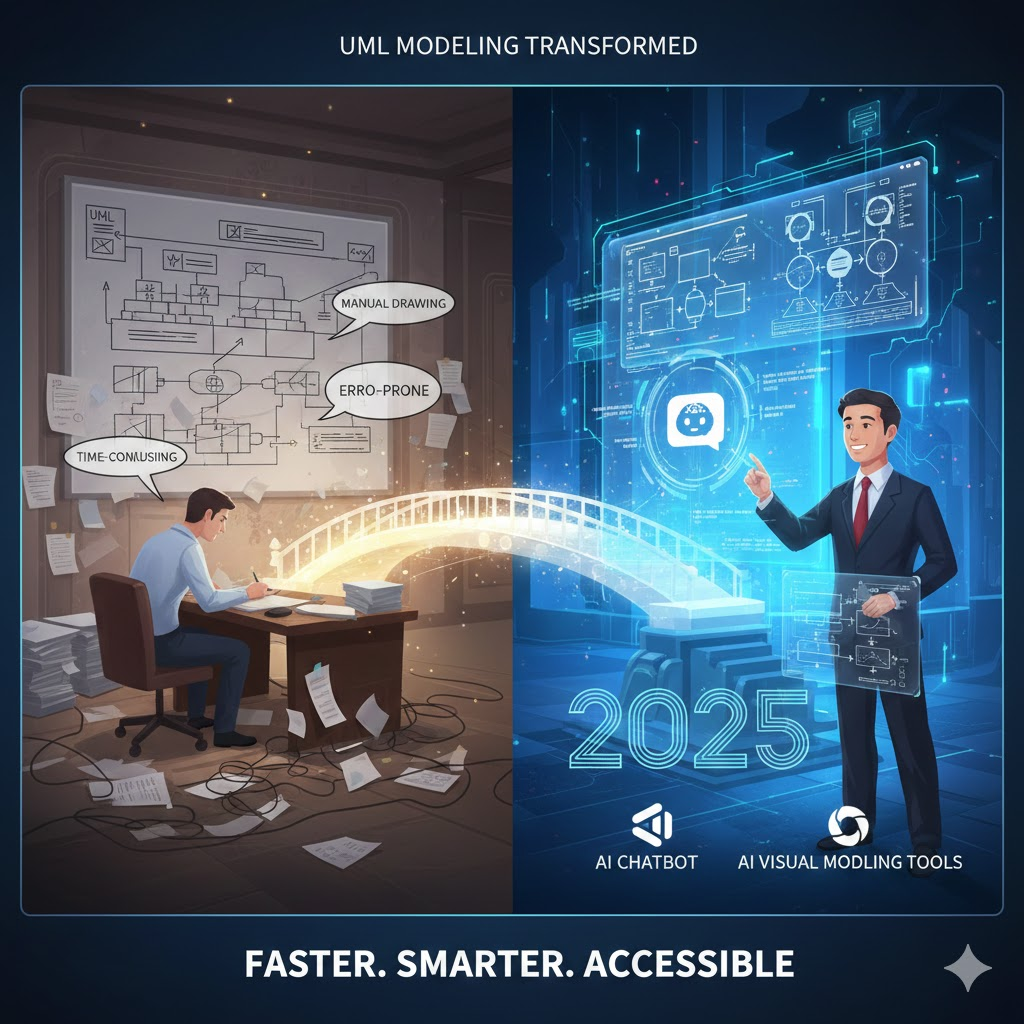
Welcome to this comprehensive UML (Unified Modeling Language) modeling tutorial. Whether you’re a software developer, system architect, or business analyst, UML is essential for visualizing, specifying, and documenting complex systems. We’ll start with the fundamentals, address why traditional UML modeling can be a slog, and then dive into how Visual Paradigm’s AI Chatbot and its suite of AI visual modeling tools are transforming the process—making it faster, smarter, and more accessible. By the end, you’ll see a real-world example, understand why 2025 is the perfect time to adopt this tech, and get a clear path to implementation.
Section 1: UML Basics – Key Concepts
UML is a standardized modeling language maintained by the Object Management Group (OMG). It provides a visual notation to describe systems from multiple perspectives, bridging the gap between stakeholders and technical teams. UML isn’t code—it’s a blueprint that evolves with your project.
Core Building Blocks
UML revolves around structural (static) and behavioral (dynamic) elements. Here’s a quick overview:
| Concept | Description | Example |
|---|---|---|
| Class | A blueprint for objects, defining attributes, operations, and behaviors. | BankAccount with attributes like balance and operations like withdraw(). |
| Object | An instance of a class at runtime. | savingsAccount as an object of BankAccount. |
| Relationship | Connections between elements: – Association: General link (e.g., “uses”). – Inheritance: “Is-a” (generalization). – Aggregation/Composition: “Has-a” (whole-part). – Dependency: One element relies on another. | A Customer class associated with BankAccount via aggregation. |
| Actor | An external entity interacting with the system (e.g., a user or device). | ATM User initiating a cash withdrawal. |
Essential Diagram Types
UML supports 14 diagram types, but focus on these for starters:
- Class Diagram: Static structure showing classes and relationships (great for design).
- Use Case Diagram: High-level interactions between actors and the system (requirements gathering).
- Sequence Diagram: Dynamic behavior over time, showing message flows (e.g., method calls).
- Activity Diagram: Workflow processes with decision points (business logic).
- State Machine Diagram: Object lifecycles and state transitions (e.g., order processing).
These concepts ensure your models are precise, reusable, and aligned with standards like ISO/IEC 19505.
Section 2: Why Traditional UML Modeling is Time-Consuming
Historically, UML modeling meant firing up tools like draw.io, Visual Paradigm Online or even pen-and-paper sketches, then iterating endlessly. Challenges include:
- Manual Effort: Drawing shapes, lines, and labels by hand—simple diagrams take hours; complex ones, days.
- Consistency Issues: Ensuring relationships follow UML notation (e.g., multiplicity on associations) requires expertise and double-checking.
- Iteration Overhead: Changes ripple across diagrams, demanding redraws and version control headaches.
- Collaboration Barriers: Sharing editable models without proprietary software leads to miscommunications.
- Learning Curve: Novices struggle with syntax, slowing onboarding.
In a fast-paced dev world, this friction can delay projects by 20-50%, turning modeling into a bottleneck rather than a booster.
Section 3: Streamlining UML with Visual Paradigm’s AI Chatbot and Toolset
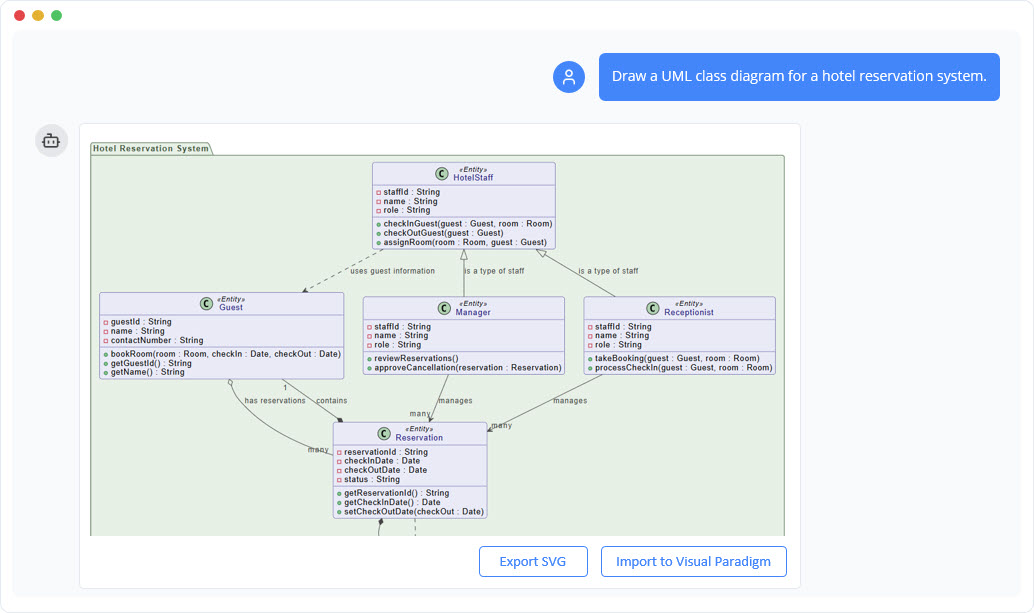
Enter Visual Paradigm’s AI Chatbot—a game-changer in the AI visual modeling ecosystem. Part of Visual Paradigm’s broader AI-powered platform, it turns natural language into professional diagrams, refines them conversationally, and generates insights or docs on demand. This isn’t just automation; it’s an intelligent co-pilot that handles UML generation, editing, analysis, and export.
Key Features for UML Modeling
- Instant Generation: Prompt in plain English (e.g., “Create a UML class diagram for an e-commerce system”) to produce compliant diagrams in seconds.
- Conversational Refinement: Edit via chat—add/remove elements, tweak relationships, or refactor (e.g., “Add inheritance between Product and DigitalProduct”).
- Analysis & Insights: Query your diagram (e.g., “Suggest improvements for this sequence flow”) for best practices and optimizations.
- Documentation Magic: Auto-generate reports, summaries, or articles explaining your model.
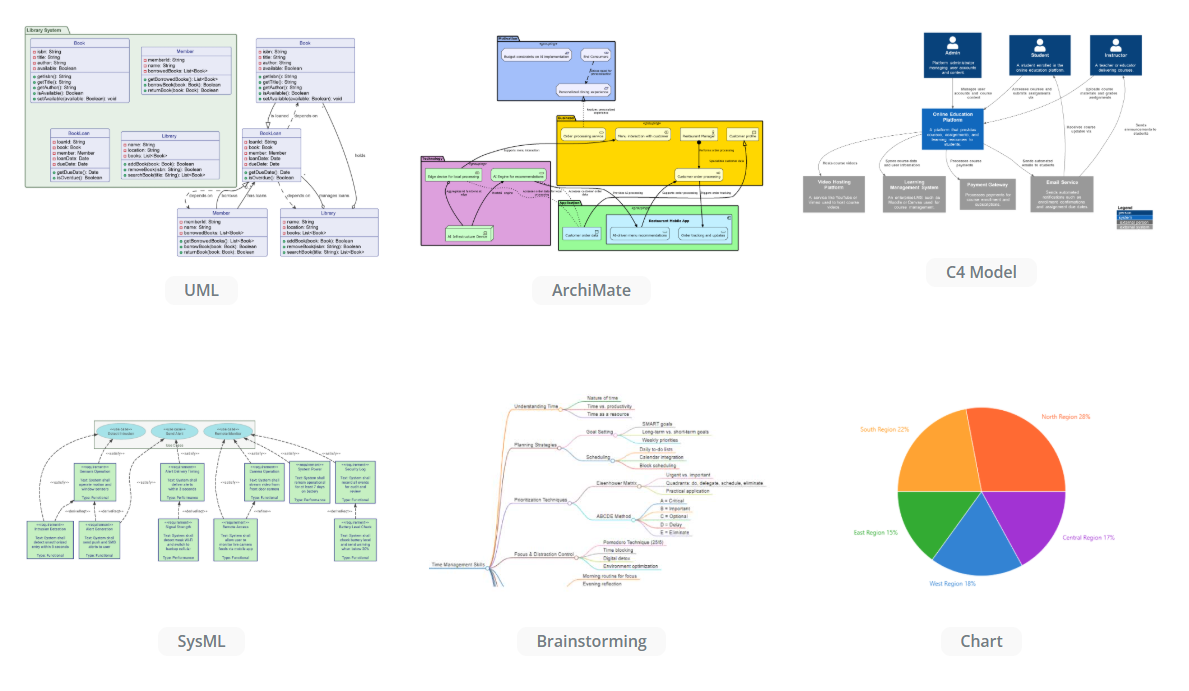
- Integration: Seamlessly syncs with Visual Paradigm Desktop/Online for full editing; supports UML, SysML, ArchiMate, and more.
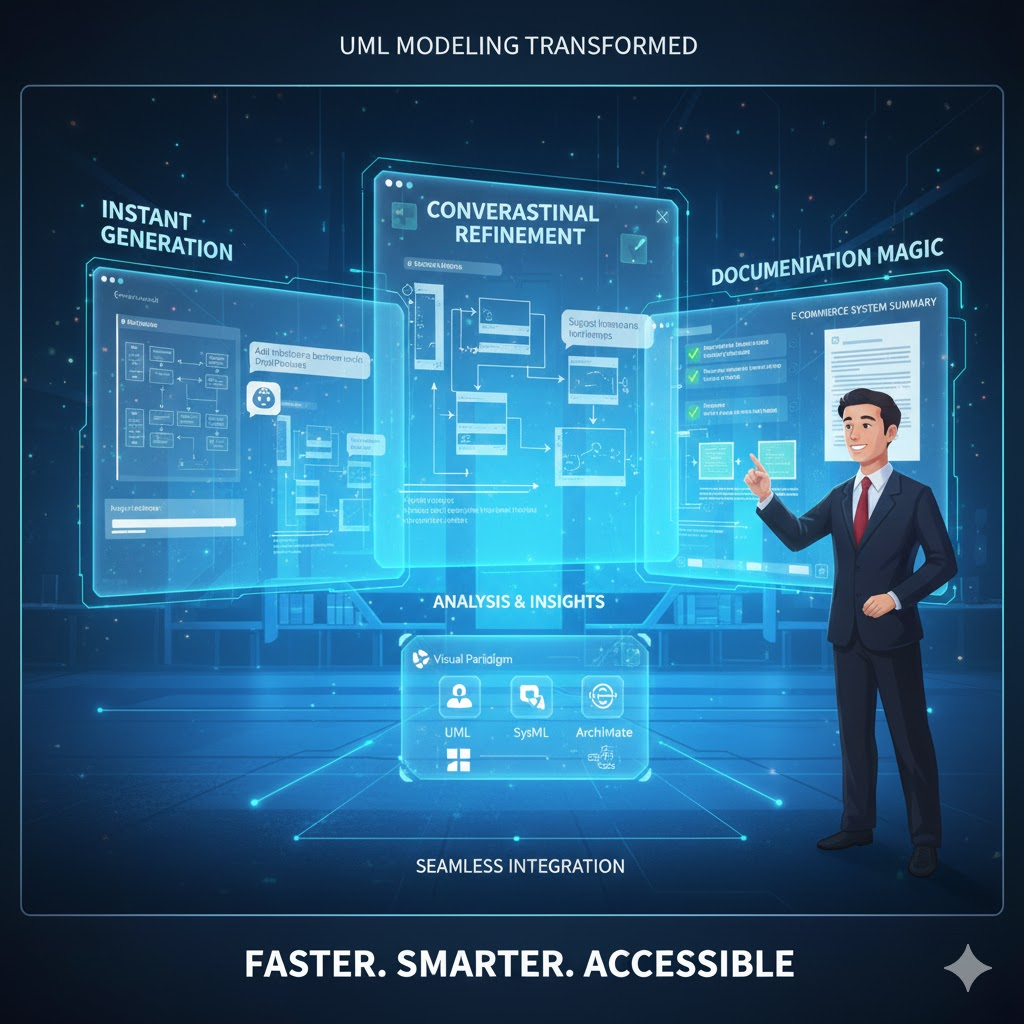
This toolset slashes modeling time from hours to minutes, ensuring accuracy and freeing you for high-value tasks like architecture decisions.
Why Visual Paradigm AI Chatbot Offers Much More Than a General-Purpose LLM (Like ChatGPT, Claude, or Grok)
While general-purpose LLMs are excellent at generating text, code, and even PlantUML or Mermaid syntax, they fall short when it comes to professional UML modeling. Visual Paradigm’s AI Chatbot (part of the broader Visual Paradigm AI visual modeling toolset) is purpose-built for visual modeling, delivering capabilities that generic LLMs simply cannot match. Here’s a clear comparison:
| Capability | General-Purpose LLM (e.g., ChatGPT, Grok) | Visual Paradigm AI Chatbot + Toolset |
|---|---|---|
| Accurate UML notation & semantics | Often produces valid PlantUML/Mermaid code, but frequently makes syntax errors, wrong multiplicity, incorrect fragment types, or non-standard notation. | Always generates fully UML 2.5-compliant diagrams (correct arrowheads, stereotypes, constraints, etc.). Built-in validation ensures every element follows OMG standards. |
| Real-time visual preview & editing | You get text code; you must copy-paste into a separate renderer (PlantUML.com, Mermaid Live, etc.) to see the diagram. No live editing. | Instant visual rendering inside the chat interface. You can click and drag to rearrange elements, change styles, or edit properties directly—no copy-paste needed. |
| Conversational refinement on the actual diagram | You must re-describe the entire diagram each time you want a change. No visual context. | The chatbot “remembers” the current diagram visually and contextually. You can say “Move the BankSystem lifeline to the right” or “Change the association to composition” and it updates the live diagram immediately. |
| Full round-trip editing | One-way: text → diagram. Any manual edits in a tool break the text source. | Full round-trip: generate → edit visually → chat to modify → export back to code or VP project. Changes are synchronized bidirectionally. |
| Integration with a complete professional modeling suite | Standalone text generation. | Seamless export to Visual Paradigm Desktop/Online (full UML, SysML, BPMN, ArchiMate, ERD, etc.). Supports version control, team collaboration, code generation, reverse engineering, and model-to-model transformations. |
| Automatic documentation & reports | Can write text descriptions, but they are generic and not linked to the actual model. | Auto-generates professional reports, glossaries, traceability matrices, and articles directly from the diagram. Diagrams stay perfectly synchronized with the documentation. |
| Advanced analysis & suggestions | Can give generic advice. | Analyzes the model for best practices, detects anti-patterns (e.g., circular dependencies, missing multiplicities), suggests refactoring, and even proposes design improvements based on UML patterns. |
| Support for multiple modeling languages | Limited to text-based syntaxes. | One toolset for UML, SysML, BPMN, ArchiMate, ERD, mind maps, and more—everything stays consistent and interoperable. |
| Enterprise-grade features | Not available. | Role-based access, model versioning, diff/merge, model repositories, integration with Jira/Git, and export to XMI, PDF, Word, PowerPoint, etc. |
| Consistency across team projects | Every user gets slightly different results. | Enforces the same UML style guide, naming conventions, and corporate standards across all team members. |
Real-World Impact Example
Imagine you need to add a retry loop for wrong PINs in the ATM withdrawal sequence diagram:
- With a general LLM: You write a new prompt describing the entire diagram plus the loop. The LLM regenerates the whole PlantUML code. You copy it, render it elsewhere, spot an error, and repeat the process—often 5–10 minutes per change.
- With Visual Paradigm AI Chatbot: You simply type: “Add a loop fragment around the PIN entry with 3 retries and an error message if all attempts fail.” The chatbot instantly updates the live diagram, keeps all existing lifelines and messages intact, and applies correct UML loop notation. You can then drag the fragment to a better position or ask for a new documentation section—all in seconds.
Bottom Line: Why Choose Visual Paradigm AI Over a General LLM?
General LLMs are fantastic for quick sketches or learning, but they treat UML as just another text format. Visual Paradigm’s AI Chatbot treats UML as a living, visual, professional model. It combines the power of natural-language interaction with the rigor, interactivity, and enterprise features of a dedicated modeling platform.
In short: A general LLM gives you text that happens to describe a diagram. Visual Paradigm AI gives you a real, editable, standards-compliant UML model that grows with your project.
If you’re serious about producing high-quality, maintainable system designs—especially in teams or on large projects—Visual Paradigm’s AI toolset is the clear upgrade in 2025. Start with the free trial at visual-paradigm.com and experience the difference yourself!
Section 4: Hands-On Example – Generating a UML Sequence Diagram with AI Chatbot
Let’s walk through creating a UML sequence diagram for an ATM cash withdrawal use case. Traditionally, this would involve sketching lifelines, messages, and alt fragments manually—tedious! With Visual Paradigm AI Chatbot, it’s a quick chat session.
Step-by-Step Guide
- Access the Chatbot: Log into Visual Paradigm Online (free trial available) and open the AI Chatbot interface (chat.visual-paradigm.com). Start a new session named “ATM Withdraw Sequence.”
- Generate the Diagram: Type a simple prompt: “Generate a Sequence Diagram for a withdraw cash use case of an ATM System.”AI Response: In seconds, it outputs a UML-compliant diagram using PlantUML syntax (renderable in Visual Paradigm). Key elements:
- Lifelines: User, ATM, Bank System.
- Main Flow Messages: Insert Card → Authenticate → Check Balance → Dispense Cash.
- Alternative Flows: Alt fragments for “Invalid Card” (error message) and “Insufficient Funds” (rejection). This captures dynamic behavior with precise notation—no manual alignment needed.
- Refine Conversationally: If needed, iterate: “Add a PIN entry step after card insertion and handle wrong PIN with a retry loop.”AI Response: Updates the diagram instantly, inserting a loop fragment for retries.
- Analyze and Document: Ask: “Write an article to explain this sequence diagram.”AI Response: Produces a polished article:
- Introduction: Overview of the ATM withdrawal process.
- Actors & Flows: Details lifelines and message sequences.
- Conditionals: Explains alt fragments for edge cases. Export as PDF or Markdown for your team.
- Export & Integrate: Click “Export to Visual Paradigm” to pull into your desktop project for further tweaks (requires Professional Edition).
Result: A production-ready diagram and docs in under 5 minutes—vs. 2+ hours manually. The AI ensures UML standards (e.g., proper fragment syntax) while adapting to your specifics.
Section 5: Why Now is the Time to Adopt AI-Powered UML Modeling
2025 marks a tipping point for AI in modeling tools. Visual Paradigm’s Chatbot launched in October 2025, leveraging mature LLMs for precise, context-aware generation. Here’s why jumping in now pays off:
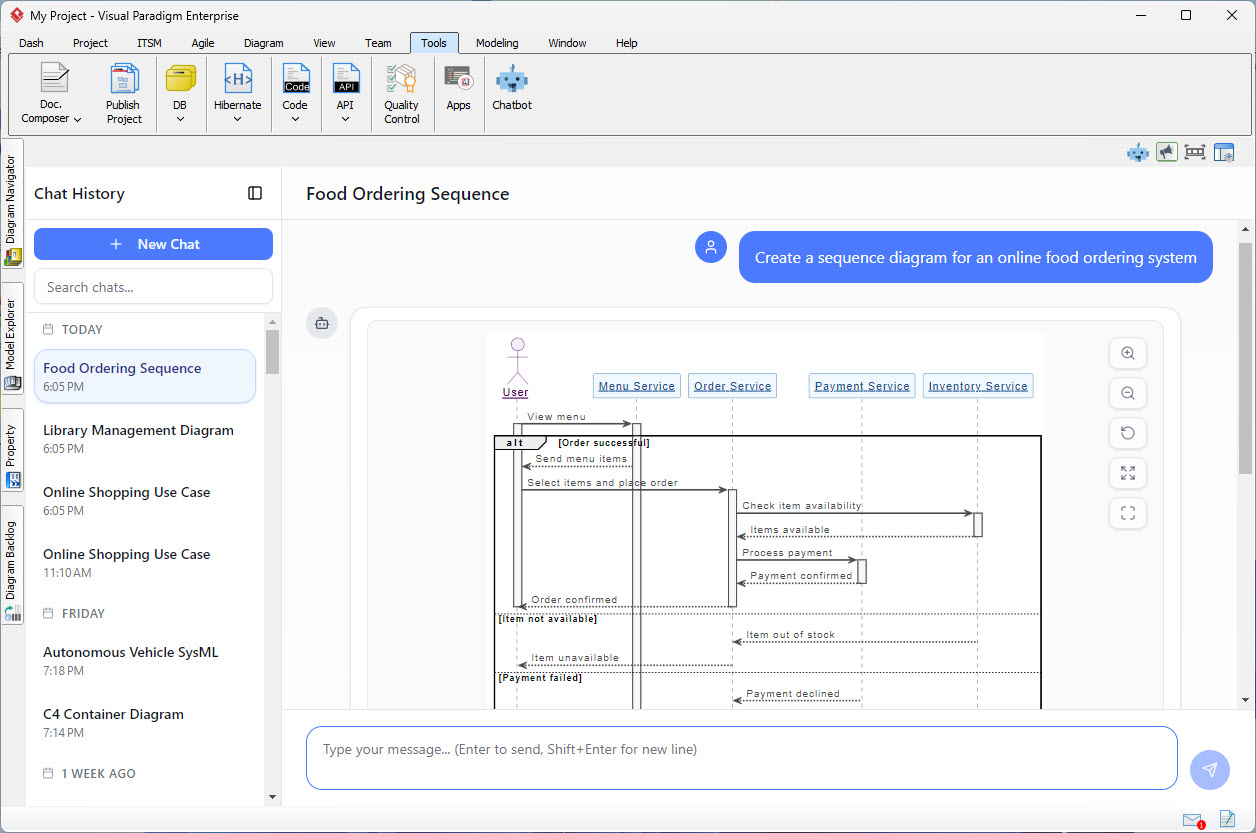
- AI Maturity Meets Demand: Post-ChatGPT era, AI handles nuanced tasks like UML notation flawlessly. Tools like this reduce errors by 80% and boost productivity, aligning with agile/devops shifts where speed trumps perfectionism.
- Economic Pressures: With remote/hybrid teams and tight deadlines, manual modeling is unsustainable. AI streamlines for non-experts (e.g., product owners), democratizing design and cutting costs—vital in a market where 70% of projects overrun timelines.
- Evolving Standards: UML 2.5+ emphasizes tool integration; AI bridges text-to-visual gaps, future-proofing your workflows. Recent case studies show 10x efficiency gains, from startups to enterprises.
- Low Barrier, High ROI: Free trials mean zero-risk testing. As AI evolves (e.g., multimodal inputs soon), early adopters gain a competitive edge in system design.
Delaying means sticking with outdated friction—adopt now to model smarter, not harder.
Section 6: How to Adopt Visual Paradigm AI – Quick Start Guide
Getting started is straightforward. Follow these steps:
- Sign Up: Visit visual-paradigm.com and create a free VP Online account. Upgrade to Professional Edition ($99/user/year) for full UML imports (Enterprise for ArchiMate).
- Access Tools: Log in to chat.visual-paradigm.com. No install needed—cloud-based with desktop sync via one account.
- First Project: Start a session, prompt a simple UML (e.g., “UML class diagram for a library system”), refine, and export.
- Best Practices:
- Use specific prompts: Include actors, flows, and constraints for better results.
- Iterate: Treat it like a conversation—build incrementally.
- Integrate: Link to Git/Jira for team workflows.
- Learn More: Watch tutorials like “Create UML Package Diagrams Instantly with AI” on YouTube.
Pro Tip: Begin with small diagrams to build confidence, then scale to full architectures. Visual Paradigm’s community forums offer prompt templates.
There you have it—UML demystified and turbocharged. Ready to chat your way to better models? Head to Visual Paradigm and prompt away! If you have a specific UML scenario, share it for a customized walkthrough.
This post is also available in Deutsch, Español, فارسی, Français, English, Bahasa Indonesia, 日本語, Polski, Portuguese, Ру́сский, Việt Nam, 简体中文 and 繁體中文.