
Introduction: Why Documentation Needs a Visual Upgrade
As software engineers, we live in a world of abstraction—translating complex business logic into elegant code, architecting scalable systems, and debugging intricate dependency chains. Yet, when it comes to documenting that work, we often revert to static text files, disconnected diagrams, and fragmented wikis that quickly become outdated.
OpenDocs by Visual Paradigm changes that paradigm. It’s not just another documentation tool; it’s a unified knowledge engine built for engineering teams who value precision, velocity, and clarity. By merging a powerful Markdown editor with professional-grade diagramming—and supercharging both with AI—OpenDocs lets you capture architecture decisions, map workflows, and share context without ever leaving your documentation workspace.
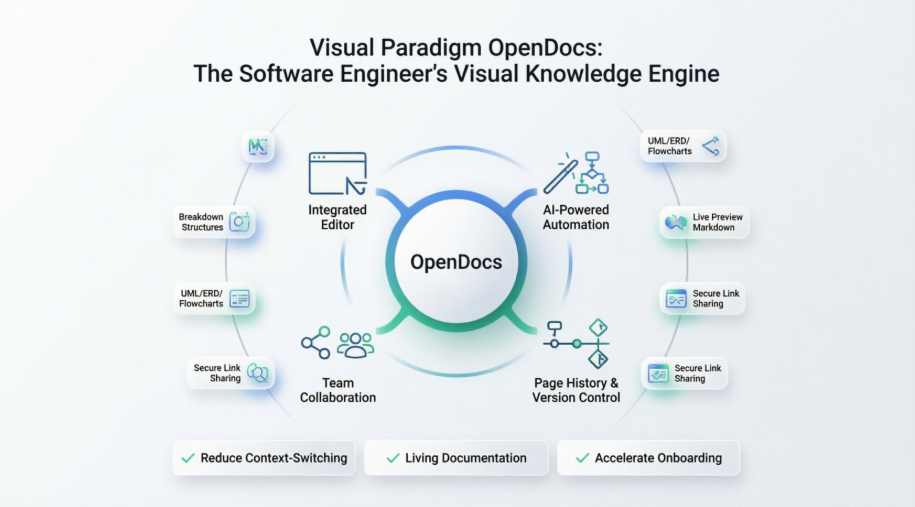
This guide walks through how engineering teams can adopt OpenDocs to reduce context-switching, maintain living documentation, and accelerate onboarding—all while keeping page history and version tracking front and center.
Getting Started: Your First OpenDocs Workspace
OpenDocs is fully browser-based, so there’s no local installation required. Simply navigate to the OpenDocs app and sign in with your Visual Paradigm credentials.
Setting Up Your Knowledge Tree
Think of your OpenDocs “Space” as your team’s source of truth. Start by creating a logical folder structure that mirrors your project architecture:
📦 Project-Alpha
 ├── 📄 README.md
 ├── 📁 Architecture
 │   ├── 📄 System-Overview.md
 │   ├── 📁 Diagrams
 │   │   ├── 📄 Component-Map.vpdx
 │   │   └── 📄 Data-Flow.vpdx
 ├── 📁 API-Specs
 ├── 📁 Meeting-Notes
 └── 📁 Onboarding
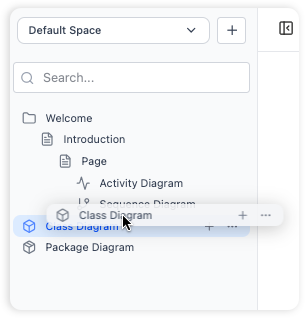
Tip: Use drag-and-drop to reorganize files instantly—just like your local file explorer.
Integrated Writing & Diagramming: One Workspace, Zero Tab-Switching
The Markdown Editor That Gets Developers
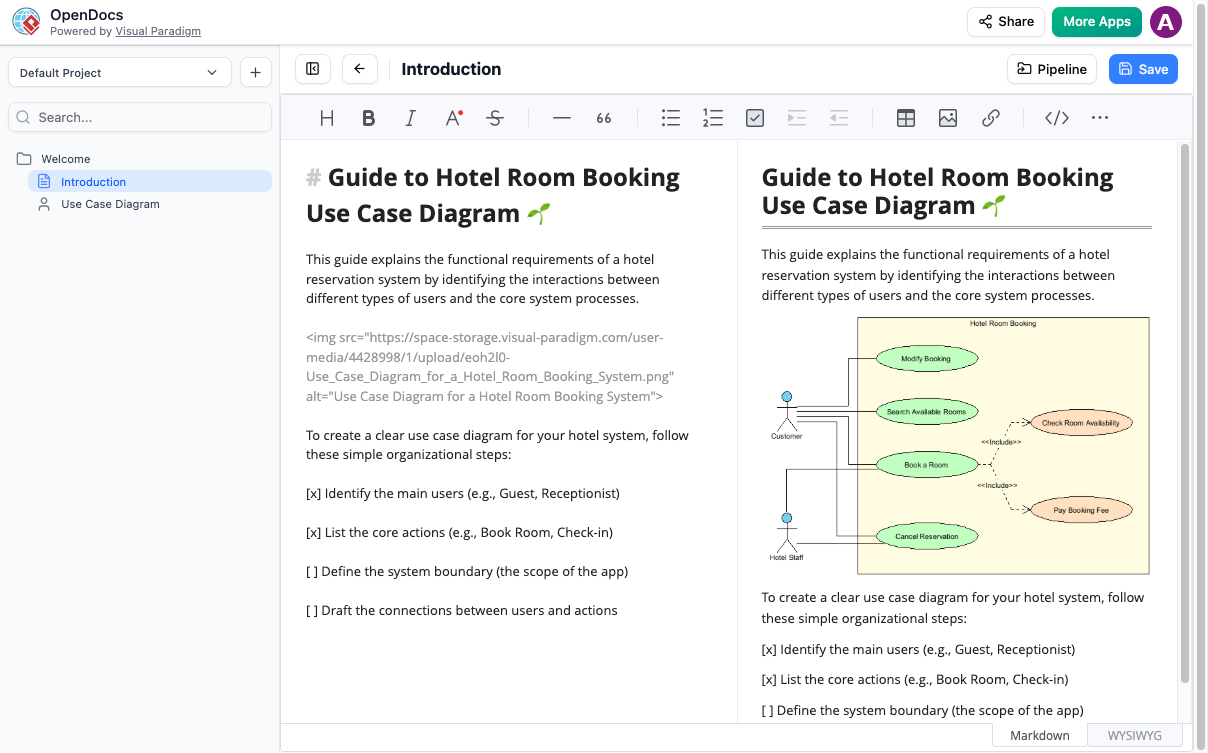
OpenDocs features a keyboard-first Markdown editor with:
-
Live Preview: See rendered output as you type
-
Syntax Highlighting: For code blocks in Python, JavaScript, SQL, and more
-
Quick Tables & Lists: Format technical specs without leaving the keyboard
Built-In Diagram Editor: Draw Without Leaving the Page
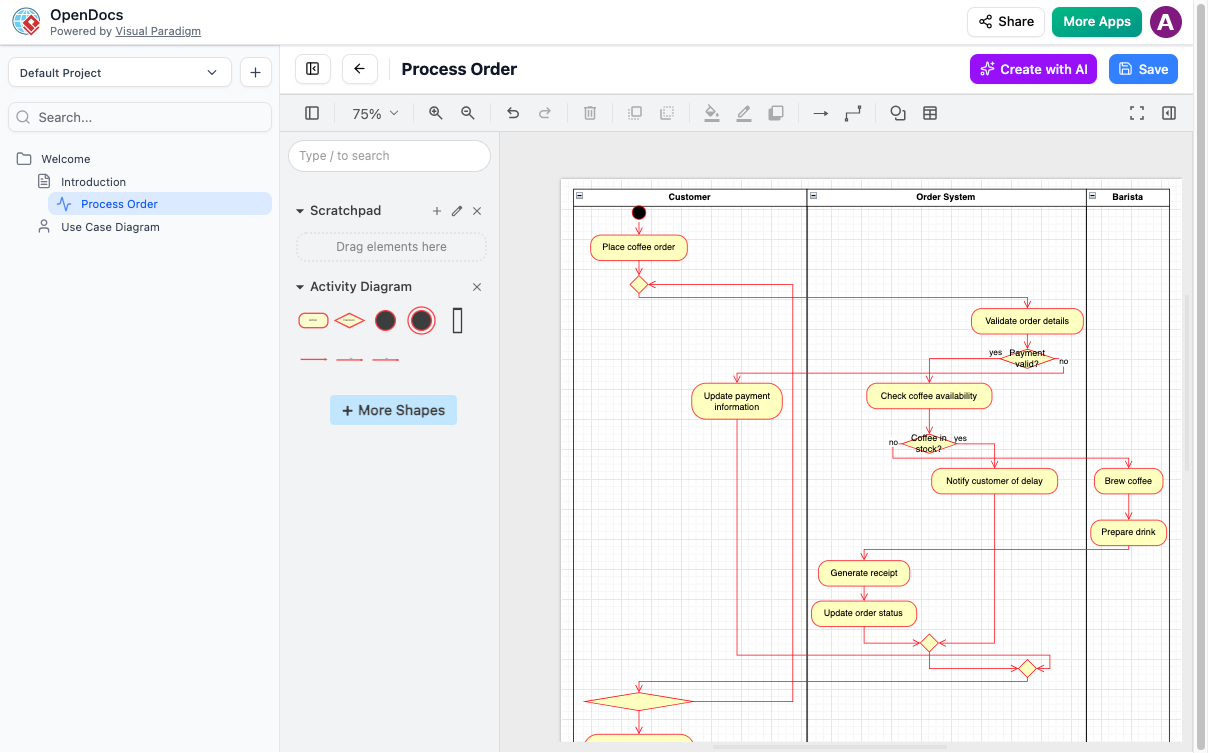
Forget exporting PNGs from external tools. OpenDocs embeds a full-featured diagram editor directly in your document:
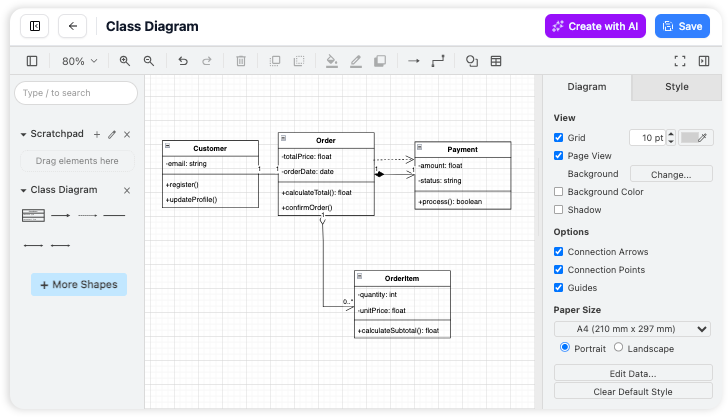
Supported Diagram Types:
-
UML (Class, Sequence, Deployment, Use Case)
-
Flowcharts & Process Maps
-
Entity-Relationship Diagrams (ERD)
-
Data Flow Diagrams (DFD)
-
Mind Maps & Breakdown Structures
-
PERT Charts & Timelines
Pro Tip: Use the shape library to drag-and-drop standardized components—no design skills required.
AI-Powered Automation: From Text to Diagram in Seconds
AI Diagram Generator
Describe what you need in plain English, and let AI build the visual:
“Create a sequence diagram for user login with OAuth2 and JWT token validation”
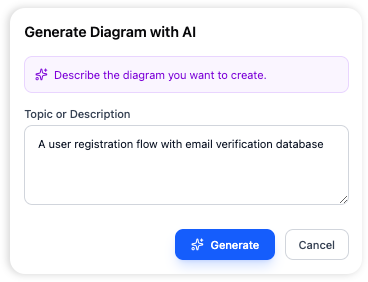
The AI generates a fully editable diagram that you can refine, annotate, and embed directly into your documentation.
Use Cases for Engineering Teams:
-
Rapid Architecture Sketching: Turn RFC drafts into visual models
-
Onboarding Docs: Auto-generate system overviews for new hires
-
Incident Post-Mortems: Visualize failure cascades from incident notes
-
API Design: Convert endpoint descriptions into sequence diagrams
Breakdown Structure Tool: Decompose Complexity Visually
Managing microservices, epics, or feature flags? The new Breakdown Structure chart type helps you hierarchically decompose any system or project.
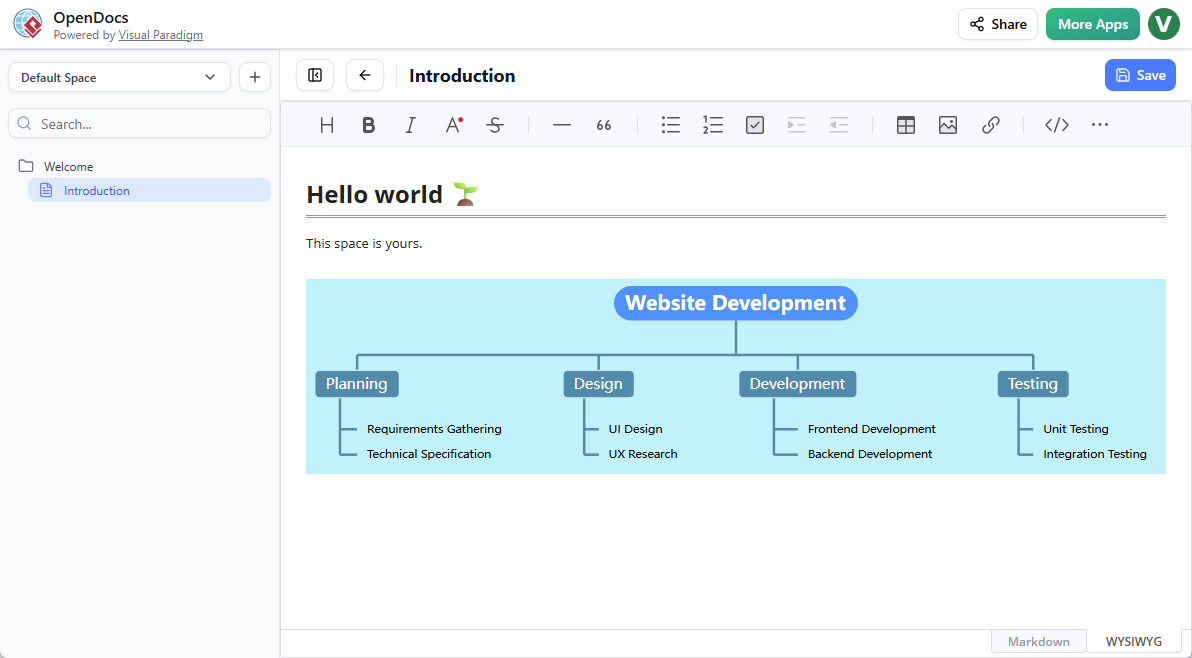
Two Ways to Use Breakdown Structures:
1. Embed in a Document Page
-
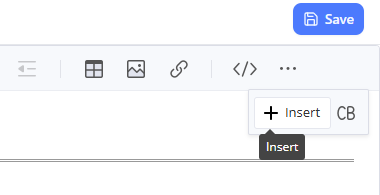
Edit your Markdown page
-
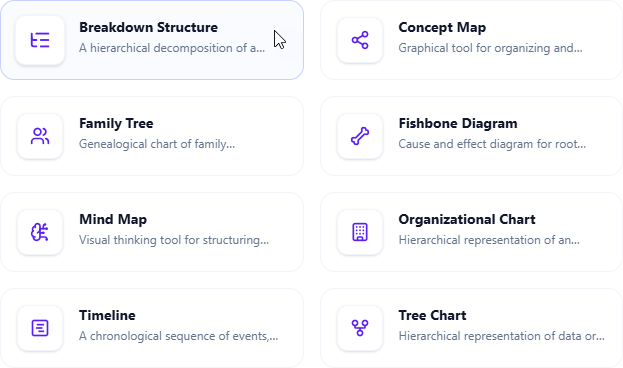
Click Insert → Mind Maps > Breakdown Structure
-
Build your hierarchy visually
-
Save and continue writing
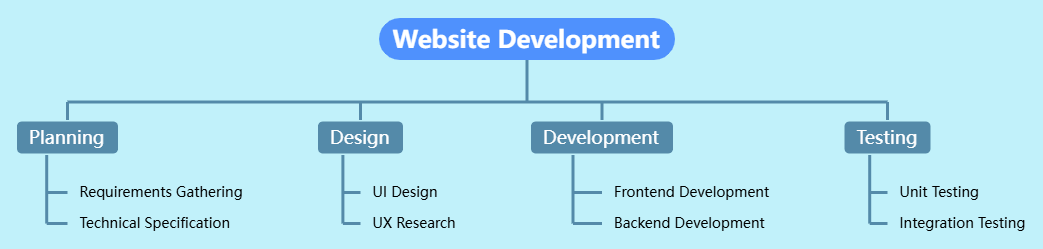
2. Create a Standalone Component Page
-
Click + in the table of contents
-
Select New Component Page → Mind Maps > Breakdown Structure
-
Design your high-level overview
-
Link to it from related docs
Engineering Use Case: Map your microservice dependencies, then link each node to its corresponding API spec or runbook.
🔍 Page History Tracking: Your Documentation Version Control
Why History Matters for Engineering Docs
Code has Git. Documentation should too. OpenDocs automatically tracks every change to your pages, giving you:
-
Change Timeline: See who edited what and when
-
Diff View: Compare versions side-by-side to spot modifications
-
Rollback Capability: Restore previous versions with one click
-
Audit Trail: Essential for compliance, RFC reviews, and post-mortems
Best Practices for History Management:
-
Commit-Like Messages: Use clear edit summaries (e.g., “Added auth flow diagram v2”)
-
Branch by Feature: Create separate pages for experimental designs before merging
-
Tag Milestones: Mark key versions (e.g., “Pre-Release v1.2”) for easy reference
-
Review Before Publishing: Use history to validate changes before sharing with stakeholders
Pro Tip: Combine page history with the OpenDocs Pipeline to sync desktop diagram changes—ensuring your embedded visuals stay in sync with your source models.
Collaboration & Sharing: From Private Notes to Team Knowledge
Secure, Link-Based Sharing
Generate a read-only link to share any page or entire Space with:
-
Product managers reviewing specs
-
QA teams validating test scenarios
-
Executives needing high-level overviews
No software installation required—just a browser.
Real-Time Collaboration Features:
-
Comment Threads: Discuss specific diagram elements or text sections
-
Mention Teammates: @mention colleagues to request feedback
-
Permission Levels: Control edit vs. view access per folder or page
Recommendations for Engineering Teams
✅ Adopt OpenDocs If Your Team:
-
Struggles with outdated or fragmented documentation
-
Spends too much time switching between Confluence, Lucidchart, and IDEs
-
Needs to onboard new engineers quickly with visual context
-
Values living documentation that evolves with the codebase
🚀 Implementation Strategy:
-
Pilot with One Squad: Start with a feature team documenting a new service
-
Define Templates: Create standardized page templates for RFCs, runbooks, and architecture docs
-
Integrate with CI/CD: Use webhooks to trigger doc updates on deployment
-
Train on AI Features: Host a 30-minute workshop on AI diagram generation
-
Measure Impact: Track time saved on doc creation and onboarding ramp-up time
⚠️ Considerations:
-
License Requirements: Breakdown Structure and advanced AI features require Visual Paradigm Online (Combo) or Professional Edition
-
Learning Curve: Allow 1-2 sprint cycles for team adoption
-
Offline Access: Currently web-only; plan for connectivity requirements
Conclusion: Documentation as a First-Class Citizen
In modern software engineering, documentation isn’t a post-mortem activity—it’s a critical part of the development lifecycle. OpenDocs elevates documentation from a necessary chore to a strategic advantage by:
-
Unifying text and visuals in a single, searchable workspace
-
Automating diagram creation with AI, freeing engineers to focus on logic, not layout
-
Preserving institutional knowledge through robust page history and version tracking
-
Scaling collaboration across roles, time zones, and technical backgrounds
By adopting OpenDocs, engineering teams don’t just write better docs—they build a living knowledge base that accelerates decision-making, reduces technical debt, and turns architecture into a shared, visual language.
Ready to transform your team’s documentation workflow?
Try OpenDocs Now and start building your visual knowledge engine today.
References
- Visual Paradigm OpenDocs: The Complete Guide to AI-Powered Knowledge Management and Diagram Generation: Comprehensive overview of OpenDocs features, AI capabilities, and use cases for technical teams.
- OpenDocs Features | Visual Paradigm: Official feature breakdown from Visual Paradigm, including diagram support, Markdown editing, and collaboration tools.
- Visual Paradigm OpenDocs: The Complete Developer’s Guide to AI-Powered Technical Documentation: Developer-focused guide covering integration patterns, API documentation workflows, and team adoption strategies.
- OpenDocs Tool Landing Page: Primary product page with feature highlights, pricing tiers, and quick-start resources.
- Harnessing Visual Paradigm’s AI for Diagram Generation: The Ultimate 2026 Guide: Deep dive into AI diagram generation capabilities, prompt engineering tips, and real-world examples.
- AI Flowchart Generator Update for OpenDocs: Release notes detailing the AI-powered flowchart generation feature and usage examples.
- Sync AI Diagram to OpenDocs Pipeline Guide: Technical guide for setting up the OpenDocs Pipeline to sync desktop and cloud diagrams automatically.
- From Idea to Enterprise: My Journey Through Visual Paradigm’s Four AI Pillars: Case study exploring enterprise adoption of Visual Paradigm’s AI tools, including OpenDocs.
- OpenDocs Professional: Mind Map Integration Update: Announcement and tutorial for mind map and breakdown structure support in OpenDocs.
- New in OpenDocs: AI-Powered Data Flow Diagram (DFD) Support: Feature release detailing DFD creation, editing, and AI generation within OpenDocs.
- AI Component Diagram Generator Update for OpenDocs: Update covering AI-assisted component and deployment diagram generation for system architecture documentation.