
Introduction: Your Path to Architecture Excellence
Embarking on an enterprise architecture journey can feel overwhelming. This guide walks you through the complete experience of using Visual Paradigm’s TOGAF ADM tools, from initial setup to delivering comprehensive architecture documentation.
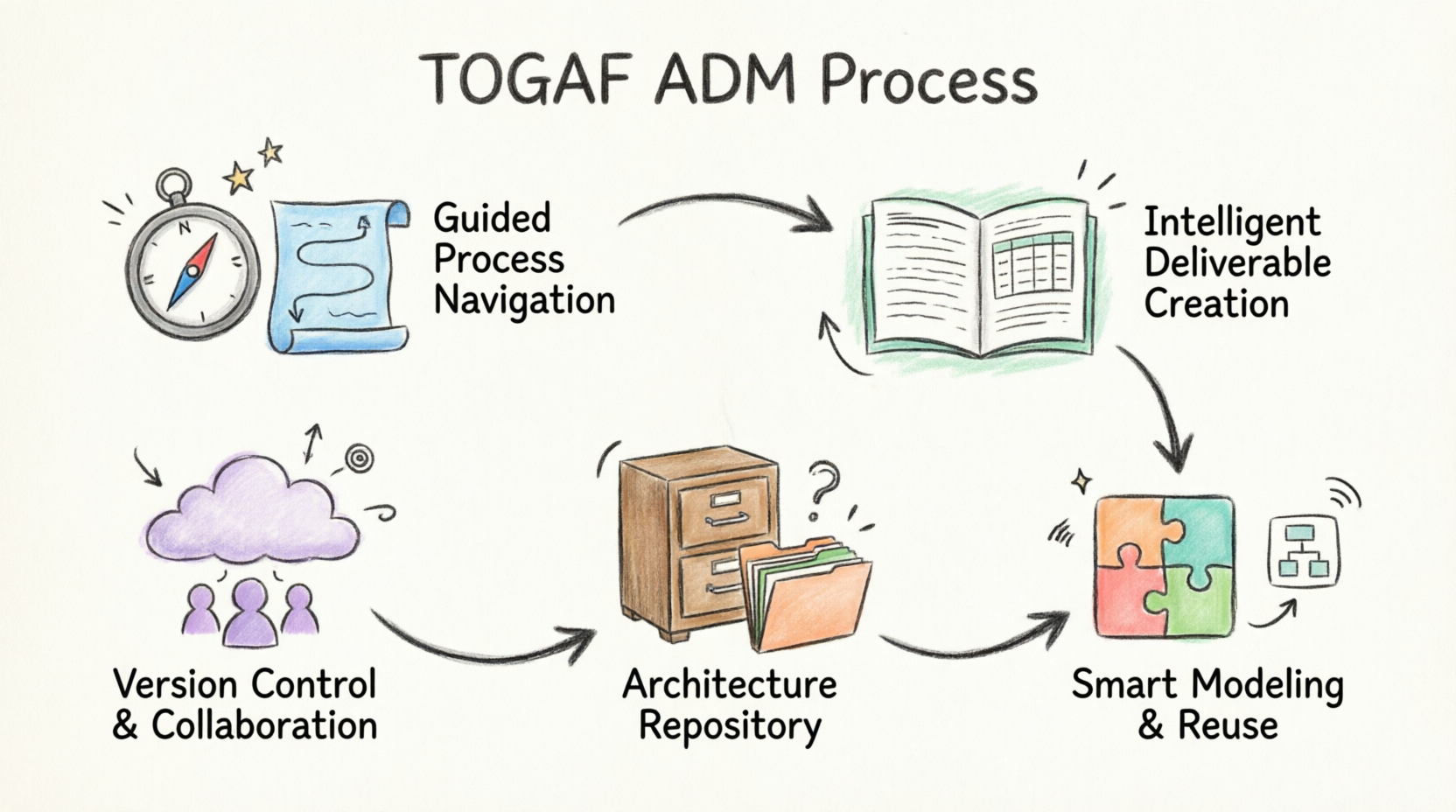
Phase 1: Setting Your Foundation
Understanding the TOGAF ADM Landscape
As you begin your architecture journey, you need the right tools to navigate the Architecture Development Method (ADM). Visual Paradigm provides a comprehensive suite designed to guide you through each phase.
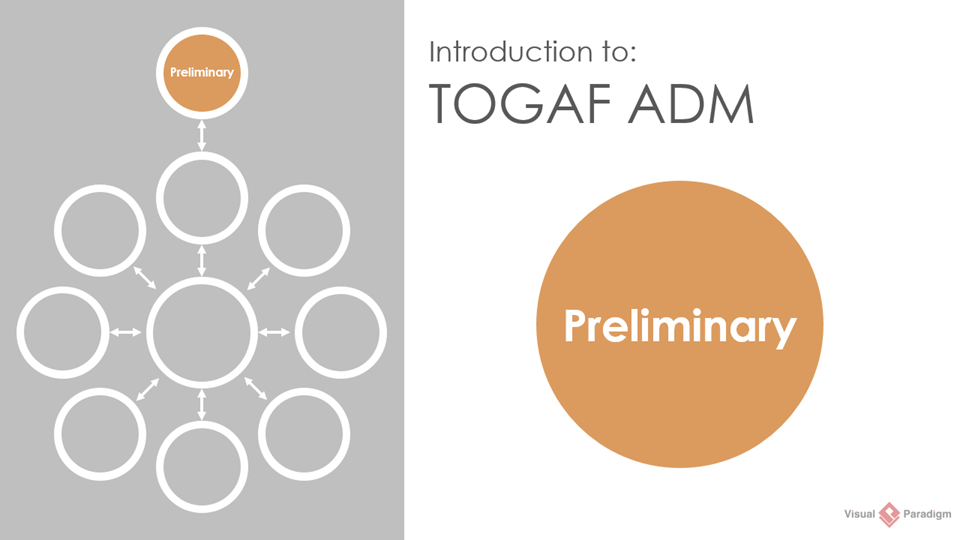
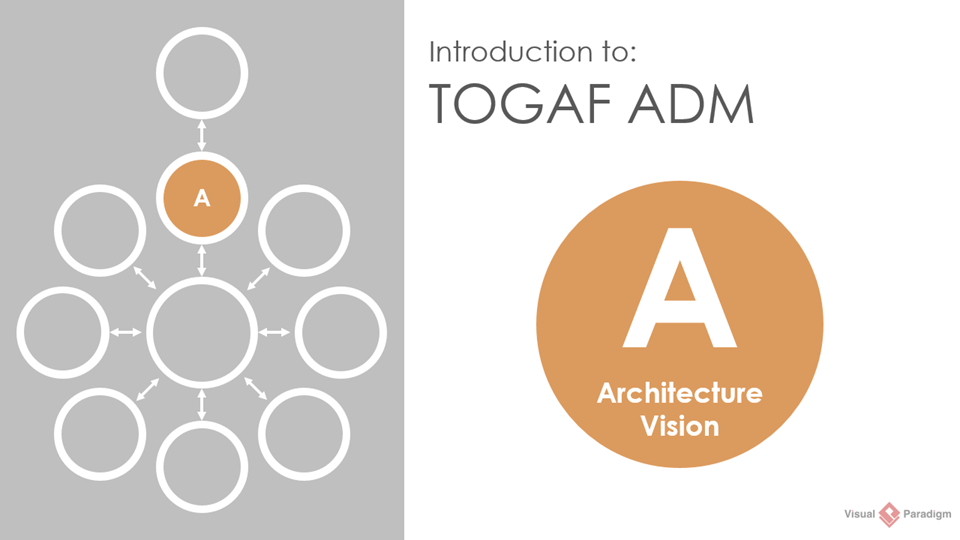
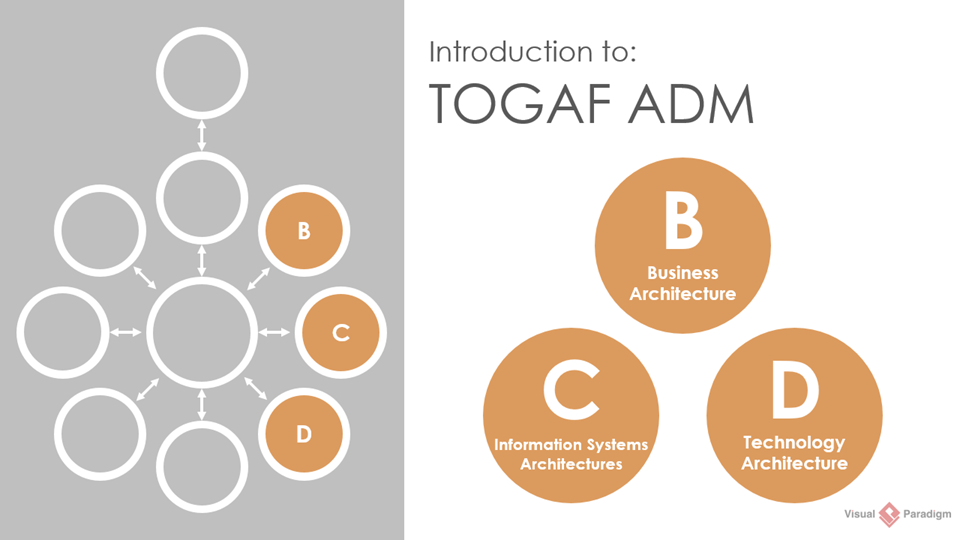
Your First Step: TOGAF ADM Process Navigator
Imagine having a GPS for enterprise architecture. The TOGAF ADM Process Navigator is exactly that—it eliminates the guesswork and helps you maximize your enterprise architecture success with cutting-edge guidance.
What You’ll Experience:
-
Intuitive navigation through standard TOGAF® ADM diagrams
-
Streamlined processes for architecting and sustaining your enterprise
-
Elimination of endless documentation searches
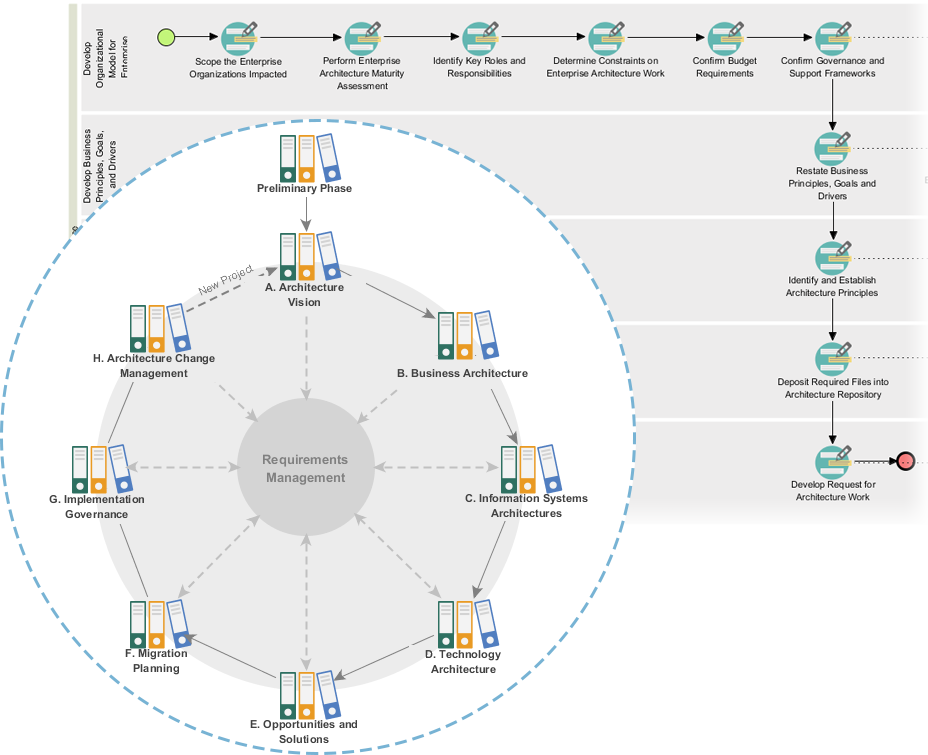
Your Journey Moment: Instead of drowning in references, you now have a clear path forward with visual guidance at every step.
Phase 2: Taking Action with Guided Processes
From Theory to Practice
You’ve mapped your route—now it’s time to execute. The comprehensive TOGAF toolkit provides step-by-step guidance for developing all deliverables required in the TOGAF Architecture Development Methodology.
Your Toolkit Includes:
-
Easy-to-follow instructions
-
Cutting-edge modeling tools
-
Real-life examples
-
Expert guides and techniques
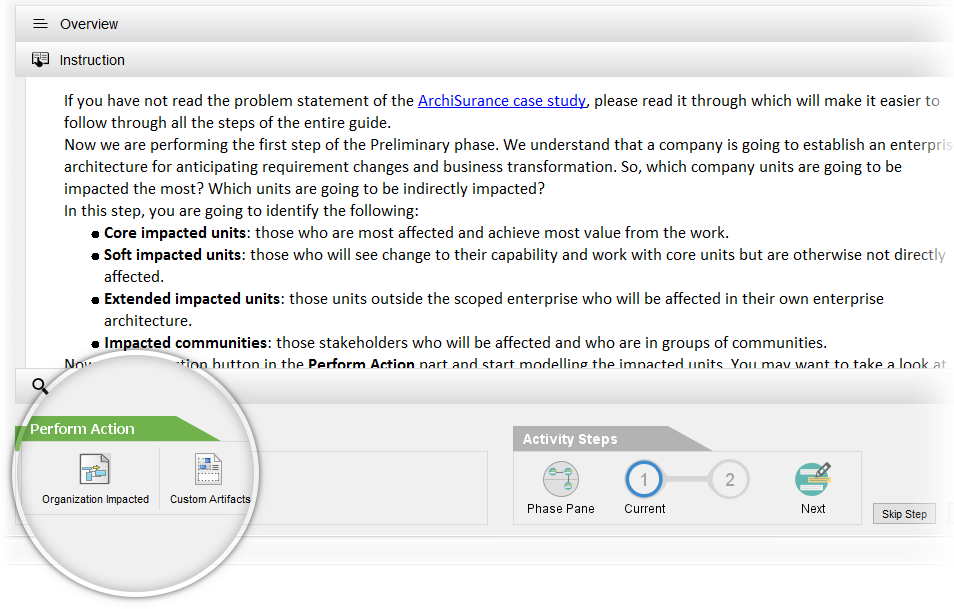
Your Journey Moment: Confidence builds as you move from uncertainty to mastery, with proven methods ensuring outstanding results every time.
Phase 3: Creating Deliverables with Ease
Form Filling and Inline Instruction
As you progress, you’ll encounter various deliverables that need completion. Visual Paradigm empowers you with intuitive form-filling capabilities and inline instructions.
What Makes This Different:
-
Deep insights into the development process
-
Intuitive instructions that guide you
-
Modeling tools and samples at your fingertips
-
Freedom to follow recommended steps or customize content
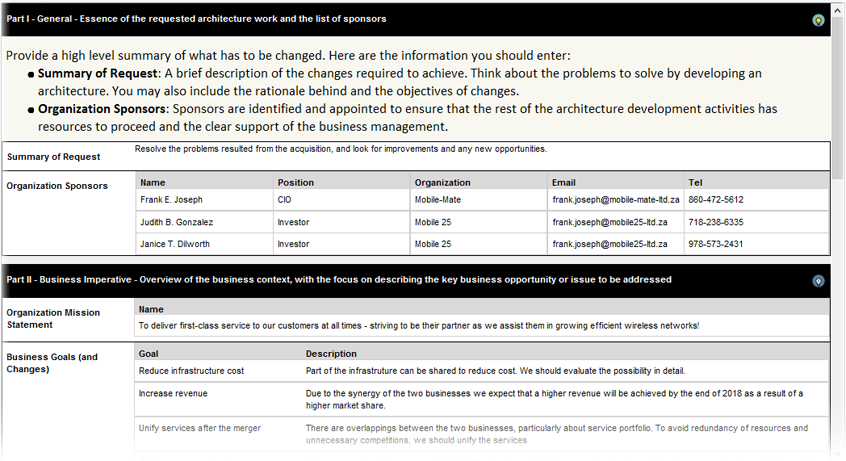
Your Journey Moment: You’re no longer just following templates—you’re creating architecture that fits your organization’s unique needs.
Deliverable Composer
From process activities deep into development steps, you have complete control. Execute recommended steps or customize any part of the content, inserting text or diagrams at any time.
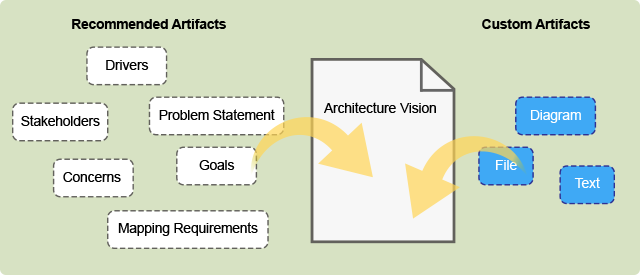
Your Journey Moment: Flexibility meets structure—you maintain creative control while ensuring compliance with TOGAF standards.
Phase 4: Managing Progress and Versions
Auto Versioning and Deliverable Generation
Your hard work deserves protection and proper tracking. As you complete each activity, the system securely stores and tracks your progress with version control for seamless team collaboration.
Benefits You’ll Experience:
-
Secure storage of all your work
-
Automatic version tracking
-
Easy deliverable generation
-
Clear progress visibility
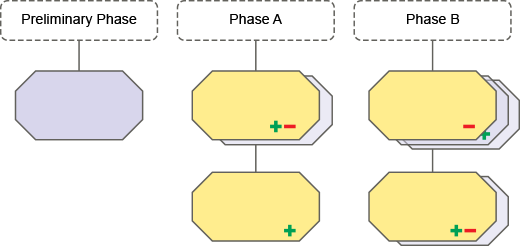
Your Journey Moment: Peace of mind knowing your work is protected and your team can collaborate without conflicts.
Phase 5: Mastering Visual Modeling
Shape Legend
Creating the right diagrams quickly is essential. The shape legend feature allows you to drag and drop the exact shapes you need, ensuring accuracy and speed.
How It Helps:
-
Quick shape creation through drag-and-drop
-
Ensures correctness by showing only available elements
-
Context-aware based on selected view
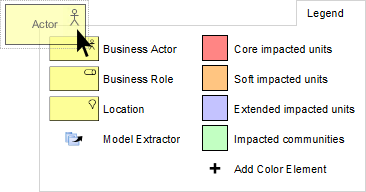
Your Journey Moment: Efficiency skyrockets as you spend less time searching and more time designing.
Color Legend
Focus on what matters. Use predefined shapes to create diagrams for specific viewpoints without distraction from the entire modeling language collection.
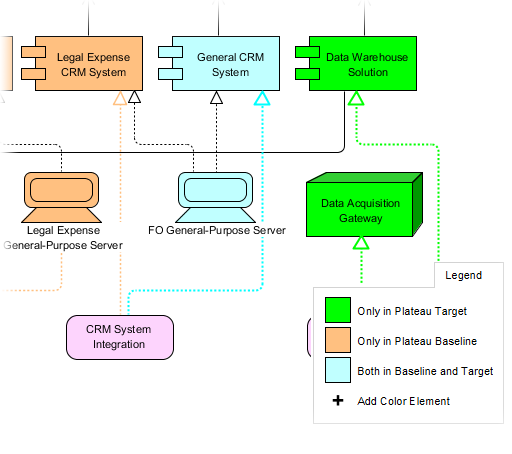
Your Journey Moment: Clarity emerges as you focus on relevant elements for each stakeholder view.
Phase 6: Maximizing Efficiency Through Reuse
Reuse Elements with Model Extractor
Why recreate what already exists? Save time and increase efficiency by reusing elements across different architectural models.
The Process:
-
Model Extractor analyzes your project
-
Lists existing elements available for reuse
-
Select and confirm
-
Done—no duplication of work
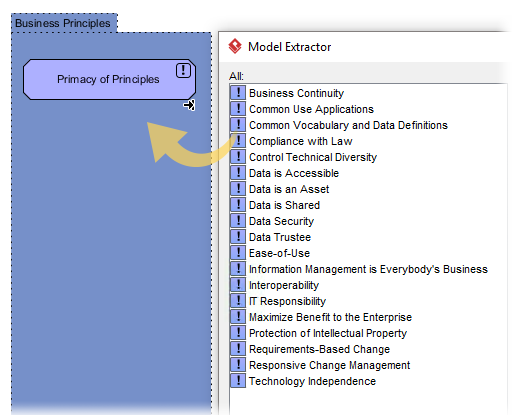
Your Journey Moment: Efficiency reaches new heights as you build upon existing work rather than starting from scratch.
Phase 7: Organizing Your Architecture Repository
Architecture and Documentation Repository
A well-organized repository is the backbone of successful enterprise architecture. Configure standard TOGAF architecture repository structures or create custom taxonomies.
Capabilities:
-
Configure standard or custom file structures
-
Intuitive file placement in file cabinets
-
Sort and organize by organizational needs
-
Drag-and-drop functionality
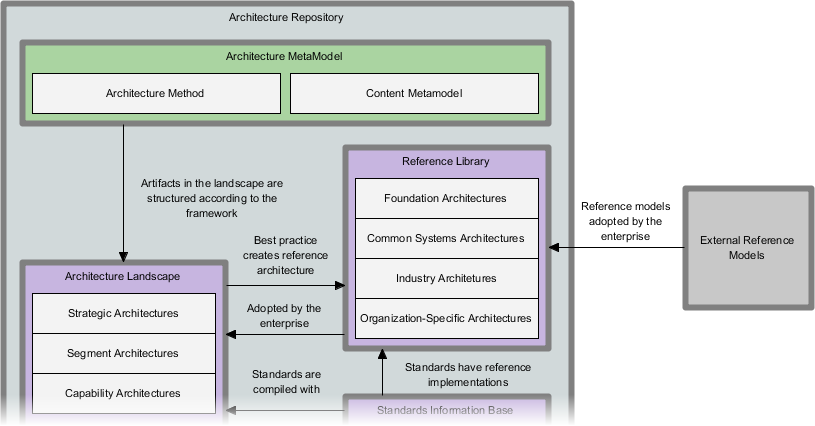
Your Journey Moment: Order replaces chaos—everything has its place and is easily retrievable.
Your Complete Toolkit: Additional Features
Enterprise Architecture Tools

Expand your capabilities with certified and comprehensive architecture frameworks:
-
ArchiMate® 3 (Certified): Industry-standard architecture modeling language
-
DoDAF, NAF, MODAF: Defense and government architecture frameworks
-
TOGAF® ADM Guide-Through: Step-by-step TOGAF implementation guidance
-
TOGAF® ADM Process-Map: Visual process mapping for TOGAF
Project Management Integration

Bridge architecture and execution:
-
PMBOK® Process Map: Project management best practices
-
Project Mgmt. Guide-Through: Lifecycle guidance
-
Project Mgmt. Process Map: Process visualization
Visual Modeling Excellence

Create precise technical models:
-
UML Tool: Unified Modeling Language
-
SysML Tool: Systems Modeling Language
-
ER Diagram Tool: Database design
-
DFD Tool: Data flow visualization
Agile & Scrum Support

Embrace agile methodologies:
-
User Story Map: Visual story mapping
-
Scrum Process Canvas: Scrum framework visualization
-
LeSS Canvas: Large-Scale Scrum
-
Nexus Canvas: Nexus framework
Business Modeling

Model business processes effectively:
-
BPMN Diagrams: Business Process Model and Notation
-
Decision Table: Complex decision logic
-
Organization Chart: Organizational structures
-
CMMN Tool: Case Management
User Experience Design

Design exceptional user experiences:
-
Wireframe & Storyboard: Early-stage design
-
Wireflow Diagram: User flow visualization
-
Prototyping Tool: Interactive prototypes
-
Customer Journey Map: Experience mapping
-
High-Fidelity Mockup Tool: Detailed designs
Visual Diagramming

Communicate ideas clearly:
-
Flowchart Maker: Process flows
-
Chart Maker: Data visualization
Code Engineering

Bridge design and implementation:
-
Code Engineering: Code generation and reversal
-
Visual REST API Designer: API design
-
DB Generation & Reversal: Database engineering
-
Hibernate ORM: Object-relational mapping
Team Collaboration

Work together effectively:
-
Collaboration Tools: Team workspace
-
Task Management: Work tracking
-
Review and Commenting: Feedback and review
Analysis & Charting

Gain insights through analysis:
-
Textual Analysis: Document analysis
-
Relationship Matrix: Impact analysis
-
Analysis Diagram: Dependency visualization
-
RACI & CRUD: Responsibility matrices
Advanced Modeling Tools

Extend your capabilities:
-
Project Glossary: Terminology management
-
On-Demand Model ETL: Model transformation
-
Other Adv. Modeling Tools: Advanced features
Project Management Diagrams

Plan and track projects:
-
Enhanced PERT Chart: Project scheduling
-
Work Breakdown Structure: Project decomposition
-
Cause & Effect Diagram: Root cause analysis
-
Gantt Chart Tool: Timeline visualization
Conclusion: Your Journey Continues
You’ve now explored the complete landscape of TOGAF ADM tools and the broader Visual Paradigm ecosystem. Your journey from novice to expert enterprise architect is supported at every step with:
✅ Guided processes that eliminate confusion
✅ Powerful tools that increase efficiency
✅ Collaboration features that enhance teamwork
✅ Version control that protects your work
✅ Comprehensive frameworks that ensure compliance
Your Next Steps:
-
Start with the TOGAF ADM Process Navigator
-
Follow the guided steps for your current phase
-
Leverage reuse features to maximize efficiency
-
Collaborate with your team using built-in tools
-
Generate deliverables with confidence
Remember: Great enterprise architecture isn’t built overnight—it’s a journey. With Visual Paradigm’s TOGAF ADM tools, you have the perfect companion for every step.
References
- TOGAF® 9 Documentation: Official TOGAF 9 architecture framework documentation and standards
- ArchiMate® 3 (Certified): Certified ArchiMate 3 modeling language tools for enterprise architecture
- DoDAF Tool: Department of Defense Architecture Framework modeling and visualization tools
- NAF Tool: NATO Architecture Framework tools for defense architecture development
- MODAF Tool: Ministry of Defence Architecture Framework modeling capabilities
- TOGAF® ADM Guide-Through: Step-by-step guidance through TOGAF Architecture Development Method phases
- TOGAF® ADM Process-Map: Visual process mapping and templates for TOGAF implementation
- PMBOK® Process Map: Project Management Body of Knowledge process visualization and templates
- Project Management Guide-Through: Comprehensive project management lifecycle guidance and tools
- Project Management Process Map: Just-in-time templates and process maps for project management
- UML Tool: Unified Modeling Language diagramming and modeling tools
- SysML Tool: Systems Modeling Language tools for systems engineering
- ER Diagram Tool: Entity-Relationship diagram tools for database design and modeling
- DFD Tool: Data Flow Diagram tools for process modeling and analysis
- User Story Map: Agile user story mapping tools for product development
- Scrum Process Canvas: Visual Scrum framework canvas for agile project management
- LeSS Canvas: Large-Scale Scrum framework tools for enterprise agile
- Nexus Canvas: Nexus framework tools for scaled agile development
- BPMN Diagrams: Business Process Model and Notation diagramming tools
- Decision Table: Decision table tools for complex business rule modeling
- Organization Chart: Organizational structure chart creation and management tools
- CMMN Tool: Case Management Model and Notation diagramming tools
- Wireframe & Storyboard: UX wireframing and storyboarding tools for design
- Wireflow Diagram: Wireflow diagram tools for user experience flow design
- Prototyping Tool: Interactive prototyping tools for UX design validation
- Customer Journey Map: Customer journey mapping tools for experience design
- High-Fidelity Mockup Tool: High-fidelity website and application mockup design tools
- Flowchart Maker: Professional flowchart creation and diagramming tools
- Chart Maker: Data visualization and chart creation tools
- Code Engineering: Code generation, reversal, and engineering tools
- Visual REST API Designer: Visual design tools for REST API development
- DB Generation & Reversal: Database generation and reverse engineering tools
- Hibernate ORM: Hibernate Object-Relational Mapping tools and support
- Collaboration Tools: Comprehensive team collaboration and communication tools
- Task Management: Project task management and tracking tools
- Review and Commenting: Design review and team commenting features
- Textual Analysis: Text analysis tools for requirements and document processing
- Relationship Matrix: Relationship and impact analysis matrix tools
- Analysis Diagram: Dependency analysis and visualization diagram tools
- RACI & CRUD: RACI responsibility and CRUD matrix chart tools
- Project Glossary: Project glossary and terminology management tools
- On-Demand Model ETL: On-demand model Extract, Transform, Load capabilities
- Other Advanced Modeling Tools: Additional advanced model management and analysis tools
- Enhanced PERT Chart: Enhanced Program Evaluation and Review Technique chart tools
- Work Breakdown Structure: Work Breakdown Structure diagram creation tools
- Cause & Effect Diagram: Cause and effect (fishbone) diagram tools for root cause analysis
- Gantt Chart Tool: Gantt chart creation and project timeline visualization tools
“PMBOK” is a trademark of the Project Management Institute, Inc. which is registered in the United States and other nations.
“TOGAF” is a trademark of The Open Group, which is registered in the United States and other countries.