
Welcome to the comprehensive guide for transforming your digital content into immersive, interactive flipbooks using Fliplify by Visual Paradigm Online. This guide follows your journey from initial content creation through to publishing and sharing, helping you maximize the platform’s powerful features.
Phase 1: Getting Started with Fliplify
Understanding the Platform
Fliplify is an interactive digital publishing platform that converts static documents into 3D flipbooks with realistic page-turning effects. Whether you’re creating catalogs, brochures, reports, or portfolios, Fliplify transforms traditional PDFs into engaging digital experiences.
Content Creation & Conversion
Method 1: Convert File as Flipbook
You can instantly transform existing documents into interactive flipbooks.
-
Convert existing PDFs, Word documents (DOC/DOCX), PowerPoint presentations (PPT/PPTX), images (JPEG/PNG), and eBooks (EPUB/MOBI) into flipbooks.
- Fliplify also supports converting these file formats into flipbook:
- PowerPoint: pptx, ppt, pptm, ppsx, pps, ppsm, pot, potx, potm, OpenOffice Impress
- Ebook: azw4, azw3, epub, mobi, chm, cbr, cbz, djvu, fb2, htlz, lit, lrf, pdb, pml, rb, recipe, snb, tcr
- Document: pdf, docx, docm, dotx, dotm, doc, dot, rtf, OpenOffice Writer, txt, html
- Spreadsheet: xlsx, xlsm, xlsb, xltx, xltm, xls, xlt, xlw, xlr
-
No need to start from scratch—leverage your existing content
- OCR (Optical Character Recognition) support makes text within scanned PDFs and flipbooks fully searchable
Method 2: Flipbook Designer
-
Utilize the drag-and-drop visual book editor to build publications from scratch
- Compose a book with graphic assets such as icons, logo, styled text, images, photos, etc
-
Access a rich library of professionally designed templates for catalogs, brochures, and reports
-
Create custom layouts that match your brand identity
Phase 2: Bringing Content to Life with Animation
AniFuzion Integration
Fliplify’s 2D and 3D animation features are powered through deep integration with AniFuzion, a specialized animation engine within the Visual Paradigm Online suite. This allows you to go beyond static PDFs by adding lifelike characters and dynamic effects directly to your flipbook pages.
Character & Asset Animation
Diverse Character Families
-
Access an extensive library of over 200+ unique 2D and 3D animated characters
-
Choose from diverse styles: realistic, cartoonish, manga, and even “fictitious” avatars like animated coffee cups or monsters
Dynamic Action Customization
-
Apply pre-built actions (walking, waving, talking) from a rich action library
-
No animation expertise required—simply select and apply
Automatic Motion Retargeting
-
Apply a single animation sequence to different 3D models instantly
-
No need to re-animate each character manually
Realism Enhancements
-
Automatic lip-syncing matches mouth movements to speech
-
Automatic eye blinking and facial expressions add natural feel
Scene & Object Motion
Powerful Timeline Editor
-
User-friendly, drag-and-drop timeline for precise control
-
Sequence and control the duration of every animated element on the page
Entry, Emphasis, & Exit Effects
-
Apply motion presets to text, shapes, and photos
-
Use effects like sliding in or pulsing to draw reader attention
Customizable scene
-
Replace static backgrounds with customizable scenes (cityscapes, hospitals, etc.)
-
Adjust lighting to suit your narrative
Layer Coexistence
-
Simultaneously use both 2D and 3D animation layers
-
Blend flat graphics with depth-based models for a hybrid look
Integrated Audio Tools
Text-to-Speech
-
Generate professional voiceovers directly within the tool
-
Eliminate the need for external recording equipment
Voice Synchronization
-
Automatic syncing of generated voiceovers with characters’ mouth movements
-
Creates seamless storytelling experiences
Phase 3: Enhancing Interactivity
Rich Media Integration
Multimedia Embedding
-
Integrate YouTube/Vimeo videos directly into pages
-
Add audio clips for background music or narration
-
Embed animated animations
-
Create truly interactive reading experiences
Interactive Overlays
-
Add clickable hotspots to guide readers
-
Insert hyperlinks to external websites or resources
-
Create action buttons to drive traffic to e-commerce pages
-
Transform passive reading into active engagement
Realistic 3D Animations
-
Mimic physical book physics with lifelike page-flip animations
-
Choose from over 70 customizable page transition effects
-
Optional sound effects enhance the tactile experience
Phase 4: Customization & Branding
Corporate Identity
Visual Branding
-
Customize logos, color schemes, and fonts
-
Ensure brand consistency across all publications
-
Create professional, on-brand digital experiences
- Add contact button: Add clickable button linking to website, email, or form
Virtual Bookshelf
-
Organize multiple publications on a customizable digital shelf
-
Choose themes that match your branding
-
Replace cluttered link lists with intuitive, visually appealing interfaces
Personalization Options
-
Select from various backgrounds (wood, nature, floral patterns)
-
Add decorative accessories to enhance visual impact
-
Set custom thumbnail sizes for your books
-
Enable interactive effects like title display on mouse hover
Self-Hosting
Premium Feature
-
Maintain full control over security and URL branding
-
Keep content within your private infrastructure
- Demo web sites showcasing the possibilities of self-hosted flipbooks:
- Catalyst Solutions: A collection of demo publications featuring corporate-related flipbooks, presentations, and reports.
- Maplewood University: An educational platform offering diverse valuable materials: handouts, lecture notes, and school-related readings.
- Maya Harper’s Personal Portfolio: A personal portfolio showcasing creativity in art, design, photography, and more, featuring the use of flipbooks and animated booklets.
- Flavor Fiesta: Discover an extensive collection of recipes spanning various cuisines, from traditional classics to innovative fusion creations.
Phase 5: Publishing & Distribution
Digital Distribution Channels
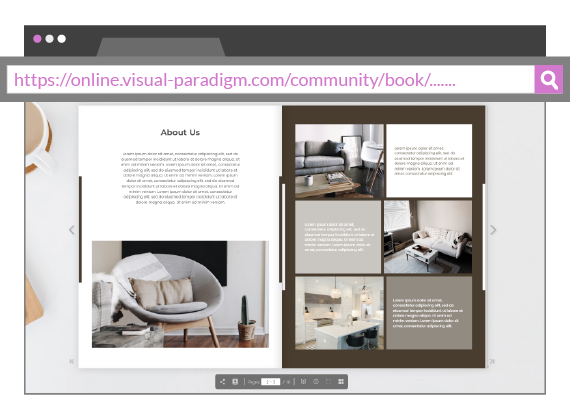
Direct URL Link
-
Every published flipbook generates a unique, shareable URL
-
Readers can open in any modern web browser
-
No downloads or plugins required
Social Media Integration
-
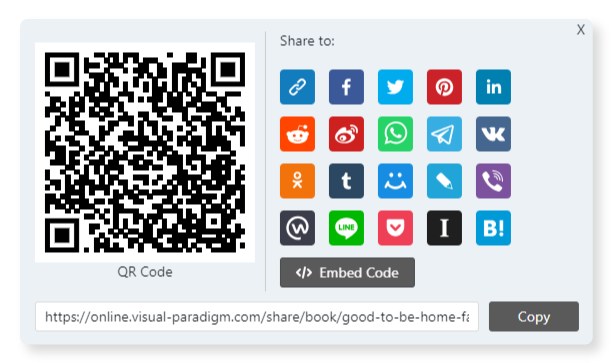
Built-in shortcuts for Facebook, LinkedIn, and X (Twitter)
-
Auto-generated rich previews with titles and thumbnails
-
Expand your reach across platforms
Email Invitations
-
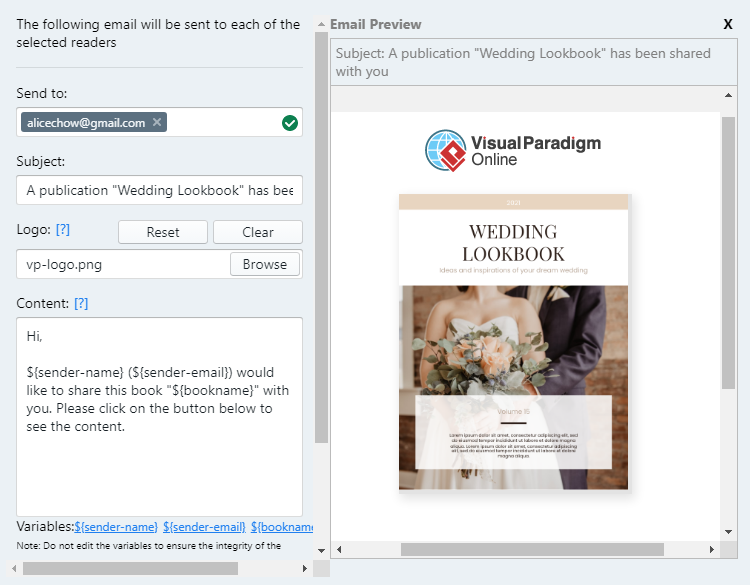
Send flipbooks directly to specific readers
-
Personalize messages and include branding
-
Targeted distribution for maximum impact
Website Embedding
-
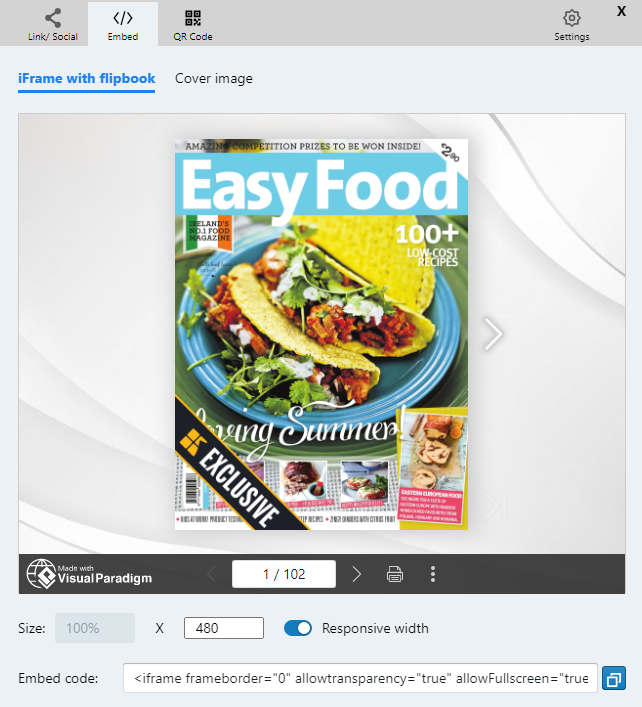
Generate dedicated embed codes
-
Seamlessly integrate flipbooks into blogs, landing pages, or corporate websites
-
Maintain professional presentation across channels
Physical-to-Digital Bridging
QR Code Generation
-
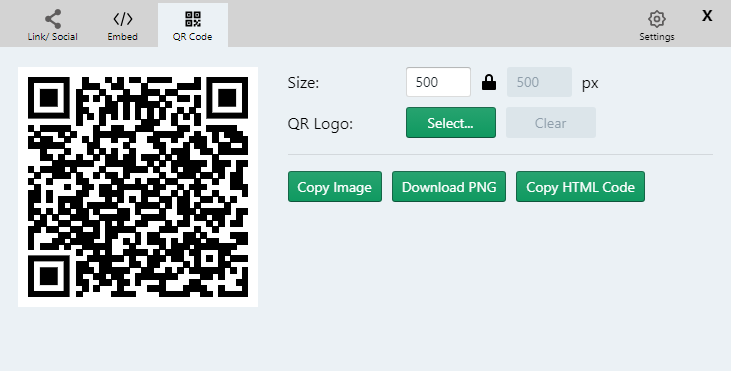
Automatic QR code generation for every publication
-
Customize with brand colors or logos
-
Print on business cards, brochures, menus, or event banners
-
Provide instant mobile access to your content
Bulk Sharing via Bookshelves
-
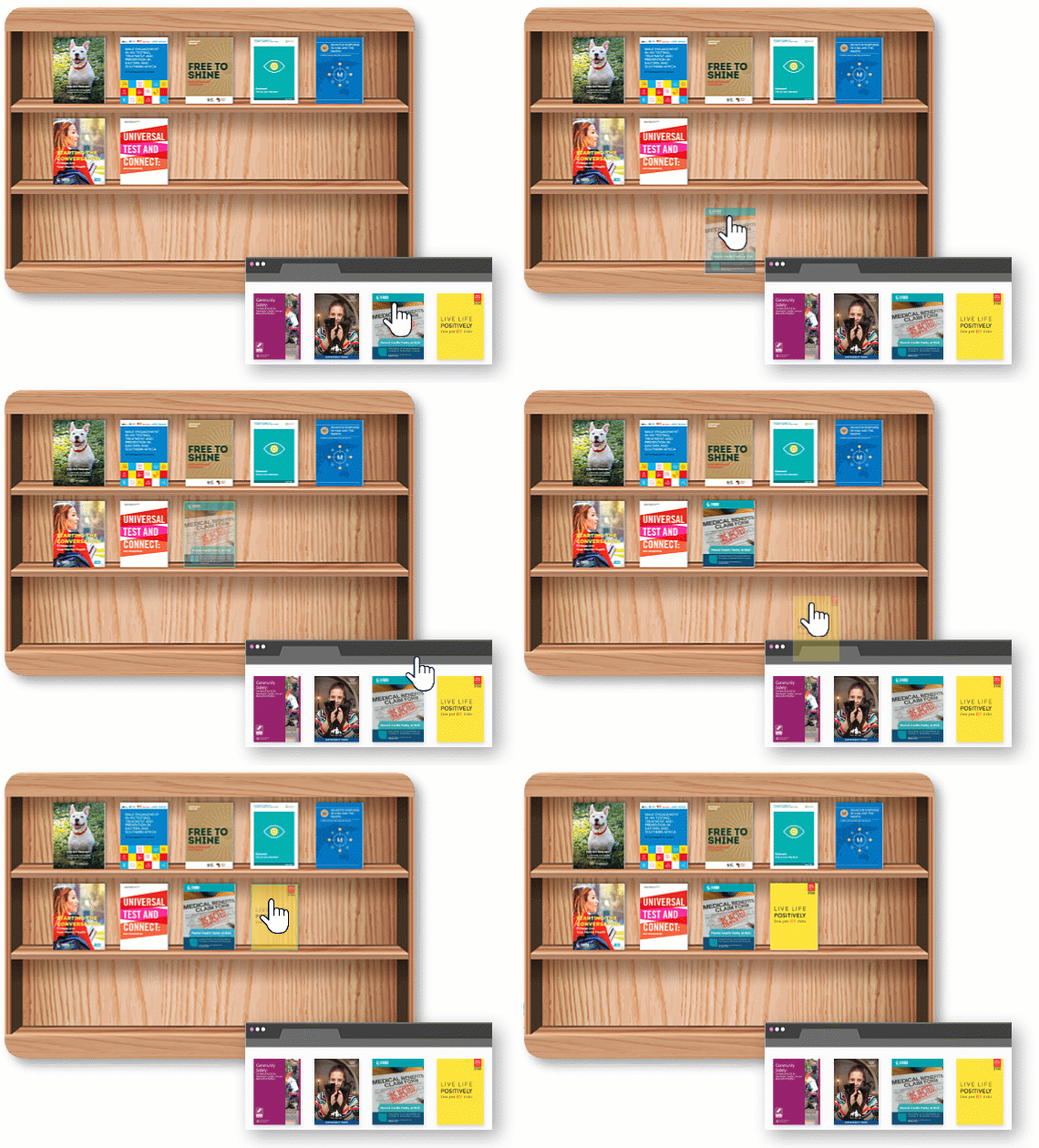
Share a single URL for an entire Virtual Bookshelf
-
Give audiences access to complete collections
-
Organized presentation of catalogs, eBooks, or reports
Phase 6: Privacy & Access Control
Security Features
Public vs. Private Publishing
-
Let everyone read your book by publishing to Visual Paradigm’s Online Community
-
Or keep private and accessible only via direct link
-
Control who can view your content
Password Protection
-
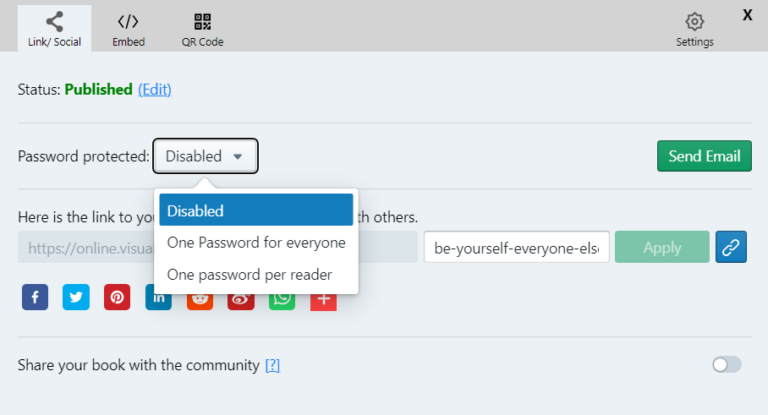
Secure sensitive documents (internal reports, training manuals)
-
Require password for viewing
-
Protect confidential information
Functionality Restrictions
-
Disable printing, downloading, or text selection
-
Prevent unauthorized redistribution
-
Maintain content ownership and control
Phase 7: The Reader Experience
Navigation & Viewing Controls
Realistic Page-Flip
-
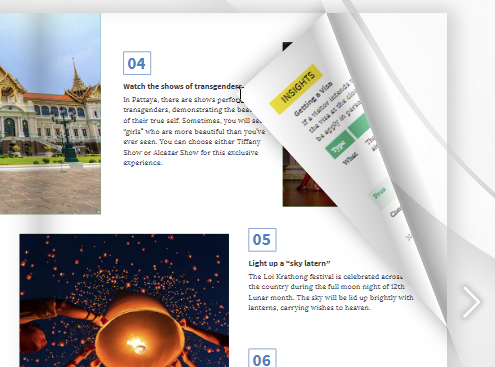
Smooth 3D page-turning animations
-
Optional page flip sound effects for tactile experience
-
Natural, book-like reading feel
Page Navigation and Viewing Tools
-
Next/Previous buttons for sequential reading
-
First/last page shortcuts for quick access
-
Direct page-number input field for precise navigation
- Single/Double Page Toggle: Switch between single-page and double-page spread views
Thumbnails Panel
-
Sidebar of page thumbnails for rapid visual browsing
-
Quick selection and jumping to specific pages
-
Visual overview of entire publication
Zoom & Pan
-
Interactive zooming for detailed viewing
-
Pan across high-resolution images or small text
-
Ensure content readability at any size
Full-Screen Mode
-
Distraction-free, edge-to-edge viewing
-
Ideal for desktops and tablets
-
Immersive reading experience
Interactive Reader Features
Dynamic Annotations
-
Highlight text for emphasis
-
Add personal notes for reference
-
Draw directly on pages using pens and highlighters
-
Active engagement with content
Full-Text Search
-
Text search: Search pane to find keywords or phrases within flipbook content
-
Search for specific keywords across entire publication
-
Quick information retrieval
Multimedia Playback
-
View embedded YouTube/Vimeo videos directly
-
Listen to audio clips
-
Interact with 3D characters or animated GIFs
-
Rich, multi-sensory experience
Text-to-Speech
-
Text-to-Speech: Built-in feature reads book content aloud
-
Improved accessibility for all readers
-
Hands-free reading option
Mobile & Accessibility Options
Responsive Reader Mode
-
Automatic layout optimization for smartphones and tablets
-
“Crisp and clear” text on small screens
-
Consistent experience across devices
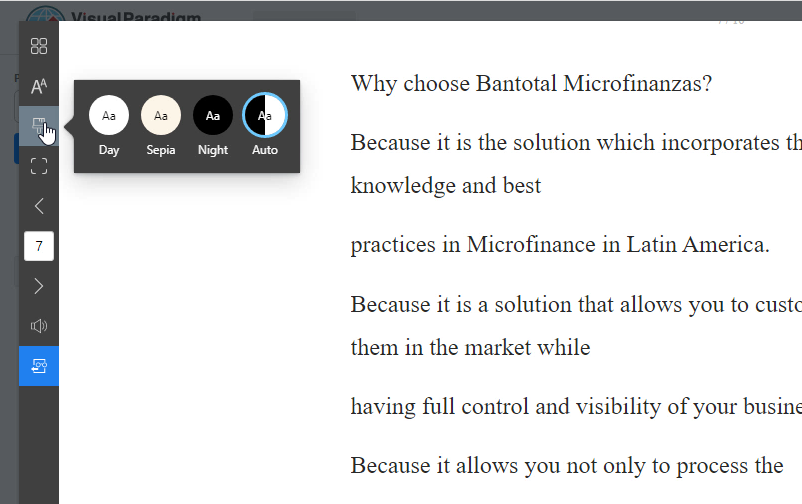
Distraction-Free Mode
-
Specialized view removes unnecessary UI elements
-
Eliminates ads and background graphics
-
Focus solely on content
Social & Distribution Tools
-
Share via QR codes, direct links, or social media buttons
-
Print or download as PDF (if enabled by publisher)
-
Easy content sharing
Phase 8: Analytics & Management
Advanced Analytics
Google Analytics Integration
-
Track reader engagement metrics
-
Monitor page views and interaction data
-
Gain insights into content performance
-
Data-driven optimization
Cross-Device Optimization
-
Automatic responsive design generation
-
Optimized for desktops, tablets, and smartphones
-
Specialized “Reader Mode” for mobile
-
Consistent quality across all platforms
Best Practices & Tips
Content Creation
-
Start with Quality: Ensure your source PDF or document is high-resolution
-
Plan Your Narrative: Map out your content flow before adding animations
-
Use Templates: Leverage pre-designed templates for consistency
-
Optimize for Search: Enable OCR for better discoverability
Animation & Interactivity
-
Less is More: Use animations purposefully, not excessively
-
Maintain Performance: Balance rich media with loading speeds
-
Test Across Devices: Ensure animations work on all platforms
-
Sync Audio Carefully: Preview voice synchronization before publishing
Distribution Strategy
-
Multi-Channel Approach: Use URLs, QR codes, and embeds together
-
Track Performance: Monitor analytics to understand engagement
-
Secure Appropriately: Balance accessibility with protection needs
-
Update Regularly: Keep content fresh and relevant
Conclusion
Fliplify transforms static documents into dynamic, interactive digital experiences. By following this user journey—from content creation through animation, customization, publishing, and distribution—you can create professional flipbooks that engage readers, protect your content, and deliver measurable results.
Whether you’re a marketer creating product catalogs, an educator developing training materials, or a business professional sharing reports, Fliplify provides the tools to elevate your digital publishing to the next level.
Try it now. Create your Flipbook
To start converting your file into a digital flipbook, please visit: https://online.visual-paradigm.com/flipbook-maker/flipbook-converter/
To design a flipbook using a visual flipbook designer, please visit: https://online.visual-paradigm.com/flipbook-maker/
Reference List
- Why Fliplify by Visual Paradigm Online Stands Out and How AniFuzion Makes It Unbeatable: Comprehensive overview of Fliplify’s competitive advantages and AniFuzion integration
- Comprehensive Guide to Fliplify and AniFuzion: Powerful Tools from Visual Paradigm Online: Detailed exploration of both platforms’ capabilities
- Comprehensive Guide to Creating Animated Content for Flipbooks with Visual Paradigm Online’s Flipbook Maker: Step-by-step animation creation tutorial
- Animated Flipbooks: Overview of animation features and capabilities
- Introducing Fliplify: The Ultimate Flipbook Creator with 200+ Fun and Fictitious Avatars: Introduction to character library and avatar options
- AniFuzion: The Ultimate Animation Tool for Non-Professional Animators: Guide to using AniFuzion without animation expertise
- Make Your Flipbook Stand Out with AniFuzion: Tips for enhancing flipbooks with animation
- Comprehensive Guide to Fliplify: Creating Interactive Flipbooks with Visual Paradigm: Complete guide to flipbook creation
- Transform Your Digital Publishing with Fliplify by Visual Paradigm: Digital publishing transformation strategies
- Reference List for Learning Fliplify of Visual Paradigm Online: Educational resources and learning materials
- Fliplify: The Best Flipbook Tool for Everyone: Overview of Fliplify’s accessibility and features
- Fliplify: Setting the Standard for Digital Publishing: Industry standards and best practices
- Discover the Power of Searchable Flipbooks with Visual Paradigm Online: OCR and search functionality guide
- Design Stunning Digital Catalogs: Catalog design best practices
- Best Practices for Designing Immersive Flipbook Portfolios: Portfolio creation guidelines
- Visual Paradigm’s Flipbook Maker: A Game Changer for Interactive Content: Interactive content strategies
- The Benefits of Self-Hosted Flipbook Server Services: Advantages, Disadvantages, and Company Interests: Self-hosting considerations
- Transform Your PDFs into Interactive Flipbooks for a Seamless Digital Reading Experience: PDF conversion guide
- Flipbook Designer: Design tool features and capabilities
- Discover Fliplify: Transforming How You Create and Share Digital Flipbooks: Creation and sharing workflows
- Top 10 Flipbook Tools in the Market: A Comprehensive Comparison 2025: Market comparison and positioning
- Visual Paradigm’s Flipbook Maker: Setting the Standard for Digital Publishing: Industry leadership and standards
- Features: Complete feature overview
- Annotate on a Flipbook: Annotation and markup features
- The Ultimate Guide to the Visual Paradigm Online Platform’s Bookshelf: Virtual bookshelf comprehensive guide
- Virtual Bookshelf: Bookshelf features and organization
- Showcase My Flipbook with a Bookshelf: Portfolio presentation techniques
- Stop Sharing Flipbook with Public: Privacy control settings
- Fliplify: Convert PDFs into Beautiful Flipbooks with Ease: Easy conversion process
- Publish as Flipbooks: Publishing options and settings
- Unlocking the Power of Flipbook Sharing with QR Codes: A Comprehensive Guide: QR code implementation
- How to Share a Flipbook with QR Code: QR code sharing tutorial
- Revolutionize Your Content with Self-Hosted Flipbooks: Self-hosting benefits
- Unsharing a Flipbook: Content access management