


In today’s fast-paced digital landscape, managing knowledge efficiently is no longer optional—it’s essential. Enter OpenDocs, an AI-powered knowledge management platform developed by Visual Paradigm, designed to transform how professionals create, organize, and share technical documentation. More than just a documentation tool, OpenDocs redefines the workflow by blending artificial intelligence automation, visual thinking, and seamless collaboration into a single, unified ecosystem.
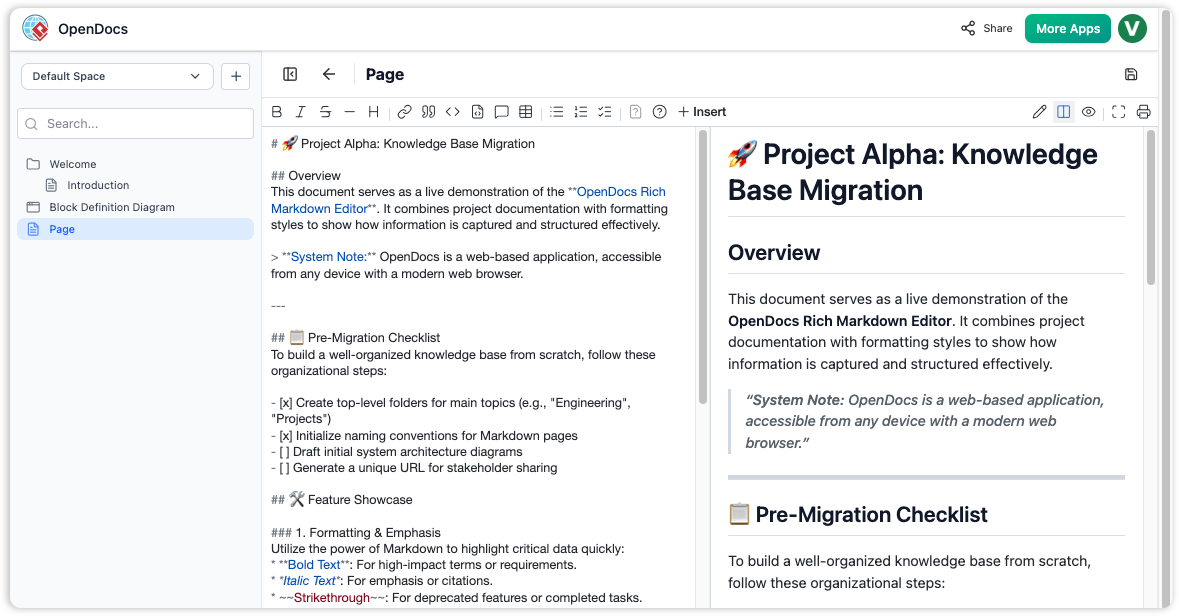
At its core, OpenDocs is built around the concept of “Spaces”—collaborative workspaces where users can craft everything from detailed technical specifications and sequence diagrams to high-level overviews and now, interactive mind maps. This integration of text, diagrams, and visuals within one environment eliminates the fragmentation common in traditional tools like standalone word processors, wikis, or diagramming apps such as Microsoft Visio.
🔑 The Key Concept: Why OpenDocs Stands Out
What truly sets OpenDocs apart is its intentional fusion of AI-driven automation and visual intelligence, all within a centralized, cloud-based platform. Unlike conventional tools that require constant switching between apps, OpenDocs streamlines the entire documentation lifecycle—making it ideal for developers, system analysts, project managers, educators, and knowledge workers alike.
Here’s what makes OpenDocs unique:
✅ AI-Powered Automation
OpenDocs leverages artificial intelligence to auto-generate content, summarize complex ideas, suggest improvements, and keep documentation up to date. This reduces manual effort significantly, especially when maintaining technical specs or updating project artifacts across time.
✅ Unified Workspace (No More App Switching)
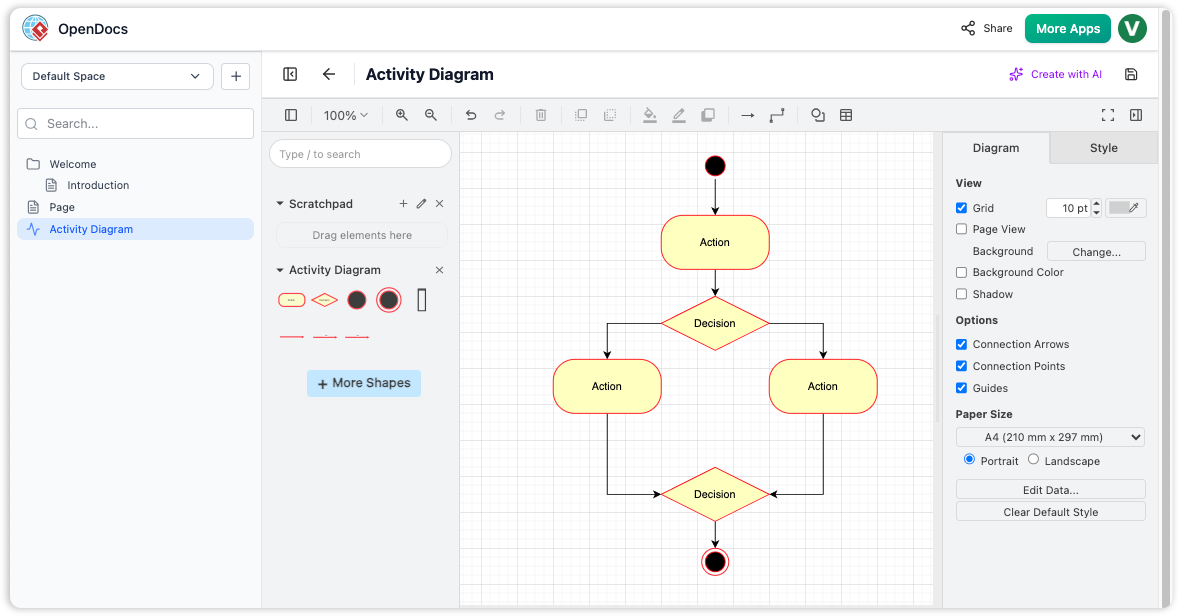
Say goodbye to juggling multiple tools. OpenDocs keeps everything in one place: text, diagrams, mind maps, and embedded components. You can insert a diagram directly into a Markdown document or embed a mind map as a visual summary—all within the same Space.
✅ Visual Toolkit Expansion
While many platforms focus solely on text or basic diagrams, OpenDocs goes further by integrating professional-grade visual tools. From flowcharts and sequence diagrams to mind maps, timelines, and org charts (with more on the way), it becomes a hybrid of knowledge management system and visual design studio.
✅ Accessibility & Collaboration at Scale
Being cloud-native, OpenDocs enables real-time collaboration with easy sharing via read-only web links—no account needed. Stakeholders, clients, or remote team members can view content instantly, fostering transparency and alignment across teams and departments.
✅ Licensing Integration (Ecosystem-Driven)
OpenDocs is not a standalone free product. It’s included only with Visual Paradigm Online (Combo Edition) or Visual Paradigm (Professional Edition) licenses. This positions it as a premium extension for users already invested in the Visual Paradigm ecosystem—ensuring consistency, support, and advanced features.
💡 In essence, OpenDocs bridges the gap between textual precision and visual clarity—transforming scattered ideas into structured, accessible, and actionable knowledge.
🌐 The Game-Changer: Mind Map Feature (Feb 2, 2026 Update)
One of the most exciting developments in OpenDocs is the introduction of native mind map support, launched in the February 2, 2026 update. This feature marks a pivotal step in empowering users to think visually and structure complex ideas with ease.
🎯 What Is a Mind Map?
A mind map is a branching diagram that starts with a central concept and expands outward with related ideas, forming a visual hierarchy. It’s ideal for brainstorming, organizing thoughts, mapping relationships, and grasping big-picture structures—making it perfect for ideation, planning, and knowledge mapping.
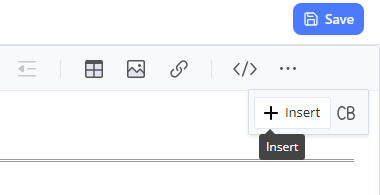
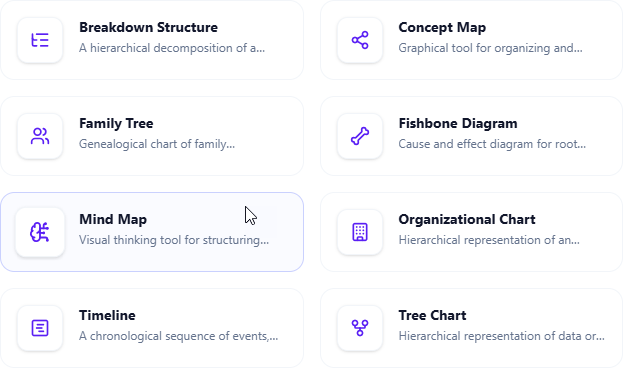
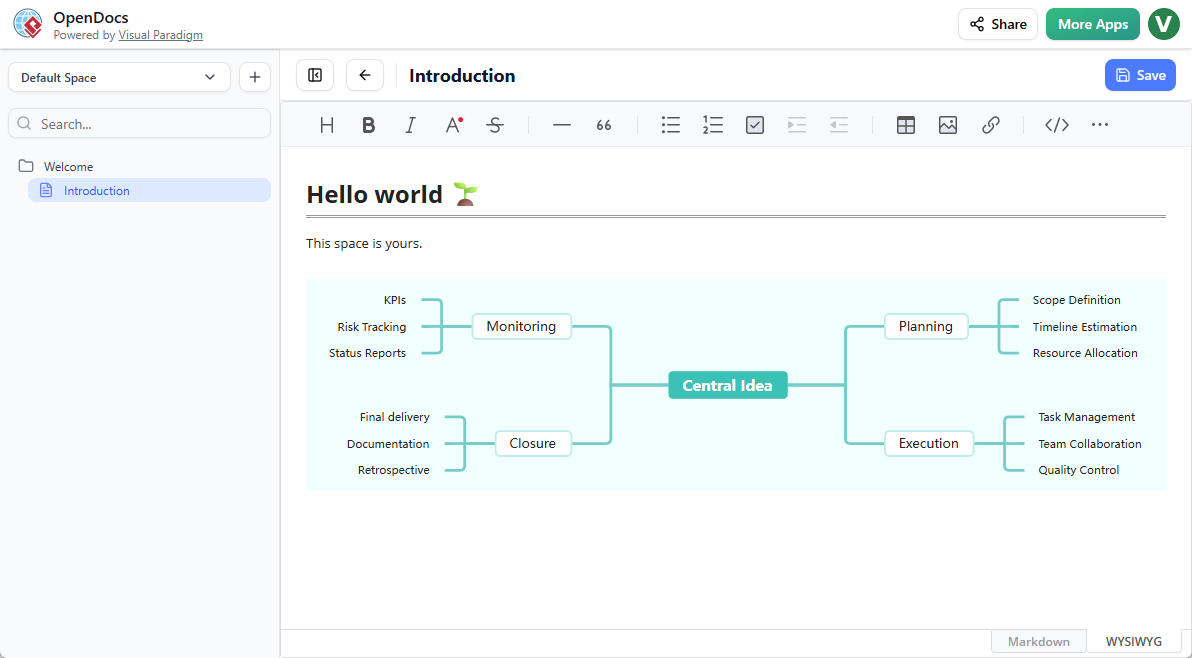
In OpenDocs, this functionality is fully embedded into the platform, allowing users to:
-
Create mind maps as standalone pages or embed them into documents.
-
Edit, reorganize, and style nodes in real time.
-
Save and share seamlessly across Spaces.
-
Integrate with AI automation for rapid idea structuring.
🧠 Why the Mind Map Feature Is a Game-Changer
Text-heavy documentation often overwhelms readers, especially when dealing with complex systems or multi-layered projects. Mind maps solve this by offering a visual roadmap that enhances comprehension, sparks creativity, and accelerates decision-making.
✨ Key Advantages of Mind Maps in OpenDocs:
-
Clarity Through Visualization: Quickly grasp hierarchies, dependencies, and relationships without sifting through paragraphs.
-
Speed & Professionalism: Create polished, presentation-ready mind maps without exporting to external tools.
-
Seamless Integration: Embed a mind map directly into a technical specification, project plan, or training module—no copy-paste chaos.
-
AI Synergy: Use AI to auto-suggest branches or expand ideas based on a central theme, turning rough thoughts into structured content in seconds.
🔄 Think of it as brainstorming on steroids—where every idea flows naturally into a professional artifact.
🛠️ Practical Use Cases: Where Mind Maps Shine
The versatility of OpenDocs’ mind map feature makes it valuable across industries and roles. Here are five powerful real-world applications:
1. Project Planning & Requirements Analysis
Use Case: System analysts can map out user stories, features, risks, and timelines under a central node like “Project X Launch.”
Benefit: Embed this mind map into a requirements document to provide context and visual clarity—ideal for stakeholder reviews.
2. Brainstorming & Ideation Sessions
Use Case: Remote teams brainstorming a new product feature or marketing campaign.
Benefit: Create a shared mind map page where ideas flow organically. No more disjointed chat threads or messy whiteboards.
3. Educational & Training Materials
Use Case: A teacher designing a course on “Introduction to Programming.”
Benefit: Use a mind map to outline modules, learning objectives, coding exercises, and assessments—then embed it into lesson plans for better navigation.
4. Knowledge Mapping for Complex Systems
Use Case: Engineers visualizing system architecture, business processes, or competitive analysis.
Benefit: Turn abstract concepts into intuitive visual maps that complement written documentation—perfect for onboarding or audits.
5. Personal Productivity & Knowledge Management
Use Case: Individuals building a personal knowledge base (PKM) for career development or research.
Benefit: Map out goals, skills, projects, and resources in one accessible, cloud-based space—anytime, anywhere.
🌟 Why OpenDocs with Mind Maps Delivers Real Value
The integration of mind maps doesn’t just add a new feature—it enhances the entire OpenDocs experience, unlocking tangible benefits:
| Benefit | How OpenDocs Delivers |
|---|---|
| Centralized Knowledge Management | No more exporting from MindMeister to Google Docs. Everything stays in one Space—searchable, organized, and connected. |
| Enhanced Collaboration | Share a single link to view a mind map (and the entire workspace) in read-only mode—ideal for client presentations or cross-functional alignment. |
| Professional, Branded Output | Clean, consistent formatting that matches your OpenDocs style—no more low-quality sketches from free tools. |
| Cloud-Based & Mobile Access | Edit and access mind maps from any browser—on desktop, tablet, or phone. Perfect for on-the-go ideation. |
| Boosted Productivity & Creativity | Use AI to generate initial branches, then refine with visuals. Faster ideation → better documentation. |
| Scalable for Future Visual Tools | Mind maps are just the beginning. Upcoming additions like fishbone diagrams, timelines, and org charts will turn OpenDocs into a full-featured visual knowledge hub. |
🚀 Final Thoughts: Is OpenDocs Right for You?
If you’re a professional who values:
-
Clarity in documentation,
-
Speed in idea generation,
-
Collaboration across teams,
-
And visual thinking to complement text,
…then OpenDocs is a must-try.
With its AI-powered automation, native mind map support, and seamless integration of text, diagrams, and visuals, OpenDocs isn’t just a documentation tool—it’s a visual knowledge engine.
✅ Ideal for: Software developers, system analysts, project managers, educators, consultants, and knowledge workers.
📌 Available with: Visual Paradigm Online (Combo Edition) or Visual Paradigm (Professional Edition)
📅 Latest Feature: Mind map support (launched February 2, 2026)
🔗 Ready to Transform Your Workflow?
👉 Explore OpenDocs today and experience the future of intelligent, visual knowledge management.
👉 Try it now at https://www.visual-paradigm.com/open-docs (if available)
Bottom Line:
OpenDocs doesn’t just help you document—it helps you think, plan, and communicate better. With mind maps and AI at your fingertips, it’s not just about writing documents. It’s about building intelligent, visual, and collaborative knowledge ecosystems—one Space at a time.
🌱 The future of documentation is visual. The future is OpenDocs.
This post is also available in Deutsch, Español, فارسی, Français, English, Bahasa Indonesia, 日本語, Polski, Portuguese, Ру́сский, Việt Nam, 简体中文 and 繁體中文.