


Bridging the Gap Between Object-Oriented Design and Relational Databases
In the intricate landscape of software development, the journey from a conceptual idea to a fully functional, efficient database system is a critical path. This process typically moves through several distinct stages: modeling object-oriented structures via Class Diagrams, defining relational models through Entity-Relationship Diagrams (ERDs), and refining the schema through Database Normalization. This sequence is vital for ensuring that application logic translates seamlessly into data storage, bridging the gap between developers, architects, and data professionals.
However, manually navigating these transitions can be tedious and error-prone. Visual Paradigm’s DBModeler AI has emerged as a transformative tool in this domain. By leveraging artificial intelligence, it automates the conversion of natural language and class structures into robust, normalized database schemas. This guide explores the core concepts of database design and demonstrates how AI tools can streamline the workflow from initial class diagrams to fully normalized SQL databases.
The Core Artifacts of System Design
To understand the automation provided by modern tools, one must first grasp the foundational elements of system modeling: Class Diagrams, ERDs, and Normalization.
1. Class Diagrams: The Blueprint of Logic
Class diagrams are a fundamental component of the Unified Modeling Language (UML). They represent the static structure of a system, focusing on the “what” rather than the “how.” In object-oriented design, class diagrams serve as the blueprint for code implementation.
- Classes: Represented as boxes, these define entities such as “Student” or “Course.”
- Attributes and Operations: Attributes describe the properties (e.g., “Student Name”), while operations define the behaviors or methods (e.g., “enroll()”).
- Relationships: Lines connecting classes illustrate how objects interact, utilizing notations for inheritance, association, aggregation, and composition.
2. Entity-Relationship Diagrams (ERDs): The Data Perspective
While class diagrams focus on behavior and structure, ERDs shift the focus strictly to data storage. They are the standard for modeling relational databases.
- Entities: These become tables in the database (e.g., a “Student” table).
- Attributes: These become columns, including Primary Keys (unique identifiers) and Foreign Keys (references to other tables).
- Cardinality: This defines the numerical relationship between entities, such as One-to-One, One-to-Many, or Many-to-Many.
3. Database Normalization: Ensuring Integrity
Normalization is the mathematical process of organizing data to minimize redundancy and prevent anomalies during data operations (insert, update, delete). It involves decomposing large tables into smaller, related tables.
- First Normal Form (1NF): Ensures atomicity (no repeating groups) and defines a primary key.
- Second Normal Form (2NF): Removes partial dependencies, ensuring non-key attributes depend on the whole primary key.
- Third Normal Form (3NF): Eliminates transitive dependencies, where non-key attributes depend on other non-key attributes.
The Workflow: From Concept to Optimized Schema
The traditional workflow requires a manual translation of logic. A developer drafts a class diagram to capture domain objects. This is then mapped to an ERD, creating tables and keys. Finally, the ERD is scrutinized against normal forms to optimize the structure. For example, in a university system, a simple “Student” class might evolve into multiple tables to handle enrollment and instructor details separately to satisfy 3NF.
Streamlining Design with Visual Paradigm’s DBModeler AI
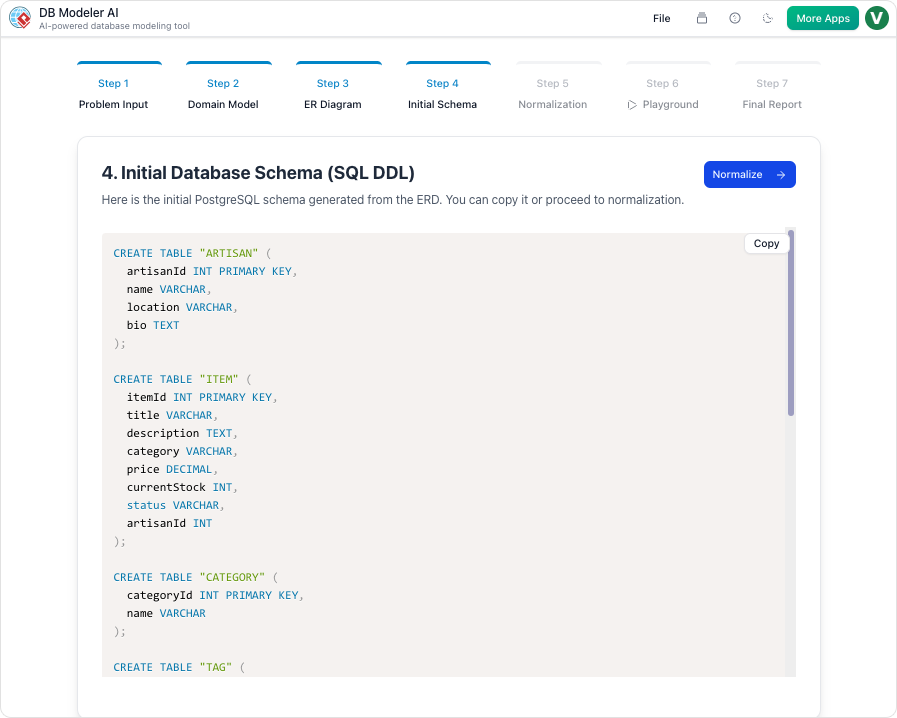
Visual Paradigm’s DBModeler AI revolutionizes this linear process by introducing automation and interactivity. It supports a comprehensive seven-step workflow that takes users from plain English descriptions to production-ready SQL schemas.
AI-Driven Generation
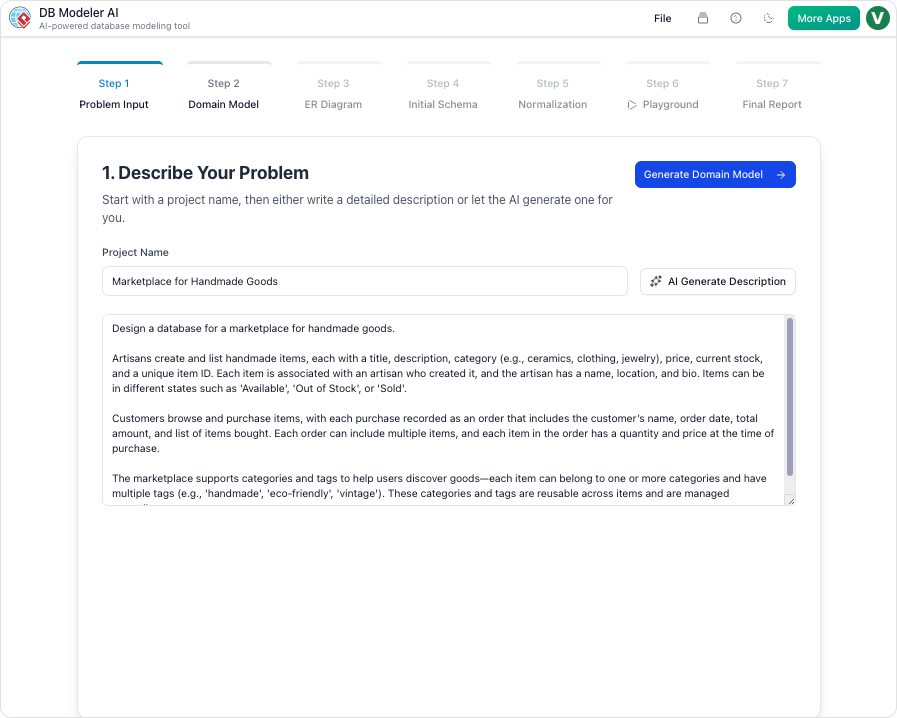
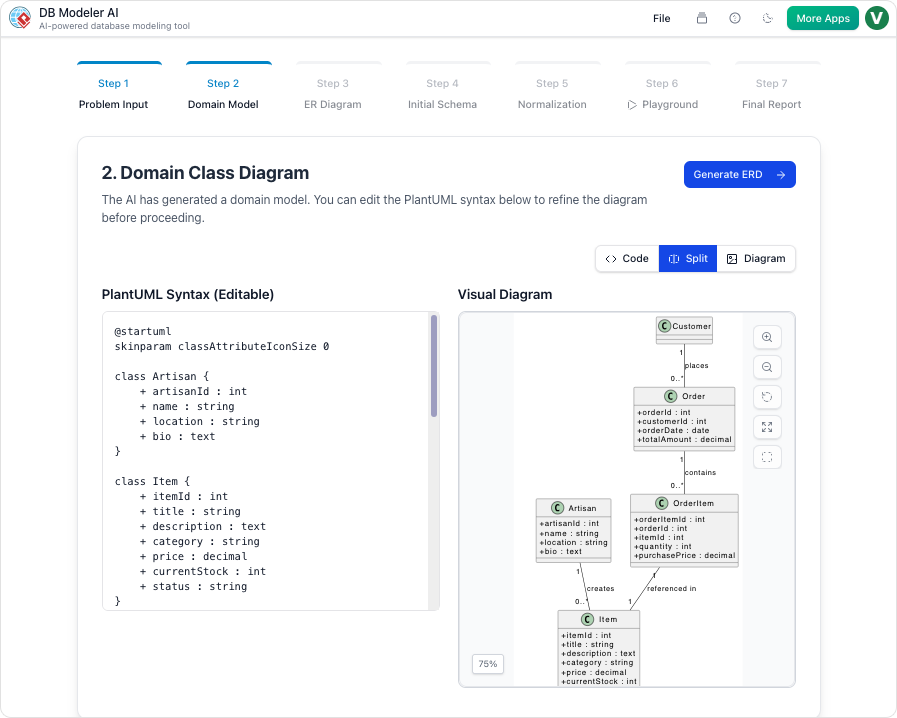
The process begins with natural language. Users can input a problem statement, such as “A system for managing university courses, students, and enrollments.” The AI interprets this and generates a domain Class Diagram using PlantUML syntax. This provides an immediate visual representation of the classes and their relationships, which serves as an editable starting point.
Seamless ERD Conversion
One of the most powerful features is the automated transition from Class Diagram to ERD. The tool translates object-oriented constructs into database entities, automatically assigning primary and foreign keys and resolving cardinalities. This eliminates the manual effort of drawing tables and connecting lines, allowing architects to focus on the logical structure.
Interactive Stepwise Normalization
Perhaps the most educational and practical feature is the stepwise normalization wizard. Starting from an initial schema, DBModeler AI progressively refines the database:
- 1NF Application: It identifies and splits repeating groups.
- 2NF Refinement: It separates partial dependencies, such as moving instructor details out of a generic course table if necessary.
- 3NF Optimization: It removes transitive dependencies, ensuring a clean, efficient structure.
Crucially, the tool provides explanations for each change, highlighting why redundancy was eliminated or how a dependency was resolved. This turns the design process into a learning opportunity.
Practical Example: Designing a University Database
To see this in action, consider the creation of a university management system:
- Input: The user describes the requirement: “Students enroll in courses taught by instructors, with grades recorded.”
- Class Diagram: The AI generates a diagram containing classes for Student (ID, Name), Course (ID, Title), and Enrollment (Grade), linking them with appropriate associations.
- ERD Conversion: The system transforms classes into entities. It handles the many-to-many relationship between Students and Courses by creating a junction entity (Enrollment) with foreign keys.
- Normalization: If the initial data model nests instructor addresses within the Course table, the AI detects the transitive dependency and suggests moving it to a separate “Instructor” or “Department” table to achieve 3NF.
- Testing: Users can then access an in-browser SQL playground. The AI seeds the database with sample data, allowing the user to run queries and validate the design immediately.
Guidelines for Effective Database Modeling
To maximize the potential of AI-assisted database design, follow these best practices:
- Start Simple: Begin with concise natural language descriptions. You can refine the model iteratively based on the AI’s initial output.
- Leverage Text-Based Editing: Use the PlantUML syntax for quick tweaks. Since the diagrams are text-based, copying, pasting, and modifying structures is faster than drag-and-drop actions.
- Review the “Why”: Pay close attention to the AI’s explanations during normalization. Understanding the rationale behind separating tables helps in avoiding future design pitfalls.
- Test Thoroughly: Use the built-in SQL playground. Running queries against AI-generated sample data reveals structural issues that static diagrams might hide.
- Aim for 3NF: For most general-purpose applications, Third Normal Form provides the best balance between data integrity and performance. Only denormalize if specific performance metrics demand it.
Conclusion
Transforming class diagrams into normalized databases is a foundational skill for building reliable software systems. While the concepts of UML, ERDs, and Normalization are timeless, the tools used to implement them are evolving rapidly. Visual Paradigm’s DBModeler AI offers a bridge between conceptual design and physical implementation, infusing the process with intelligence and automation. By reducing the tedium of manual drawing and calculation, it empowers students and professionals to focus on innovation and architecture, ensuring that the final database is both robust and scalable.
This post is also available in Deutsch, Español, فارسی, Français, English, Bahasa Indonesia, 日本語, Polski, Portuguese, Ру́сский, Việt Nam, 简体中文 and 繁體中文.