
Introduction
In today’s fast-paced software development landscape, the gap between conceptualizing a database structure and visualizing it can slow down even the most agile teams. Database architects and developers often spend countless hours manually translating requirements into structured Entity Relationship Diagrams (ERDs). Visual Paradigm’s OpenDocs is changing this paradigm by introducing a groundbreaking feature that bridges natural language and technical design: AI-powered ERD generation.
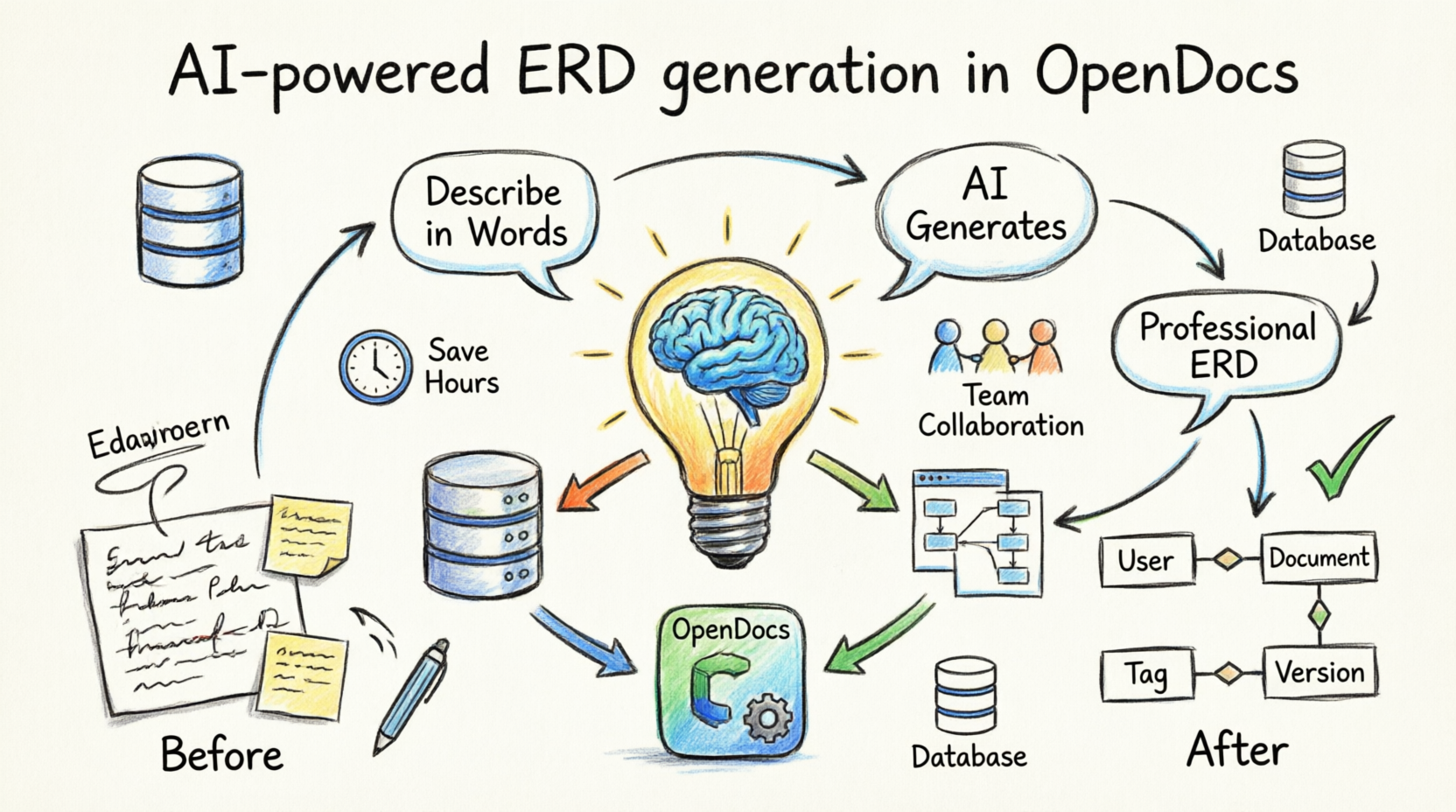
This comprehensive guide explores how OpenDocs has evolved from a collaborative documentation platform into a complete AI-powered knowledge management tool that understands your data requirements and instantly transforms them into professional-grade database models. Whether you’re prototyping a new application or documenting an existing system, this feature review will walk you through everything you need to know about creating, editing, and embedding ERDs with unprecedented speed and intelligence.
Feature Overview: What’s New in OpenDocs
OpenDocs has long been recognized as a versatile platform for combining rich text, collaborative workspaces, and visual storytelling. The latest update elevates it to a full-featured AI ERD tool by integrating comprehensive Entity Relationship Diagram support directly into your documentation workflow.
Core Capabilities
1. Embedded Diagram Components
Seamlessly insert live, editable ERDs into any document page, providing enhanced clarity and context without leaving your documentation environment.
2. Dedicated Component Pages
Create standalone pages focused entirely on ERDs, perfect for detailed data modeling sessions or sharing specific schemas as part of your organizational knowledge base.
3. Manual Drawing Tools
Access a full-featured diagram editor complete with drag-and-drop shapes, intelligent connectors, cardinality notations, and attribute definitions for precise, hands-on control.
4. AI-Powered ERD Generation
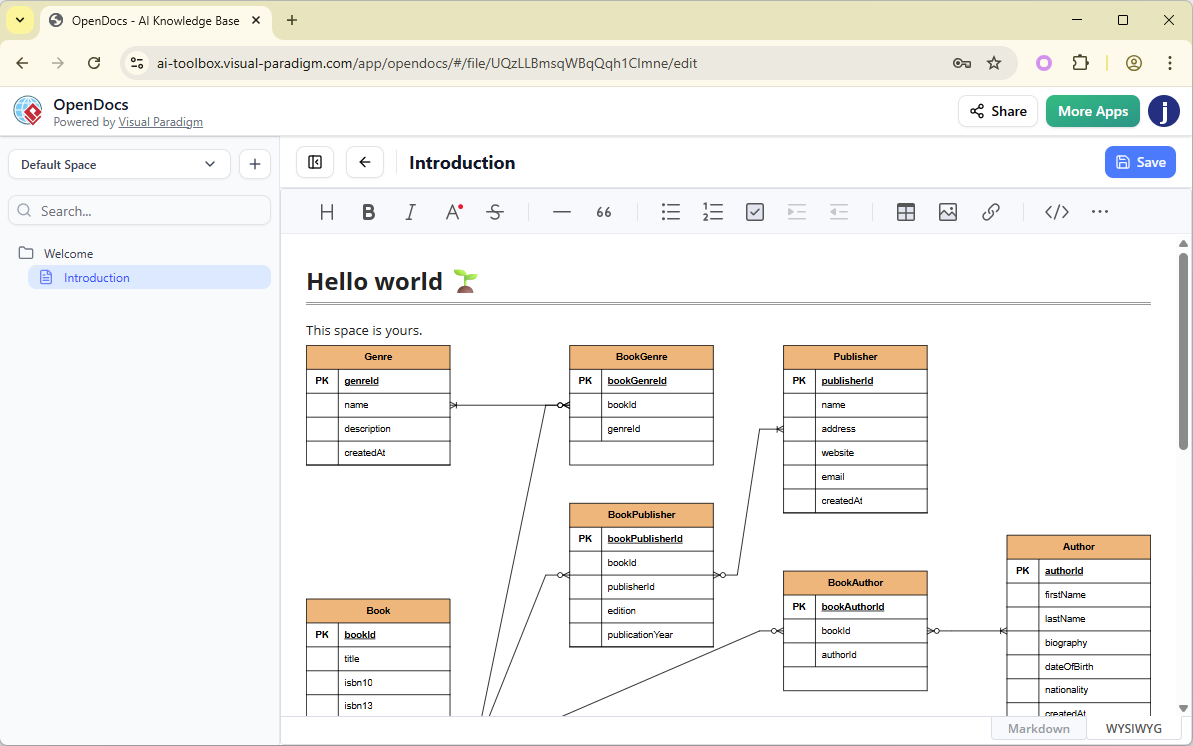
The game-changer: simply describe your system in plain language (e.g., “Design a library database with books, members, loans, and reservations”), and watch as AI instantly generates a complete, professional Entity Relationship Diagram—eliminating hours of manual diagramming work.
Why This Matters: The Productivity Revolution
Traditional ERD creation is notoriously time-consuming and prone to errors, especially when requirements change frequently. OpenDocs’ AI ERD generation addresses this challenge head-on by interpreting your problem descriptions and automatically suggesting:
-
Entities and their attributes
-
Relationships between entities
-
Primary and foreign keys
-
Cardinality constraints
The result? A ready-to-refine diagram that serves as an intelligent starting point rather than a blank canvas. When combined with OpenDocs’ existing strengths—AI image generation, intelligent Markdown editing, seamless team collaboration, and one-click Space publishing—you get an unparalleled AI-powered knowledge management tool specifically designed for projects involving data modeling, system architecture, and technical documentation.
Who Benefits from AI-Powered ERD Generation?
Database Designers & Developers
Rapidly prototype database schemas using AI ERD generation, then embed the finalized diagrams directly into technical documentation, API guides, or development wikis.
Software Architects & Business Analysts
Visualize complex data structures alongside requirements documents, use case models, and system specifications—all within a single, cohesive platform.
Project Teams & Stakeholders
Maintain consistent, up-to-date data documentation in a shared, accessible hub that keeps everyone aligned, from developers to project managers.
Step-by-Step Tutorial: Creating ER Diagrams with AI
Step 1: Access the Insert Menu
Begin by clicking on the Insert button located in the top bar of your OpenDocs document editor.

Step 2: Select Entity Relationship Diagram
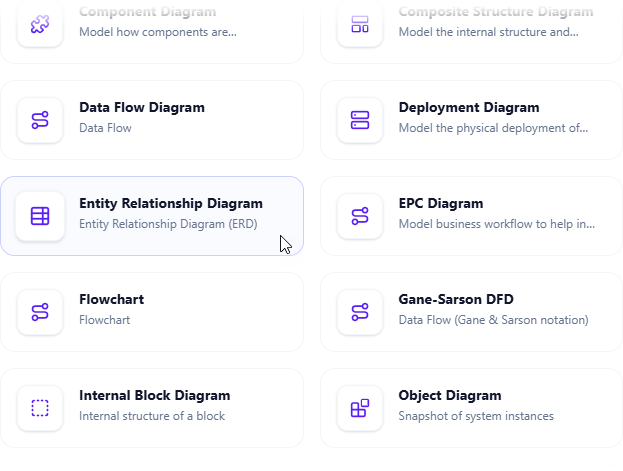
The Insert dialog box will appear. Navigate to the Diagrams tab on the left side, then select Entity Relationship Diagram from the options on the right.
Step 3: Choose Your Approach
The diagram editor will open, presenting you with two distinct paths:
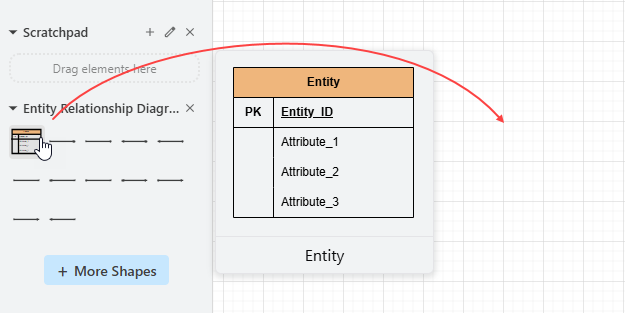
Option A: Manual Drawing
Use the comprehensive symbol palette to drag and drop entities, relationships, and attributes onto the diagram canvas. This method offers complete creative control for experienced modelers.
Option B: AI Generation
For rapid prototyping, click on Create with AI located at the top right corner of the editor.

Step 4: Describe Your Requirements
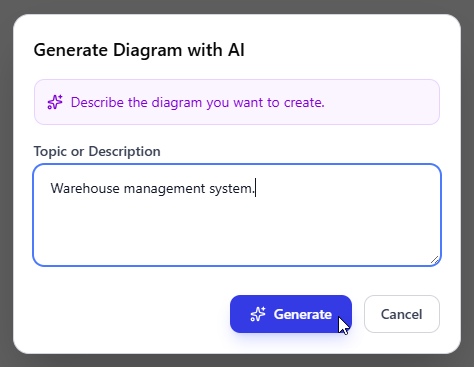
In the AI input box, describe your database problem or system requirements in natural language. Be as specific or general as needed. For example: “Create an online bookstore database with customers, orders, books, authors, and publishers.”
Click Generate to initiate the AI analysis.
Step 5: Review the AI-Generated Diagram
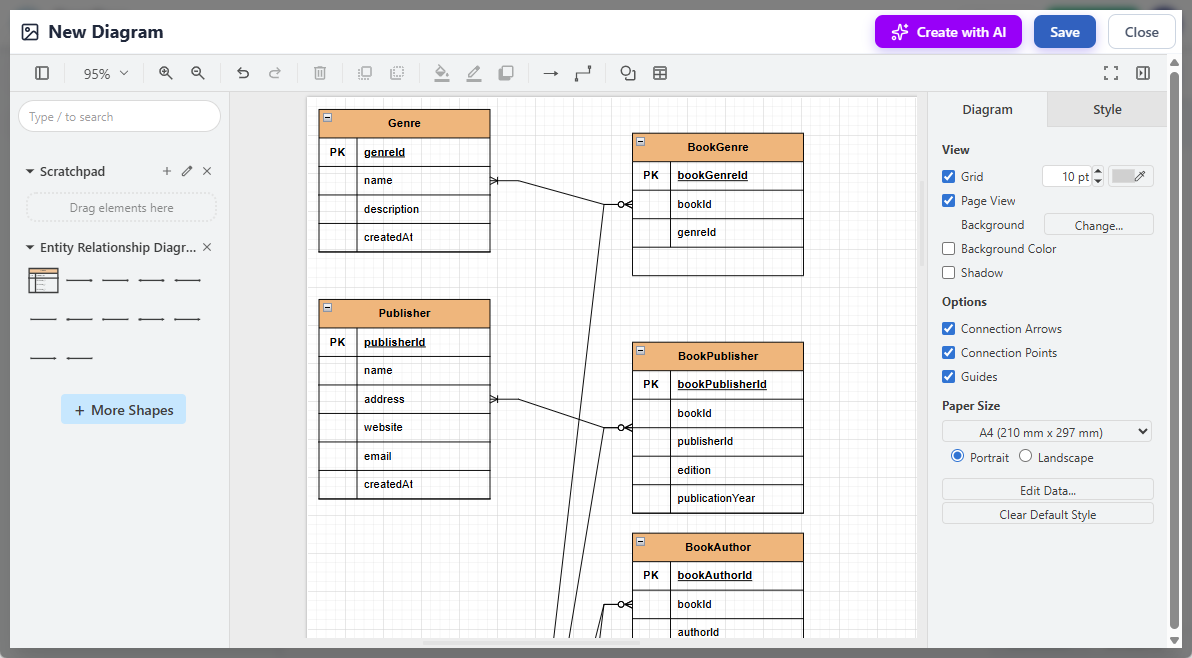
The AI will analyze your description and generate a complete entity relationship diagram, complete with entities, attributes, relationships, and appropriate cardinality notations.
Step 6: Refine and Customize
The generated diagram serves as your foundation. You can now:
-
Adjust the layout for better readability
-
Add new entities or attributes
-
Modify relationships and cardinality
-
Fine-tune styling and formatting
Step 7: Save and Embed
Click Save at the top right corner to preserve your work, then click Close to return to the document editor. Your ERD is now seamlessly embedded into your document as a live, editable component.
Advanced Features and Integration
Seamless Collaboration
Share your AI-generated ERDs with team members in real-time, gather feedback, and iterate collaboratively—all within the same OpenDocs Space.
Version Control
Track changes to your diagrams over time, ensuring your documentation always reflects the current state of your database design.
Cross-Platform Accessibility
Access your ERDs from anywhere, on any device, making it easy to review and modify designs during meetings or while working remotely.
Export Options
Export your diagrams in multiple formats for presentations, reports, or integration with other tools in your development stack.
Getting Started: Availability and Requirements
This powerful Entity Relationship Diagram support and AI ERD generation feature is available to users with:
-
Visual Paradigm Online (Combo Edition)
-
Visual Paradigm (Professional Edition)
To begin, ensure your workspace is updated to the latest version to access these integrated diagramming and documentation capabilities.
Conclusion
Visual Paradigm’s OpenDocs has successfully transformed from a documentation platform into a comprehensive AI-powered knowledge management tool that understands the modern developer’s need for speed without sacrificing quality. The introduction of AI-powered ERD generation represents more than just a feature addition—it’s a fundamental shift in how we approach database design and documentation.
By eliminating the tedious manual work of translating requirements into visual models, OpenDocs empowers teams to focus on what truly matters: designing robust, scalable database architectures that serve their applications effectively. Whether you’re a seasoned database architect or a developer venturing into data modeling for the first time, this AI ERD tool democratizes professional-grade diagramming, making it accessible, intuitive, and remarkably efficient.
The future of integrated diagramming and documentation is here, and it’s powered by artificial intelligence that speaks your language—both literally and technically. As Visual Paradigm continues to expand OpenDocs with additional diagram types and intelligent capabilities, one thing is clear: the barrier between idea and implementation has never been lower.
References
- OpenDocs – AI-Powered Knowledge Management Tool: Comprehensive feature landing page with detailed guides, examples, and tips for maximizing OpenDocs’ capabilities including AI ERD generation and collaborative documentation.
- OpenDocs – AI-Powered Knowledge Platform: Official feature overview of OpenDocs as an intelligent knowledge base for creating, organizing, and sharing text documents and diagrams, developed by Visual Paradigm.
- OpenDocs | All-in-One Knowledge Base & Diagramming Tool: Main product page highlighting the Markdown editor, integrated diagramming, and AI-powered diagram generation from simple text descriptions.
- OpenDocs: AI-Powered Knowledge Management Platform: Announcement introducing OpenDocs as a next-generation AI-powered knowledge management tool with hierarchical structure, searchability, and an built-in AI assistant (published Jan 19, 2026).
- AI State Diagram Generator: New Support in OpenDocs: Update adding AI-powered State Machine (UML) diagram generation from text descriptions within OpenDocs (published Feb 11, 2026).
- AI Deployment Diagram Generator in OpenDocs: Release note on new AI-powered UML Deployment Diagram support and generation capabilities in the OpenDocs knowledge platform (published Feb 10, 2026).
- AI Component Diagram Generator Now in OpenDocs: Announcement of AI-powered UML Component Diagram generation integrated into OpenDocs.
- Visual Paradigm AI: Advanced Software & Intelligent Apps: Overview of Visual Paradigm’s AI tools ecosystem, prominently featuring OpenDocs as the central knowledge base and documentation hub.
- AI PERT Chart Generator in OpenDocs: Update adding AI-powered PERT chart creation from natural language project descriptions.
- Mastering the Visual Paradigm AI Ecosystem: Third-party guide discussing OpenDocs as a bridge between technical models and human-readable documentation.
- These entries are compiled directly from top results in web searches for “Visual Paradigm AI OpenDocs” and related terms, formatted as a clean reference list. Duplicates and login/app pages were omitted for relevance.