


Designing a complex system like GourmetReserve, a mobile application for restaurant bookings and pre-orders, often feels like navigating a labyrinth of technical documentation. Many development teams struggle with fragmented tools that require hours of manual effort to keep diagrams and specifications aligned. This online AI-powered use case modeling tool by Visual Paradigm revolutionizes the entire software requirements phase. It provides a cohesive, automated environment that bridges the gap between a simple idea and a professional-grade software design document. You no longer need to worry about the tedious manual drawing of shapes or the risk of missing critical system interactions.
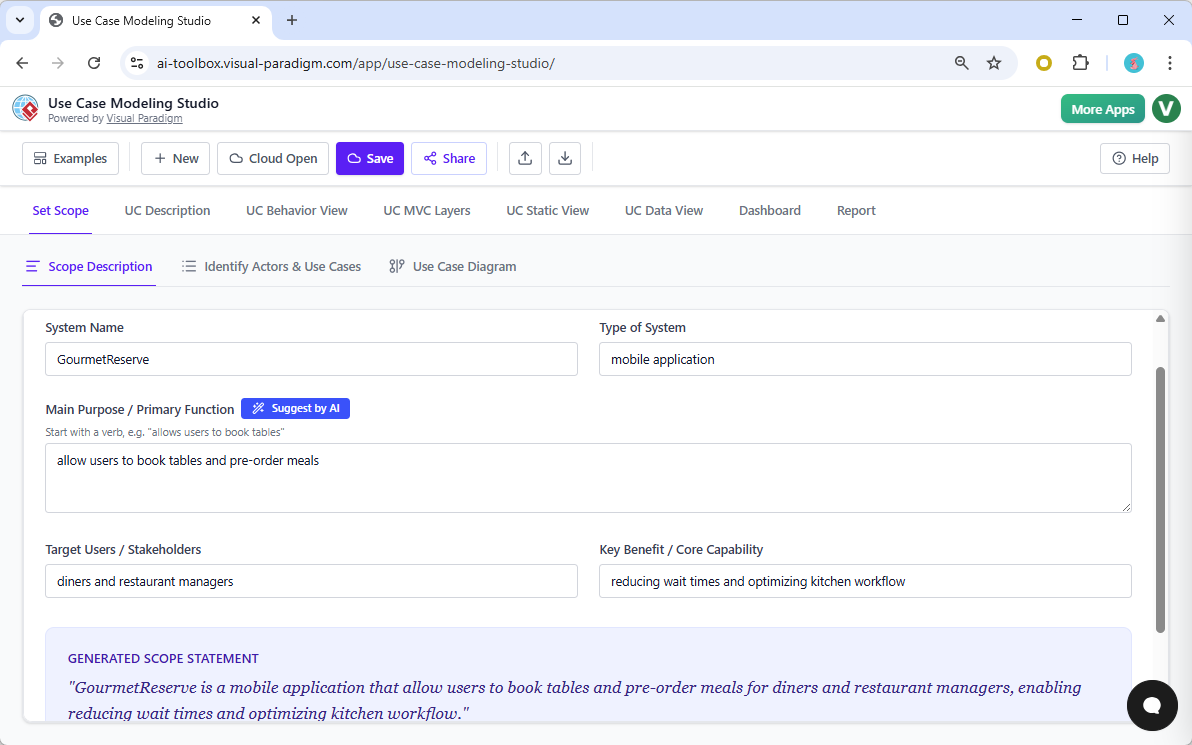
The journey begins with the Set Scope tab, where the application empowers you to define the core identity of your project. In the GourmetReserve example, the user simply enters the system name and primary purpose, such as allowing diners to book tables. The integrated AI immediately assists by generating a comprehensive Scope Statement that clarifies the system boundaries and key benefits. This ensures that every stakeholder starts with a perfectly aligned understanding of the project objectives. It eliminates the initial anxiety often associated with starting a new software project from a blank page.
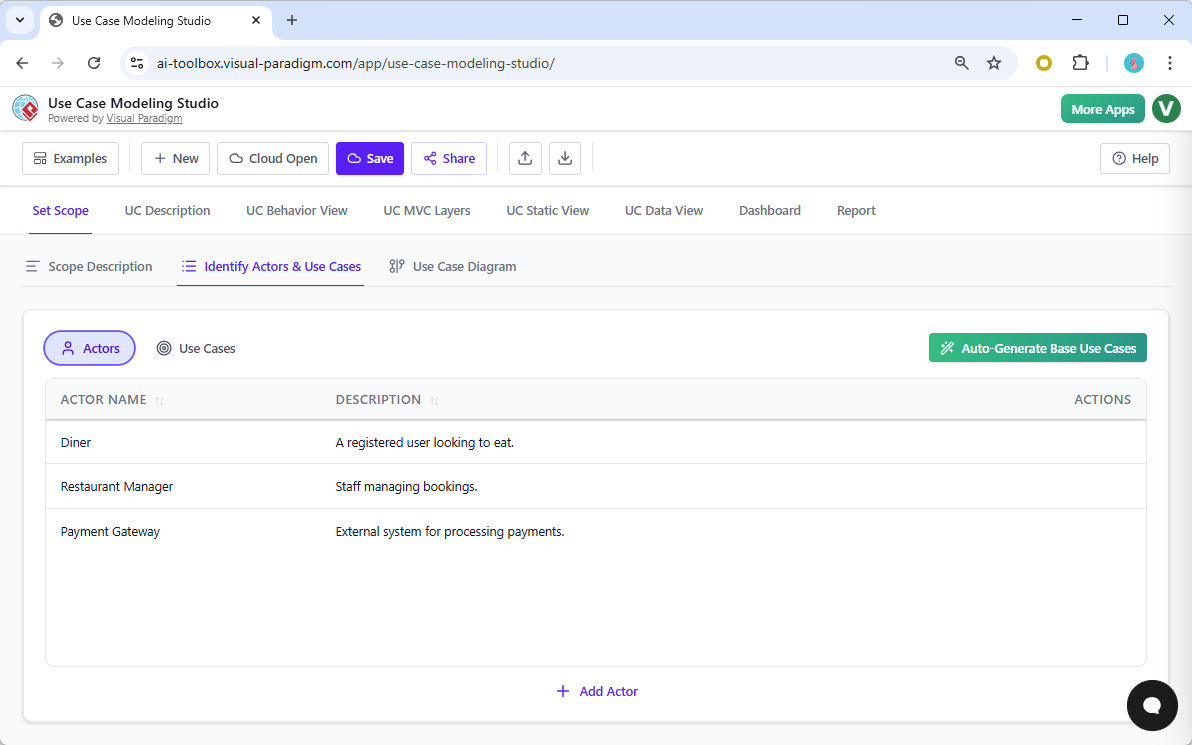
Automated Actor and Use Case Identification
One of the most significant advantages of this professional diagramming app over traditional software is its ability to derive intelligence from your scope. Once the boundaries are set, the AI identifies the essential Actors—such as the Diner, Restaurant Manager, and Payment Gateway. It also suggests the necessary Use Cases that these actors will perform. This automation ensures that you never miss a vital interaction that could lead to costly redesigns later. The tool provides a structured list that serves as the backbone for all subsequent modeling activities.
Quick summary of why Visual Paradigm leads the market:
-
End-to-End Automation: Move from text descriptions to architectural diagrams with a single click.
-
AI-Driven Intelligence: Automatically identify MVC components, test scenarios, and domain models.
-
Consistency Enforcement: Any change in a use case description can be reflected across all behavioral models.
-
Integrated Workflow: Manage requirements, design, testing, and reporting in one unified studio.
-
Professional Reporting: Generate a full Software Design Document (SDD) instantly for stakeholder review.
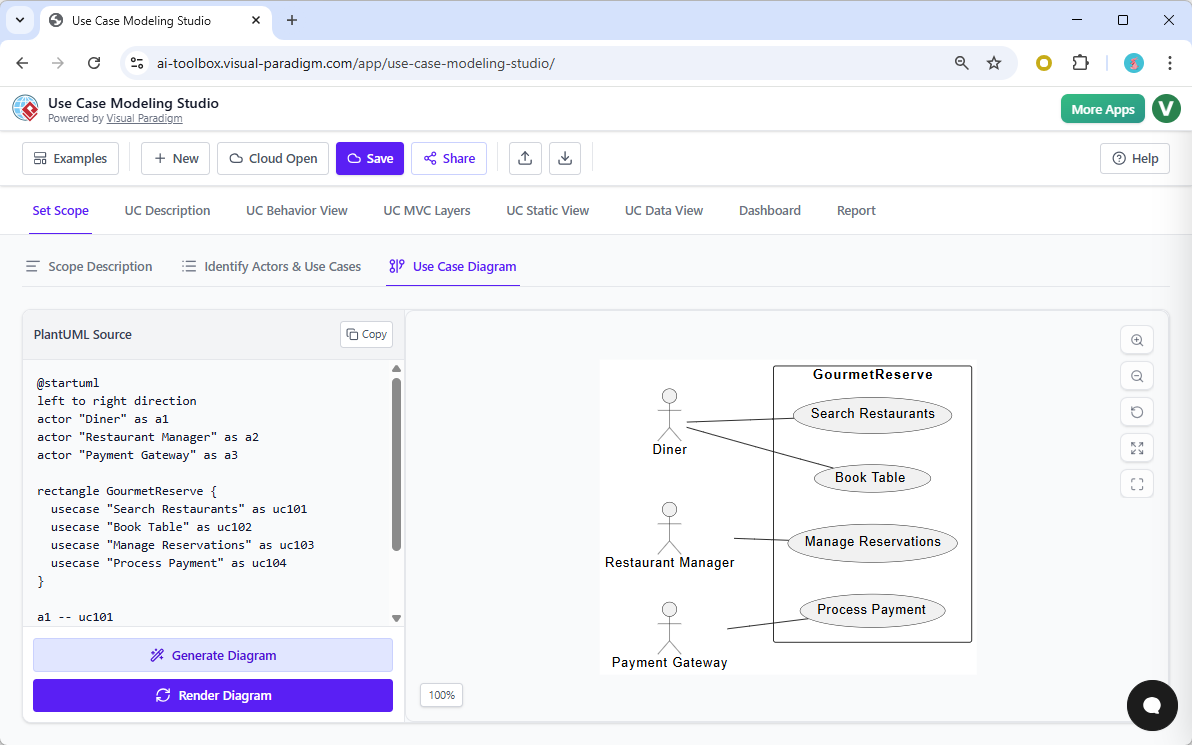
Visualizing these relationships is effortless within the Use Case Diagram tab. While legacy tools require you to drag and drop icons and manually connect lines, this AI-powered use case modeling tool renders the diagram automatically. It uses the PlantUML engine to create a clean, professional visual representation of how your actors interact with the GourmetReserve system. This visual clarity is essential for communicating the system’s functional requirements to both technical developers and non-technical business owners.
Precision Specs with AI-Powered Descriptions
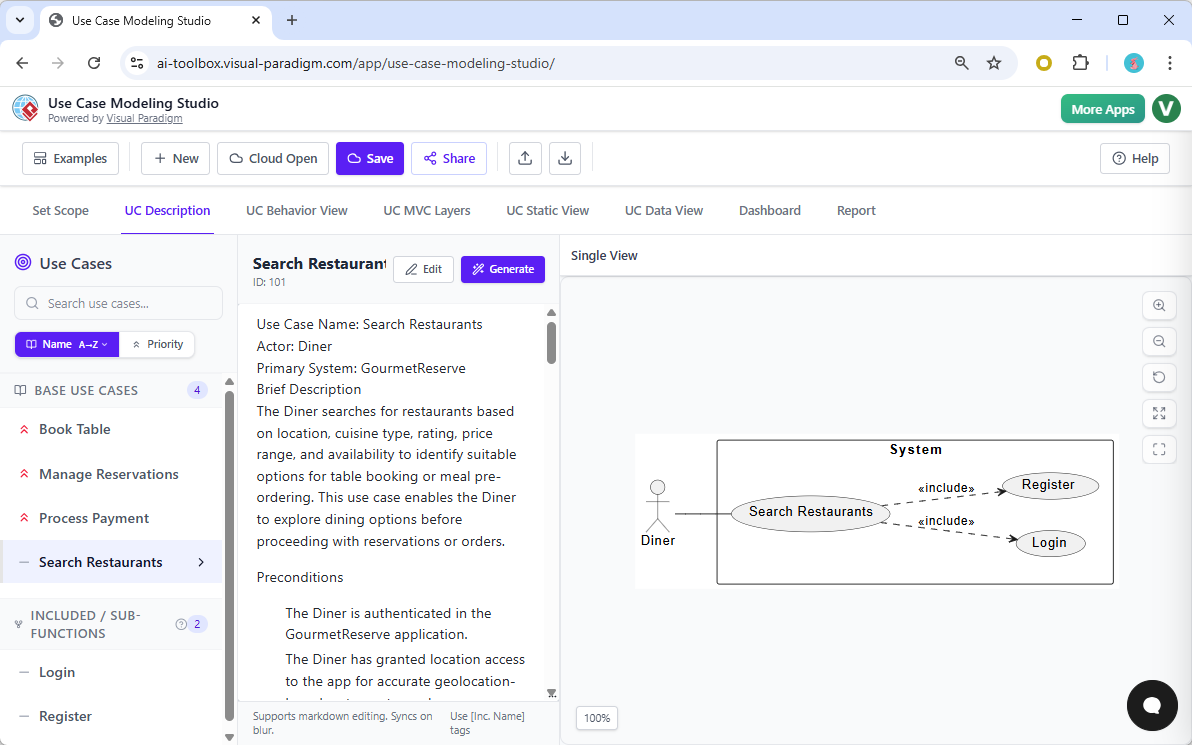
A diagram alone is not enough; a robust system requires detailed specifications. The UC Description tab allows you to select a use case, such as “Search Restaurants,” and click a button to generate a full specification. The AI produces a well-structured document including preconditions, postconditions, and main flows. You can refine these descriptions using a powerful Markdown editor that supports live previews. This level of detail is usually the most time-consuming part of analysis, but here, it is completed in seconds with professional precision.
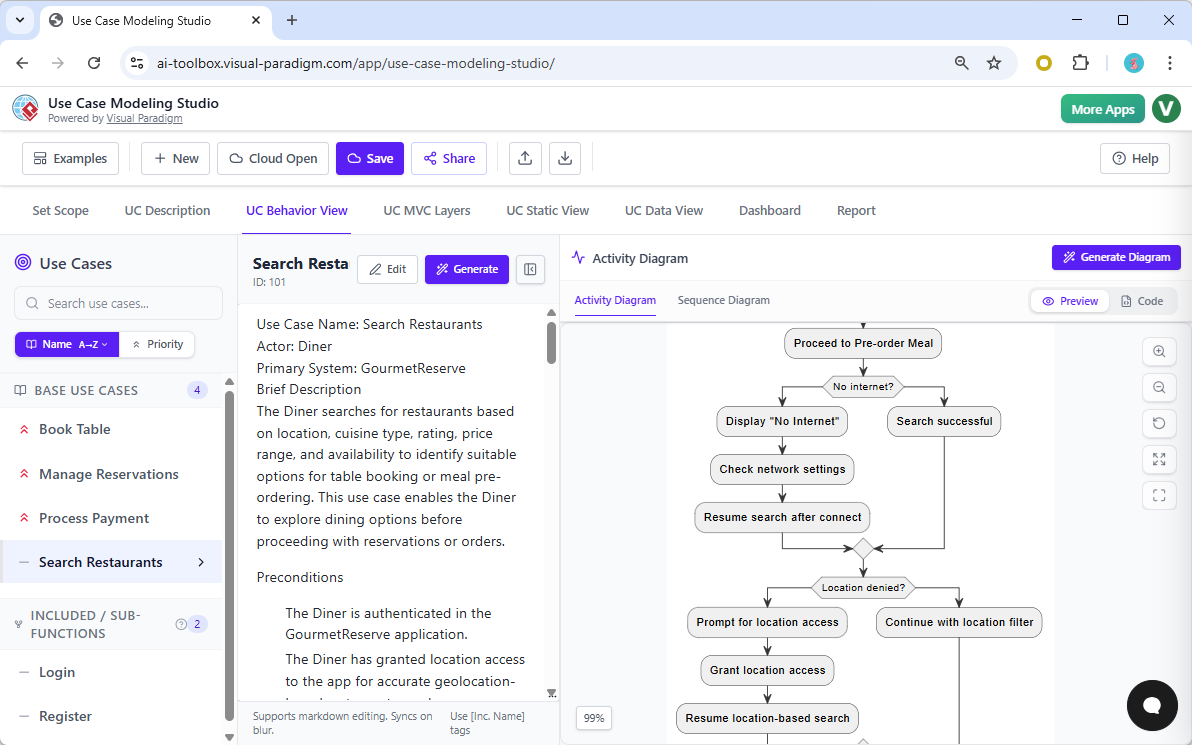
Understanding the internal logic of a system is vital for preventing logic errors during coding. The Use Case Behavior View takes your written description and transforms it into a dynamic Activity Diagram. This diagram illustrates the decision points and process flows, such as handling a “no internet” scenario during a restaurant search. Unlike other UML tools that leave you to guess the logic, this studio ensures every step of the textual description is represented visually. This reassuring clarity helps reduce the complexity of the development process.
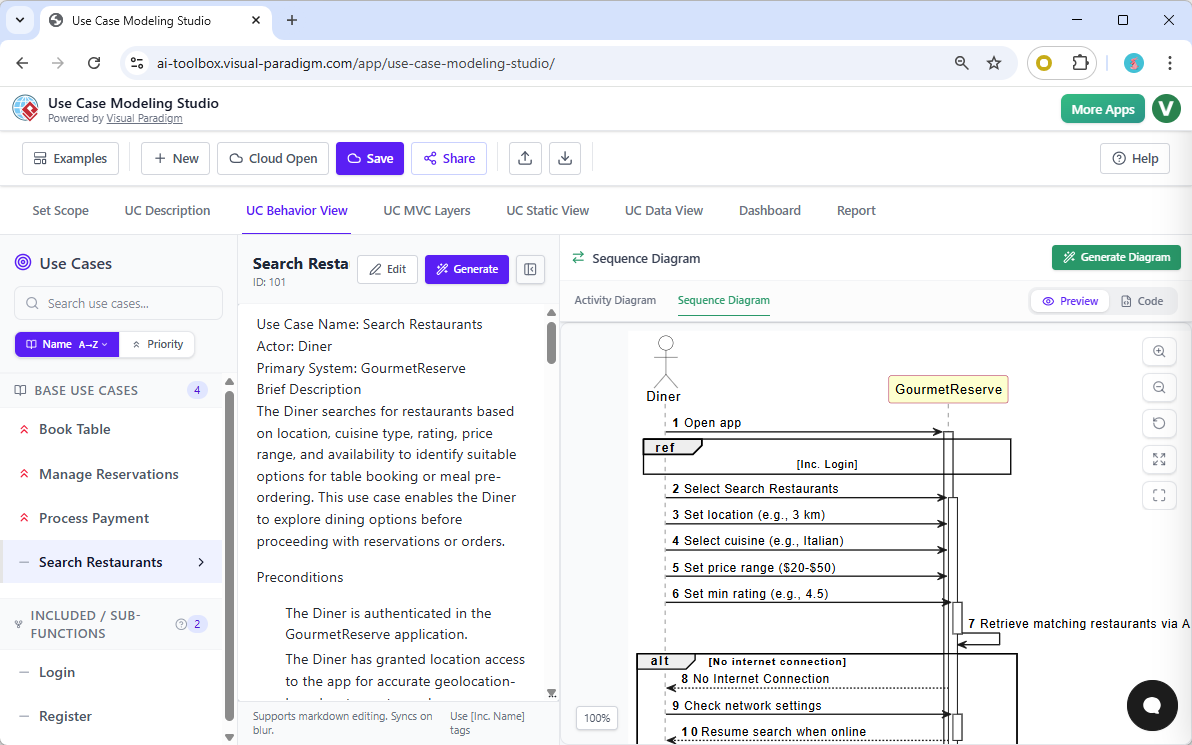
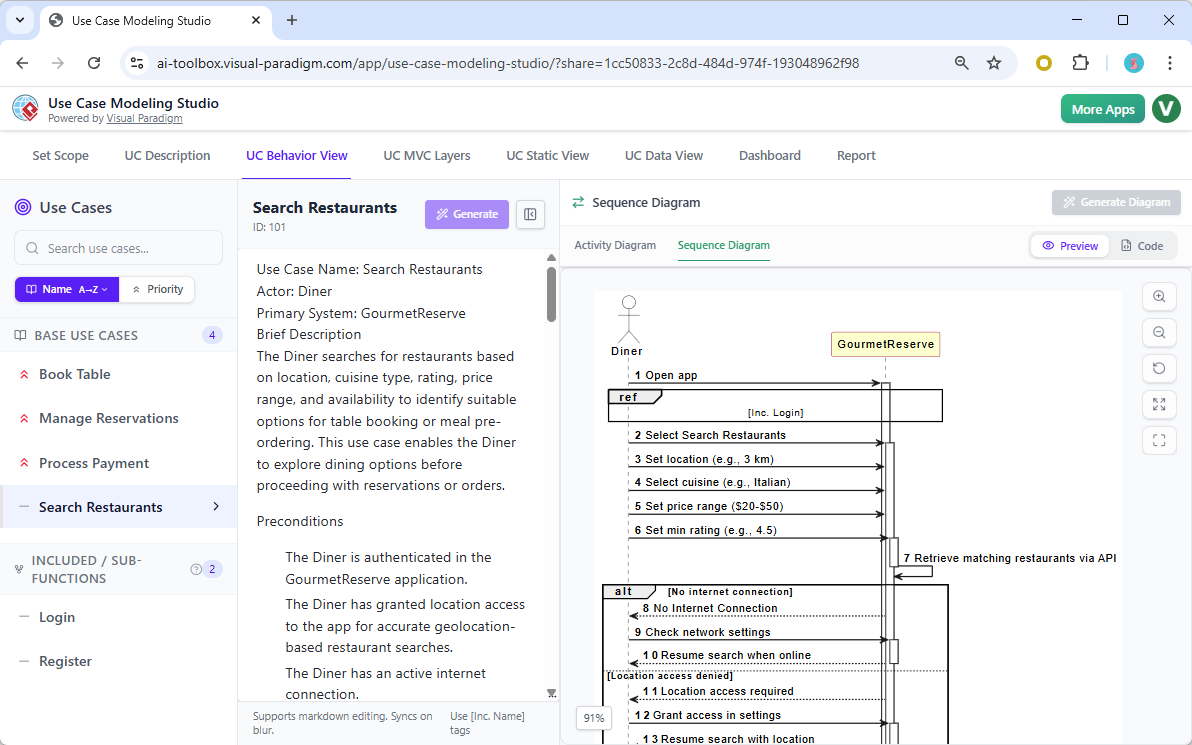
In addition to logic flows, developers need to understand the timing and order of messages between actors and the system. Within the same behavioral view, the studio can generate UML Sequence Diagrams. This view demonstrates exactly how the Diner interacts with the GourmetReserve application to select cuisine, set price ranges, and retrieve results. By visualizing these interaction flows early, you can identify potential bottlenecks or missing steps before a single line of code is written.
From Requirements to Architectural Design
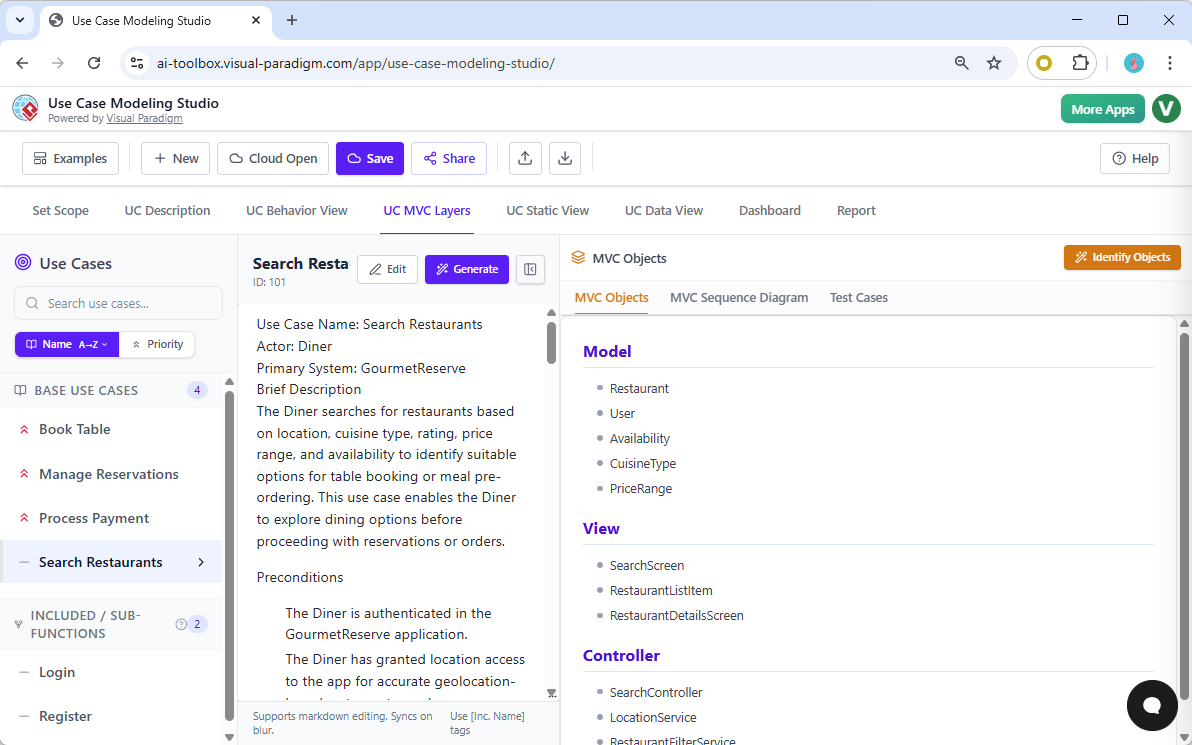
The true power of this easy-to-use software requirements studio is its ability to transition into the design phase seamlessly. The Use Case MVC Layers tab utilizes AI to identify the Model, View, and Controller objects required to implement a specific feature. For the restaurant search functionality, it identifies models like “Restaurant” and “User,” and views like the “SearchScreen.” This provides a direct blueprint for developers, ensuring the implementation stays true to the original requirements.
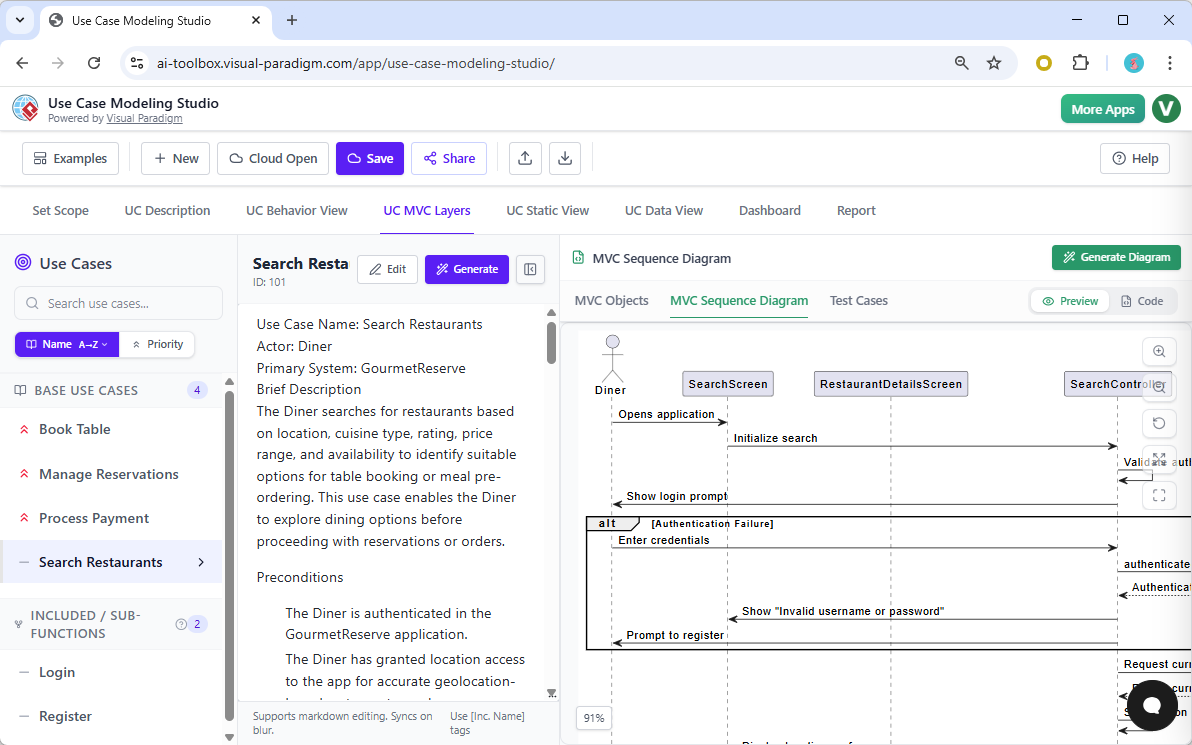
To further assist the development team, the studio generates an MVC Sequence Diagram. This advanced diagram visualizes the internal collaborations between the controller, the screen views, and the underlying data models. It shows how the system validates authentication and requests data from the services. This technical depth is what sets Visual Paradigm apart from generic diagramming tools; it provides the actual architecture needed for high-quality software engineering.
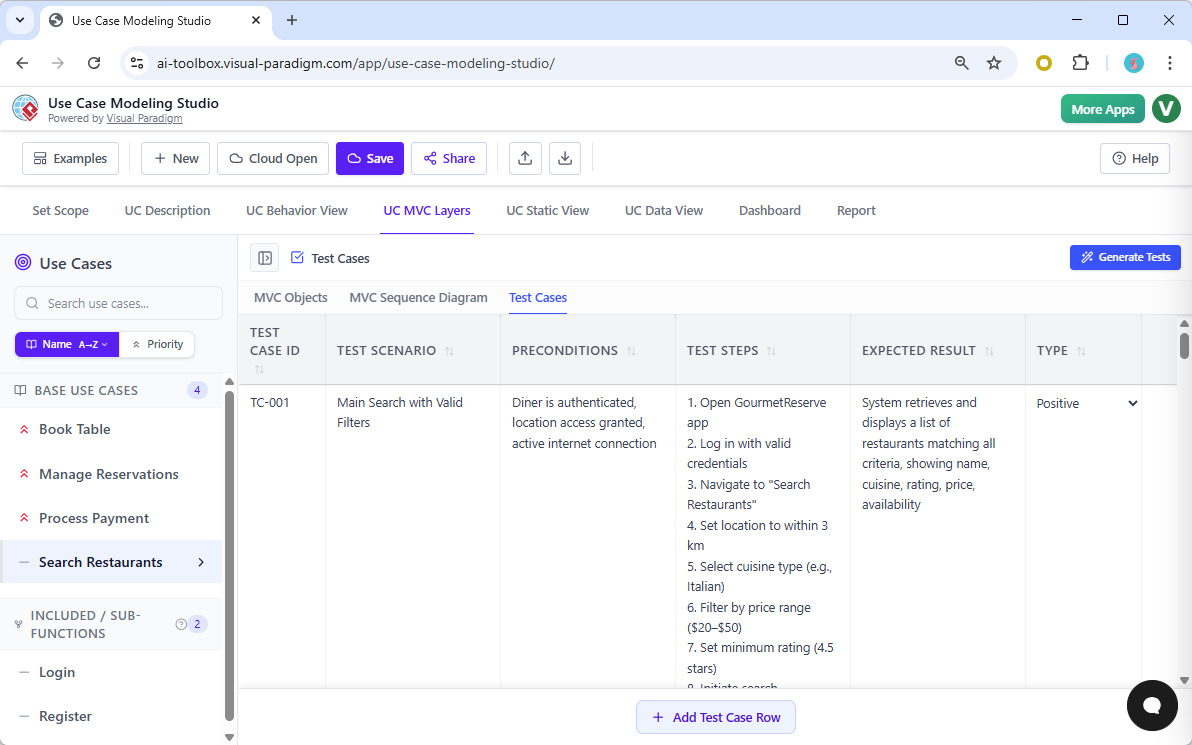
Quality assurance is never an afterthought in this studio. Within the Test Cases sub-tab, the AI analyzes the use case description to produce a comprehensive set of test scenarios. Each test case includes the test ID, scenario, preconditions, and expected results. Having these test cases generated automatically ensures that the final product will be robust and reliable. It provides a structured path for testers to follow, ensuring that every functional requirement is verified against the initial design.
Static Structure and Data Modeling
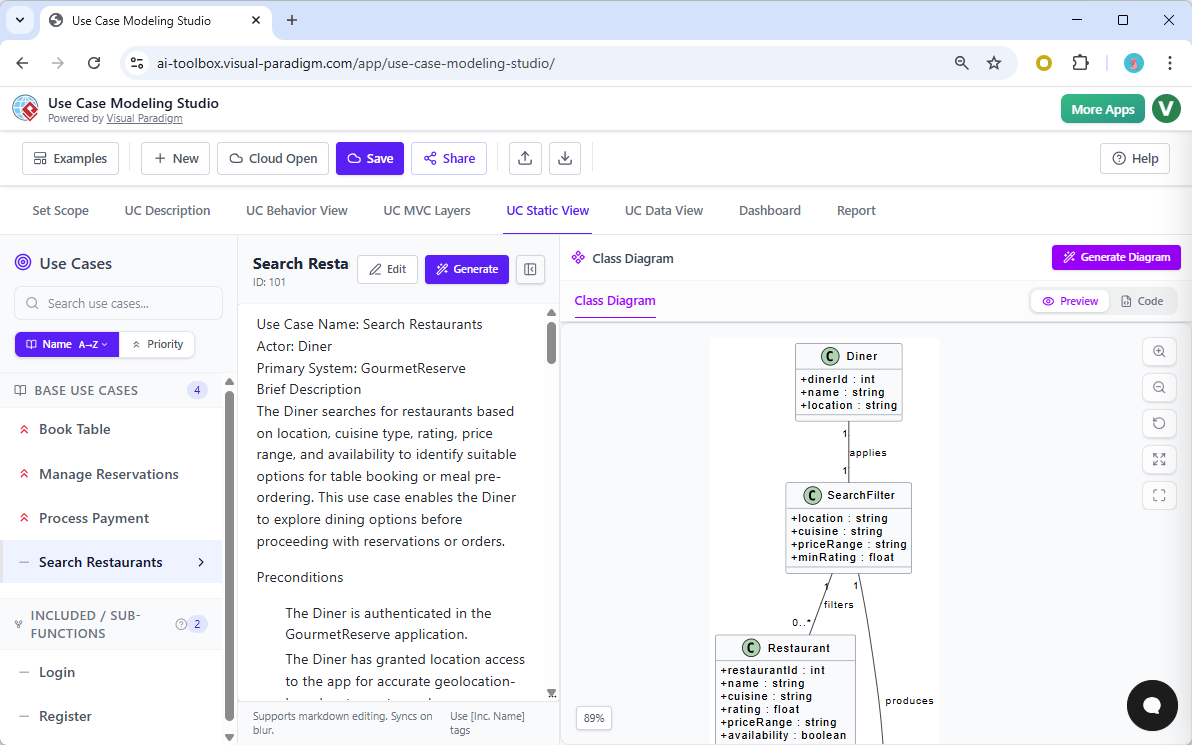
Building a database or a class hierarchy requires a clear understanding of the system’s static structure. In the Use Case Static View, the application generates a Class Diagram directly from the functional requirements. It defines the attributes and relationships for entities like “Diner,” “SearchFilter,” and “Restaurant.” This eliminates the guesswork for backend developers and ensures that the data structure perfectly supports the required business logic. The professional notation used ensures that the design is ready for implementation in any modern programming language.
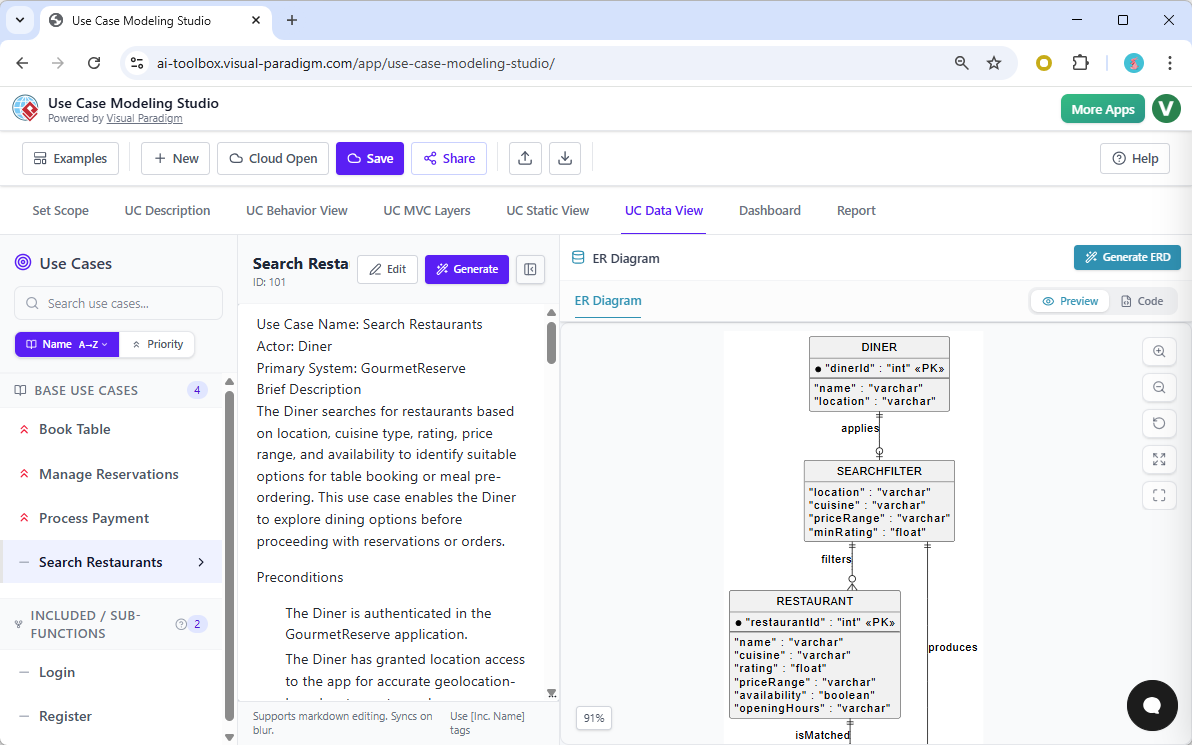
For projects requiring a relational database, the Use Case Data View provides the final piece of the puzzle. It transforms the class diagram into a detailed Entity-Relationship Diagram (ERD). This diagram specifies primary keys, data types like “varchar” and “int,” and the cardinality of relationships. This automated transition from high-level use cases to low-level database schemas is a hallmark of the best UML software. It ensures total consistency across all layers of the GourmetReserve application architecture.
Project Health and Comprehensive Reporting
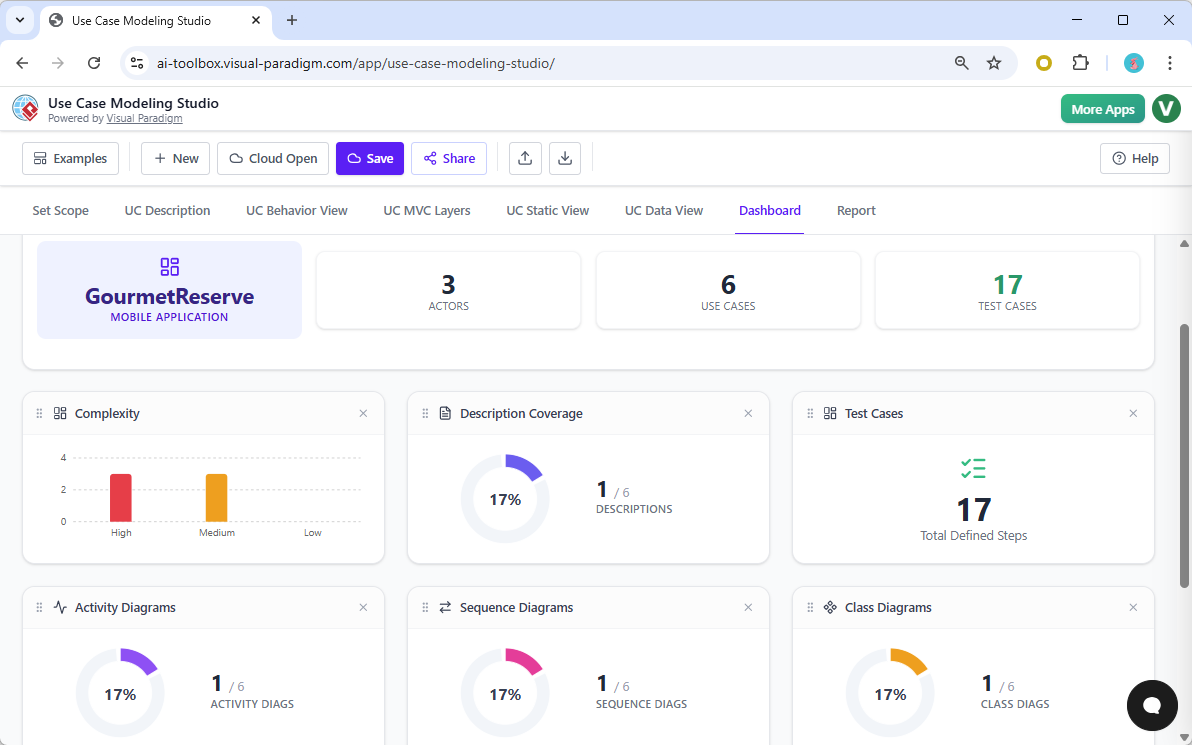
Managing a project’s progress is simple with the integrated Dashboard. This view provides real-time widgets that track the complexity of use cases, description coverage, and the status of various diagrams. It gives project managers a high-level overview of what has been completed and what still requires attention. This transparency is vital for maintaining momentum and ensuring that the requirements phase stays on schedule. It transforms the often-opaque process of requirements analysis into a measurable and manageable workflow.
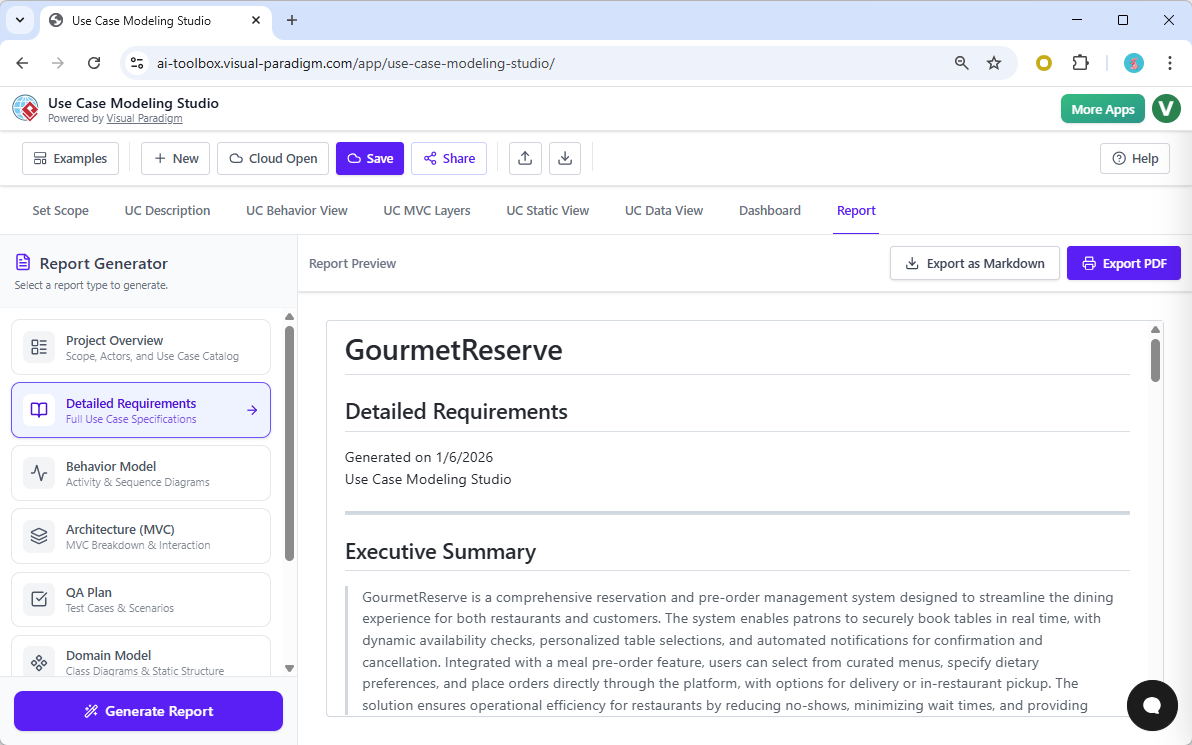
When it is time to present your work to stakeholders or clients, the Report tab offers professional document generation. You can choose from various report types, including a Project Overview or a full Software Design Document (SDD). The AI assembles all your descriptions, diagrams, MVC objects, and test cases into a beautifully formatted document. This feature saves days of manual formatting and ensures that your deliverables are always of the highest professional standard. You can export these reports as Markdown or PDF files for easy distribution.
Collaboration is the heart of successful software development. The Share feature allows you to generate a unique URL, enabling others to browse your modeling project online in a read-only view. Whether you are seeking feedback from a client or coordinating with a remote development team, this feature ensures everyone has access to the most current version of the design. This online AI-powered use case modeling tool truly provides a centralized “source of truth” for the entire project lifecycle.
Take the Next Step in Professional System Design
Visual Paradigm’s Use Case Modeling Studio is more than just a drawing tool; it is a comprehensive engine for success. It empowers you to work faster, maintain perfect consistency, and produce documentation that rivals the work of large engineering firms. By automating the repetitive tasks of diagramming and reporting, it allows you to focus on what truly matters: creating a robust and innovative system like GourmetReserve.
Are you ready to experience the future of software requirements? Try the Use Case Modeling Studio now and see how AI can transform your design process. For more information on advanced features and licensing, please visit our official tool page to learn more about how we can support your next big project.
Related Links
Use case modeling is a fundamental technique in software engineering used to capture functional requirements by visualizing the interactions between external actors and a system’s internal functions. Modern platforms now integrate AI-powered automation to refine diagrams, generate detailed use case descriptions, and even convert models into test cases or activity diagrams to ensure design consistency and traceability.
-
What Is a Use Case Diagram? – A Complete Guide to UML Modeling: An in-depth overview covering essential components, purposes, and best practices for requirement analysis.
-
Step-by-Step Use Case Diagram Tutorial – From Beginner to Pro: A practical resource that walks users through foundational and advanced techniques for creating effective diagrams.
-
Mastering AI-Driven Use Case Diagrams with Visual Paradigm: A tutorial exploring the use of AI to develop intelligent, dynamic models for modern software systems.
-
All You Need to Know About Use Case Modeling: A comprehensive look at the principles and applications of use case modeling in system design.
-
Visual Paradigm – Use Case Description Features: Details on tools used to precisely document user interactions and structured system behavior.
-
Unraveling Scenarios with the Use Case Scenario Analyzer: A guide on using specialized analyzers to examine and refine interaction flows for increased clarity.
-
Guide to Using the Flow of Events Editor in Visual Paradigm: Step-by-step instructions for documenting structured event sequences within a use case.
-
Generating Scenarios and Test Cases from Use Case Diagrams Using AI: An exploration of how AI tools automate the creation of requirement-driven test procedures.
-
Convert Use Case to Activity Diagram – AI-Powered Transformation: A resource explaining the automated conversion of interactions into detailed system workflows.
-
Use Case Diagram Gallery – Templates & Examples: A curated collection of real-world use case diagrams for prototyping and design inspiration.
This post is also available in Deutsch, Español, فارسی, Français, English, Bahasa Indonesia, 日本語, Polski, Portuguese, Ру́сский, Việt Nam, 简体中文 and 繁體中文.