
Introduction
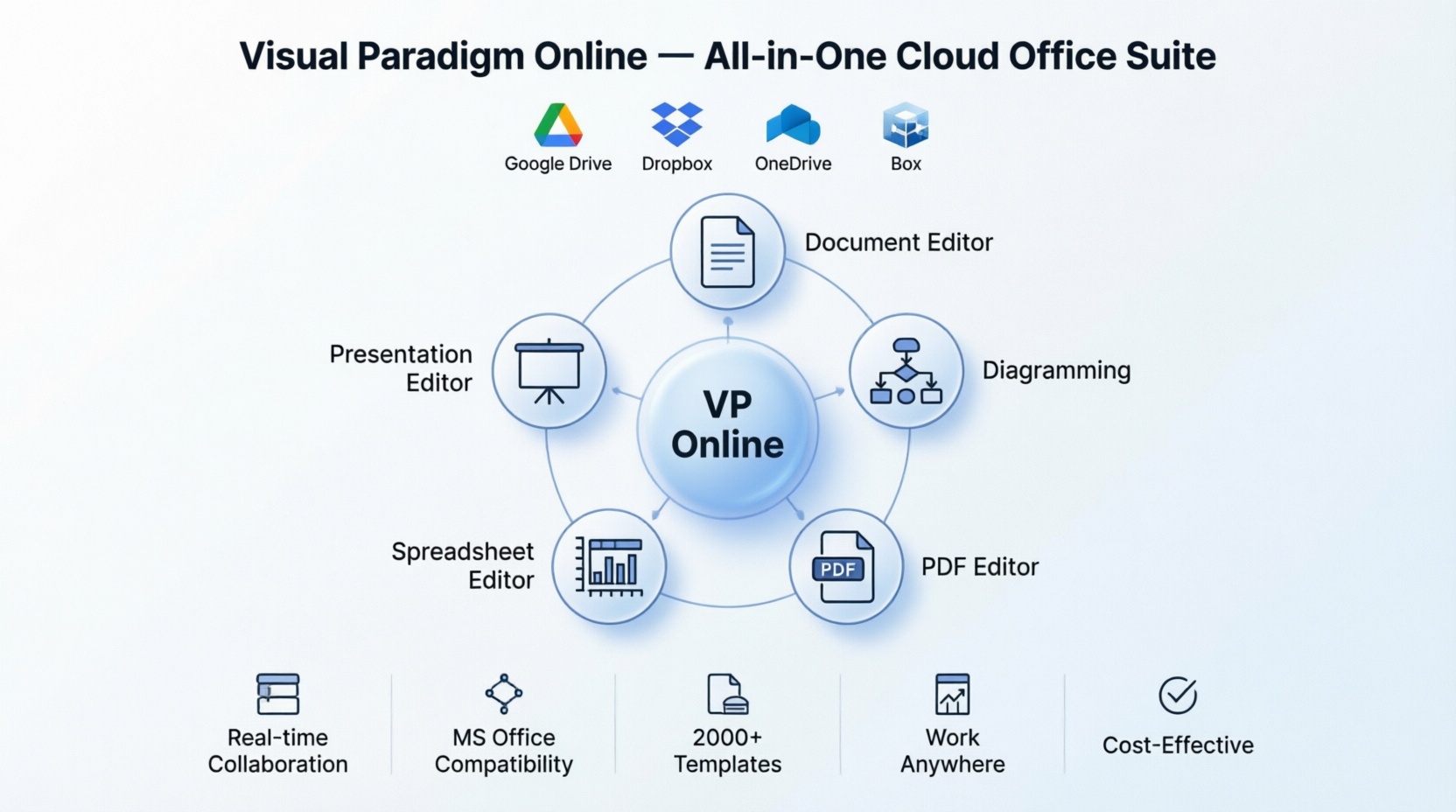
Like many professionals, I used to juggle multiple software subscriptions—Microsoft Office for documents, PowerPoint for presentations, a separate PDF editor, diagramming software, and cloud storage apps. It was expensive, confusing, and time-consuming. Then I discovered Visual Paradigm Online, and everything changed. This isn’t just another office suite; it’s a complete productivity ecosystem that transformed how I work, collaborate, and deliver results. Whether you’re a busy entrepreneur, a remote team member, an educator, or a student, this comprehensive guide walks you through my real-world experience with every feature, showing you exactly how this cloud-based platform can streamline your workflow and boost your productivity from day one.
Who Benefits from Visual Paradigm Online?
Before diving into the features, let me share who I found gets the most value from this platform:
-
Small Business Owners & Entrepreneurs: Need professional tools without enterprise pricing
-
Remote & Hybrid Teams: Require real-time collaboration from different locations
-
Educators & Students: Need accessible, affordable tools for creating learning materials
-
Consultants & Freelancers: Must deliver polished documents, presentations, and diagrams quickly
-
Non-Profit Organizations: Benefit from free access for non-commercial use
-
Project Managers: Need integrated diagramming, documentation, and collaboration tools
My Core Office Experience
Document Editor: Finally, Word Processing That Works Everywhere
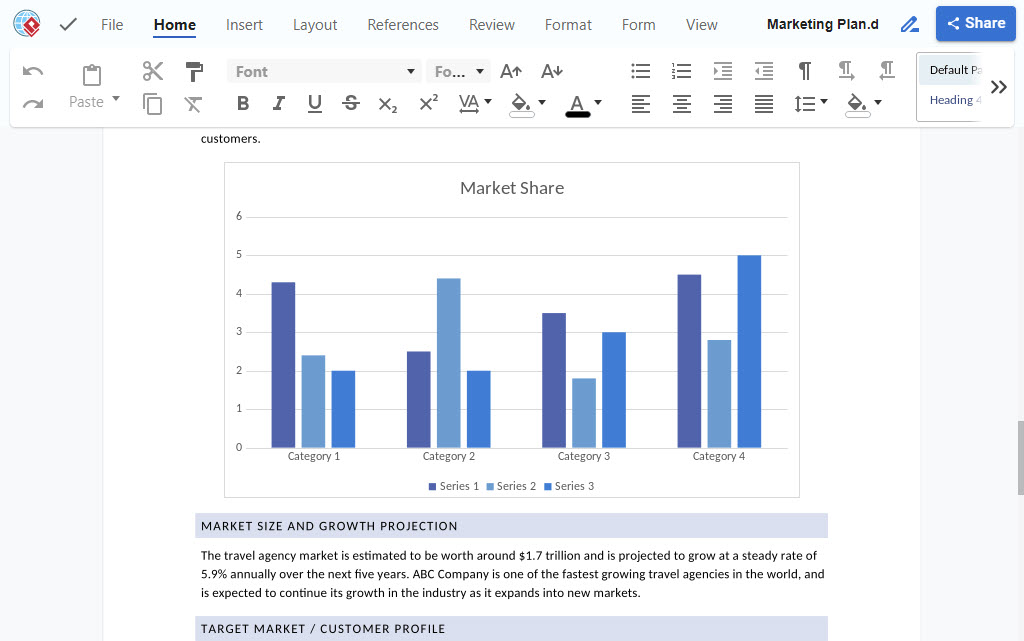
My first test was creating a client proposal. I was skeptical—could a cloud-based editor really match Microsoft Word? I was pleasantly surprised.
What I Experienced:
-
Seamless Compatibility: I opened my existing .docx files without formatting issues. No more “layout broken” panic before client meetings.
-
Real-Time Collaboration: When my team member joined to edit the same proposal, we both saw changes instantly. No more “final_v2_revised_FINAL.docx” chaos.
-
Cloud Freedom: I started the document at my desk, continued editing on my laptop at a coffee shop, and made final tweaks on my tablet at home. Everything synced perfectly.
-
Professional Results: The templates gave me a head start, and the formatting tools were comprehensive enough for complex reports.
Who This Helps Most: Teams that need to collaborate on reports, proposals, contracts, or any text-heavy documents without version control nightmares.
Presentation Editor: Creating Slides That Actually Engage
Next, I tackled a quarterly business review presentation. Here’s what stood out:
My Experience:
-
No Installation Hassle: I created the entire presentation in my browser. No waiting for PowerPoint to load or worrying about software updates.
-
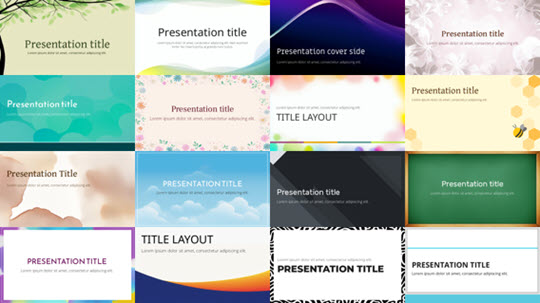
Template Variety: Hundreds of professional themes meant I didn’t start from a blank slide. I found a business-appropriate design in minutes.
-
Multimedia Made Easy: Adding videos, images, and animations was intuitive drag-and-drop. No complex menus or hidden features.
-
Present Anywhere: When it was time to present, I simply shared my screen from the browser. No file transfers, no compatibility worries.
Who This Helps Most: Sales teams, educators, consultants, and anyone who needs to create compelling presentations quickly without design expertise.
Spreadsheet Editor: Data Analysis Without the Complexity
I needed to analyze quarterly sales data and create budgets. Here’s how it went:
What I Discovered:
-
Excel Users Feel at Home: The interface and formulas felt familiar. I used VLOOKUP, pivot tables, and complex calculations without relearning everything.
-
Collaborative Budgeting: My finance colleague and I worked on the same budget spreadsheet simultaneously. We saw each other’s changes in real-time and chatted in the document.
-
Visual Insights: Creating charts and graphs was straightforward. I transformed raw numbers into visual reports that stakeholders actually understood.
-
No Data Loss: Everything auto-saved to the cloud. I never worried about my laptop crashing and losing hours of work.
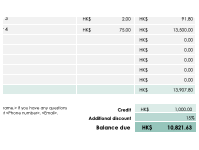
Who This Helps Most: Financial analysts, project managers, small business owners, and anyone who needs to analyze data and share insights with teams.
Advanced Tools That Changed My Workflow
PDF Editor: No More Expensive Adobe Subscriptions

This was a game-changer. I used to pay monthly for Adobe Acrobat just to edit PDFs occasionally. Visual Paradigm’s PDF editor gave me everything I needed:
My PDF Journey:
-
Edit Like a Word Doc: I opened a PDF contract and edited text directly. No converting, no formatting loss.
-
OCR Magic: I scanned an old paper document, and the AI-powered OCR converted it to editable text with impressive accuracy.
-
Convert Anything: Needed a PDF as a Word doc? One click. PDF to Excel? Done. This saved me hours of manual reformatting.
-
Merge & Organize: Combined multiple client documents into single files and extracted specific pages when needed.
Who This Helps Most: Legal professionals, administrators, students, and anyone who regularly works with PDFs but doesn’t want expensive software subscriptions.
Diagramming Tools: Visual Communication Made Simple

As someone who isn’t a designer, I was intimidated by diagramming. Visual Paradigm changed that:
My Diagramming Experience:
-
Template Library: With 2000+ templates, I found exactly what I needed—flowcharts for processes, UML diagrams for software planning, mind maps for brainstorming.
-
Drag-and-Drop Simplicity: Creating professional diagrams was as easy as dragging shapes and connecting them. No steep learning curve.
-
Visio Compatibility: I imported my old Visio files without issues. No need to recreate everything from scratch.
-
Team Diagramming: My team collaborated on a process flowchart in real-time. We debated, adjusted, and finalized together.
Who This Helps Most: Business analysts, software developers, project managers, educators, and anyone who needs to visualize processes, systems, or ideas.
Flipbook Maker: Turning Static PDFs into Engaging Experiences
I created a company brochure and wanted it to stand out. The flipbook maker delivered:
What I Created:
-
Interactive Publications: My PDF brochure became an engaging flipbook with page-turning animations.
-
Multimedia Enhancement: I embedded videos and links directly into the flipbook, making it more than just digital paper.
-
Track Engagement: The analytics showed me which pages people spent time on and what links they clicked.
-
Easy Sharing: I embedded the flipbook on our website and shared it on social media. Recipients didn’t need special software to view it.
Who This Helps Most: Marketers, publishers, educators, real estate agents, and anyone creating digital catalogs, magazines, or interactive publications.
Real-World Demos: Seeing Is Believing
Document Editing in Action

Easily edit documents online
I created a complete marketing plan with my team, editing simultaneously from three different cities. The experience was seamless.
Presentation Creation Demo

Create and edit powerful presentations
I built a investor pitch deck using templates, added our product demo video, and presented directly from the browser. Professional results in half the time.
Spreadsheet Analysis Demo
Simple spreadsheet online editor
I analyzed a year’s worth of sales data, created pivot tables, and generated visual reports that helped leadership make data-driven decisions.
Why This Suite Stands Out
Compatibility That Actually Works
I was tired of “compatible” tools that broke my formatting. Visual Paradigm truly delivers:
-
Open .docx, .pptx, .xlsx files without issues
-
Save in multiple formats for maximum flexibility
-
Share files with colleagues using Microsoft Office—they open perfectly
Learn more about:
Document Editor
Presentation Editor
Spreadsheet Editor
Publish and Share with Impact
The flipbook maker transformed how I share content:
-
Create immersive reading experiences with the digital flipbook maker
-
Organize publications in branded virtual bookshelves
-
Track engagement and optimize content based on real data
Cloud Integration That Just Works

I connected my Google Drive, Dropbox, and OneDrive accounts. Now I access all my files from one place without manual uploads or downloads. The freedom to work from anywhere—office, home, or airport—has been liberating.
One Platform, Everything Organized
All my documents, presentations, spreadsheets, diagrams, and PDFs live in one cloud workspace. No more hunting through different apps or worrying about which version is current. My entire team accesses the same files, sees the same updates, and stays synchronized.
Templates That Save Hours
Whether I need a resume, project plan, financial model, or presentation, professional templates get me started instantly. Instead of staring at a blank page, I customize pre-designed layouts and focus on content, not formatting.
[Presentation Templates] [Spreadsheet Templates]
Truly All-in-One
This isn’t just an office suite. I also use it for:
-
Creating flowcharts, BPMN, UML, ERD diagrams
-
Designing posters and infographics
-
Building online forms
One subscription (or free for non-profit), endless possibilities.
How It Compares to What I Used Before
| Feature | Visual Paradigm Online | What I Used Before |
|---|---|---|
| Document Editor | ✅ Cloud-based, real-time collaboration, MS Office compatible | ❌ Desktop-only, limited collaboration |
| Presentation Editor | ✅ Online presenting, multimedia integration, templates | ❌ Requires installation, basic features |
| Spreadsheet Editor | ✅ Cloud access, collaborative editing, Excel compatible | ❌ Desktop-bound, single-user focus |
| Diagramming Tool | ✅ 2000+ templates, Visio compatible, AI-powered | ❌ Limited templates, expensive licenses |
| Form Designer | ✅ Online forms, data collection, integration | ❌ Separate software required |
| PDF Editor | ✅ Full editing, OCR, conversion tools | ❌ Limited editing, costly subscriptions |
| PDF Tools | ✅ Merge, split, annotate, secure | ❌ Basic functionality only |
| PDF Converters | ✅ Multi-format conversion, high accuracy | ❌ Format limitations |
| Flipbook Maker | ✅ Interactive publications, analytics | ❌ Not available |
| Graphic Design | ✅ Posters, infographics, visuals | ❌ Separate design software needed |
What I Gained from Making the Switch
Productivity Boost
The intuitive drag-and-drop interface and integrated tools eliminated the friction of switching between apps. I complete projects faster because everything I need is in one place.
Seamless Collaboration
My team works from different time zones. With Visual Paradigm’s cloud workspace, we collaborate in real-time. No more email chains with attachments or confusion about which version is current.
Significant Cost Savings
I canceled multiple subscriptions—Microsoft Office, Adobe Acrobat, Visio, and a diagramming tool. Visual Paradigm’s affordable pricing (free for non-profit!) gave me everything I needed for a fraction of the cost.
True Location Freedom
Whether I’m at my desk, working from home, or traveling, I access my files from any browser. My productivity no longer depends on being in a specific place with specific software installed.
Continue Your Learning Journey

How to maximize productivity with our office suite?

How to create diagrams online?
How to edit PDF as a document?
Conclusion
My journey with Visual Paradigm Online transformed not just my tools, but my entire approach to work. What started as a search for affordable software became a discovery of what modern productivity should feel like—seamless, collaborative, and accessible from anywhere.
If you’re tired of juggling multiple expensive subscriptions, struggling with version control, or limited by desktop-only software, Visual Paradigm Online offers a compelling alternative. It’s particularly powerful for remote teams, small businesses, educators, and anyone who values flexibility without sacrificing professional quality.
The platform delivers on its promise: comprehensive tools that work together, real collaboration that actually functions, and the freedom to work from anywhere. Whether you take advantage of the free non-profit tier or invest in a commercial plan, you’ll find that consolidating your workflow into one intelligent platform saves time, reduces costs, and ultimately helps you do your best work.
Stop letting fragmented tools slow you down. Your productivity journey with Visual Paradigm Online starts with a single click—and from my experience, it’s a journey worth taking.
- Reference List
- How to maximize productivity with our office suite?: Comprehensive guide exploring Visual Paradigm Office Suite’s document editor, spreadsheet editor, presentation editor, diagram editor, PDF editor, and flipbook maker for enhanced collaboration and remote work productivity.
- How to create diagrams online?: Complete overview of Visual Paradigm Online’s diagramming software featuring 2000+ templates, drag-and-drop interface, cloud collaboration, and support for flowcharts, UML, mind maps, and AWS diagrams.
- How to edit PDF as a document?: Step-by-step guide demonstrating two methods for editing PDF files using Visual Paradigm Online’s document editor and PDF-to-Word converter with AI-powered OCR technology.
- Document Editor: Professional online word processing tool with Microsoft Office compatibility, real-time collaboration, rich formatting options, and cloud storage integration for creating reports, proposals, and documents.
- Presentation Editor: Cloud-based presentation software with PowerPoint compatibility, drag-and-drop interface, professional templates, multimedia integration, and online presentation capabilities.
- Spreadsheet Editor: Powerful cloud spreadsheet tool with Excel compatibility, advanced formulas, data visualization, pivot tables, and collaborative editing for data analysis and financial modeling.
- PDF Editor: Comprehensive online PDF editing solution featuring direct text and image editing, AI-powered OCR with 99% accuracy, conversion tools, annotation features, and document security options.
- Diagramming Tools: Professional diagram creation platform offering 2000+ templates for flowcharts, UML, BPMN, ERD, mind maps, network diagrams, with Visio compatibility and real-time collaboration.
- Flipbook Maker: Interactive digital publication tool that converts PDFs into engaging flipbooks with multimedia integration, customizable themes, virtual bookshelves, analytics tracking, and easy web sharing.
- Form Designer: Online form building tool for creating custom forms, collecting data, and integrating with other Visual Paradigm Online productivity features.