


(The “Smarter Diagrams. Powered by AI” feature)
Introduction
In an era where speed, accuracy, and visual clarity define professional success, creating high-quality diagrams remains one of the most time-consuming tasks for analysts, architects, developers, and consultants. Traditional tools force you to drag shapes manually. Generic AI chatbots (ChatGPT, Claude, Gemini) promise instant diagrams but deliver half-baked Mermaid code, incorrect notations, amateur layouts, and static images you can’t properly edit.
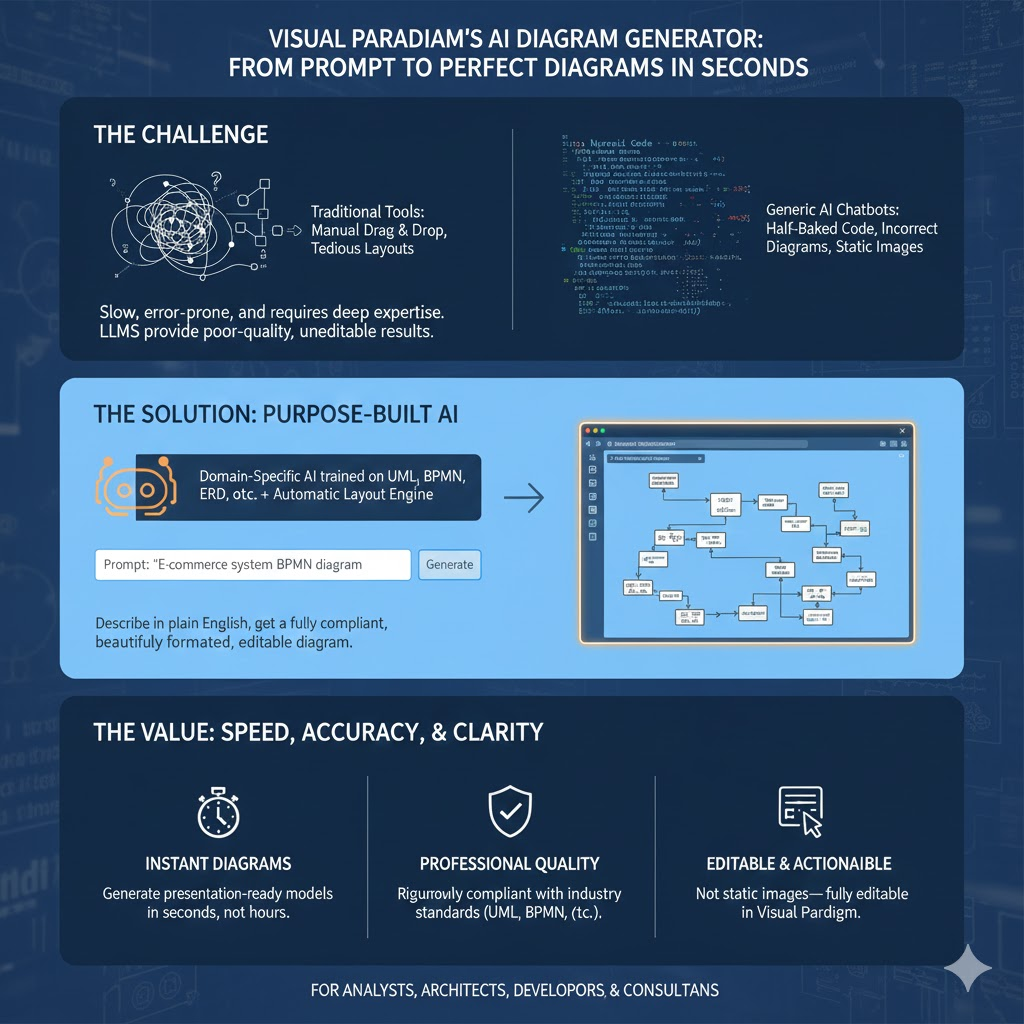
Visual Paradigm’s AI Diagram Generator changes the game completely. It is not a generic LLM with a diagramming plugin — it is a purpose-built, domain-specific AI trained exclusively on modeling standards (UML, BPMN, SysML, ArchiMate, ERD, PERT, etc.) and paired with Visual Paradigm’s industry-leading automatic layout engine. The result? You describe what you need in plain English, and in seconds you get a fully compliant, beautifully formatted, presentation-ready, and completely editable diagram — no fixes required.
This article explains exactly how it works, why it outperforms every free LLM-based solution by a wide margin, and shows real-world examples that prove the difference.

1. What is Visual Paradigm’s AI Diagram Tool?
Visual Paradigm AI is a specialized AI-powered diagramming assistant built directly into Visual Paradigm modeling software (both Online and Desktop editions). Unlike generic large language models (ChatGPT, Claude, Gemini, Copilot, etc.), it is purpose-trained to:
- Understand diagramming language and notation (UML, SysML, BPMN, ERD, DFD, ArchiMate, PERT, Org Charts, Mind Maps, etc.)
- Instantly generate fully-standard-compliant, beautifully laid-out diagrams from natural-language prompts
- Automatically apply professional layout algorithms (hierarchical, orthogonal, symmetrical, etc.)
- Produce editable native Visual Paradigm diagrams (not just static PNG/SVG images)
2. Key Concepts & How It Works
| Concept | Generic LLM (ChatGPT etc.) | Visual Paradigm AI |
|---|---|---|
| Output format | PlantUML, Mermaid, SVG, ASCII, PNG | Native, fully editable Visual Paradigm diagram |
| Layout quality | Manual or basic | Professional automatic layout + instant beautification |
| Notation compliance | Often wrong or outdated | 100% compliant with UML 2.5, BPMN 2.0, etc. |
| Context awareness | Limited | Understands actors, use cases, classes, messages, states, etc. |
| Editability | You start from scratch again | Drag-drop, restyle, add/remove elements instantly |
| Speed | 5–30 seconds + manual fixing | 1–5 seconds → ready-to-present diagram |
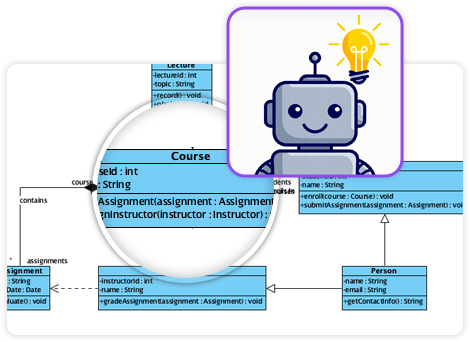
3. Why Use Visual Paradigm AI Instead of Free General-Purpose LLMs?
| Reason | Free LLM Experience | Visual Paradigm AI Experience | Real Value Saved |
|---|---|---|---|
| Time wasted fixing layout | 5–30 min per diagram | < 10 seconds | 10–50× faster |
| Wrong notation / broken standards | Very common (wrong arrows, missing multiplicities) | Never happens – trained on official specs | No rework |
| Only static image or code | Copy-paste Mermaid/PlantUML → render → edit again | Native diagram you can immediately modify in tool | Full editability |
| No professional styling | Looks amateur | Presentation-ready from the first second | Client-ready |
| Cannot iterate quickly | Regenerate whole thing | Refine prompt or drag-drop → AI keeps helping | Agile workflow |
| No enterprise governance | No versioning, permissions, team sharing | Full Visual Paradigm team collaboration, Doc. Composer, etc. | Enterprise-grade |
Bottom-line value: What takes 15–45 minutes with ChatGPT + draw.io/Lucidchart/ Miro takes 15–60 seconds with Visual Paradigm AI and is actually correct and beautiful.
4. Practical Examples (Prompt → Result)
Here are real prompts and what the tool instantly creates:
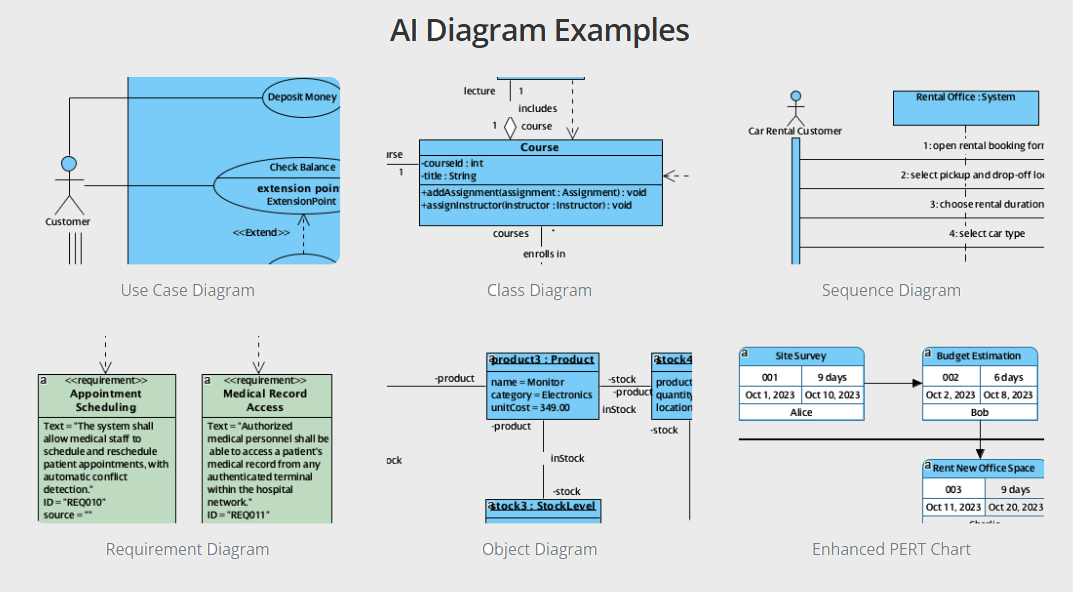
Example 1 – Use Case Diagram
Prompt: “Create a use case diagram for an ATM system. Actors: Customer, Bank System. Use cases: Withdraw Cash, Deposit Funds, Transfer Funds, Check Balance, Change PIN. Include extend for ‘Print Receipt’ on Withdraw and Deposit, and include relationship to Bank System.”
→ Produces perfectly laid-out use case diagram with correct <<extend>> and <<include>> relationships in < 4 seconds.
Example 2 – Class Diagram
Prompt: “Online learning platform class diagram: Student, Instructor, Course, Enrollment, Video Lesson, Quiz, Certificate. A Student enrolls in many Courses, a Course has one Instructor and many Video Lessons and Quizzes. Generate Certificate when Quiz score > 80%.”
→ Generates full class model with associations, multiplicities, operations, and even a note about the certificate derivation rule.
Example 3 – Sequence Diagram
Prompt: “Sequence diagram for car rental booking: Customer → Rental Web App → Inventory Service → Payment Gateway → Email Service. Show alt fragment for successful vs declined payment.”
→ Beautiful sequence diagram with activation bars, alt combined fragment, proper arrow types (sync/async), and return messages.
Example 4 – BPMN Process
Prompt: “BPMN diagram for employee onboarding: Start → HR prepares contract → Employee signs → IT creates accounts → parallel gateway → Facilities assigns desk AND Training schedules courses → End”
→ Professional BPMN 2.0 diagram with parallel gateway, correct pooling/lanes if you mention roles.
Example 5 – PERT Chart / Project Schedule
Prompt: “PERT chart for office move: Planning (5 days) → Pack office (10 days) → Hire movers (2 days, after Planning) → Transport (3 days, after Pack and Hire) → Unpack (7 days) → Celebration (1 day)”
→ Auto-calculates critical path and generates enhanced PERT chart instantly.
Example 6 – Mind Map or Brainstorm
Prompt: “Mind map about launching a mobile banking app – central idea ‘Launch Strategy’, branches: Marketing, Compliance, Development, Testing, User Training”
→ Beautiful radial mind map with color coding and icons.
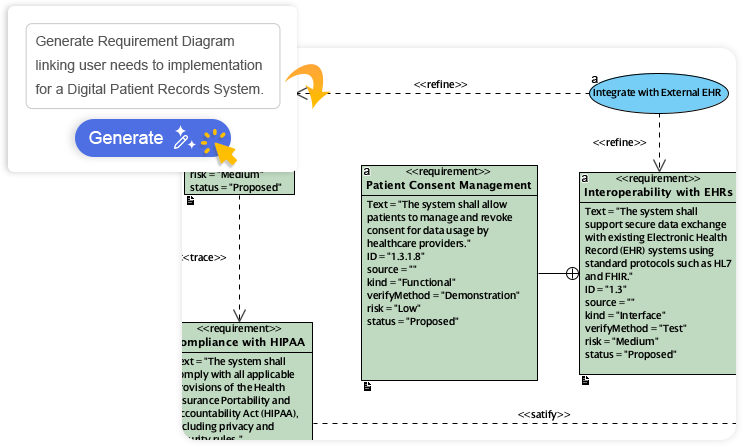
5. Step-by-Step Tutorial – How to Use It
- Open Visual Paradigm (Desktop or Visual Paradigm Online)
- Create a new project or open existing one
- Click the AI icon in the toolbar (or press Alt+Enter)
- Choose diagram type (or let AI auto-detect)
- Type your natural language description
- Press Generate → diagram appears instantly
- (Optional) Click “AI Assistant” chat panel to ask:
- “Add authentication use case”
- “Convert this to SysML blocks”
- “Make it horizontal layout”
- “Apply dark theme”
- Edit normally – everything is native shapes
6. When Generic LLMs Are Still Useful vs. When Visual Paradigm AI Wins
| Scenario | Best Tool |
|---|---|
| Quick Mermaid code for README | ChatGPT |
| One-off simple flowchart on-the-fly | ChatGPT + draw.io |
| Professional UML/SysML for stakeholders | Visual Paradigm AI |
| Enterprise architecture deliverables | Visual Paradigm AI |
| Need diagram inside requirements doc | Visual Paradigm AI + Doc. Composer |
| Teaching students correct notation | Visual Paradigm AI (never wrong) |
| Client presentation tomorrow morning | Visual Paradigm AI |
7. Conclusion – The Real Value Proposition
Visual Paradigm’s AI Diagram Generator is not “yet another ChatGPT wrapper.” It is a domain-specific AI that understands diagramming standards at a level no general-purpose LLM has achieved in 2025.
You get:
- 20–50× faster diagram creation
- Zero notation mistakes
- Instant professional layout and styling
- Full editability and team collaboration
- Seamless integration into real modeling projects
For any serious business analyst, software architect, system engineer, product manager, consultant, or instructor, Visual Paradigm AI is the difference between spending hours fighting tools and spending seconds getting perfect, client-ready diagrams.
Try it yourself: https://online.visual-paradigm.com/drive/#diagramlist:proj=0&new=AI
This post is also available in Deutsch, Español, فارسی, Français, English, Bahasa Indonesia, 日本語, Polski, Portuguese, Ру́сский, Việt Nam, 简体中文 and 繁體中文.