


Introduction – Why This Tool Changes Everything
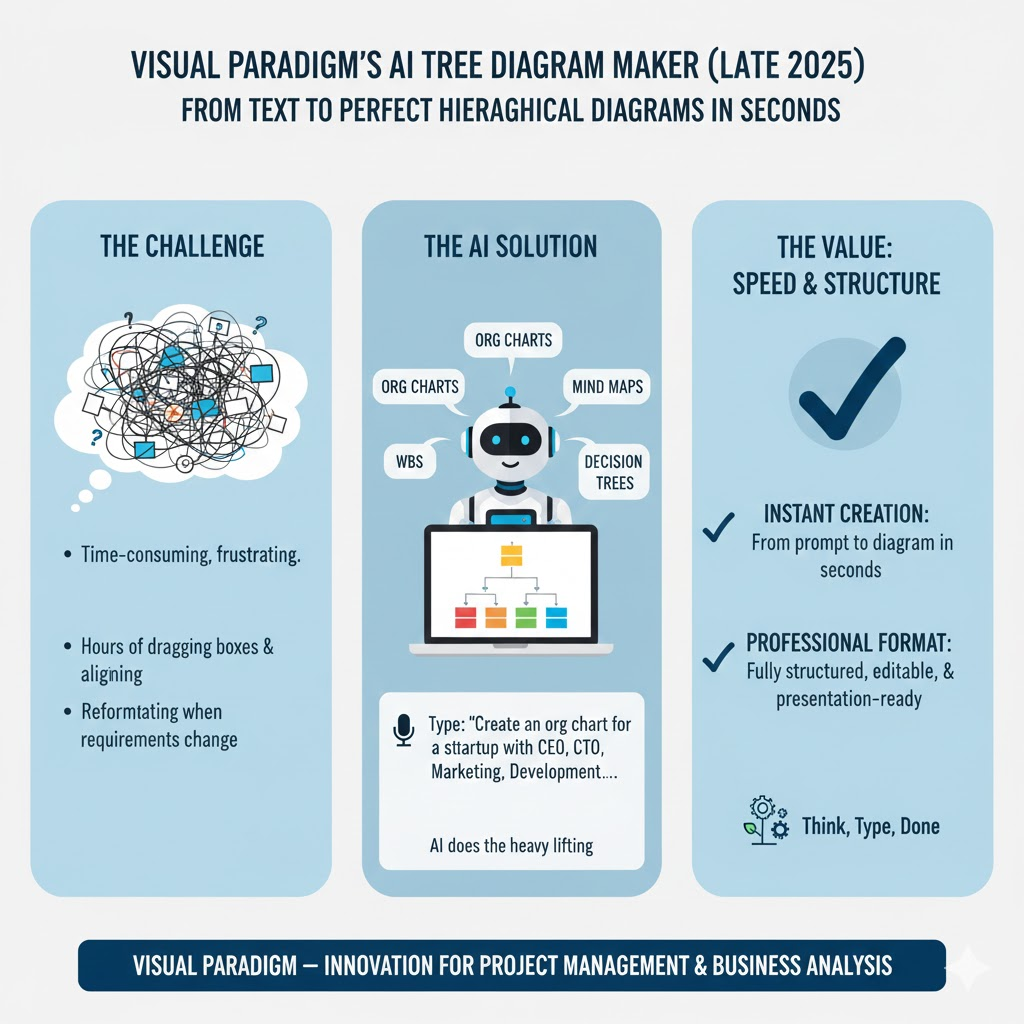
Manually creating hierarchical diagrams (org charts, Work Breakdown Structures, mind maps, decision trees, etc.) has always been one of the most frustratingly time-consuming tasks in project management, software development, business analysis, and education. Even with traditional diagramming tools, you still spend hours dragging boxes, aligning connectors, and reformatting when requirements change.
Released in late 2025, Visual Paradigm’s AI Tree Diagram Maker completely removes that bottleneck by using generative AI to turn natural-language descriptions into fully-structured, professionally formatted tree diagrams in seconds. Instead of drawing, you now think, type, and let AI do the heavy lifting.
Official announcement: https://updates.visual-paradigm.com/releases/ai-tree-diagram-maker/
This tutorial will teach you everything you need to know — from first login to advanced workflows — with dozens of real-world examples.
Who Should Use the AI Tree Diagram Maker?
| Audience | Primary Use Cases | Benefit |
|---|---|---|
| Project Managers (PMBOK, Agile, PRINCE2) | Work Breakdown Structure (WBS), RACI, OBS, risk breakdown, release planning | 80–90 % faster WBS creation, instant updates when scope changes |
| Product Owners / Managers | Feature breakdowns, user-story mapping, product roadmaps | Rapid ideation and stakeholder alignment |
| Business Analysts | Functional decomposition, requirements hierarchy, process modeling | Automatic traceability from business objectives to detailed requirements |
| Software Architects & Developers | System architecture, module hierarchy, API structure, file/folder organization | Visualize code/package structure before writing a single line |
| Team Leads & HR | Organizational charts, reporting lines, onboarding structures | Instant org-chart updates when someone joins or leaves |
| Trainers & Educators | Course outlines, curriculum maps, concept maps | Turn lecture notes into beautiful visual hierarchies |
| Consultants & Strategists | Strategy maps, OKR trees, SWOT breakdown, decision trees | Impress clients with instant professional visuals |
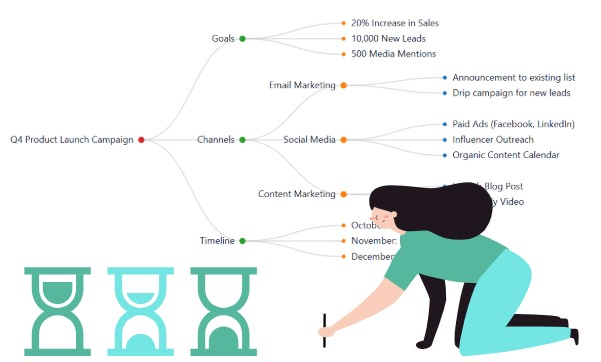
Key Concepts You Must Understand
| Concept | Explanation | Why It Matters |
|---|---|---|
| Node | A single box/item in the diagram | Everything is a node (task, person, requirement, idea, etc.) |
| Root Node | The top-most node (the main topic) | Only one root per diagram |
| Child / Parent | Hierarchical relationship (child nodes belong to a parent) | Creates the tree structure |
| “Generate Children” | AI feature that expands any selected node with relevant sub-items | Turns a single idea into a full branch in seconds |
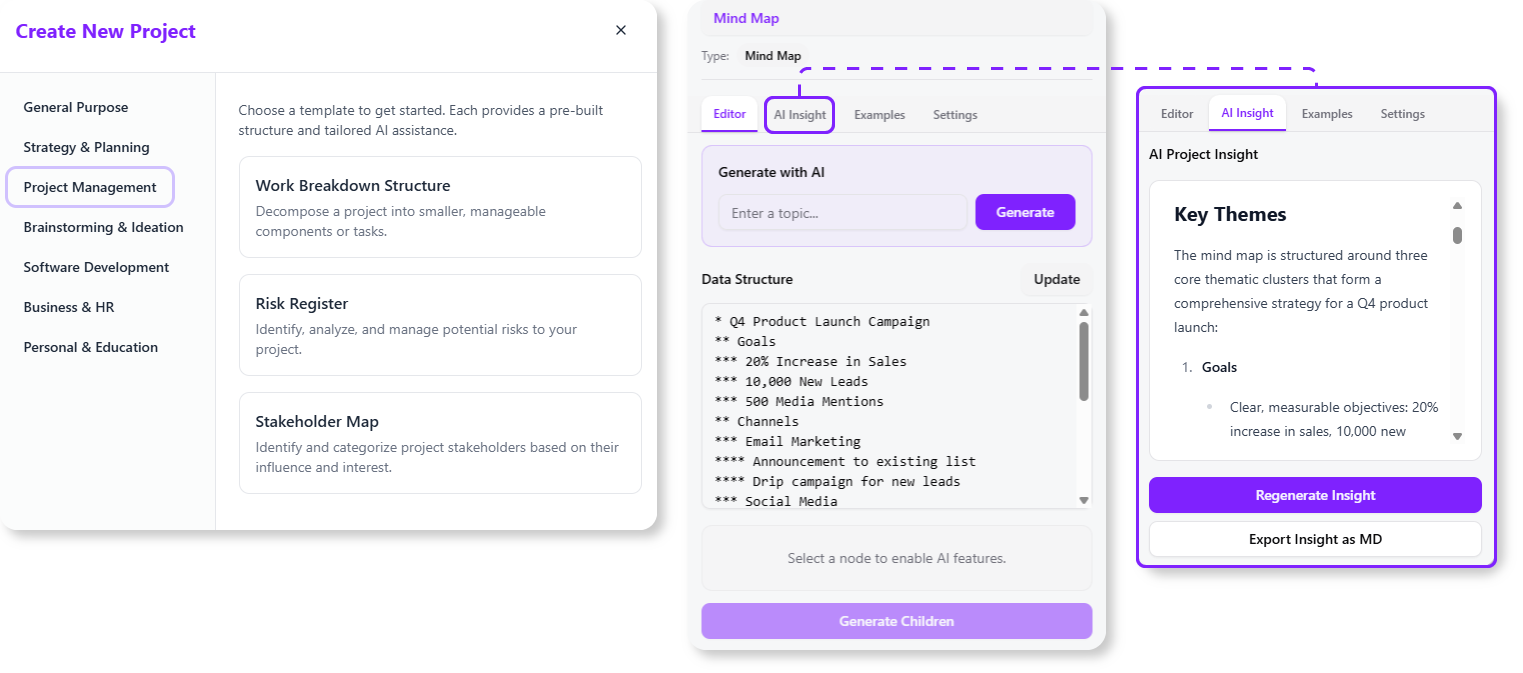
| “AI Insight” | Analyzes the whole diagram and gives expert commentary (risks, gaps, bottlenecks, improvements) | Acts like an instant senior consultant |
| Template | Pre-defined starting structures (WBS, Mind Map, Org Chart, Decision Tree, etc.) | Gives the AI the right context and conventions |
| Text-to-Diagram Engine | Core LLM that parses your natural language and builds the hierarchy | You write like a human, AI draws like a pro |
Step-by-Step: Getting Started
Access Paths (as of December 2025)

| Platform | Minimum License Required | How to Open |
|---|---|---|
| Visual Paradigm Online (VP Online) | Combo Edition or higher | Go directly to https://online.visual-paradigm.com/app/ai-tree-diagram/ |
| Visual Paradigm Desktop | Professional Edition + active maintenance | Tools → Apps → AI Tree Diagram Maker |
First-Time Workflow (5 minutes)
- Open the AI Tree Diagram Maker app.
- Choose a Template (very important — it sets the AI’s tone and conventions).
- Type your main topic in the “Generate from topic” box.
- Click Generate → a complete multi-level diagram appears instantly.
- Click any node → “Generate Children” to expand it.
- (Optional) Click the magic-wand icon → “AI Insight” for expert analysis.
That’s literally it.
12 Real-World Examples (Copy-Paste Ready)
Example 1 – Classic Work Breakdown Structure (WBS)
Template: Work Breakdown Structure Input: Develop a mobile banking app for a regional credit union
Result (first 3 levels generated instantly):
1 Develop Mobile Banking App
   1.1 Project Management
   1.2 Requirements & UX
       1.2.1 User research
       1.2.2 User stories
       1.2.3 Wireframes & prototypes
   1.3 Mobile Development
       1.3.1 iOS app
       1.3.2 Android app
       1.3.3 Cross-platform components
   1.4 Backend & Integration
       1.4.1 Core banking API integration
       1.4.2 Authentication & security
       1.4.3 Transaction engine
   1.5 Testing & Quality Assurance
   1.6 Deployment & Launch
   1.7 Post-launch support
Example 2 – Company Org Chart
Template: Organizational Chart Input: Tech startup with 42 people: CEO Maria Santos → CTO, CMO, CFO → Engineering (20), Marketing (8), Sales (6), Finance & Ops (5)
The AI instantly creates correctly nested boxes with names and headcount.
Example 3 – Agile Product Backlog Hierarchy
Template: Mind Map (or WBS) Input: Online learning platform – MVP features
AI output:
Online Learning Platform MVP
├── User Authentication
│   ├── Email/password
│   ├── Social login (Google, Apple)
│   └── Password reset flow
├── Course Catalog
│   ├── Browse & search
│   ├── Categories & filters
│   └── Course detail page
├── Enrollment & Payment
├── Video Player
├── Progress Tracking
└── Instructor Dashboard
Example 4 – Decision Tree for Customer Support
Template: Decision Tree Input: Customer contacts support about login problem
AI creates a full flowchart-style tree with Yes/No branches.
Example 5 – OKR (Objectives and Key Results) Tree
Template: Mind Map Input: Q1 2026 company OKRs for a SaaS company
AI generates:
Objective: Achieve $20M ARR (from $12M)
   KR1: Close 15 enterprise deals (> $200k ACV each)
   KR2: Reduce churn to < 4% annualized
   KR3: Launch 2 new premium modules
Example 6 – Software Requirements Breakdown (IEEE 830 style)
Template: Requirements Management Input: Smart home thermostat system functional requirements
The AI uses proper SHALL statements and traceability IDs automatically.
Example 7 – Expanding a Single Node (Generate Children)
You have a node “Marketing Campaign Launch”. Click it → Generate Children → AI adds:
Marketing Campaign Launch
├── Pre-launch teaser (social + email)
├── Landing page & lead magnet
├── Paid ads (Google, Meta, LinkedIn)
├── Influencer partnerships
├── Press release & PR outreach
├── Webinar / live demo event
└── Post-launch retargeting
Example 8 – AI Insight in Action
After generating the Mobile Banking WBS above, click AI Insight. Sample output:
“Potential risks identified: • Security & compliance tasks are currently only under 1.4 — recommend creating a dedicated 1.7 Compliance & Regulatory work package. • Testing appears only at phase level; consider adding unit, integration, and penetration testing sub-tasks under each development stream. • No explicit work package for third-party SDK evaluation (camera, biometrics).”
It literally acts like a senior PM reviewing your plan.
Advanced Tips & Tricks (Power User Section)
| Tip | How to Do It |
|---|---|
| Force numbering style | Add in prompt: “Use WBS 1.1.1.1 decimal numbering” or “Use PMI-style numbering” |
| Include effort estimates | Write: “Include rough person-day estimates in brackets after each leaf node” |
| Add responsible roles | “Add [Responsible: role] after each work package” |
| Switch orientation mid-diagram | Right-click root → Layout → choose Horizontal, Vertical, Left-to-Right, etc. |
| Export formats | PNG, SVG, PDF, PowerPoint, Visio (.vsdx), or even Markdown/OPML |
| Combine with ArchiMate / BPMN | Generate hierarchy first, then right-click → “Convert to ArchiMate Structure” or BPMN model |
| Version control | Save as .vpp project → commit to Git; changes are fully trackable |
Summary Table – Feature Overview
| Feature | Free/Basic | Combo+ / Professional | Description |
|---|---|---|---|
| Text → Diagram | Yes | Yes | Core generative capability |
| Pre-built templates | Yes | Yes | WBS, Org Chart, Mind Map, Decision Tree, etc. |
| Generate Children | Yes | Yes | Expand any node with AI |
| AI Insight (expert analysis) | Limited | Full | Risk, bottleneck, improvement suggestions |
| Custom prompts & styles | No | Yes | Force numbering, effort, roles, etc. |
| Export to Visio/PowerPoint | Limited | Full | Native .vsdx and .pptx export |
| Desktop + Online sync | No | Yes | Work seamlessly across platforms |
Conclusion – Stop Drawing, Start Thinking
The AI Tree Diagram Maker is not just another diagramming feature — it is the first true AI co-pilot for structured thinking. In under 30 seconds you can now produce diagrams that used to take hours or days, and more importantly, you can iterate instantly when requirements evolve.
Whether you are a solo consultant trying to impress a client, a project manager delivering a multi-million-dollar program, or a developer trying to map out a new microservices architecture, this tool hands back the most precious resource: your time.
Here are some of Visual Paradigm’s official AI tools sites with real URLs:
-
Visual Paradigm AI – Advanced Software & Intelligent Apps Explore a suite of AI-powered solutions for workflow automation, content generation, data analysis, and software development. ai.visual-paradigm.com
-
Visual Paradigm Online – AI-Powered Productivity Suite Access AI tools for charting, mind mapping, image translation, PDF manipulation, and more. online.visual-paradigm.com
-
Visual Paradigm AI Chatbot – Intelligent Diagram Generation Generate, refine, and analyze diagrams (UML, SysML, ArchiMate) using simple text commands. chat.visual-paradigm.com
-
AI Image Optimizers & Upscaler Restore, repair, unblur, and upscale images with one click. online.visual-paradigm.com/photo-effects-studio
Are you looking for a specific type of AI tool from Visual Paradigm, such as diagramming, image editing, or productivity?
This post is also available in Deutsch, Español, فارسی, Français, English, Bahasa Indonesia, 日本語, Polski, Portuguese, Ру́сский, Việt Nam, 简体中文 and 繁體中文.