
Based on the official Visual Paradigm guide (published September 12, 2025)
This guide distills and expands the core content from the referenced Visual Paradigm resource into a practical, actionable handbook. It covers key concepts, the nine building blocks, how the AI-powered tool works, a step-by-step usage process, advanced features, and tips & tricks derived directly from the guide’s emphasis on agility, AI assistance, collaboration, and iteration.
Key Concepts
What Is a Business Model Canvas (BMC)?
A Business Model Canvas is a strategic management tool that condenses an entire business into a single-page visual overview. Instead of a lengthy traditional business plan, the BMC uses nine interconnected building blocks to map how a company creates, delivers, and captures value. It turns complex ideas into a clear, dynamic blueprint that teams, founders, and investors can understand at a glance.
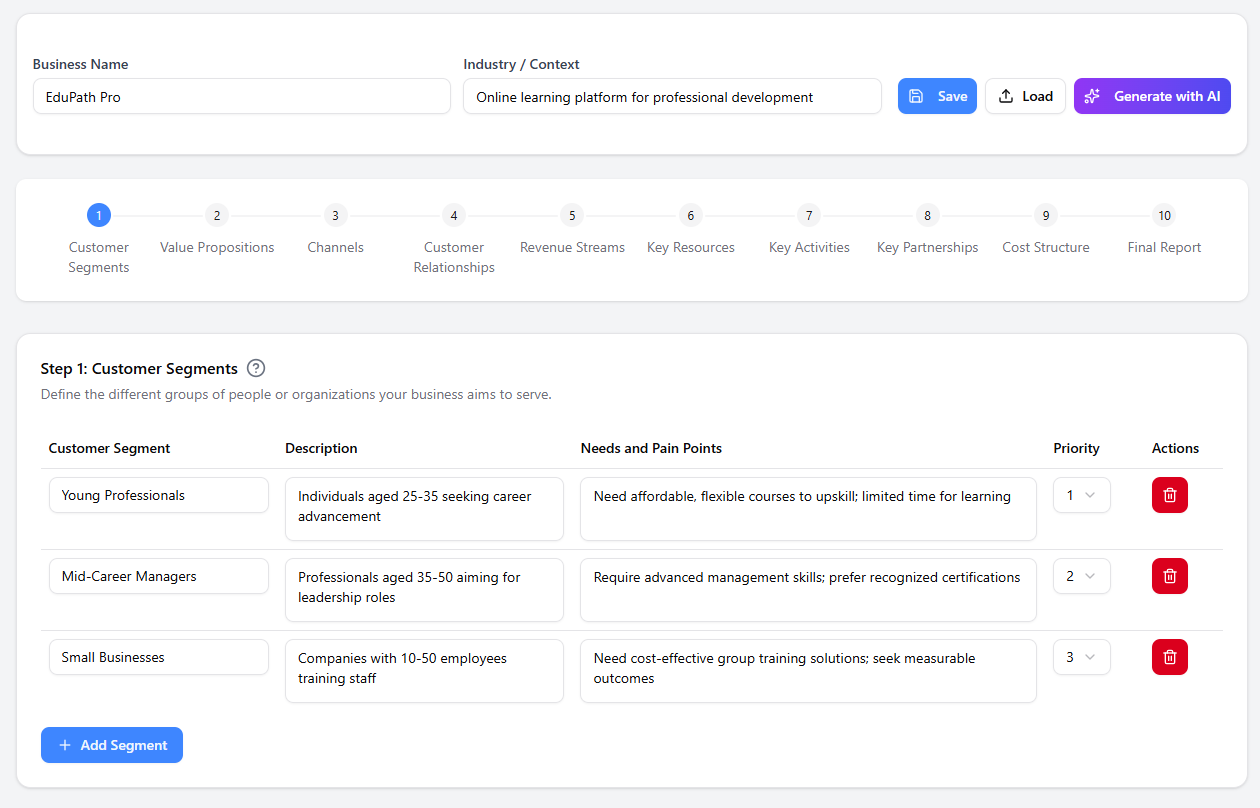
Visual Paradigm’s AI-powered BMC tool elevates this classic framework by adding intelligent guidance, real-time collaboration, seamless diagram integration, and professional reporting—making it far more than a static template.
Why Use a BMC (Especially the AI-Powered Version)?
In today’s fast-paced environment, the BMC promotes:
-
Crystal-clear clarity — Everyone sees the full picture on one page.
-
Laser focus — Forces concise thinking on what really drives success.
-
Rapid innovation — Test new ideas (e.g., revenue streams or customer segments) in minutes and instantly see ripple effects.
-
Accelerated strategy building — Iterate faster than with traditional 50-page plans.
The AI layer adds intelligent suggestions, assumption testing, and opportunity discovery, turning the canvas into a living strategic engine.
The 9 Building Blocks of the Business Model Canvas
Every BMC is built on these nine blocks. Visual Paradigm’s tool guides you through each with tooltips and AI prompts.
-
Customer Segments — Who are you creating value for? (Specific groups or organizations.)
-
Value Propositions — What problems do you solve? What unique value do you deliver?
-
Channels — How do you reach and deliver to your customers? (Website, app, retail, etc.)
-
Customer Relationships — What type of relationship does each segment expect? (Self-service, personal assistance, automated, etc.)
-
Revenue Streams — How will you make money? (Subscriptions, one-time sales, licensing, etc.)
-
Key Activities — What must you do to make the model work? (Production, marketing, R&D.)
-
Key Resources — What assets do you need? (Intellectual property, people, capital, technology.)
-
Key Partnerships — Who will help you succeed? (Suppliers, allies, co-creators.)
-
Cost Structure — What are the major costs? (Fixed vs. variable.)
How the AI-Powered Tool Enhances the Process
Visual Paradigm’s AI does more than fill boxes:
-
Analyzes your inputs for consistency.
-
Generates intelligent suggestions to test assumptions and uncover hidden opportunities.
-
Ensures your model is resilient and complete.
-
Connects your canvas to other diagrams (customer journey maps, UML, BPMN) for a 360° view.
Step-by-Step: Creating Your BMC in Visual Paradigm
-
Set the Stage
Enter basic context: company name, industry, and strategic focus. This primes the AI. -
Follow the Guided Path
The builder walks you block-by-block with tooltips, prompts, and AI suggestions. You can add sticky notes, move elements, or let AI propose content. -
Brainstorm & Collaborate
Edit, rearrange, and refine in real time with your team. Add comments, version history, and live editing. -
Generate Professional Outputs
Instantly turn the canvas into polished reports exportable as PowerPoint, HTML, Markdown, or PDF for investors or internal alignment.
Advanced Features & Capabilities
-
AI-Powered Insights — Real-time recommendations that strengthen your strategy.
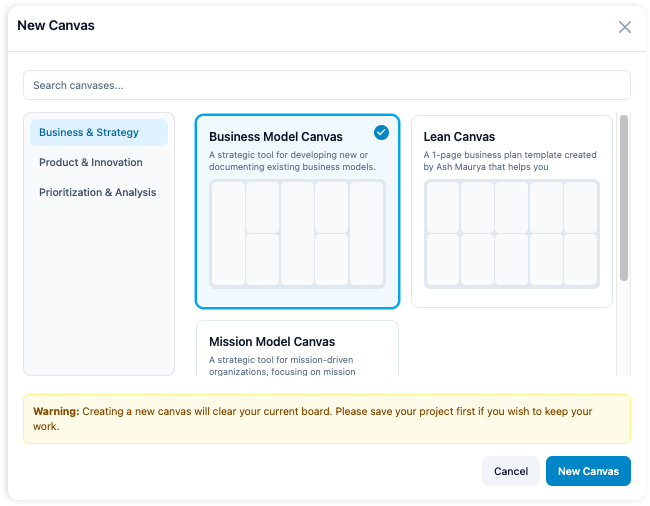
-
Seamless Diagram Integration — Link BMC to other Visual Paradigm models.
-
Real-Time Team Collaboration — Multiple users editing simultaneously with comments.
-
Professional Report Generation — One-click export of strategy documents.
-
Adaptability — Works for startups, enterprises, and even non-profits (swap “customers” for “beneficiaries” and “revenue” for “grants/donations”).
Tips & Tricks for Maximum Results
The guide emphasizes treating the BMC as a living document. Here are practical tips distilled and expanded from its advice:
-
Start with AI, then personalize — Let the AI suggest initial content for each block, then refine with your unique insights. This saves hours while keeping ownership.
-
Use the “ripple-effect test” — When you change one block (e.g., new channel), immediately check how it affects revenue, costs, and partnerships. The tool updates visually in real time.
-
Leverage guided prompts aggressively — Don’t skip the tooltips; they prevent common blind spots (e.g., forgetting cost structure details).
-
Collaborate early and often — Invite team members before the canvas is “finished.” Real-time comments catch misalignments that solo work misses.
-
Update quarterly or after any major pivot — Markets, customer needs, and technology change fast. Set calendar reminders—the guide calls it a “living document.”
-
Export early for feedback — Generate a PowerPoint version after the first draft and share with mentors or investors. Fresh eyes reveal gaps AI might not catch.
-
Integrate with other tools — Link your BMC to a customer journey map or BPMN process diagram inside Visual Paradigm. This reveals operational gaps instantly.
-
Adapt for non-profits or social enterprises — Replace Revenue Streams with “Funding Sources” and Customer Segments with “Beneficiaries.” The structure still works perfectly.
-
Test assumptions with AI — Ask the tool to flag risky blocks (e.g., “heavy reliance on one partner”) and generate alternative scenarios.
-
Keep it concise — Aim for 3–7 bullet points per block. The guide stresses focus—clutter defeats the purpose.
Frequently Asked Questions (Direct from the Guide)
-
BMC vs. traditional business plan?
BMC = quick, visual, iterative strategy tool. Traditional plan = detailed document for funding. -
Can non-profits use it?
Yes—simply adapt the terminology. -
How often to update?
Regularly; treat it as a living document. -
How does AI actually help?
It analyzes data, suggests opportunities, and ensures consistency. -
Team collaboration?
Fully supported with real-time editing and comments.
Final Thoughts
Visual Paradigm’s AI-powered Business Model Canvas tool transforms a classic strategic framework into a dynamic, intelligent workspace. Whether you’re a solo founder with a brilliant idea or part of an enterprise refining its strategy, the combination of the nine-block structure, guided AI assistance, real-time collaboration, and instant reporting gives you everything needed to design, test, and communicate winning business models—faster and smarter than ever before.
Start with the free trial or existing Visual Paradigm account, follow the four-step process above, and watch your ideas turn into a clear, actionable blueprint. The canvas isn’t just a diagram—it’s your business’s strategic cockpit.
- Complete Guide to the Business Model Canvas (BMC) – Visual Paradigm: This thorough guide explains the nine building blocks of the framework and provides real-world examples for business innovation.
- Business Model Canvas Guide with Examples – Visual Paradigm: A practical resource featuring step-by-step instructions and expert tips for effective business planning.
- What Is the Business Model Canvas? Why Use Visual Paradigms & AI Tools: This article details the core components of the canvas and how AI-powered tools enhance strategic planning.
- AI-Powered Business Model Canvas Builder – Instant Strategy Design: This automated tool leverages machine intelligence to generate canvases and provide strategic insights instantly.
- Comprehensive Tutorial: Visual Paradigm Model Canvas Tool: A step-by-step technical guide for mastering the tool for effective modeling and innovation planning.
- Business Model Canvas Software – Visual Paradigm Online: A cloud-based platform designed for visualizing strategy with real-time collaboration features.
- Business Model Canvas Tool – Visual Paradigm: A structured framework that enables teams to design, analyze, and iterate on business models visually.
- Business Model Canvas Templates – Visual Paradigm Online: A library of professionally designed templates created to accelerate strategy development for startups and enterprises.
- Visual Paradigm Canvas – Collaborative Strategy Tool: A modern web-based platform for creating and sharing canvases and lean startup frameworks in real time.
- Mastering the Business Model Canvas with AI: Step-by-Step Guide: This guide demonstrates how to use AI capabilities to optimize and customize canvases efficiently.