
Describe what you need, and our AI builds it for you — perfectly laid out, beautifully designed, and ready to refine.

🎯 Executive Summary
In today’s fast-paced digital landscape, professionals face a critical choice: leverage specialized Visual Paradigm’s All-in-One Platforms with Integrated AI Ecosystems or rely on General-Purpose Large Language Models (like ChatGPT, Claude, or Gemini). This guide breaks down the strengths, limitations, and ideal use cases for each approach—helping you make informed decisions that boost productivity, accuracy, and collaboration.
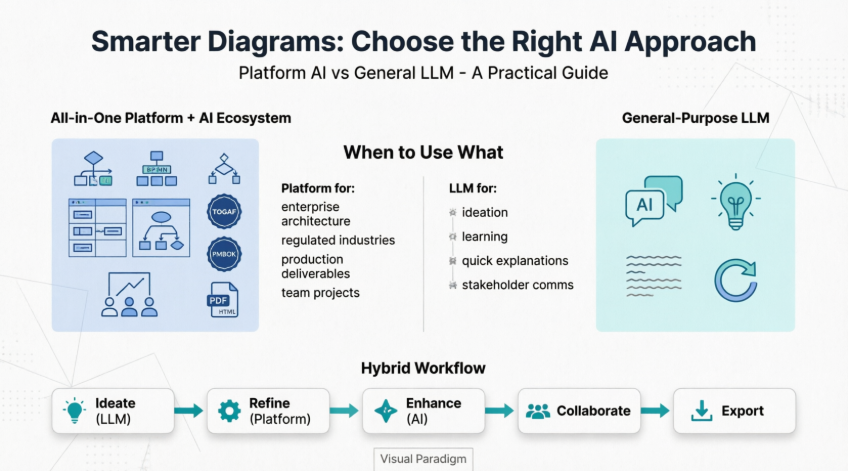
💡 Key Takeaway: Neither approach is universally “better.” The right choice depends on your role, project complexity, compliance requirements, and desired output fidelity.
🔍 Understanding the Two Approaches
🏗️ All-in-One Platform + AI Ecosystem
(Example: Visual Paradigm with AI Diagram Generation)
An integrated platform that combines domain-specific modeling tools, collaboration features, and purpose-built AI assistants trained on structured methodologies (UML, BPMN, ArchiMate®, etc.).
Core Characteristics:
-
✅ Context-Aware AI: Understands modeling semantics, relationships, and industry standards
-
✅ Structured Output: Generates editable, standards-compliant diagrams with perfect layout
-
✅ End-to-End Workflow: From ideation → diagram → documentation → code generation → team review
-
✅ Governance & Compliance: Built-in support for TOGAF®, PMBOK®, DoDAF, ArchiMate® 3 certification
-
✅ Seamless Integration: AI suggestions live within your modeling environment—no copy/paste friction

🤖 General-Purpose LLMs
(Example: ChatGPT, Claude, Gemini, Llama)
Broadly trained language models optimized for natural language understanding and generation across countless domains—but not specialized for structured modeling or visual design.
Core Characteristics:
-
✅ Flexible Ideation: Great for brainstorming, drafting text, explaining concepts
-
✅ Rapid Prototyping: Quick answers to “what if” questions or high-level architecture sketches
-
✅ Accessibility: No installation; works via chat interface anywhere
-
❌ Unstructured Output: Text-based responses require manual translation into diagrams
-
❌ No Native Editing: Generated content isn’t directly editable in modeling tools
-
❌ Hallucination Risk: May invent relationships, misapply standards, or omit critical constraints
⚖️ Head-to-Head Comparison
| Feature | All-in-One Platform + AI Ecosystem | General-Purpose LLM |
|---|---|---|
| Diagram Generation | ✅ Native, editable, standards-compliant | ❌ Text description only; manual conversion needed |
| Layout & Aesthetics | ✅ Auto-balanced spacing, alignment, styling | ❌ No visual layout capability |
| Domain Knowledge | ✅ Trained on UML, BPMN, ArchiMate®, SysML, etc. | ⚠️ General knowledge; may misapply standards |
| Context Retention | ✅ Understands project glossary, relationships, dependencies | ⚠️ Limited context window; loses nuance in long sessions |
| Collaboration | ✅ Built-in commenting, versioning, task assignment | ❌ Requires external tools for teamwork |
| Code/DB Engineering | ✅ Reverse engineering, forward generation, ORM mapping | ⚠️ Can suggest code snippets but no bidirectional sync |
| Compliance Support | ✅ TOGAF®, PMBOK®, DoDAF, NAF, MODAF guides | ❌ No framework-aware guidance |
| Learning Curve | ⚠️ Moderate (tool-specific) | ✅ Low (chat interface) |
| Best For | Production-grade modeling, enterprise architecture, regulated industries | Ideation, learning, quick explanations, non-technical stakeholders |
🎯 When to Use What: Scenario-Based Guidance
✅ Use an All-in-One Platform + AI Ecosystem When:
| Scenario | Why It Fits |
|---|---|
| Enterprise Architecture Planning | Needs ArchiMate®/TOGAF® compliance, stakeholder views, and traceability |
| Software System Design | Requires UML/SysML diagrams that sync with code repositories |
| Business Process Optimization | BPMN diagrams with execution semantics, decision tables, and RACI matrices |
| Regulated Industries (Healthcare, Finance, Defense) | Audit trails, version control, and framework alignment are mandatory |
| Team-Based Projects | Real-time collaboration, commenting, and task assignment built-in |
| Production-Ready Deliverables | Output must be presentation-ready, editable, and reusable |
✅ Use a General-Purpose LLM When:
| Scenario | Why It Fits |
|---|---|
| Early Ideation & Brainstorming | Rapidly explore concepts before committing to structure |
| Learning & Explanation | Ask “What’s a sequence diagram?” or “Explain ArchiMate motivation elements” |
| Drafting Documentation Text | Generate user stories, requirement descriptions, or meeting notes |
| Non-Technical Stakeholder Communication | Simplify complex concepts into plain language |
| Quick Prototyping of Ideas | Sketch a high-level flow before investing in formal modeling |
| Cross-Domain Research | Gather insights from software, business, and UX domains simultaneously |
🔄 Hybrid Approach: Best of Both Worlds
-
Ideate with LLM → “Help me brainstorm components for an online learning platform”
-
Refine in Platform → Paste concepts into Visual Paradigm AI to generate a structured Class Diagram
-
Enhance with Platform AI → Use context-aware suggestions to add relationships, constraints, and stereotypes
-
Collaborate & Iterate → Share with team, collect feedback, and update in real-time
-
Export & Integrate → Generate documentation, code stubs, or presentation assets
👥 Who Should Use What: Role-Based Recommendations
| Role | Recommended Approach | Rationale |
|---|---|---|
| Enterprise Architects | 🏗️ Platform + AI Ecosystem | Need framework compliance, multi-view modeling, and governance |
| Software Engineers | 🏗️ Platform + AI Ecosystem (with LLM for ideation) | Require UML/SysML that integrates with code; use LLM for algorithm brainstorming |
| Business Analysts | 🏗️ Platform + AI Ecosystem | BPMN, user stories, and decision tables demand structured, editable outputs |
| Product Managers | 🔄 Hybrid | Use LLM for market research & user story drafting; platform for roadmap visualization |
| UX/UI Designers | 🏗️ Platform + AI Ecosystem | Wireframes, journey maps, and prototypes benefit from integrated design tools |
| Project Managers | 🏗️ Platform + AI Ecosystem | PERT, Gantt, WBS, and RACI charts require precision and team collaboration |
| Students & Learners | 🤖 General LLM (initially) → 🏗️ Platform (for projects) | Start with conceptual understanding; graduate to professional tooling |
| Executives & Stakeholders | 🤖 General LLM (for summaries) | Prefer high-level insights; rely on teams to produce formal artifacts |
🧰 Visual Paradigm AI Diagram Generation: Deep Dive
Generate Diagrams Instantly from Text
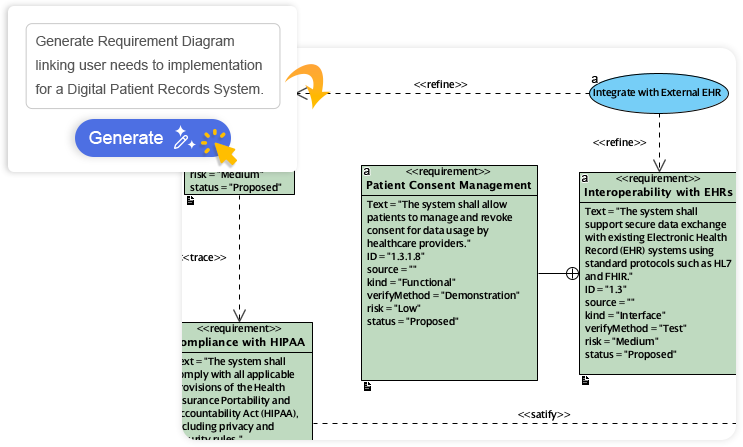
Turn your ideas into diagrams instantly with AI – just type what you need and get accurate, presentation-ready diagrams without templates or manual drawing.
Always Beautiful, Always Clear
AI generates clean, balanced, and readable diagrams with perfect spacing and alignment, so you can focus on ideas instead of rearranging shapes.
AI That Understands Context
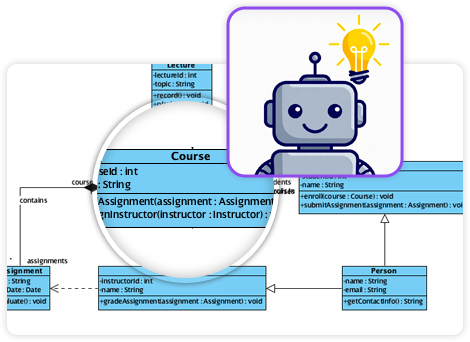
Our AI interprets your intent, fills in missing details, and suggests relationships to expand your ideas into structured, accurate diagrams.
Fully Editable & Seamlessly Integrated
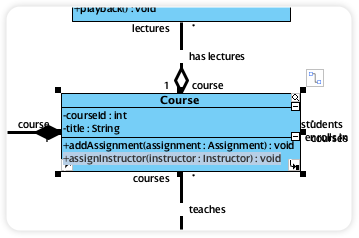
Refine and customize diagrams with full control – move shapes, rename elements, and change styles while AI gives you a head start.
AI Diagram Examples
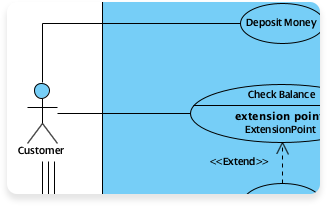
Use Case Diagram
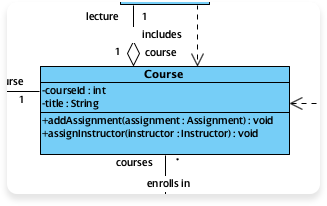
Class Diagram
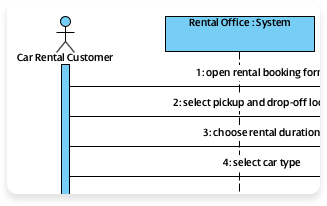
Sequence Diagram
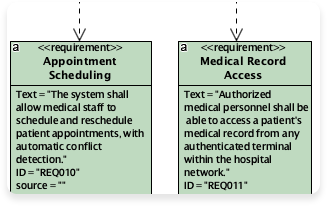
Requirement Diagram
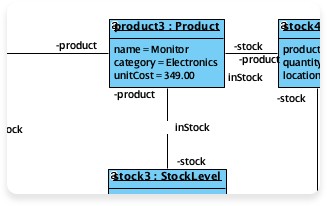
Object Diagram
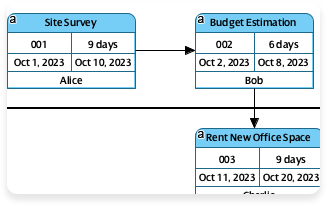
Enhanced PERT Chart
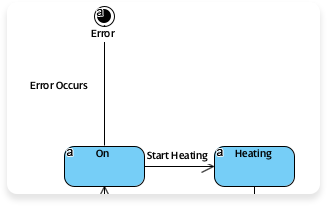
State Diagram
🧩 Visual Paradigm’s Comprehensive Feature Ecosystem
Other Features

Enterprise Architecture

Project Management

Visual Modeling

Agile & Scrum

Business Modeling

User Experience Design

Visual Diagramming

Code Engineering

Team Collaboration

Analysis & Charting

Advanced Modeling Tools

Project Mgmt. Diagram
- 📚 Reference List
- ArchiMate® 3 (Certified) Tools: Certified tooling for enterprise architecture modeling using the ArchiMate® 3 specification, enabling standardized visualization of business, application, and technology layers.
- DoDAF Tool: Support for Department of Defense Architecture Framework views, facilitating complex defense and government system modeling.
- NAF Tool: NATO Architecture Framework-compliant modeling for multinational defense and security projects.
- MODAF Tool: Ministry of Defence Architecture Framework support for UK defense and public sector architecture planning.
- TOGAF® ADM Guide-Through: Interactive guidance through the TOGAF Architecture Development Method, ensuring framework-compliant architecture projects.
- TOGAF® ADM Process-Map: Just-in-time templates aligned with TOGAF phases to accelerate architecture deliverables.
- PMBOK® Process Map: Templates and guidance mapped to PMBOK® processes for standardized project management execution.
- Project Management Guide-Through: Step-by-step assistance through the project lifecycle, from initiation to closure.
- Project Management Process Map: Ready-to-use templates for planning, executing, and monitoring projects.
- UML Tool: Comprehensive Unified Modeling Language support for software design, including class, sequence, use case, and state diagrams.
- SysML Tool: Systems Modeling Language toolkit for complex system engineering, requirements traceability, and parametric analysis.
- ER Diagram Tool: Entity-Relationship diagramming for database design, with forward/reverse engineering capabilities.
- DFD Tool: Data Flow Diagram creation for visualizing information movement and processing within systems.
- User Story Map: Agile tool for organizing user stories by user journey and priority, supporting backlog refinement.
- Scrum Process Canvas: Visual framework for planning and tracking Scrum ceremonies, roles, and artifacts.
- LeSS Canvas: Large-Scale Scrum framework support for coordinating multiple Agile teams.
- Nexus Canvas: Nexus framework tooling for scaling Scrum across 3-9 teams with integrated dependency management.
- BPMN Diagrams: Business Process Model and Notation tooling for executable process modeling, simulation, and optimization.
- Decision Table Tool: Structured representation of business rules and logic for clear, testable decision modeling.
- Organization Chart: Visual hierarchy modeling for organizational design and role clarification.
- CMMN Tool: Case Management Model and Notation support for adaptive, human-centric workflow modeling.
- Wireframe & Storyboard: Low-fidelity UI sketching and user flow visualization for early-stage UX design.
- Wireflow Diagram: Hybrid diagrams combining wireframes with flow logic to map user interactions.
- Prototyping Tool: Interactive mockup creation for usability testing and stakeholder feedback.
- Customer Journey Map: End-to-end visualization of customer experiences, pain points, and opportunities.
- High-Fidelity Mockup Tool: Pixel-perfect UI design with asset export for developer handoff.
- Flowchart Maker: Intuitive tool for creating process flows, decision trees, and operational diagrams.
- Chart Maker: Data visualization toolkit for bar charts, pie charts, and statistical graphics.
- Code Engineering: Bidirectional sync between models and code (Java, C#, Python, etc.) for round-trip engineering.
- Visual REST API Designer: Graphical design of RESTful APIs with OpenAPI/Swagger export and documentation generation.
- DB Generation & Reversal: Forward engineering from ERD to SQL DDL; reverse engineering from existing databases to models.
- Hibernate ORM: Object-relational mapping support for Java persistence layer design and code generation.
- Collaboration Tools: Real-time co-editing, commenting, and version control for distributed teams.
- Task Management: Integrated task tracking linked to diagram elements for actionable project management.
- Review and Commenting: Contextual feedback on specific model elements to streamline design reviews.
- Textual Analysis: NLP-powered extraction of requirements, entities, and relationships from natural language documents.
- Relationship Matrix: Traceability matrices for impact analysis, compliance mapping, and dependency tracking.
- Analysis Diagram: Visual dependency graphs for change impact assessment and risk analysis.
- RACI & CRUD: Responsibility assignment and data operation matrices integrated with process models.
- Project Glossary: Centralized terminology management to ensure consistent language across artifacts.
- On-Demand Model ETL: Extract, transform, and load capabilities for migrating or synchronizing models across tools.
- Other Advanced Modeling Tools: Additional capabilities for model versioning, comparison, and governance.
- Enhanced PERT Chart: Advanced project scheduling with critical path analysis, resource leveling, and risk simulation.
- Work Breakdown Structure: Hierarchical decomposition of project scope into manageable deliverables and work packages.
- Cause & Effect Diagram: Fishbone/Ishikawa diagrams for root cause analysis and quality improvement.
- Gantt Chart Tool: Timeline-based project scheduling with dependencies, milestones, and progress tracking.
- 🔚 Final Recommendations
-
Start with your output goal: Need a polished, editable, standards-compliant diagram? Choose a platform. Need quick ideas or explanations? Start with an LLM.
-
Consider your audience: Technical teams and regulators expect formal artifacts; executives may prefer summarized insights.
-
Factor in compliance: Regulated industries demand traceability, versioning, and framework alignment—specialized platforms deliver this natively.
-
Embrace hybrid workflows: Use LLMs for ideation and platforms for execution. The future is integrated, not exclusive.
-
Invest in tool literacy: Training on platforms like Visual Paradigm pays dividends in reduced rework, faster delivery, and higher-quality outputs.
-
🌟 Pro Tip: Visual Paradigm’s AI diagram generation bridges the gap—offering LLM-like ease of input with platform-grade output. It’s the best of both worlds for professionals who need speed and precision.