
Transform your data workflows with the AI-Powered JSON CRUD Table Maker, a powerful, intelligent tool integrated into the Visual Paradigm ecosystem. This guide walks you through every step—from creating structured tables from raw JSON to generating full database schemas and physical databases—leveraging AI automation and seamless integration between web-based tools and the desktop application.
Overview: What Is the AI-Powered JSON CRUD Table Maker?
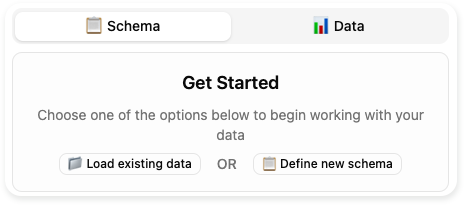
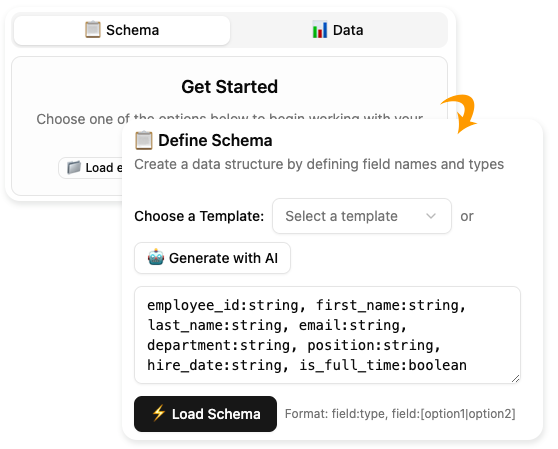
The AI-Powered JSON CRUD Table Maker is a web-based application developed by Visual Paradigm that enables users to quickly create, visualize, manage, and export structured data tables using AI-driven intelligence. It supports both data-first and schema-first approaches, making it ideal for developers, data analysts, product managers, and designers who need to rapidly prototype or manage structured data.
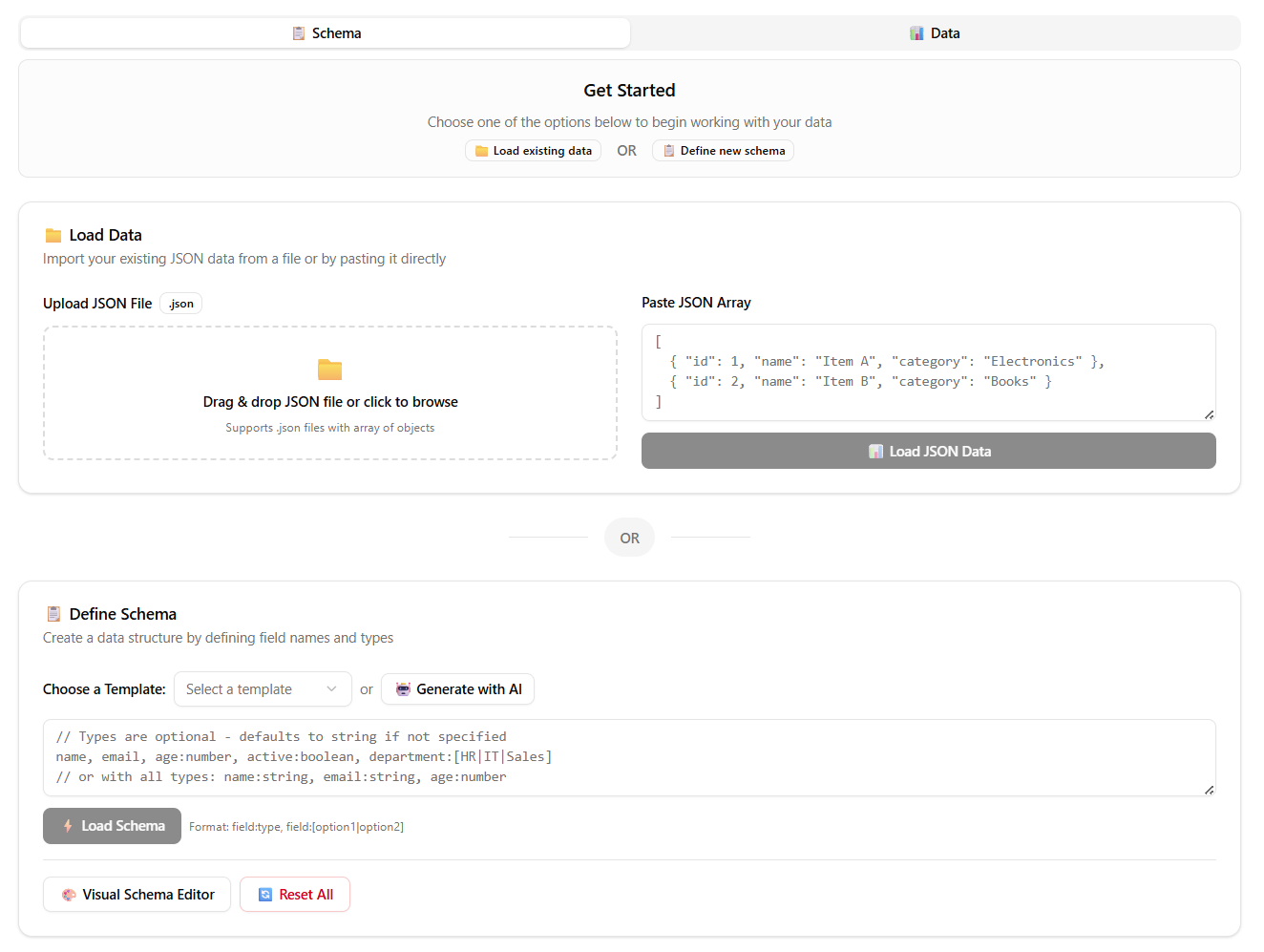
This tool is part of a larger AI-powered data modeling workflow, which ultimately allows you to convert JSON data into a fully functional database using the Visual Paradigm Desktop Application (Professional Edition or higher).
Core Features & Benefits
| Feature | Benefit |
|---|---|
| Instant Table Creation from JSON | Upload or paste JSON data and instantly see it rendered as an editable table. |
| Schema-Based Table Design | Define tables using human-readable schema syntax (e.g., name:string, age:number). |
| AI-Powered Schema Generation | Describe your purpose (e.g., “track daily expenses”), and AI suggests a relevant schema. |
| Intelligent Sample Data Generation | Generate realistic, context-aware sample records with one click. |
| Interactive CRUD Interface | Add, edit, delete, and browse records directly in the table. |
| Multi-Format Export | Export data as JSON, CSV, or SQL (DDL) for further use. |
| Seamless Integration with Desktop App | Use exported SQL to reverse-engineer ERDs and generate real databases. |
✅ Ideal For: Prototyping APIs, designing database schemas, generating test data, visualizing structured data, and accelerating data modeling workflows.
Step-by-Step Workflow: From JSON to Physical Database
This comprehensive workflow combines the online AI Table Maker with the Visual Paradigm Desktop Application to transform unstructured JSON into a fully operational database.
✅ Step 1: Use the AI JSON CRUD Table Maker (Online Tool)
Access the AI-powered web app to visualize and structure your data.
1. Access the Tool
Go to the official AI Table Generator:
This is a free, browser-based tool that requires no installation.
2. Provide Your JSON Data
You can input your data in two ways:
-
Paste JSON: Copy a JSON array (e.g.,
[{ "id": 1, "name": "John" }]) and paste it into the input field. -
Upload File: Click “Upload JSON File” and select a
.jsonfile from your device.
🔍 Note: The tool expects a JSON array of objects. Arrays of primitives (e.g.,
[1, 2, 3]) will not be processed correctly.
3. Load the Data
Click the [Load JSON Data] button.
The system will:
-
Parse the JSON structure.
-
Automatically detect keys and infer data types.
-
Render an interactive table with columns and rows.
📌 Example:
Input:[ { "order_id": 101, "customer_name": "Alice", "total_amount": 250.50, "order_date": "2024-03-15", "status": "completed" } ]Output: A table with columns:
order_id,customer_name,total_amount,order_date,status.
4. Refine the Table (Optional)
You can:
-
Add or delete rows.
-
Edit cell values manually.
-
Use the [Generate with AI] button to create realistic sample data.
➤ AI-Powered Sample Data Generation
Click [Generate] → Enter the number of records (e.g., 100) → AI generates contextually accurate data based on:
-
Column names
-
Data types (e.g.,
number,string,date) -
Enum values (e.g.,
status:[pending|completed|cancelled])
✨ Example: For a
statuscolumn withpending|completed|cancelled, AI will distribute values realistically across the generated records.
5. Export as SQL (DDL)
In the side panel, select SQL format to generate the Data Definition Language (DDL) statements.
You’ll get output like:
CREATE TABLE orders (
  order_id INT PRIMARY KEY,
  customer_name VARCHAR(100) NOT NULL,
  total_amount DECIMAL(10,2),
  order_date DATE,
  status VARCHAR(20) CHECK (status IN ('pending', 'completed', 'cancelled'))
);
💡 Save this SQL code to a
.sqlfile (e.g.,orders_schema.sql) for use in the desktop app.
✅ Step 2: Generate the Physical Database Using Visual Paradigm Desktop Application
The online tool generates the schema (DDL), but the desktop application is required to reverse-engineer it into an Entity-Relationship Diagram (ERD) and create the actual database.
🔑 Prerequisite: Install Visual Paradigm (Professional Edition or higher).
Download: https://www.visual-paradigm.com/download/
1. Reverse Engineer DDL into an ERD
-
Open Visual Paradigm.
-
Go to Tools > Reverse Engineer > From DDL.
-
In the dialog:
-
Click Browse and select your saved
.sqlfile. -
Choose your target database type (e.g., MySQL, PostgreSQL, SQLite).
-
Ensure “Generate ERD” is checked.
-
-
Click OK.
Visual Paradigm will:
-
Parse the DDL.
-
Create entities (tables) and relationships.
-
Display the resulting Entity Relationship Diagram (ERD) in the diagram editor.
📌 You can now visually inspect, modify, or extend the schema.
2. Configure Database Connection
Before generating the physical database, set up a connection to your target database server.
-
Go to Tools > Database > Connect to Database.
-
Select your database engine (e.g., MySQL).
-
Enter connection details:
-
Host (e.g.,
localhost) -
Port (e.g.,
3306) -
Username and Password
-
Database name (or create a new one)
-
-
Click Test Connection to verify credentials.
-
Click OK to save the connection.
⚠️ Ensure your database server is running and accessible.
3. Generate the Physical Database
Now, create the actual database tables.
-
Go to Tools > Database > Generate Database.
-
In the dialog:
-
Select “Generate from ERD”.
-
Choose your previously created database connection.
-
(Optional) Check “Generate DDL file” to keep a local backup.
-
-
Click Generate.
Visual Paradigm will:
-
Execute the DDL statements on the connected database.
-
Create all tables, columns, constraints, and indexes.
-
Confirm success in the output log.
✅ You now have a real, working database with tables matching your JSON data and AI-enhanced schema.
Best Practices & Tips
| Tip | Description |
|---|---|
| Validate JSON Structure | Ensure your JSON is an array of objects. Invalid JSON will break parsing. |
| Use Clear Column Names | Avoid spaces or special characters (e.g., use customer_name, not Customer Name). |
| Leverage AI for Schema Design | When starting from scratch, use [Generate with AI] to avoid schema design fatigue. |
| Review AI-Generated Data | AI may produce inconsistent or unrealistic values—always validate before use. |
| Use DDL for Version Control | Save your .sql files in Git or a shared repository for audit and collaboration. |
| Keep Desktop App Updated | Use the latest version of Visual Paradigm for full compatibility with AI features. |
Common Use Cases
| Use Case | How This Tool Helps |
|---|---|
| API Prototyping | Convert sample JSON responses into structured tables for documentation and testing. |
| Database Design | Quickly turn JSON APIs into ERDs and physical databases. |
| Test Data Generation | Populate tables with realistic sample data in seconds. |
| Data Migration | Reconstruct legacy JSON data into modern database formats. |
| Educational Projects | Teach data modeling concepts with real-world, AI-assisted examples. |
Reference List (Markdown Format)
- AI JSON CRUD Table Maker – Visual Paradigm: A detailed overview of the AI-powered tool for converting JSON into interactive tables with intelligent data generation and export capabilities.
- AI JSON CRUD Table Maker – Visual Paradigm (Launch Announcement): Official release notes highlighting new features and improvements in the AI Table Generator.
- AI JSON CRUD Table Maker – Web App (Live Tool): The live, web-based interface where users can upload JSON, define schemas, generate data, and export SQL.
- Convert JSON to Table Instantly – Fast & Simple Data Visualization: A blog post explaining how the tool simplifies data visualization and table creation from JSON.
- Database Design with ERD Tools – Visual Paradigm: A guide to using ERDs for database modeling, including integration with the AI Table Maker.
- Reverse Engineer DDL to ERD – Visual Paradigm: Step-by-step instructions for importing SQL DDL and generating an ERD in the desktop app.
- Generate Database from ERD – Visual Paradigm: Detailed guide on creating physical databases from existing ERDs.
- Reverse-Engineer ERD from DDL – Tutorial: Video and written tutorial on importing DDL and generating diagrams.
- Use Case Modeling Studio – Visual Paradigm: An in-depth look at Visual Paradigm’s Use Case Modeling Studio, highlighting its role in creating, managing, and generating use cases with AI assistance.
- Visual Paradigm – Database Management Guide (PDF): A downloadable PDF guide on reverse-engineering DDL into ERDs, ideal for advanced users.
- Visual Paradigm – How to Reverse Engineer ERD from DDL (YouTube): A video tutorial demonstrating the reverse-engineering process.
- Visual Paradigm – Generate Database from ERD (YouTube): A step-by-step video guide on generating physical databases from ERDs.
Final Thoughts
The AI-Powered JSON CRUD Table Maker is not just a data visualization tool—it’s the first step in a full AI-driven data lifecycle. From raw JSON to a live database, this workflow reduces manual effort, minimizes errors, and accelerates development.
By combining the intuitive web interface with the powerful desktop application, Visual Paradigm delivers a complete solution for modern data modeling—perfect for teams that value speed, accuracy, and intelligent automation.
🔒 Remember: While AI enhances productivity, always review outputs—especially generated data and DDL—for correctness and security before deployment.
Ready to get started?
👉 Visit: https://ai-toolbox.visual-paradigm.com/app/json-crud/
👉 Download Visual Paradigm: https://www.visual-paradigm.com/download/