


Database modeling has traditionally been a rigorous, manual process requiring a distinct translation between object-oriented concepts and relational database structures. Bridging the gap from a Class Diagram to a functional Database (ERD), and subsequently ensuring that schema adheres to Normalization standards, often introduces friction in the development lifecycle. Visual Paradigm AI’s DB Modeler workflow eliminates these difficulties by integrating generative AI to handle the heavy lifting.
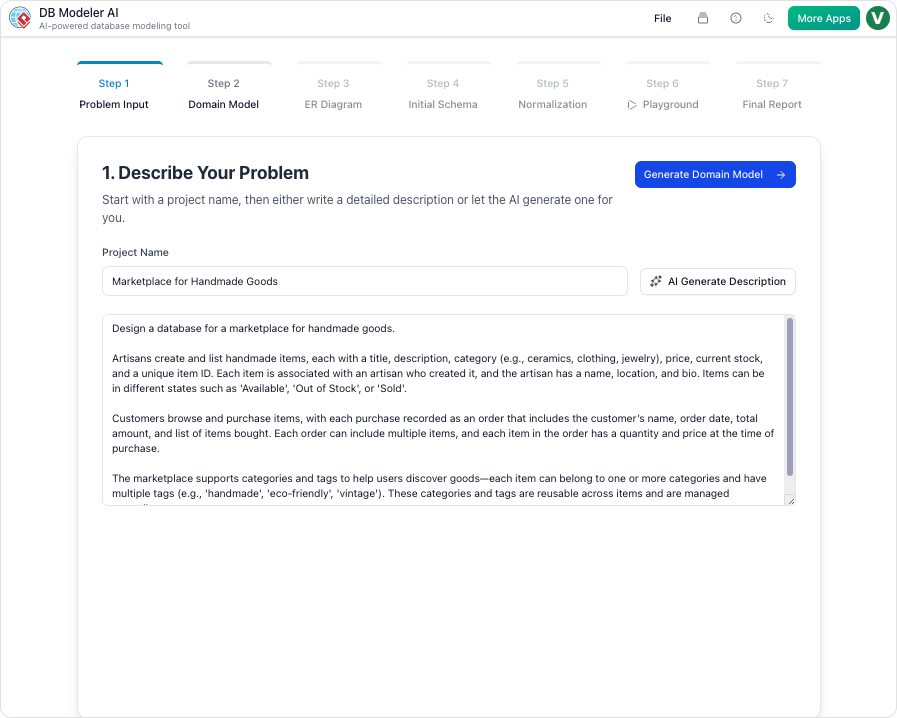
This comprehensive guide explores how to leverage the DB Modeler AI workflow to automate the journey from conceptual modeling to technical implementation, ensuring optimization without the manual overhead.
The AI-Driven Workflow: A Conceptual Overview
To understand the value of this automation, consider the analogy of a high-end GPS system. Traditional database modeling is akin to manually drawing a map and calculating the most efficient route on paper. In contrast, the AI workflow acts as a dynamic navigation system. You simply state your destination (natural language input), and the system plots the path (Class Diagram), translates it into turn-by-turn directions (ERD/Schema), and recalculates to avoid dead ends (Normalization). This ensures you reach a deployed database state with minimal effort and maximum accuracy.
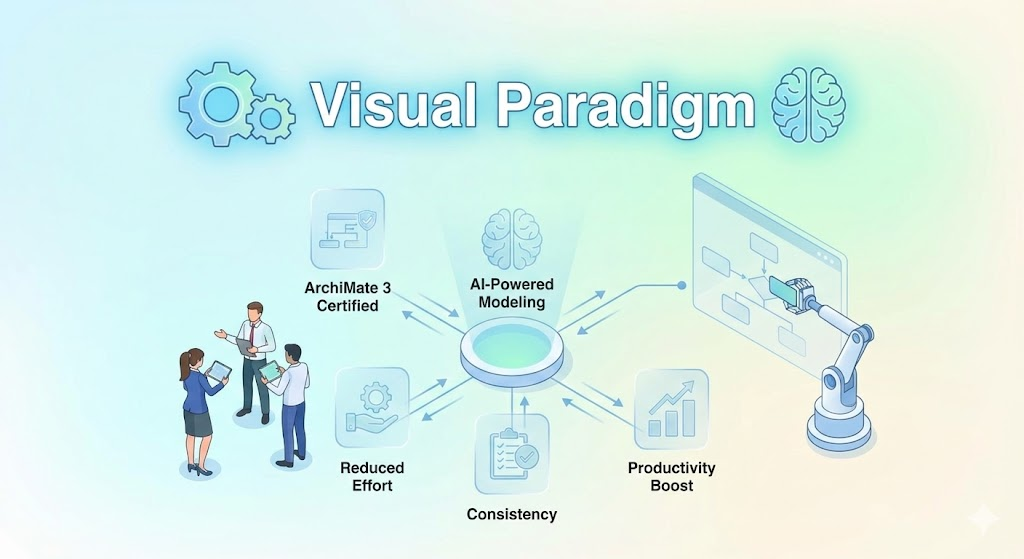
Step-by-Step Guide to Database Automation
The most efficient method to transition from abstract ideas to a normalized database involves a four-step, AI-guided process.
1. Conceptualization via Domain Class Diagrams
The workflow begins with intent. Instead of manually dragging shapes onto a canvas, the process starts by describing the application domain in plain English. The AI engine interprets this natural language input to automatically generate a Domain Class Diagram.
This step visualizes high-level objects and their attributes in a fully editable format. By automating the initial layout, the tool ensures the structural foundation is accurate immediately, removing the tedium of manual graphical modeling.
2. Automated Transition to Entity Relationship Diagrams (ERD)
Once the Class Diagram is established, the platform facilitates an automated conversion into a database-specific Entity Relationship Diagram (ERD). This transition is critical for moving from an object-oriented view to a relational data view.
- Automatic Definition: The AI automatically defines tables, columns, and foreign key constraints based on the relationships established in the class structure.
- Conversational Refinement: Complex modeling concepts can be handled through an AI Chatbot. Users can refine the database structure using natural language commands, such as “Add payment gateway” or “Rename Customer to Buyer,” allowing for rapid iteration without menu diving.
3. Schema Generation and Intelligent Normalization
Perhaps the most challenging aspect of database design is normalization—the process of organizing data to reduce redundancy and improve data integrity. Visual Paradigm AI translates the ERD into PostgreSQL-compatible SQL DDL statements and employs an Intelligent Normalization engine to optimize the schema.
This engine performs several critical functions:
- Stepwise Optimization: The AI progressively refines the schema, moving from 1NF to 2NF and finally to 3NF (Third Normal Form).
- Redundancy Elimination: It actively identifies and removes data redundancies to prevent future data anomalies.
- Educational Rationales: To ensure the process remains transparent, the AI provides detailed explanations for every normalization change. This helps developers understand the architectural improvements being made, turning the automation into a learning experience.
4. Validation in the Interactive Playground
Deploying a database without testing is risky. To validate the automated design, the workflow includes a Live SQL Playground. The AI automatically seeds this environment with realistic sample data, allowing users to run queries and test the schema instantly via an in-browser client. This eliminates the need for local database installations during the prototyping phase.
Alternative: Manual Model-Driven Synchronization
While the AI workflow offers speed and optimization, there are scenarios where manual control is preferred. For users with existing models or those who require granular, non-AI intervention, the Hibernate Synchronization tool serves as a robust alternative.
This approach allows for the mapping of entities to classes and columns to attributes via a configuration dialog. While effective, it involves significantly more manual configuration compared to the AI-guided workflow.
Summary of Benefits
| Feature | Manual Modeling | AI DB Modeler Workflow |
|---|---|---|
| Input Method | Drag-and-drop shapes | Natural Language / Plain English |
| Normalization | Manual analysis required | Automated 1NF to 3NF Optimization |
| Schema Refinement | Manual property editing | Conversational AI Chatbot |
| Testing | Local installation & manual data entry | Instant Live SQL Playground with Sample Data |
By utilizing the DB Modeler AI workflow, developers can bridge the gap between conceptual class diagrams and normalized database schemas seamlessly. It transforms a task that typically requires deep technical expertise and hours of labor into a streamlined, guided process.
This post is also available in Deutsch, Español, فارسی, Français, English, Bahasa Indonesia, 日本語, Polski, Portuguese, Ру́сский, Việt Nam, 简体中文 and 繁體中文.