


Hey there! If you’ve ever sat down to map out a new business idea, you know how totally overwhelming that blank page can feel. It’s a lot, right? You’ve got this brilliant vision, like SkillBridge—an online learning platform designed to connect pros with job-ready skills—but trying to figure out how every little piece of the puzzle fits together can make your head spin. No sweat, though. We’re going to walk through how a professional AI-powered Business Model Canvas builder can take that weight off your shoulders and help you find your flow.
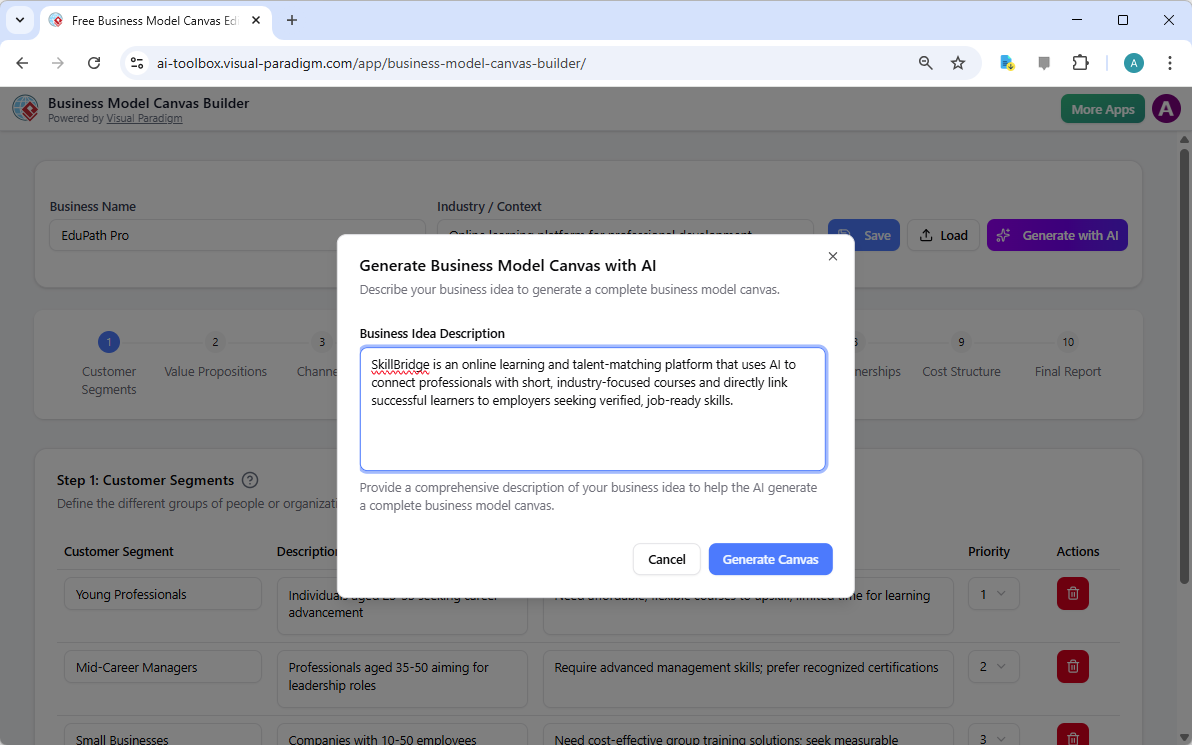
When you first jump into the Visual Paradigm Online interface, you’re greeted by a super clean landing screen. It’s very chill and straightforward. You just pop in your business name and a quick description of what you’re trying to do. In the case of SkillBridge, we’re looking at an AI-driven platform for professional development. The “Generate with AI” button is basically your “easy button” here; it takes your initial thoughts and sketches out a complete strategic foundation so you aren’t starting from zero.
Quick Summary: Why This Tool Is a Game Changer
-
Instant Strategy: Use AI to generate a full 9-block canvas in seconds instead of spending weeks overthinking it.
-
Step-by-Step Ease: A 10-step wizard breaks the complex “Business Model Canvas” into bite-sized, manageable pieces.
-
Privacy First: Your data stays yours; projects save as local .json files on your own machine.
-
Professional Output: Turn your messy ideas into a clean, one-page report that’s ready for investors or team huddles.
-
Educational Support: Built-in help modals explain every concept as you go, so you’re learning while you’re building.
Nailing the Fundamentals: Customer Segments and Value Propositions
The first thing this easy-to-use business strategy tool asks you to look at is your Customer Segments. It’s all about being super specific about who you’re serving. For SkillBridge, the tool helps identify groups like Mid-Career Professionals or Entry-Level Job Seekers. You can actually rank these by priority, which is legit helpful because you can’t be everything to everyone at once. Seeing it all laid out in a clean table makes it much easier to breathe and focus.

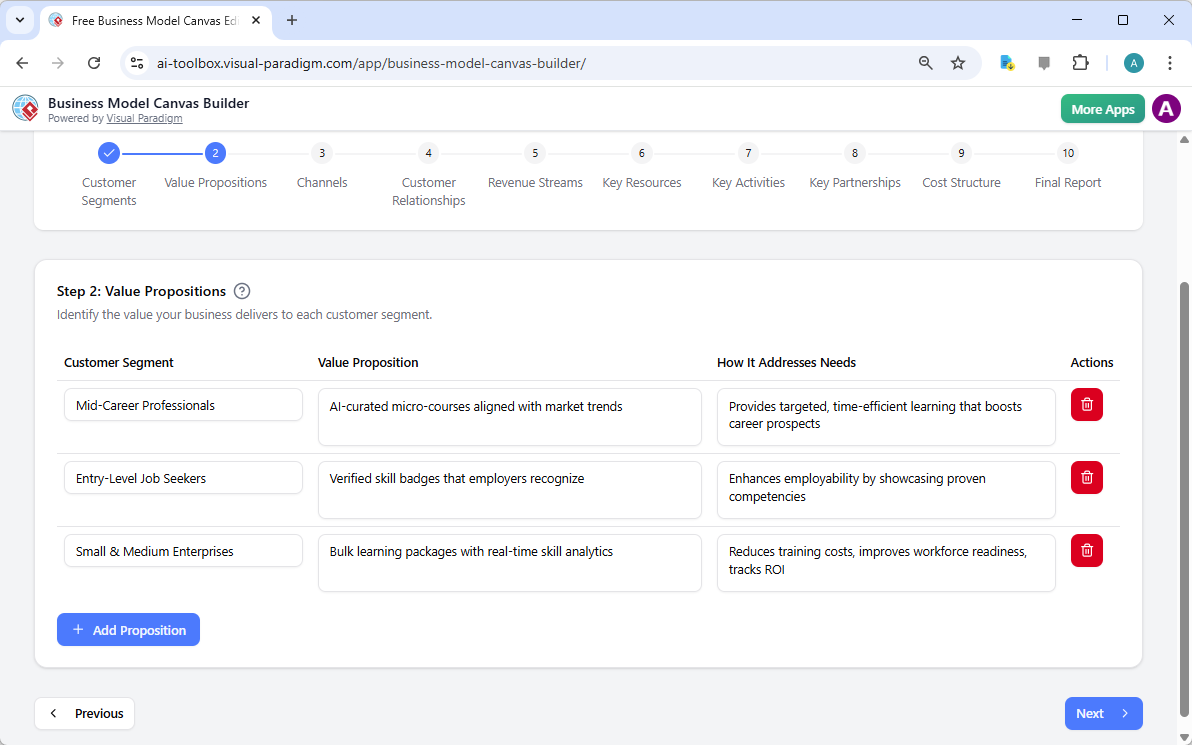
Once you know who you’re talking to, Step 2 is all about the “Value Propositions.” This is where you define exactly what makes your business special for each of those groups. The AI-powered Business Model Canvas builder might suggest things like “verified skill badges” for job seekers or “bulk learning packages” for enterprises. It’s so soothing to see the connection between a customer’s pain point and your specific solution right there on the screen.
Connecting the Dots: Channels and Relationships
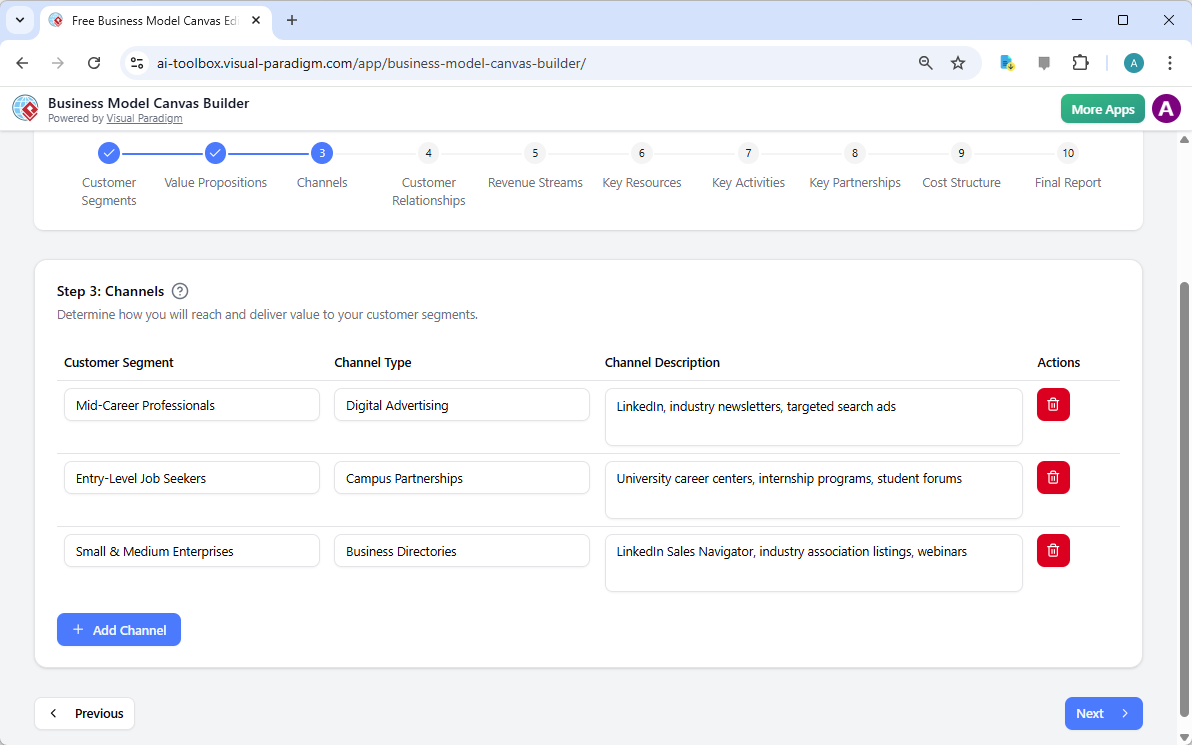
Now that you’ve got the “who” and the “what,” you need to figure out the “how.” Step 3 dives into Channels. This is literally just how you reach your people. For a digital-first brand like SkillBridge, the tool suggests things like LinkedIn ads or campus partnerships. Each channel is categorized by type, giving you a very precise look at your marketing and delivery architecture without the typical stress of a massive spreadsheet.
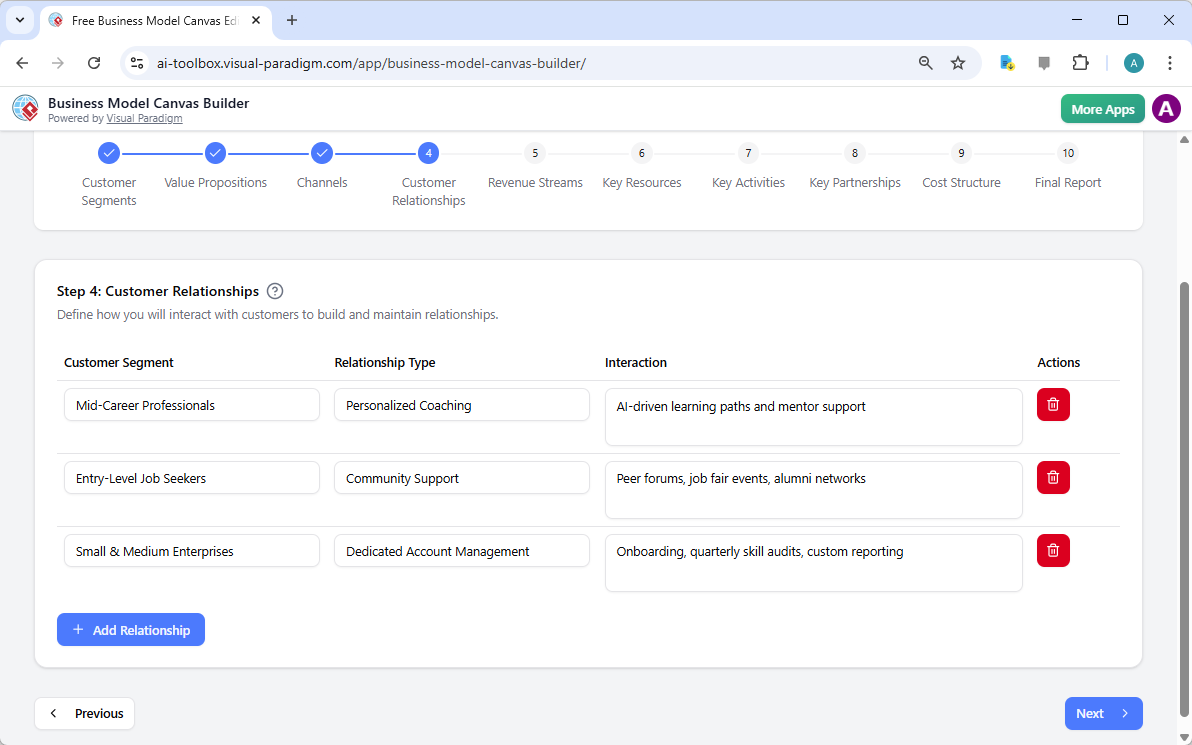
Step 4 is where things get more personal with Customer Relationships. It’s about the vibe you want to maintain with your users. Are you going for personalized coaching or more of a community-driven support model? The interface lets you list these interactions clearly, ensuring you don’t forget the human element of your business model. It’s all about building that trust and keeping those connections strong over the long haul.
Making It Sustainable: Revenue and Resources
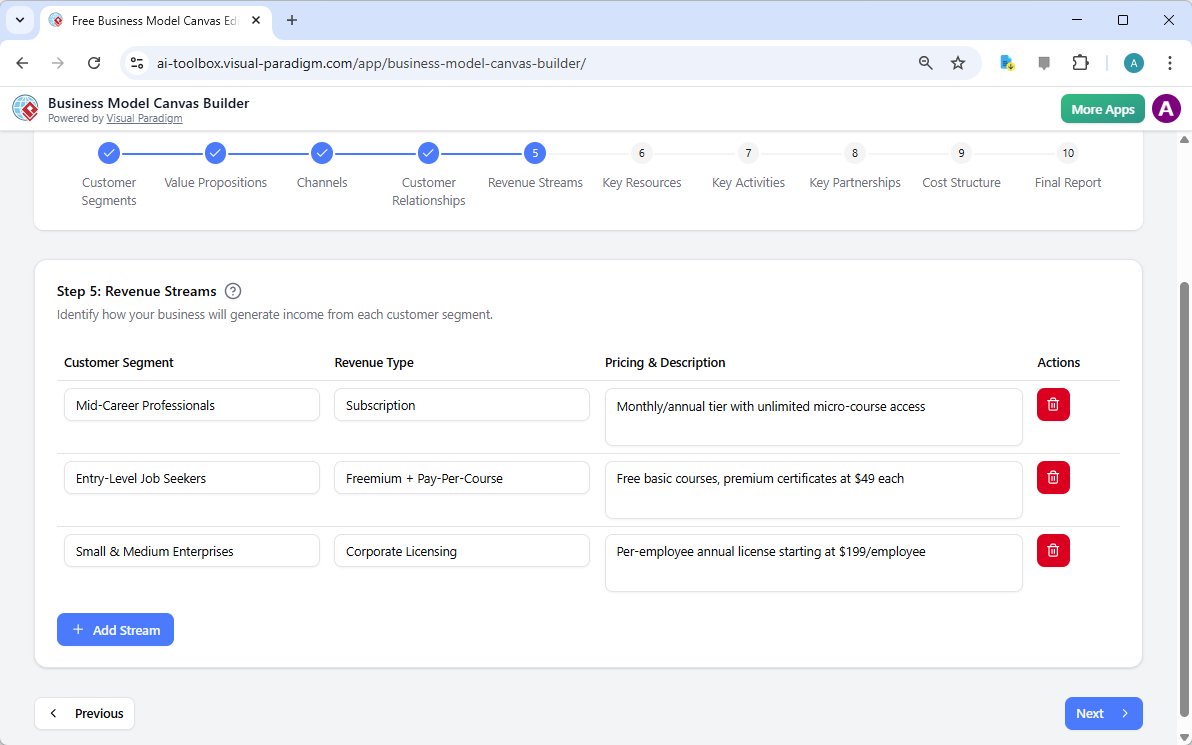
We’ve gotta talk about the money eventually, right? Step 5 handles Revenue Streams. This part of the online business model maker helps you visualize different ways to keep the lights on—like subscriptions for individuals or corporate licensing for bigger companies. It even lets you jot down pricing descriptions so you have a realistic sense of your cash flow right from the jump.
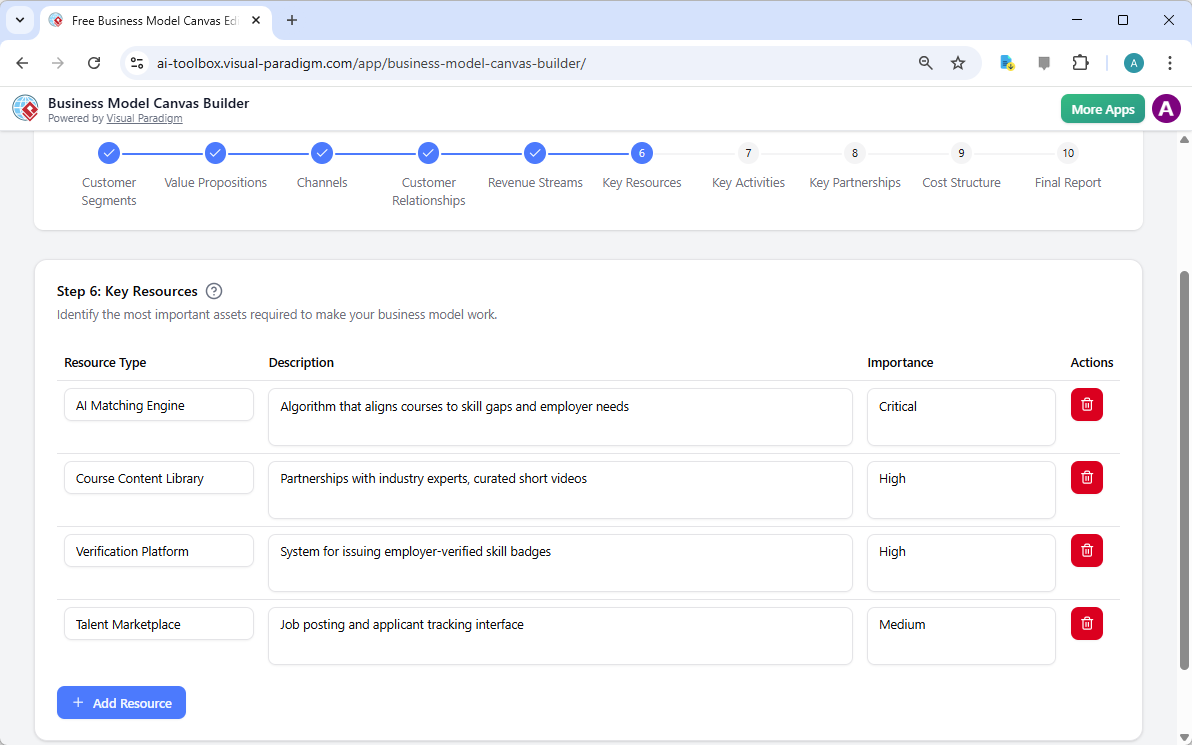
Next up is Step 6: Key Resources. These are the “must-haves” for your business to actually function. For SkillBridge, that means things like an AI matching engine and a solid library of course content. The tool includes an “Importance” column, so you can label things as “Critical” or “High,” helping you prioritize where to spend your budget and energy first. It’s a very grounding way to look at your assets.
The Behind-the-Scenes: Activities and Partnerships
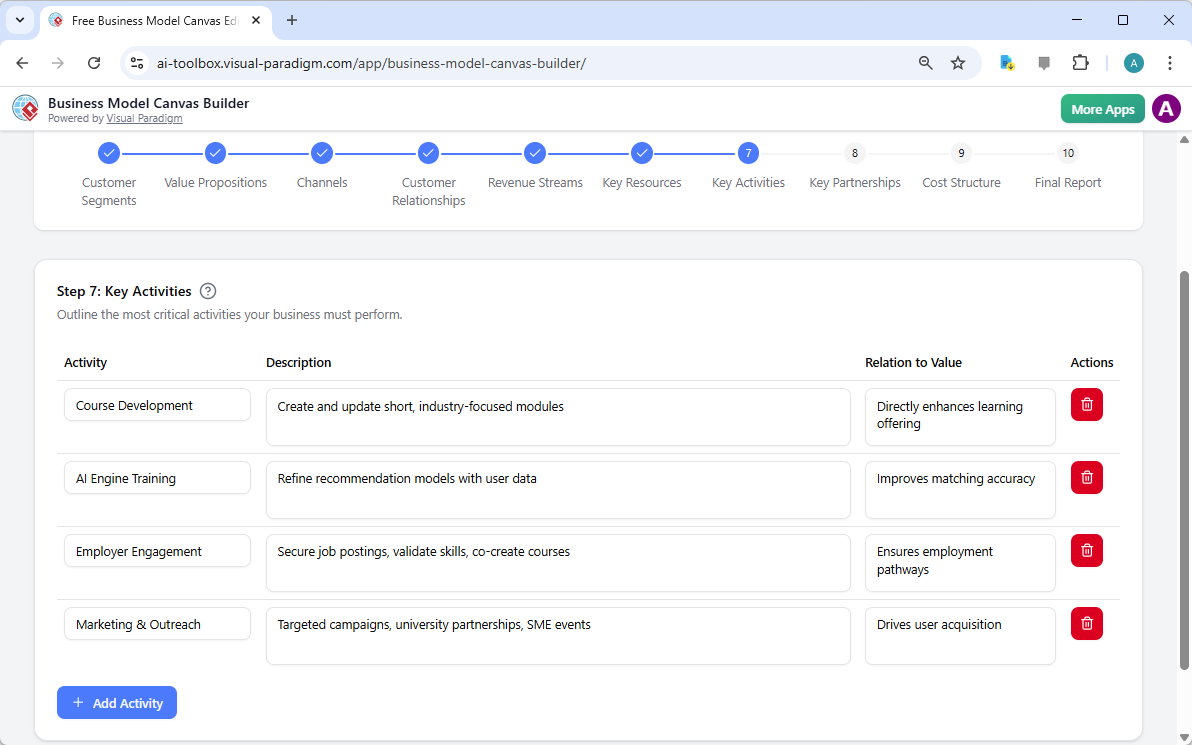
Step 7 focuses on Key Activities—the actual work you’re doing every day to deliver value. Whether it’s course development or training your AI engine, listing these out helps you see if your team’s daily grind actually aligns with your big-picture goals. It’s a great way to cut out the fluff and stay productive on the stuff that really matters.
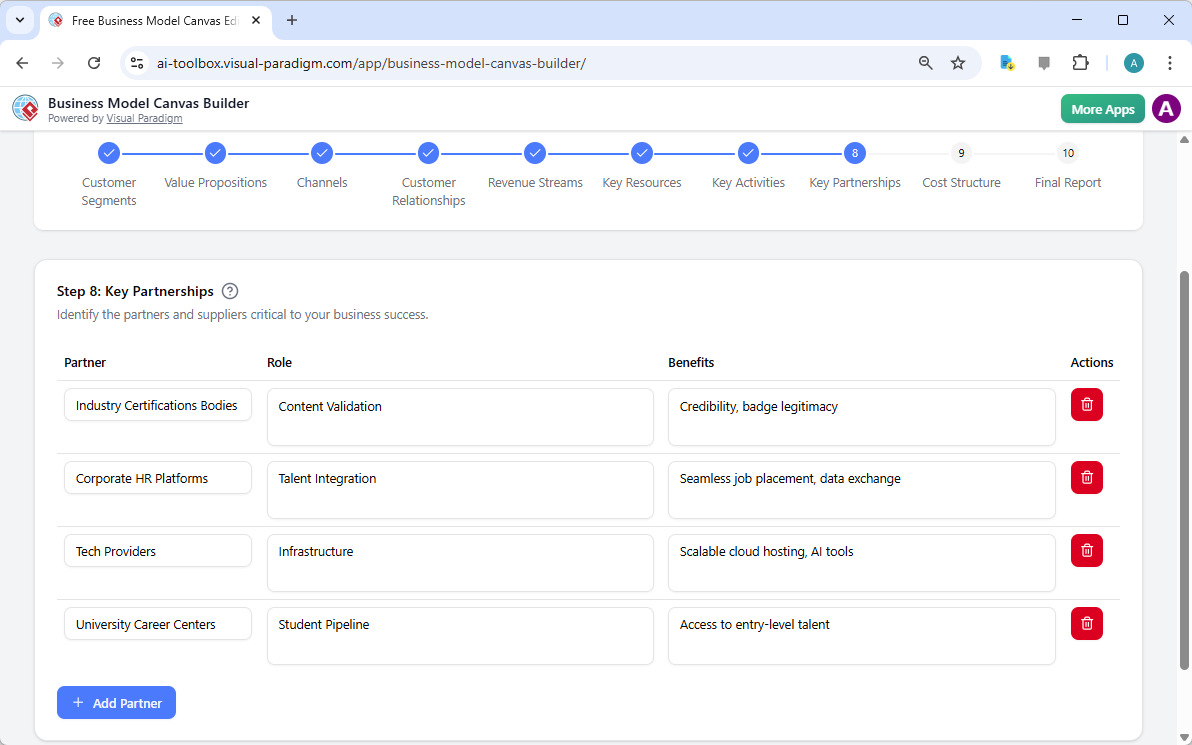
No business is an island, and Step 8: Key Partnerships reminds us of that. This is where you list your allies, like industry certification bodies or tech providers. By defining their roles and the specific benefits they bring, you can see exactly how your network supports your growth. It’s super reassuring to know you have a support system mapped out in your strategy.
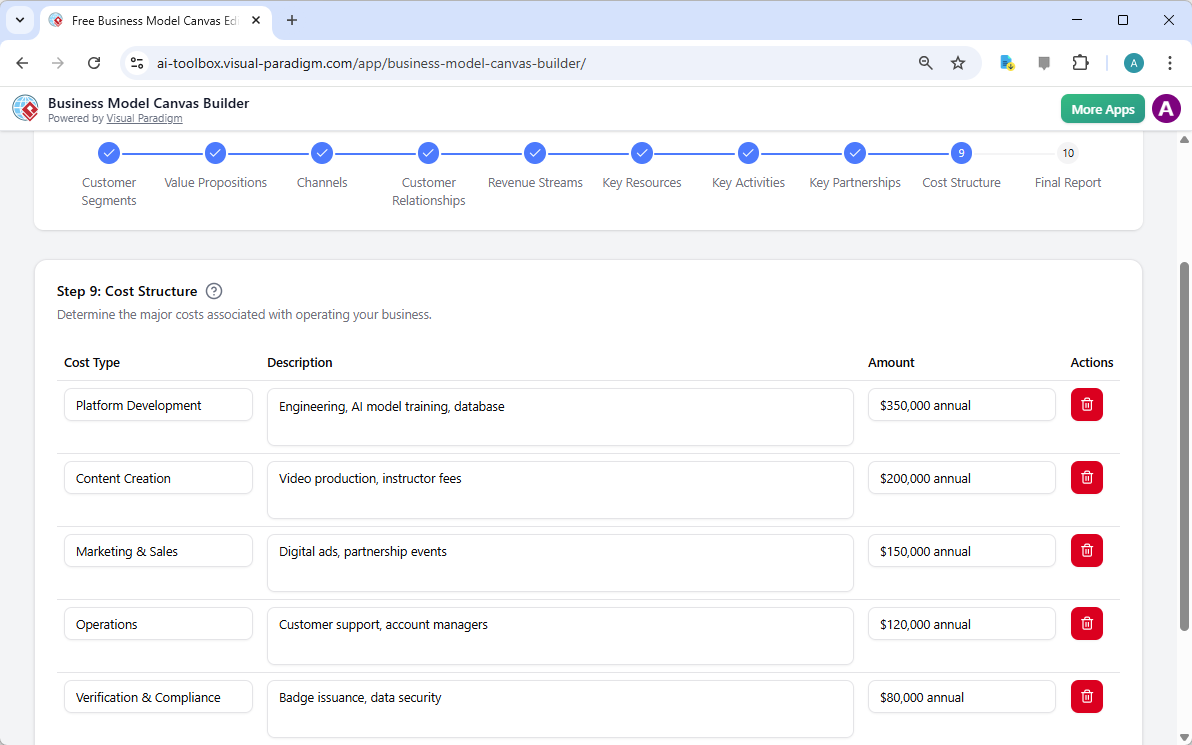
Finally, we hit Step 9: Cost Structure. This is where you face the financial reality of platform development, marketing, and operations. You can add specific annual amounts for each cost type, which gives you a very clear, data-driven view of your burn rate. It’s serious business, but having it all organized makes it way less scary to manage.
The Big Picture: Your Final Business Model Report
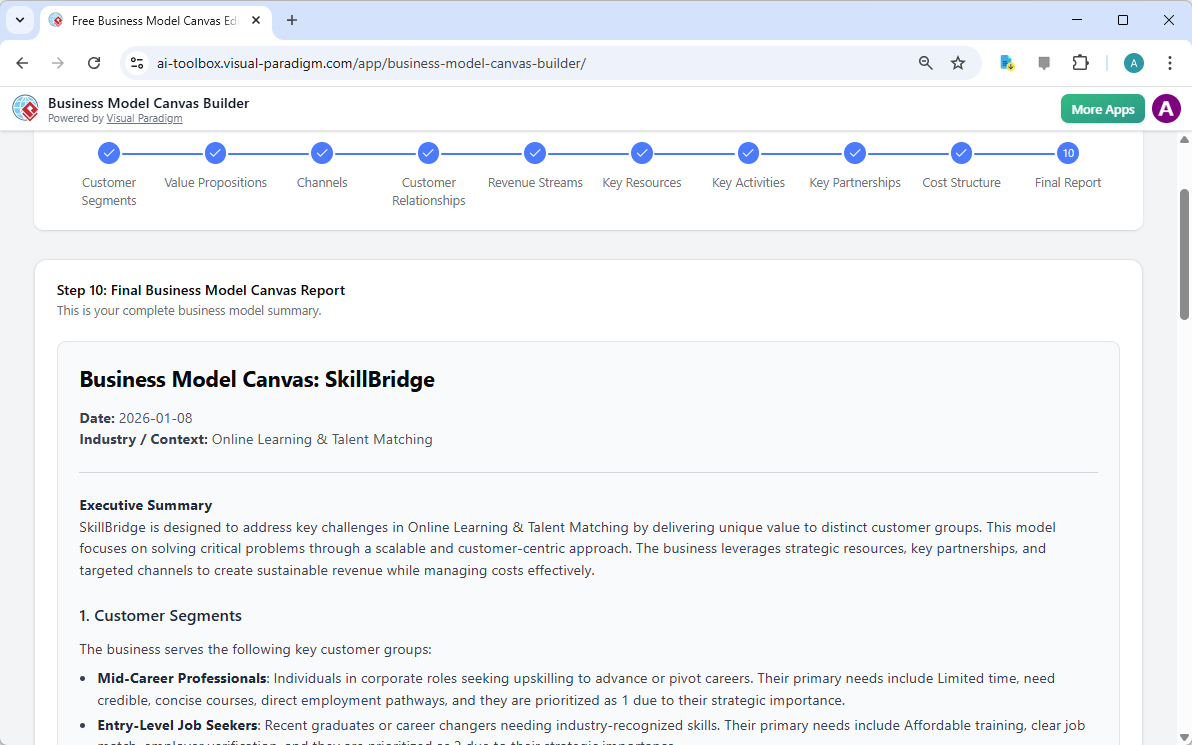
After you’ve walked through all nine steps, you reach the “Final Report” in Step 10. This is the most satisfying part of the whole process. The professional Business Model Canvas tool takes everything you’ve entered—or everything the AI helped you generate—and consolidates it into the classic one-page canvas layout. You get a clean executive summary followed by a detailed breakdown of every block. It’s a total “aha!” moment where you can finally see your entire vision for SkillBridge on a single page.
Because privacy is a big deal, the tool doesn’t just toss your data into the cloud. You can save your project as a local file and load it back up whenever you need to pivot or refine things. And when you’re ready to show the world, just use your browser’s print function to save it as a PDF. It’s a super smooth, professional way to handle your strategic planning without any of the usual headache.
If you’re feeling ready to turn your “what if” into a “here’s the plan,” you should totally check out this tool. It’s a peaceful, structured way to build something amazing. You can learn more about the features at the Visual Paradigm AI Business Model Canvas info page. When you’re ready to start building your own SkillBridge-level strategy, just head over to the Business Model Canvas Builder app and give it a spin. You’ve got this!
Related Link
-
Business Model Canvas Software – Visual Paradigm Online: Discover a powerful, cloud-based business model canvas tool designed for visualizing and refining business strategies with intuitive drag-and-drop features and real-time collaboration.
-
Business Model Canvas Tool – Visual Paradigm: A comprehensive business model canvas tool that enables entrepreneurs and teams to design, analyze, and iterate on business models using a structured, visual framework.
-
Business Model Canvas Templates – Visual Paradigm Online: Access a wide range of professionally designed business model canvas templates for startups, enterprises, and innovation teams to accelerate strategy development.
-
Visual Paradigm Canvas – Collaborative Strategy Tool: A modern, web-based canvas platform for creating and sharing business model canvases, lean startup frameworks, and strategic diagrams in real time.
-
Comprehensive Tutorial: Visual Paradigm Model Canvas Tool: A step-by-step guide to mastering the Visual Paradigm model canvas tool for effective business modeling, strategy development, and innovation planning.
-
Business Model Canvas – Visual Paradigm Canvas Platform: A dedicated space on Visual Paradigm Canvas for creating, customizing, and sharing business model canvases with real-time collaboration and template support.
-
Business Model Canvas Builder – Visual Paradigm: An easy-to-use canvas builder that helps users rapidly prototype and refine business models with customizable templates and dynamic elements.
-
Complete Guide to the Business Model Canvas (BMC) – Visual Paradigm: A thorough guide explaining the Business Model Canvas framework, its 9 building blocks, practical applications, and real-world examples for business innovation.
This post is also available in Deutsch, Español, فارسی, Français, English, Bahasa Indonesia, 日本語, Polski, Portuguese, Ру́сский, Việt Nam, 简体中文 and 繁體中文.