


Introduction
As someone who has spent countless hours wrestling with cloud architecture diagrams—dragging icons, aligning connectors, and second-guessing whether my infrastructure design actually makes sense—I was skeptical when I first heard about AI-powered diagram generators. Could a machine really understand the nuances of cloud architecture? After spending several weeks testing Visual Paradigm’s AI Cloud Architecture Studio, I decided to share my genuine experience, warts and all, for fellow architects, developers, and tech decision-makers who might be considering this tool.

What I Found: An AI-Powered Design Assistant
The AI Cloud Architecture Studio is essentially a web-based platform that claims to transform natural language descriptions into professional cloud infrastructure diagrams. Launched in early 2026, it positions itself as a solution to the tedious manual work of creating architecture diagrams. I approached it with cautious optimism, knowing that AI tools often promise more than they deliver.
My Experience with the Core Features
Natural Language Processing That Actually Works
What surprised me most was that I could describe my infrastructure needs in plain English, and the system actually understood. I tested it with a scenario: “I need a scalable e-commerce platform with user authentication, payment processing, and inventory management.” The AI didn’t just throw random services together—it identified logical components and their relationships.
The Guided Discovery Process
The “Technical Deep Dive” feature stood out during my testing. Instead of leaving me to figure out every technical detail, the AI asked targeted questions about database preferences, expected traffic loads, and security requirements. This interview-style approach helped me think through aspects I might have overlooked in a traditional diagramming session.
Architecture Strategy Selection
One feature I found particularly practical was the ability to choose architectural strategies like “Low Cost / MVP,” “High Availability,” “Enterprise Grade,” or “Edge Optimized.” When I selected “High Availability” for a project, the AI automatically incorporated redundancy and failover mechanisms into the design—something that would have taken me significant time to research and implement manually.
Multi-Cloud Flexibility
I appreciated that the studio wasn’t locked into a single cloud provider. During my evaluation, I created diagrams for AWS, Azure, and Google Cloud Platform, and even experimented with hybrid scenarios. This flexibility is crucial for organizations operating in multi-cloud environments or those still evaluating their cloud strategy.
My Step-by-Step Journey: Creating an Azure Diagram
Here’s exactly how I approached creating my first diagram, in case you’re considering trying it yourself:
Step 1: Setting the Context
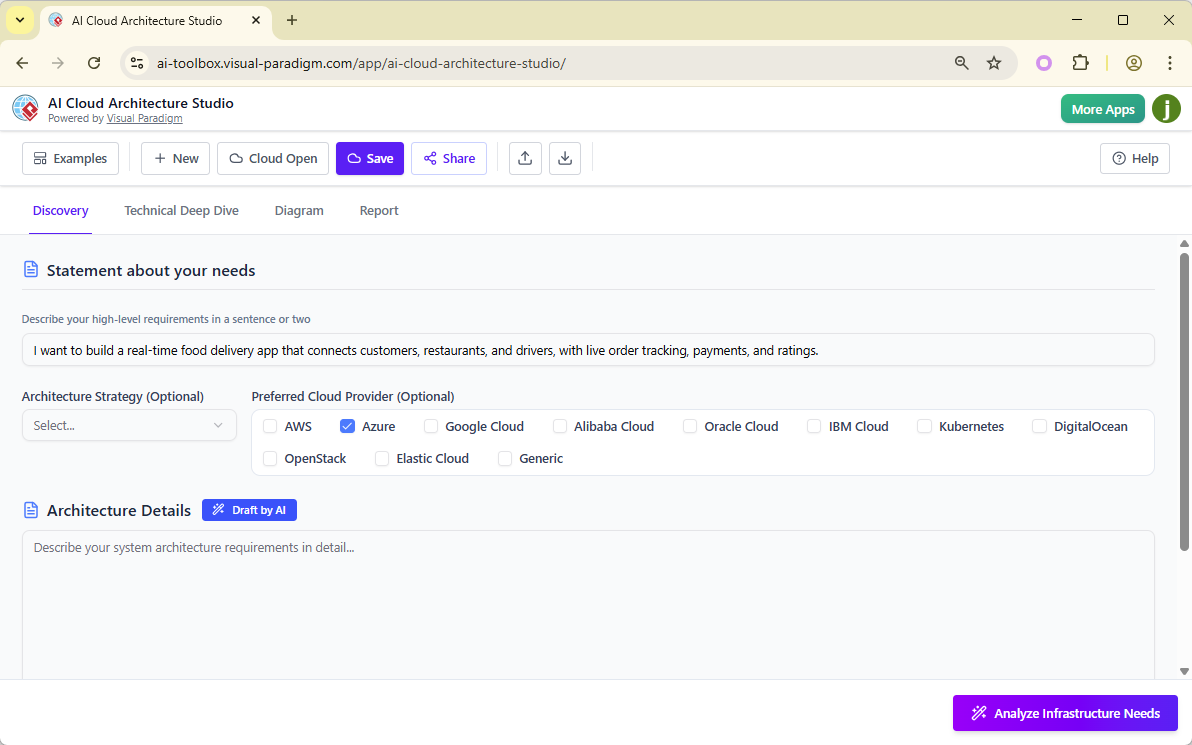
I started in the Discovery tab, describing my project: “I want to build a real-time food delivery app that connects customers, restaurants, and drivers, with live order tracking, payments, and ratings.” I selected Azure as my preferred cloud provider and chose “High Availability” as my architecture strategy.
Step 2: Letting AI Draft the Architecture
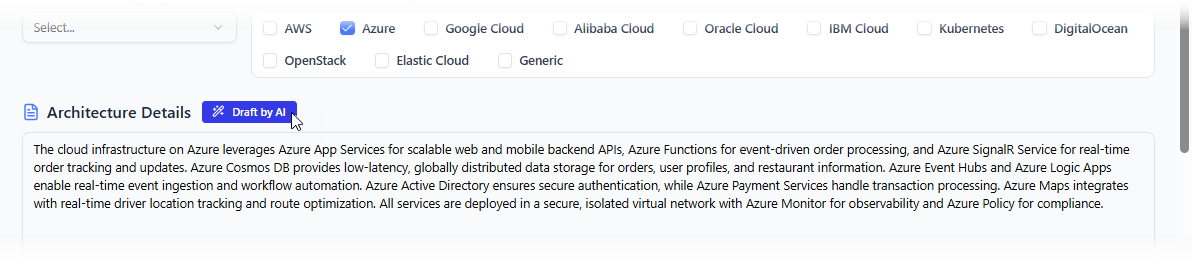
Rather than starting from scratch, I clicked Draft by AI and let the system generate an initial architecture description. This gave me a solid foundation to refine rather than facing a blank canvas.
Step 3: Answering Clarifying Questions
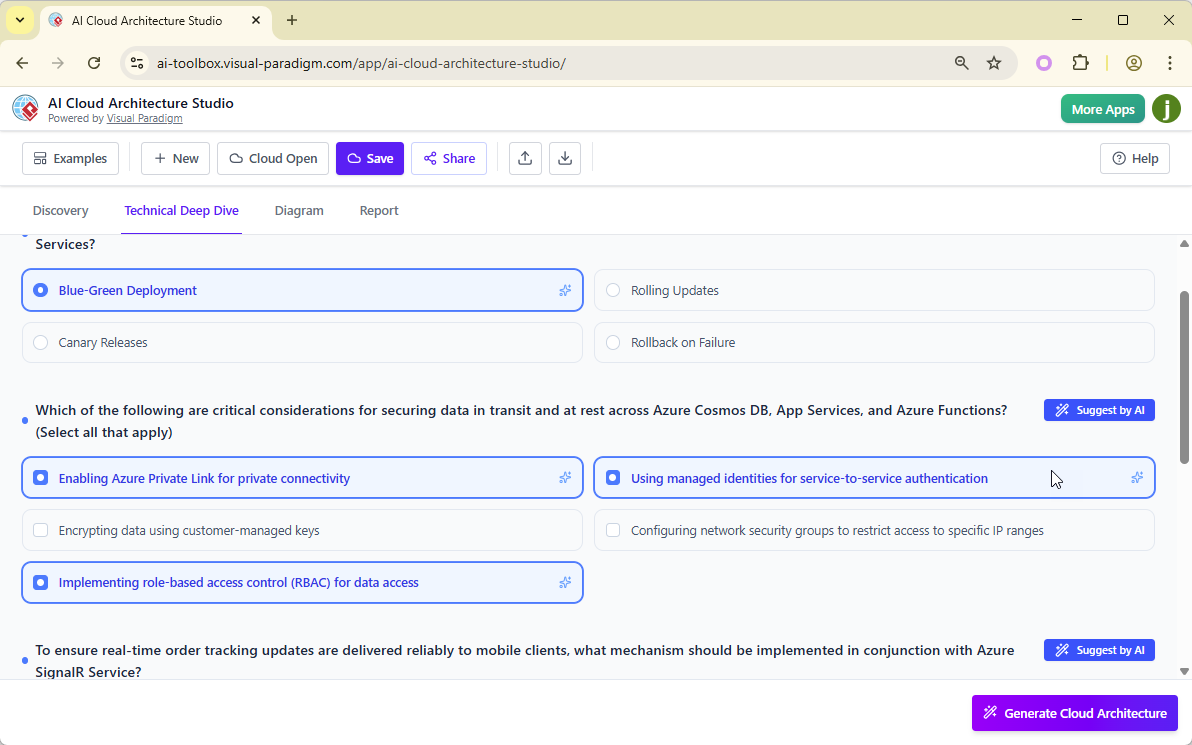
After clicking Analyze Infrastructure Needs, the AI presented me with a series of questions about my specific requirements. Some were multiple-choice, others required text input. When I wasn’t sure about certain technical decisions, I used the Suggest by AI feature, which provided reasonable recommendations based on industry best practices.
Step 4: Generating the Diagram
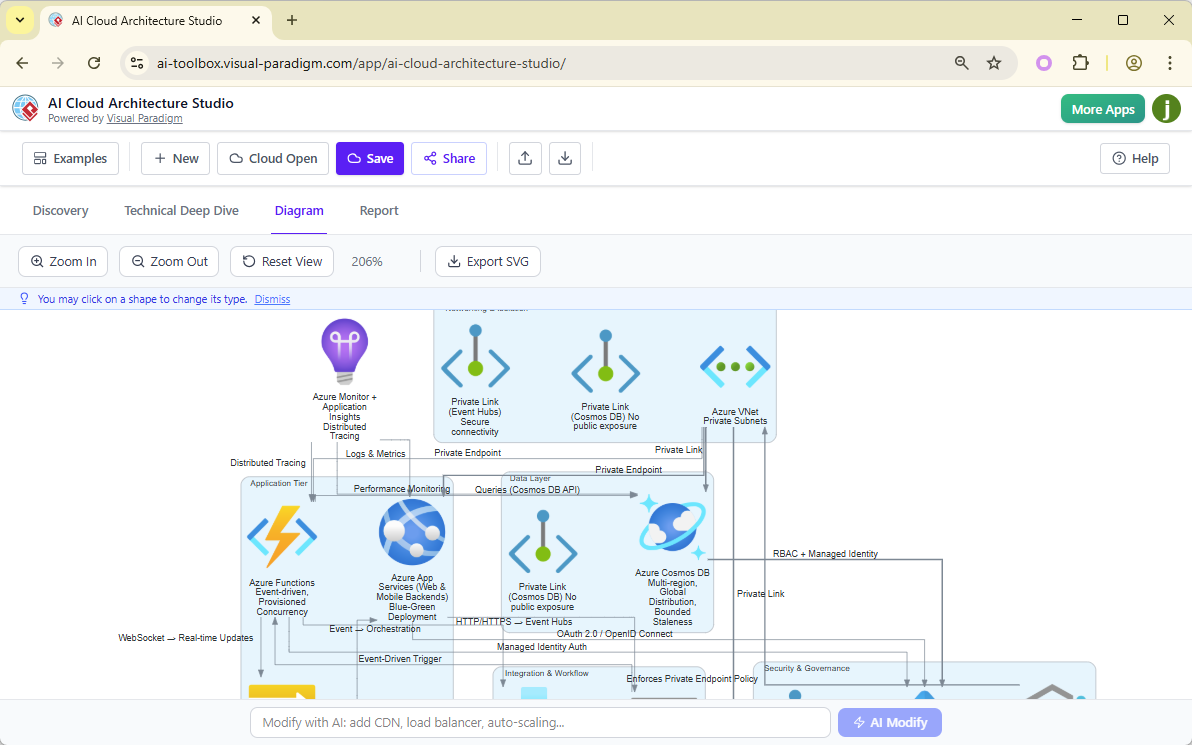
This is where the magic happened. After clicking Generate Cloud Architecture, I waited a couple of minutes while the AI processed my inputs. The result was a comprehensive Azure architecture diagram that included all the components I needed, properly connected and labeled.
Step 5: Making Adjustments
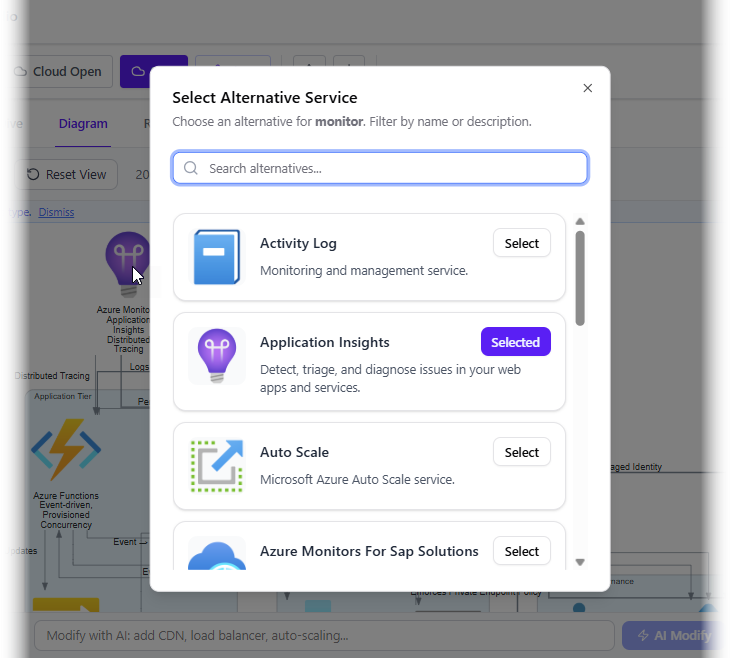
The diagram wasn’t perfect out of the box, but that’s okay. I found I could click on any component to swap it with alternatives. For instance, I replaced a standard VM with a serverless function by simply clicking the shape and selecting from the popup menu.
Step 6: Exporting and Sharing
Once satisfied, I exported the diagram as an SVG file, which maintained perfect quality even when scaled for presentations. The Share button also made collaboration with my team straightforward.
Step 7: Generating Documentation
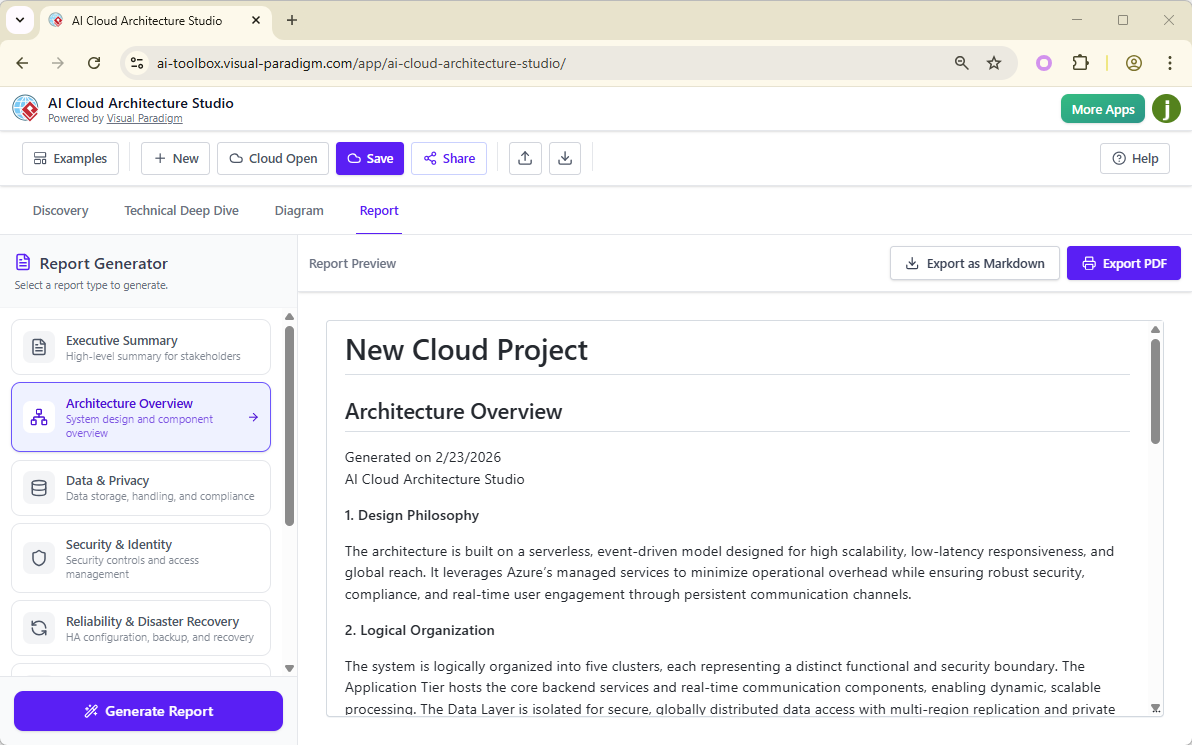
Perhaps unexpectedly, one of my favorite features was the Report tab. I generated both executive summaries and technical implementation guides, exporting them as PDFs for stakeholder reviews.
What Genuinely Impressed Me
Time Savings: What would have taken me 4-6 hours to design manually was accomplished in about 45 minutes, including refinement time.
Learning Tool: As someone still expanding my multi-cloud knowledge, the AI’s suggestions exposed me to services and patterns I hadn’t considered.
Iterative Design: The ability to request changes using natural language (“Add a CDN for static content” or “Make the database geo-redundant”) made iterations incredibly fast.
Professional Output: The SVG exports looked polished enough for client presentations and architectural review boards.
Honest Considerations and Limitations
Not a Replacement for Expertise: The AI provides excellent starting points, but you still need cloud architecture knowledge to validate decisions and understand trade-offs.
Learning Curve: While easier than manual diagramming, there’s still a learning curve to writing effective prompts and understanding the AI’s suggestions.
Internet Dependency: Being a web-based tool, it requires a stable internet connection, which might be a concern for some enterprise environments.
Cost Considerations: While I found the time savings valuable, organizations should evaluate the pricing against their diagramming frequency and team size.
Who I Think Would Benefit Most
Based on my experience, this tool seems ideal for:
-
Cloud architects who need to rapidly prototype and iterate on designs
-
Development teams transitioning to cloud-native architectures
-
Consultants who create architecture diagrams for multiple clients
-
Students and learners wanting to understand cloud architecture patterns
-
Business analysts who need to visualize technical solutions for stakeholders
Conclusion
After weeks of hands-on testing, I can say that Visual Paradigm’s AI Cloud Architecture Studio delivers on its core promise: it significantly accelerates the cloud architecture design process while maintaining professional quality. It’s not a magic button that replaces architectural expertise, but rather an intelligent assistant that handles the tedious aspects of diagram creation, allowing you to focus on strategic decisions.
The natural language interface genuinely works, the multi-cloud support is comprehensive, and the ability to generate both diagrams and documentation from a single input is surprisingly powerful. My main recommendation is to approach it as a collaborative tool—let the AI handle the heavy lifting of component placement and initial design, but apply your expertise to validate and refine the output.
For teams creating multiple cloud architecture diagrams or those looking to standardize their design process, this tool represents a meaningful productivity boost. I’d suggest taking advantage of any trial period to test it with your actual use cases before committing.
References
- AI Cloud Architecture Studio – Visual Paradigm: Official product page detailing features and capabilities of the AI-powered cloud architecture design tool
- Revolutionizing Cloud Design: A Deep Dive into Visual Paradigm’s AI Cloud Architecture Studio: Comprehensive analysis and review of the AI Cloud Architecture Studio’s impact on cloud design workflows
- AI Cloud Architecture Studio Launch Announcement: Official release notes and announcement of the AI Cloud Architecture Studio launch in early 2026
- AI Cloud Architecture Studio Tool: Direct access to the web-based AI Cloud Architecture Studio application
- AI Cloud Architecture Studio Overview: Independent review and feature breakdown of Visual Paradigm’s AI-driven cloud architecture solution
- AI AWS Architecture Diagram Generator: Specialized guide for generating AWS architecture diagrams using AI
- AI DigitalOcean Architecture Diagram Generator: Guide for creating DigitalOcean infrastructure diagrams with AI assistance
This post is also available in Deutsch, Español, فارسی, Français, English, Bahasa Indonesia, 日本語, Polski, Portuguese, Ру́сский, Việt Nam, 简体中文 and 繁體中文.