


Enterprise Architecture (EA) frameworks can feel overwhelming when starting out. Among the various methodologies available, ArchiMate stands out as a standardized modeling language. It is designed to describe, analyze, and visualize the architecture of an enterprise. Whether you are a business analyst, IT architect, or consultant, understanding this language is crucial for aligning business strategy with technology execution.
This guide addresses 15 common questions asked by individuals new to the framework. We focus on the core concepts, structural relationships, and practical application without referencing specific commercial tools. The goal is to provide clarity on how to model complex systems effectively.
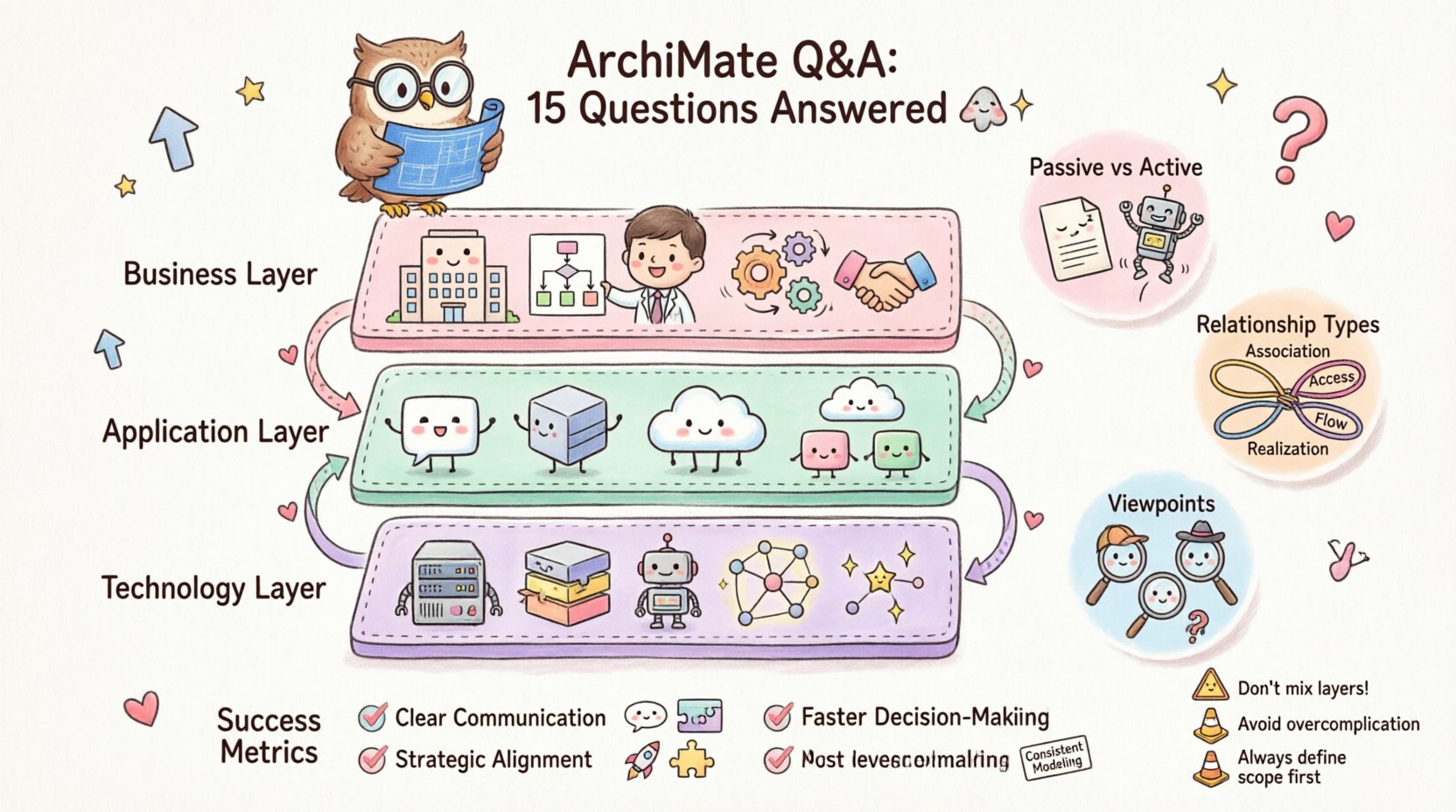
Section 1: Foundations and Core Concepts 🏗️
1. What exactly is ArchiMate?
ArchiMate is a modeling language for enterprise architecture. It provides a structured approach to describing, visualizing, and analyzing an enterprise’s architecture. Unlike a programming language, it does not execute code. Instead, it acts as a bridge between business requirements and technical implementation.
- Standardization: It is maintained by The Open Group, ensuring global consistency.
- Visualization: It uses specific symbols and colors to represent different elements.
- Abstraction: It allows architects to view systems at different levels of detail.
When you create an architecture model, you are defining the static structure and dynamic behavior of the enterprise. This helps stakeholders understand how changes in one area impact another.
2. Why use ArchiMate instead of other diagrams?
While tools like UML or BPMN exist, they serve different purposes. UML focuses on software structure and behavior, while BPMN centers on business processes. ArchiMate covers the broader scope of the entire enterprise.
Key advantages include:
- Multi-layered View: It connects Business, Application, and Technology layers seamlessly.
- Traceability: You can trace a business requirement down to the physical server hosting the application.
- Interoperability: It supports integration with other standards and frameworks.
This holistic view prevents siloed thinking where IT teams build systems without understanding business needs.
3. What are the three primary layers in ArchiMate?
The framework divides the enterprise into three main layers to manage complexity. Each layer represents a specific domain of the organization.
- Business Layer: Focuses on business processes, roles, and functions. It describes how the organization operates.
- Application Layer: Describes the software applications and services that support business processes.
- Technology Layer: Represents the infrastructure, hardware, and networks that host the applications.
These layers are not isolated. Changes in the Technology layer often ripple up to affect the Application and Business layers. Understanding these dependencies is critical for risk management.
4. Can I mix layers in a single diagram?
Yes, mixing layers is a core feature of ArchiMate. In fact, it is often necessary to show relationships across domains. For example, showing how a business function relies on a specific software service requires both the Business and Application layers.
However, best practices suggest keeping diagrams focused. A diagram with too many layers can become cluttered and difficult to read. Use layer separation to manage complexity, but connect them when showing dependencies.
5. What is the difference between a passive structure and an active structure?
This distinction defines how elements behave within the model.
- Passive Structure: Represents static things. Examples include Documents, Data Objects, and Hardware devices. They do not initiate action on their own.
- Active Structure: Represents things that can act. Examples include Business Actors, Application Components, and Devices. They initiate processes or services.
Understanding this difference helps in defining the flow of information and control within the enterprise.
Section 2: Relationships and Behavior 🔄
6. What are the main types of relationships used?
Relationships define how elements interact. The most common relationships include:
- Association: A general connection between two elements.
- Access: Indicates that one element reads or writes data in another.
- Flow: Shows the movement of information or material between elements.
- Realization: Indicates that one element implements or provides another (e.g., a process realizes a function).
- Aggregation: Indicates a part-whole relationship.
- Composition: A strong form of aggregation where the part cannot exist without the whole.
Choosing the correct relationship ensures the model accurately reflects reality. Misusing “Access” instead of “Flow” can lead to confusion about data movement.
7. How do I represent a business process?
Business processes are modeled using the Process or Function element. They describe a sequence of actions performed by a Business Actor or Organization.
To model a process effectively:
- Define the input and output data objects.
- Identify the actors responsible for the steps.
- Link the process to the capabilities it enables.
- Ensure the process aligns with organizational goals.
Processes should be granular enough to be actionable but broad enough to cover the end-to-end value chain.
8. What is the role of a Viewpoint?
A Viewpoint defines the perspective from which a model is viewed. Different stakeholders need different information.
- Manager Viewpoint: Focuses on high-level strategy and capability.
- Developer Viewpoint: Focuses on interfaces and component dependencies.
- Security Viewpoint: Focuses on roles and access rights.
A Viewpoint dictates which elements and relationships are visible in a specific diagram. This prevents information overload for specific audiences.
9. How do I model motivation?
Motivation elements explain why an architecture exists. They connect the technical model to business drivers.
- Goal: A desired state the enterprise wants to achieve.
- Principle: A rule or guideline that governs decisions.
- Requirement: A condition or capability that must be met.
- Assessment: An evaluation of how well requirements are met.
Linking a Capability to a Goal clarifies the business value of that capability. This is essential for justifying IT investments.
10. What is the difference between a Service and an Interface?
These terms are often confused but have distinct meanings in the framework.
- Service: A unit of business functionality offered by an Application Component. It represents the what is provided.
- Interface: A point of interaction. It represents the how the service is accessed.
A service is realized by an interface. A component may offer multiple services, each with its own interface. This separation allows the interface to change without affecting the underlying service logic.
Section 3: Implementation and Governance 📋
11. How does ArchiMate relate to Business Architecture?
ArchiMate is not just for IT. It is a language for the entire enterprise. Business Architecture is a major domain within the framework.
It helps define:
- Organizational structure and roles.
- Business capabilities and their maturity.
- Value streams and customer journeys.
- Information requirements.
By modeling the business side, architects ensure that technology solutions are grounded in actual operational needs.
12. Can ArchiMate be used for Agile development?
Yes, but it requires adaptation. Traditional modeling can be too rigid for fast-paced Agile environments.
Strategies for Agile integration:
- Just-in-Time Modeling: Create models only when needed for a specific release.
- Living Documentation: Keep the model updated continuously as the software evolves.
- High-Level Focus: Focus on capabilities and value streams rather than detailed component specs.
The goal is to use the language as a communication tool rather than a strict documentation requirement.
13. How do I handle versioning and change management?
Enterprise architecture is dynamic. Models must evolve as the organization changes.
Best practices include:
- Assigning version numbers to major releases of the model.
- Documenting the rationale for significant changes.
- Using baselines to capture the state of the architecture at a specific point in time.
- Establishing a governance board to approve architectural changes.
Without version control, it becomes difficult to understand why a decision was made or what the previous state looked like.
14. What are common mistakes made by beginners?
New users often fall into specific traps. Recognizing them early saves time.
- Over-complication: Creating diagrams with too many elements and relationships.
- Ignoring the Motivation Layer: Focusing only on structure and forgetting the business goals.
- Inconsistent Notation: Using symbols incorrectly or changing colors arbitrarily.
- Lack of Context: Presenting a diagram without explaining the scope or audience.
Start simple. A clear, simple diagram is more valuable than a complex, confusing one.
15. How do I measure the success of an ArchiMate implementation?
Success is not about the number of diagrams created. It is about the value derived from the architecture.
Metrics to consider:
- Communication: Do stakeholders understand the architecture better?
- Alignment: Are IT projects aligned with business strategy?
- Decision Speed: Does the model help make faster, informed decisions?
- Consistency: Is there a single source of truth for the enterprise?
If the architecture work is ignored by project teams, the implementation has not succeeded. The model must be integrated into the decision-making process.
Understanding Layer Dependencies 📊
To visualize how the layers interact, consider the following table. It outlines the typical flow of dependencies.
| Business Layer | Application Layer | Technology Layer |
|---|---|---|
| Business Process | Application Service | Network |
| Business Role | Application Component | Device |
| Business Function | Application Interface | System Software |
| Business Object | Data Object | Storage |
This structure helps in mapping business needs to technical specifications. When a Business Process changes, the Application Service supporting it must be reviewed. If the Application Component is updated, the underlying Device requirements may change.
Key Relationship Types Explained 📐
Relationships are the glue that holds the model together. The table below summarizes the most critical connections.
| Relationship | Direction | Example |
|---|---|---|
| Realization | Conceptual | A Function realizes a Process |
| Serving | Service-Oriented | An Application Service serves a Process |
| Access | Data Flow | A Component accesses a Data Object |
| Assignment | Resource Allocation | A Role is assigned to an Actor |
| Triggering | Event-Driven | An Event triggers a Process |
Using these relationships correctly ensures logical consistency. For instance, a Process should not “Access” a Data Object directly without an Application Component in between in a standard layered model.
Final Thoughts on Adoption 🚀
Adopting a modeling language is a journey, not a one-time event. It requires commitment from leadership and participation from architects. The value lies in the shared understanding it creates across the organization.
By answering these 15 questions, you have a foundation for starting your journey. Remember to keep the model relevant to your audience. Focus on solving problems rather than creating diagrams for the sake of diagrams. The best architecture is the one that is actually used to make decisions.
As you refine your skills, you will find that the language offers flexibility. It adapts to the size of the enterprise and the complexity of the systems. Whether you are modeling a small department or a global corporation, the principles remain the same. Clarity, consistency, and alignment are the pillars of success.
Start with the business. Define the goals. Then map the capabilities and processes. Finally, fill in the technical details. This top-down approach ensures that technology serves the business, not the other way around. With practice, the notation becomes second nature, allowing you to focus on the architecture itself.
This post is also available in Deutsch, Español, فارسی, Français, English, Bahasa Indonesia, 日本語, Polski, Portuguese, Ру́сский, Việt Nam, 简体中文 and 繁體中文.