


Infrastructure architecture forms the backbone of modern enterprise technology. It dictates how systems interact, how data flows, and how stability is maintained across complex environments. For architects navigating this landscape, a standardized modeling language provides clarity amidst complexity. ArchiMate offers a structured approach to visualizing, analyzing, and describing enterprise architectures. This guide focuses specifically on applying ArchiMate principles to infrastructure contexts, ensuring alignment between physical assets, logical services, and business outcomes.
Many practitioners struggle to translate technical realities into architectural models. This disconnect often leads to documentation that is either too abstract or too granular. By adhering to a disciplined modeling framework, infrastructure architects can create blueprints that serve both strategic planning and operational execution. The following sections detail the essential layers, core concepts, and practical steps required to begin modeling effectively without relying on specific software tools.
📐 Understanding the Core Layers
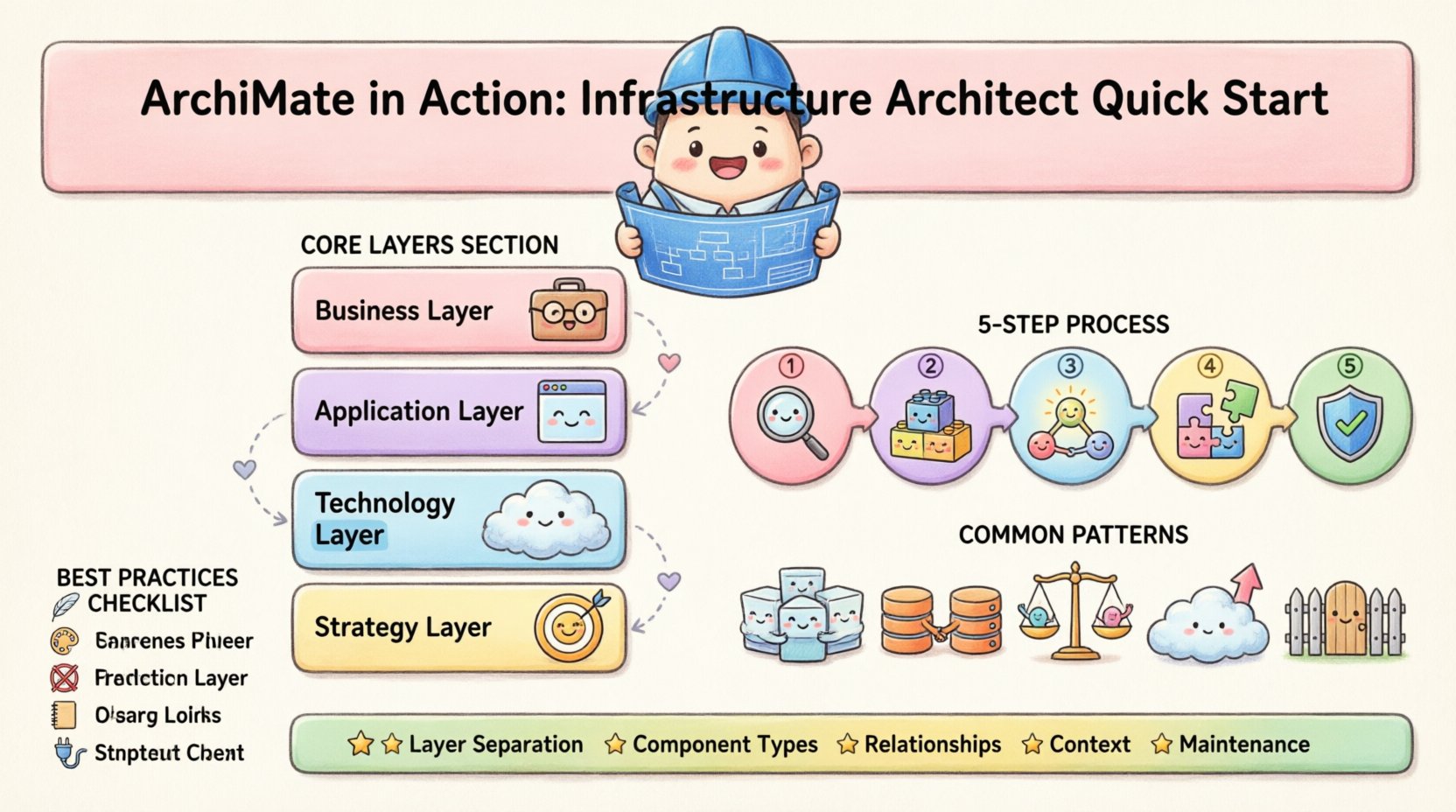
ArchiMate structures architecture into distinct layers. Each layer represents a specific viewpoint of the enterprise. For infrastructure architects, the Technology Layer is the primary focus, but understanding its interaction with other layers is crucial. A model that isolates infrastructure from business or application contexts often fails to deliver value. The following breakdown clarifies the relevant layers.
- Business Layer: Defines business processes, roles, and organizational structures. Infrastructure supports these elements by providing the necessary computational power.
- Application Layer: Describes software applications and their interfaces. Infrastructure hosts these applications, determining their availability and performance.
- Technology Layer: The core focus for this guide. It describes the physical and logical computing resources, including servers, networks, and storage devices.
- Strategy Layer: Defines the strategic goals and principles that drive architectural decisions.
When modeling infrastructure, it is vital to maintain the separation of concerns. Do not mix business processes directly with physical servers. Instead, use the Application Layer as a bridge. Applications consume services provided by the infrastructure, and business processes consume services provided by applications. This separation ensures the model remains adaptable as technology changes.
🔧 Step-by-Step Modeling Process
Constructing a robust architecture model requires a methodical approach. Rushing into drawing elements without a defined scope often results in a tangled web of dependencies. The following steps outline a logical progression for building an infrastructure model from the ground up.
1️⃣ Define the Scope and Context
Before placing any elements on the canvas, establish the boundaries of the model. A model representing the entire enterprise data center is likely too dense to be useful for immediate decision-making. A model focusing on a single cluster or a specific region is often more actionable.
- Identify the Boundaries: Determine which systems are in scope and which are out of scope. External providers should be represented as black boxes or simple interface nodes.
- Set the Time Horizon: Is this model for current state assessment or future state planning? Current state focuses on existing assets and their relationships. Future state includes planned migrations and decommissioned items marked clearly.
- Define the Audience: Is this for the operations team, the security team, or the executive board? Operations teams need detail on ports and protocols. Executives need high-level availability and risk metrics.
2️⃣ Model Infrastructure Components
Once the scope is clear, begin populating the Technology Layer. ArchiMate distinguishes between physical and logical nodes. This distinction is critical for infrastructure architects who manage both hardware and virtualized environments.
- Physical Nodes: Represent tangible hardware. Examples include servers, storage arrays, network switches, and routers. These elements have physical constraints like power consumption, rack space, and location.
- Logical Nodes: Represent software-based resources or abstractions. Examples include virtual machines, containers, and load balancers. These often sit on top of physical nodes.
- Network Devices: Model firewalls, routers, and switches as specific device types. Define their role in traffic flow, such as ingress or egress points.
When naming these components, use consistent nomenclature. Avoid abbreviations that are unclear outside your immediate team. For example, use “Web Server” instead of “WS01” unless the ID is critical for ticketing systems. Group related nodes into clusters or regions to reduce visual clutter.
3️⃣ Define Relationships and Flows
Components alone do not constitute an architecture. Relationships define how these components interact. In infrastructure modeling, the nature of the connection is as important as the connection itself. ArchiMate provides specific relationships for different types of interactions.
- Serving: Indicates that a node provides functionality to another node. For example, a storage node serves data to a server node.
- Access: Indicates that one node is accessible by another. This is often used for network connectivity where one node can reach another.
- Communication: Represents the flow of data between nodes. This is useful for mapping network paths and traffic patterns.
- Association: A generic link used when no specific relationship exists, or to link elements across layers.
4️⃣ Align with Business and Application Layers
Infrastructure does not exist in a vacuum. It must support the applications running on it, which in turn support the business processes. Modeling these dependencies ensures that infrastructure decisions are traceable to business value.
- Map Applications to Infrastructure: Identify which servers host which applications. If an application fails, which infrastructure components are impacted?
- Map Business Processes to Applications: Understand which business functions rely on specific applications. This helps prioritize infrastructure maintenance.
- Trace Requirements: Link non-functional requirements like availability or latency to specific infrastructure nodes. If a process requires 99.9% uptime, the underlying infrastructure must reflect redundancy.
5️⃣ Validate and Maintain the Model
A static model becomes obsolete quickly in dynamic IT environments. Establish a process for validation and maintenance. This ensures the architecture remains accurate over time.
- Regular Audits: Schedule periodic reviews to compare the model against the actual environment. Look for orphaned nodes or missing connections.
- Change Management: Integrate the model into the change management workflow. Any significant infrastructure change should trigger an update to the architecture.
- Version Control: Treat the model as code. Maintain version history to track changes and revert if necessary.
📊 Common Infrastructure Patterns
Certain configurations appear frequently in infrastructure modeling. Recognizing these patterns allows architects to apply best practices consistently. The table below outlines common patterns and their corresponding ArchiMate elements.
| Pattern | Element Type | Relationship | Usage Context |
|---|---|---|---|
| Server Cluster | Cluster (Group) | Serving | High availability web servers |
| Database Redundancy | Device / Storage | Serving / Access | Primary and replica DB nodes |
| Network Segmentation | Network | Communication | VLANs or subnets |
| Load Balancing | Device | Access | Distributing traffic to backend |
| Cloud Endpoint | Interface | Access | Connecting to external SaaS |
🛡️ Best Practices for Clarity and Accuracy
Adhering to specific guidelines ensures the model remains readable and useful. Poorly constructed models lead to confusion and misinterpretation. The following recommendations help maintain high standards.
- Keep it Simple: Start with the essentials. Do not model every cable or port unless it is critical to the specific analysis. High-level views serve strategic planning; low-level views serve operational troubleshooting.
- Use Consistent Notation: Ensure that shapes and colors follow a standard convention. If a red box means “Critical” in one diagram, it must mean “Critical” in all diagrams.
- Avoid Cross-Layer Confusion: Do not draw lines from a Business Process directly to a Physical Device. Always route through the Application Layer or a Service node.
- Document Assumptions: If a connection is theoretical or planned, annotate it clearly. This prevents confusion between current reality and future intent.
- Focus on Interfaces: Infrastructure is often about connectivity. Clearly define the interfaces where data enters or leaves the system. This is where security and performance controls are applied.
☁️ Integration with Modern Infrastructure
Infrastructure architecture is evolving. Traditional on-premise data centers are increasingly hybrid, incorporating cloud services and containerized workloads. ArchiMate accommodates these shifts through flexible modeling constructs.
Cloud and Virtualization
Virtual machines and containers are logical nodes. They can be grouped into clusters and hosted on physical nodes. When modeling cloud environments, treat the cloud provider as an external organization or a specific infrastructure domain. Define the boundaries of the cloud environment clearly.
- Virtual Machines: Model as logical nodes running on physical or virtual infrastructure.
- Containers: Model as logical nodes that can scale dynamically.
- Cloud Services: Use the “Service” concept to represent managed cloud offerings like storage or compute instances.
Network and Security
Security is a primary concern in modern infrastructure. The architecture model should reflect security controls such as firewalls and encryption points.
- Firewalls: Model as network devices that filter traffic between zones.
- Encryption: Indicate encryption at specific points in the communication path, such as between a client and a server.
- Authentication: Show identity providers as nodes that authenticate users or systems accessing the infrastructure.
🔄 Continuous Improvement
Architectural modeling is a continuous cycle, not a one-time project. As the enterprise evolves, the model must evolve with it. This requires a commitment to documentation discipline and regular review cycles.
Feedback loops from operations teams are invaluable. They often identify discrepancies between the model and reality faster than management audits. Incorporate their insights to refine the model. This creates a living artifact that supports the organization’s technology strategy.
Furthermore, consider the relationship between architecture and automation. Infrastructure as Code (IaC) tools can sometimes be linked to architectural models. If the model defines the desired state, IaC tools can implement it. This alignment reduces configuration drift and improves reliability.
📝 Summary of Key Takeaways
- Layer Separation: Maintain clear boundaries between Business, Application, and Technology layers.
- Component Types: Distinguish between physical and logical nodes to reflect reality accurately.
- Relationships: Use specific relationships like Serving and Access to define interaction types.
- Context: Always define the scope and audience before modeling begins.
- Maintenance: Treat the model as a living document subject to regular review and updates.
By following this structured approach, infrastructure architects can leverage ArchiMate to create models that are both technically accurate and strategically valuable. The result is a clearer understanding of the technology landscape, enabling better decision-making and risk management.
Start small, validate frequently, and focus on the connections that matter most. The goal is not to create a perfect picture, but to create a useful map for navigating complexity.
This post is also available in Deutsch, Español, فارسی, Français, English, Bahasa Indonesia, 日本語, Polski, Portuguese, Ру́сский, Việt Nam, 简体中文 and 繁體中文.