


Transitioning from a beginner to an intermediate level in business process analysis often involves navigating a complex landscape of nuances. While the fundamentals of drawing shapes and connecting flows are mastered, the real challenge lies in precision, scalability, and adherence to standards. This guide addresses the most frequent inquiries received from analysts who understand the basics but seek deeper competency in Business Process Model and Notation (BPMN). 💡
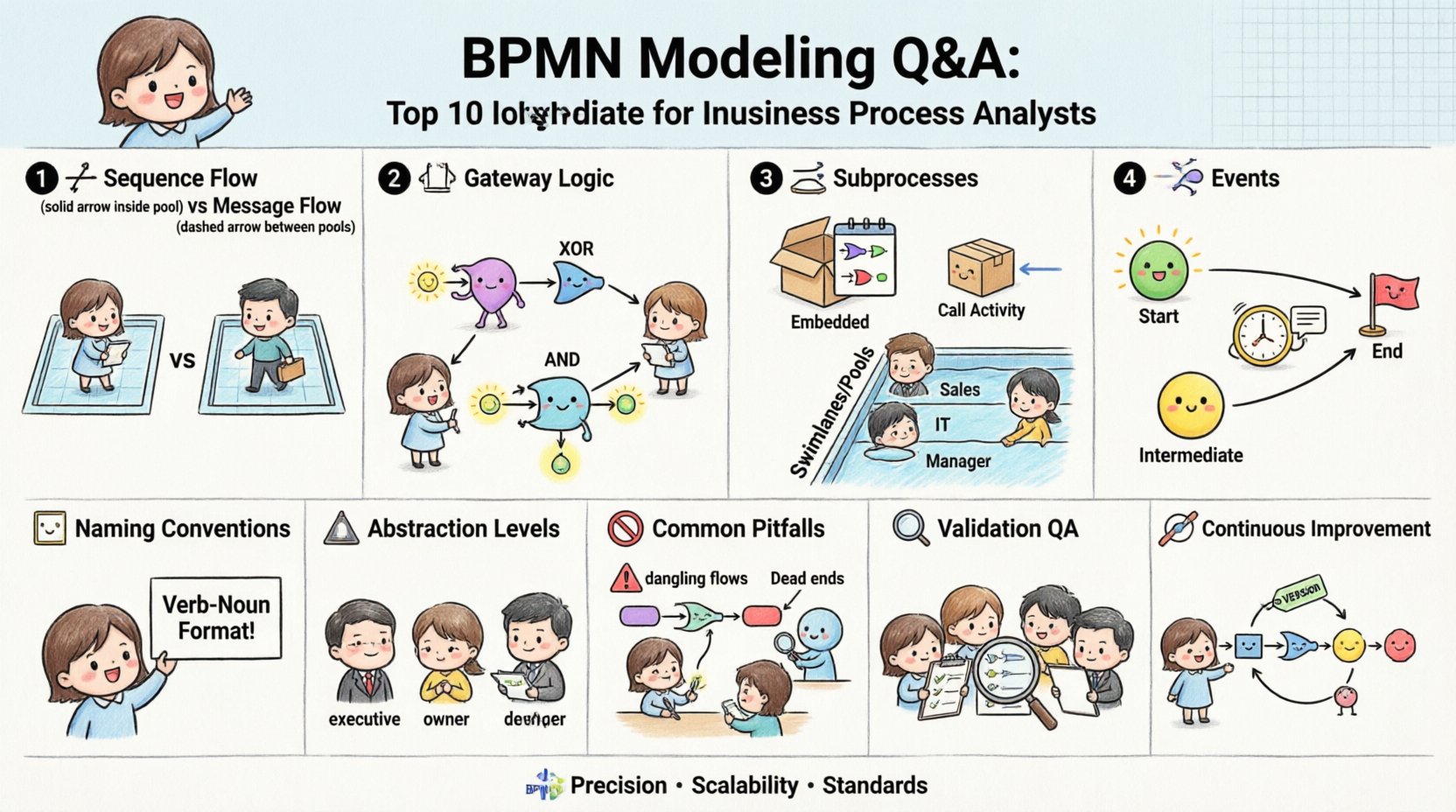
1. Sequence Flow vs. Message Flow: When to Use What? 🔗
One of the most common points of confusion involves the distinction between Sequence Flow and Message Flow. Understanding the difference is critical because it dictates the logical execution path versus the communication path.
- Sequence Flow: Represents the order of activities within a single process instance. It connects tasks, gateways, and events inside the same process lane or pool.
- Message Flow: Indicates the flow of information between two separate process participants. It typically crosses pool boundaries.
Analysts often struggle when determining if a handoff is internal or external. Consider the following criteria:
- If the receiving task belongs to the same process instance, use a Sequence Flow.
- If the receiving task belongs to a different process, system, or organizational unit, use a Message Flow.
- Never cross a pool boundary with a Sequence Flow. This violates the fundamental rules of BPMN isolation.
Furthermore, Message Flows do not carry the process execution state. They represent data or signals passed between participants. If you are modeling a system integration where the state must be preserved across the boundary, ensure you are modeling the triggering event correctly rather than assuming the flow itself carries the state.
2. Gateway Logic: Exclusive vs. Parallel Gateways ⚖️
Gateways control the divergence and convergence of paths. Intermediate analysts frequently misapply gateway logic, leading to diagrams that are ambiguous or impossible to execute.
- Exclusive Gateway (XOR): Only one outgoing path is taken. It acts as a decision point where conditions are mutually exclusive.
- Parallel Gateway (AND): All outgoing paths are activated simultaneously. It represents a split where the process waits for all branches to complete before converging.
The critical error occurs when an Exclusive Gateway is used where a Parallel Gateway is required, or vice versa. Consider the business rule:
- If a customer can choose either shipping or pickup, but not both, use an Exclusive Gateway.
- If an order requires both credit check approval and inventory verification before shipping, use a Parallel Gateway.
When converging paths, ensure the gateway type matches the divergence type to maintain logical symmetry. A common mistake is using a Parallel Gateway to converge an Exclusive divergence. This implies the system expects all branches to return, even if the logic dictated only one path was taken.
| Gateway Type | Outgoing Paths | Convergence Behavior | Common Use Case |
|---|---|---|---|
| Exclusive (XOR) | One path only | Wait for the single active path to complete | Approval decisions, branching logic |
| Parallel (AND) | All paths active | Wait for all active paths to complete | Multi-step validation, parallel processing |
| Inclusive (OR) | One or more paths | Wait for active paths to complete | Conditional inclusion of sub-processes |
3. Subprocesses: Embedded vs. Call Activity 📦
Deciding how deep to go into a process is a strategic modeling choice. The choice between an Embedded Subprocess and a Call Activity changes the level of abstraction and reusability.
- Embedded Subprocess: The details are visible within the parent diagram. This is best used when the process needs to be understood in detail at this specific level of abstraction.
- Call Activity: The details are hidden in a separate process definition. This is best used for reusable components or when the audience does not need to see the internal logic.
Analysts must consider the audience. A technical team implementing the workflow might need an Embedded Subprocess to see the exact logic. A high-level stakeholder might prefer a Call Activity to understand the step without getting bogged down in the weeds.
When using a Call Activity, ensure the referenced process is versioned and managed. Changing the internal logic of a Call Activity affects every parent process that references it. This creates a dependency chain that must be tracked. Conversely, modifying an Embedded Subprocess only affects that specific diagram.
4. Event Handling: Start, Intermediate, and End 🚦
Events define the beginning, middle, and end of a process. Intermediate analysts often over-complicate event usage or confuse the trigger mechanisms.
- Start Event: Must be the very first element in a lane. It cannot have incoming flow.
- Intermediate Event: Can have both incoming and outgoing flow. It represents something happening during the process.
- End Event: Must be the last element in a lane. It cannot have outgoing flow.
There are three main types of Intermediate Events:
- Message: Waits for a message to arrive.
- Timer: Waits for a specific time or date.
- Error: Waits for an exception to occur.
A critical rule to remember is that a Start Event cannot have incoming flow. If you draw a line into a Start Event, the diagram is invalid. Similarly, an End Event cannot have outgoing flow. If a process continues after an End Event, you are likely modeling a parallel path or a subprocess, not a continuation of the same flow.
Error Events require specific handling. They are triggered by faults within the process. When modeling Error Events, ensure you have a corresponding boundary event that catches the error, rather than letting it bubble up to the process level unless intended.
5. Swimlanes and Pools: Organizing Responsibility 🏊
Pools and Lanes provide context for who is doing what. Misusing these structures leads to confusion regarding ownership.
- Pool: Represents a distinct participant in the process. It defines the boundaries of the process instance.
- Lane: Represents a category of activities within a Pool. It usually denotes a department, role, or system.
When modeling complex interactions, it is tempting to create too many Pools. Limit the number of Pools to the distinct participants that exchange messages. If multiple actors belong to the same organization, group them in a single Pool with separate Lanes.
Consistency is key. If Lane A represents “Sales” in one diagram, it should not represent “Management” in another. Standardize your lane naming conventions across the entire process repository. This makes searching and navigation significantly easier for other analysts and stakeholders.
6. Standards and Naming Conventions 🏷️
A diagram that looks good is useless if it cannot be read by others. Establishing naming conventions is part of the modeling discipline.
- Task Names: Use verb-noun format (e.g., “Approve Invoice” instead of “Invoice Approval”).
- Gateways: Label the outgoing paths clearly with the condition (e.g., “Yes”, “No”, “Approved”, “Rejected”).
- Events: Ensure the label describes the trigger (e.g., “Payment Received”, “Error Occurred”).
Avoid generic labels like “Process” or “Check”. Specificity reduces ambiguity. When a developer reads the diagram, they should not have to guess what “Check” means. Is it a status check? A credit check? A validation check?
Documentation should accompany the diagram. The diagram shows the flow, but text can explain the business rules that govern the flow. For example, the “Approve Invoice” task might have a rule: “Amounts over $10,000 require Manager Approval”. This rule should be documented in the task properties, not just assumed.
7. Abstraction: Diagram vs. Documentation 📝
There is often a debate about whether the diagram should contain all the information. The answer lies in the audience.
- High-Level Stakeholders: Need a simplified view. Use Call Activities and remove internal details. Focus on the outcome and handoffs.
- Process Owners: Need to see the logic and exceptions. Use Embedded Subprocesses and detailed gateways.
- Developers: Need executable logic. Ensure all paths are defined and no dead ends exist.
Do not attempt to fit every exception into the main diagram. If the exception handling is complex, model it as a separate subprocess. This keeps the main flow clean and readable. A cluttered diagram is a sign of poor abstraction, not thoroughness.
8. Common Pitfalls and How to Avoid Them 🚫
Even experienced analysts fall into traps. Here are the most frequent issues to watch for:
- Dangling Flows: Ensure every element has an incoming flow (except Start Events) and an outgoing flow (except End Events).
- Dead Ends: Verify that every path leads to an End Event. If a path ends at a task without an outgoing flow, the process halts unexpectedly.
- Infinite Loops: Be careful with loops that lack a termination condition. Ensure there is a clear exit path.
- Orphan Tasks: Ensure all tasks are connected to the main flow. Tasks floating in isolation are likely modeling errors.
9. Validation and Quality Assurance 🔍
Before sharing a model, perform a quality check. This is not just about syntax; it is about semantics.
- Walkthrough: Trace the process from Start to End. Does it make logical sense?
- Stakeholder Review: Ask the people performing the process if the diagram matches reality.
- Consistency Check: Are the colors, fonts, and shapes consistent across all diagrams?
- Tool Validation: Use the validation features in your modeling tool to catch syntax errors.
Remember that a diagram is a communication tool, not just a technical artifact. Its primary goal is to convey understanding. If the diagram confuses the reader, it has failed, regardless of how syntactically correct it is.
10. Continuous Improvement of Models 🔄
Processes evolve. Models must evolve with them. Treat your diagrams as living documents.
- Version Control: Keep track of changes. Label versions clearly.
- Feedback Loop: Incorporate feedback from process execution. If a step is skipped often, the model might be unrealistic.
- Regular Audits: Periodically review the repository to remove obsolete processes.
By adhering to these standards and answering these common questions, analysts can produce models that are robust, clear, and actionable. The goal is not to create the most complex diagram, but the most effective one for the business context.
This post is also available in Deutsch, Español, فارسی, Français, English, Bahasa Indonesia, 日本語, Polski, Portuguese, Ру́сский, Việt Nam, 简体中文 and 繁體中文.