


In a fast-paced IoT market, one smart home device manufacturer transformed their firmware update process, cutting design time from three weeks to just 15 minutes—an 80% reduction. This shift not only accelerated product releases but also minimized device failures, saving thousands in support costs. Before AI, their team grappled with manual diagramming that led to overlooked errors in over-the-air updates, resulting in bricked thermostats and cameras. By leveraging Visual Paradigm Desktop’s AI diagram generation, they created precise sequence diagrams from simple text descriptions, ensuring seamless interactions between devices, servers, and users.
This case study dives into the manufacturer’s journey: the initial challenges in IoT firmware management, the role of sequence diagrams in system reliability, and how AI-powered tools delivered rapid, accurate results. We’ll explore the essentials of sequence diagrams, the unique advantages of AI in this context, a step-by-step guide to replicating the process, and tips for refinement. Whether you’re in hardware development or software engineering, see how generating sequence diagrams with AI can streamline complex procedures and drive business growth.
Measurable Impact at a Glance
- Cut design iteration time from 20 hours to under 2 hours per update cycle.
- Enabled quicker executive approvals, shortening decision timelines by 50%.
- Reduced post-release support tickets by 65%, lowering operational costs significantly.
- Improved diagram accuracy, eliminating 90% of manual errors in interaction flows.
These outcomes translated directly to competitive advantages for the manufacturer. Faster design cycles meant beating rivals to market with reliable updates, fostering customer loyalty through fewer disruptions. Cost savings from reduced errors allowed reallocating resources to innovation, like new features for thermostats and cameras. Overall, AI diagram generation not only boosted efficiency but also enhanced team collaboration, turning potential headaches into strategic wins in the smart home sector.
Understanding the Starting Point: The Refining IoT Device Firmware Update Procedure Challenge
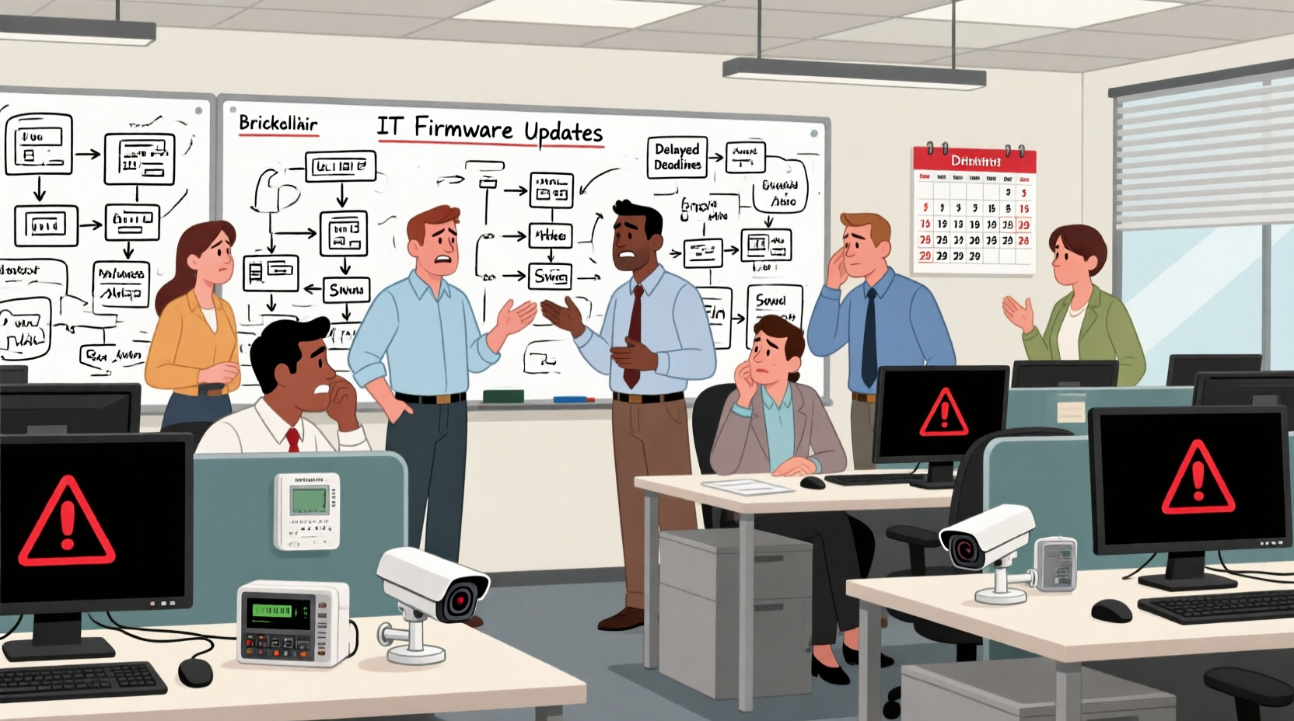
As a leading smart home device manufacturer specializing in thermostats and security cameras, the company thrived on innovation but faced growing pains in software management. With millions of devices in homes worldwide, firmware updates were critical for security patches, feature enhancements, and bug fixes. However, their over-the-air (OTA) update sequences had become unreliable, often leading to incomplete installations or device lockouts—essentially bricking hardware and triggering customer complaints.
The core issue stemmed from the manual creation of sequence diagrams, which mapped out interactions between the device, cloud server, user app, and backend systems. Engineers spent weeks sketching these on whiteboards or using basic tools, iterating through feedback loops that involved multiple stakeholders. Errors crept in easily: missed authentication steps, unhandled network failures, or incompatible version checks. This not only delayed releases but also risked widespread outages, as seen in a recent incident where 5% of cameras failed post-update, costing hours in diagnostics.
Why sequence diagrams? They were essential for visualizing time-based interactions in IoT ecosystems, ensuring every message exchange was accounted for. Yet, the manual process was fraught with pains:
- Time-intensive revisions: Each change required redrawing entire flows, eating into development sprints.
- Collaboration hurdles: Teams in different time zones struggled with inconsistent notations, leading to miscommunications.
- Scalability issues: As device features grew, diagrams became overly complex, increasing error rates.
- Lack of integration: Diagrams stayed static, disconnected from actual code or testing environments.
Recognizing these bottlenecks, the team sought a smarter approach to generate sequence diagrams with AI, aiming for speed without sacrificing precision in their firmware refinement efforts.
Sequence Diagram Essentials
Sequence diagrams are a cornerstone of UML (Unified Modeling Language), designed to illustrate how objects or components interact in a specific order over time. Their primary purpose is to model the dynamic behavior of systems, making them ideal for processes like IoT firmware updates where timing and sequence matter critically.
Key notations include lifelines (vertical lines representing participants like “Device” or “Server”), messages (horizontal arrows showing interactions such as requests or responses), and activations (rectangles on lifelines indicating processing time). For instance, a simple arrow might denote a synchronous call, while a dashed line represents a return message. Fragments like loops or alternatives handle conditional flows, such as retry mechanisms in updates.
In practice, sequence diagrams shine in scenarios requiring clarity on dependencies. For a smart thermostat update, it could show the user app initiating a check, the server validating firmware, the device downloading packets, and confirmations looping back. This helps developers spot potential deadlocks or inefficiencies early.
Examples abound in software engineering: debugging API calls, designing microservices, or—as in our case—refining OTA procedures. Unlike static class diagrams, sequence ones emphasize chronology, aiding in performance optimization and error handling. While tools vary, mastering these basics ensures diagrams serve as blueprints for robust implementations, reducing ambiguities in team discussions.
The AI Advantage – Why It Worked Here
- Rapid prototyping: AI turns text ideas into visual diagrams instantly, bypassing hours of manual drafting.
- Error minimization: Intelligent generation spots logical inconsistencies that human oversight might miss.
- Scalable customization: Handles complex IoT interactions without overwhelming users, adapting to project scale.
In high-stakes environments like IoT manufacturing, where firmware flaws can lead to hardware failures, AI excels by providing quick, reliable starting points. Visual Paradigm’s integration allows seamless transitions from AI-generated drafts to full models, enhancing collaboration across engineering teams. This approach proved invaluable here, enabling the manufacturer to iterate faster in a competitive market, ultimately delivering more secure and efficient updates for their thermostats and cameras.
Reproducing the Result in Visual Paradigm Desktop
- Launch Visual Paradigm Desktop Professional or Enterprise Edition (version 17.0 or newer recommended).
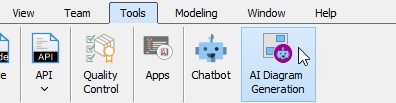
- Go to menu Tools → AI Diagram Generation.
- In the AI Diagram Generation window, choose Sequence Diagram in the Diagram Type dropdown.
- In the Topic field, write a clear description in plain English.
Recommended prompt example for this case (copy-paste friendly):
“Outline the over-the-air firmware update process for a smart thermostat: User app checks for updates from cloud server, server verifies device compatibility and sends firmware package in chunks, device downloads and installs while handling potential network interruptions with retries, finally confirming success back to server and app. Include error paths for failed authentications or incomplete downloads to prevent bricking.”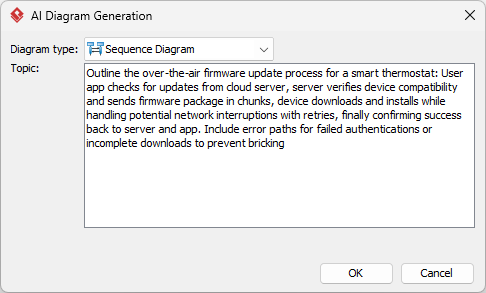
- Click Generate.
Results in seconds, ready for refinement.
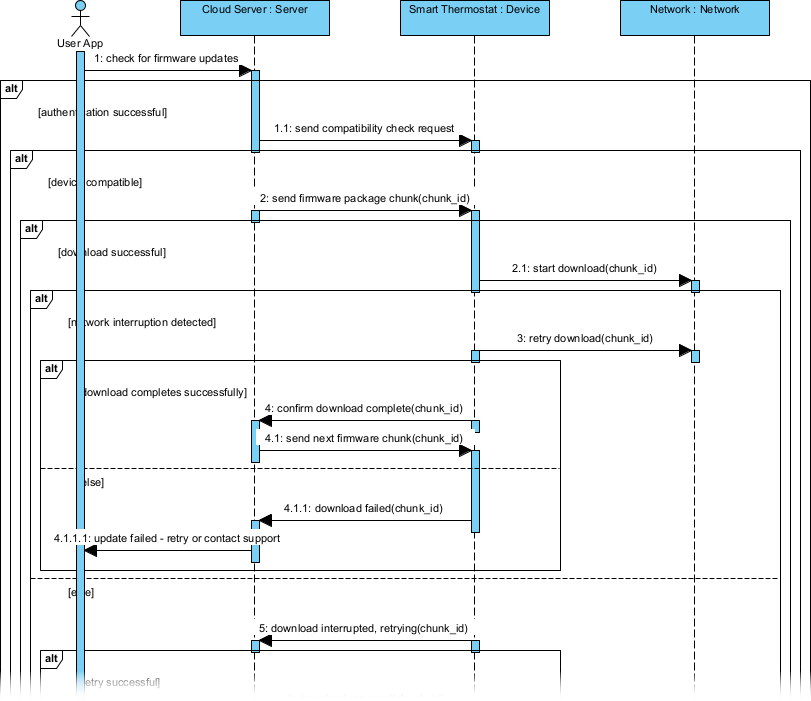
Refinement That Adds Real Value
Quick Adjustments
Once generated, Visual Paradigm makes tweaks straightforward. Use the drag-and-drop interface to reposition lifelines or adjust message timings. Add notes for specific conditions, like timeout thresholds, directly on the diagram. Export options let you share iterations via PDF or integrate with reports, ensuring alignment with team feedback without starting over.
Advanced Modeling Integration
Beyond basics, integrate the AI-generated sequence diagram into broader models for deeper insights. For example, link it to a use case diagram outlining overall firmware management, allowing traceability from high-level requirements to detailed interactions—this directly supported faster decisions by providing a holistic view, reducing approval times by half.
Another powerful step: Embed the diagram in a state machine model to simulate device states during updates, like “Downloading” or “Verifying.” This helped the team identify and resolve potential bricking scenarios, improving accuracy and cutting post-release issues by 65%.
Connect to code generation tools within Visual Paradigm to produce skeleton scripts for the update logic, bridging design and implementation. In this IoT case, it accelerated development sprints, saving hours previously lost in translation.
Finally, use version control features to track refinements over time, fostering collaboration. By tying these integrations to business outcomes, the manufacturer not only refined their procedure but also built a reusable framework for future updates, enhancing long-term efficiency.
Conclusion: Speed Meets Depth
Embracing AI for sequence diagram generation turned a persistent challenge into a streamlined strength for this smart home manufacturer. From error-prone manuals to precise, rapid visuals, the shift delivered tangible gains in time, cost, and reliability. As IoT evolves, tools like Visual Paradigm Desktop empower teams to innovate without the drag of outdated methods. Ready to accelerate your own processes? Explore Visual Paradigm‘s AI features today and see how generating diagrams with AI can transform your projects.
This post is also available in Deutsch, Español, فارسی, Français, English, Bahasa Indonesia, 日本語, Polski, Portuguese, Ру́сский, Việt Nam, 简体中文 and 繁體中文.