


Introduction to Conversational Diagram Engineering
The landscape of visual modeling is undergoing a significant transformation with the introduction of the Visual Paradigm AI chatbot. Traditionally, creating complex technical diagrams required manual dexterity with drag-and-drop tools and a deep memory of specific notation rules. Visual Paradigm has shifted this paradigm by treating visual modeling as an iterative, co-creative conversation rather than a static, one-time generation event. This process, known as conversational diagram engineering, empowers users to evolve sophisticated models through natural language commands, effectively bridging the gap between conceptual thought and technical implementation.
Real-Time Refinement Capabilities
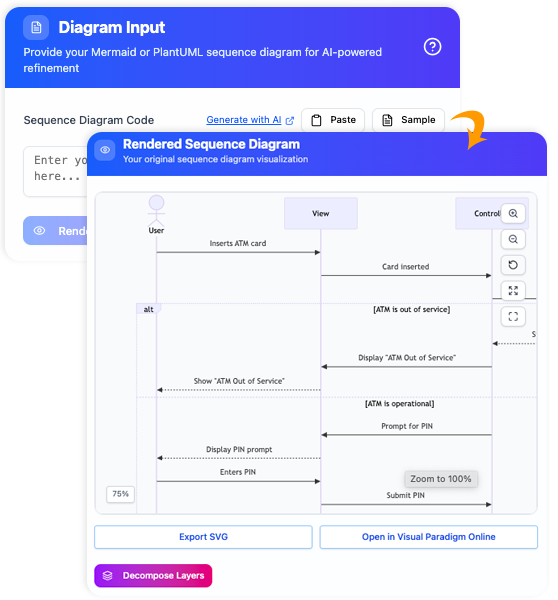
The core power of the Visual Paradigm AI chatbot lies in its ability to interpret and execute changes instantly. Once an initial diagram is generated, the workflow shifts from creation to refinement. Users can modify the structure by typing instructions, which the AI interprets to update the model while preserving the underlying logic.
Key Refinement Actions
- Adding and Removing Elements: Users can manipulate the diagram’s content with direct commands. For instance, stating “Add a payment gateway” introduces a new component, while “Remove the redundant user profile service” cleans up the diagram.
- Renaming and Relabeling: Precision in terminology is crucial for technical diagrams. Commands such as “Rename Customer to Buyer” or “Change error message to ‘Account Locked'” allow for immediate semantic updates without clicking through property menus.
- Adjusting Relationships: The AI understands connectivity. Users can define interactions by saying “Add an inheritance relationship between Student and Person” or “Connect the vacancy indicator system to the database,” and the system will route the connectors appropriately.
Context-Aware Progression
A distinctive feature of this technology is its contextual memory. Unlike simple command processors that treat every input in isolation, the chatbot tracks the history of the conversation. This allows for progressive design building. For example, if a user generates a sequence diagram for a login flow, they can subsequently issue a command like “Add a two-factor authentication step after password validation.” The AI understands where “password validation” sits in the current flow and inserts the new logic correctly, maintaining the integrity of the sequence.
Standard-Specific Semantics
The AI is not merely drawing shapes; it understands the specific rules and semantics of various modeling standards. This ensures that refinements are technically accurate according to the chosen diagram type.
| Diagram Standard | Advanced Refinement Capabilities |
|---|---|
| UML Activity Diagrams | The AI can reorder workflow steps, introduce decision nodes (forks and joins), and organize responsibilities into swimlanes based on textual descriptions. |
| UML Class Diagrams | Users can implement complex object-oriented relationships. The AI can process requests to add aggregation, composition, or realization based on descriptions of how classes interact. |
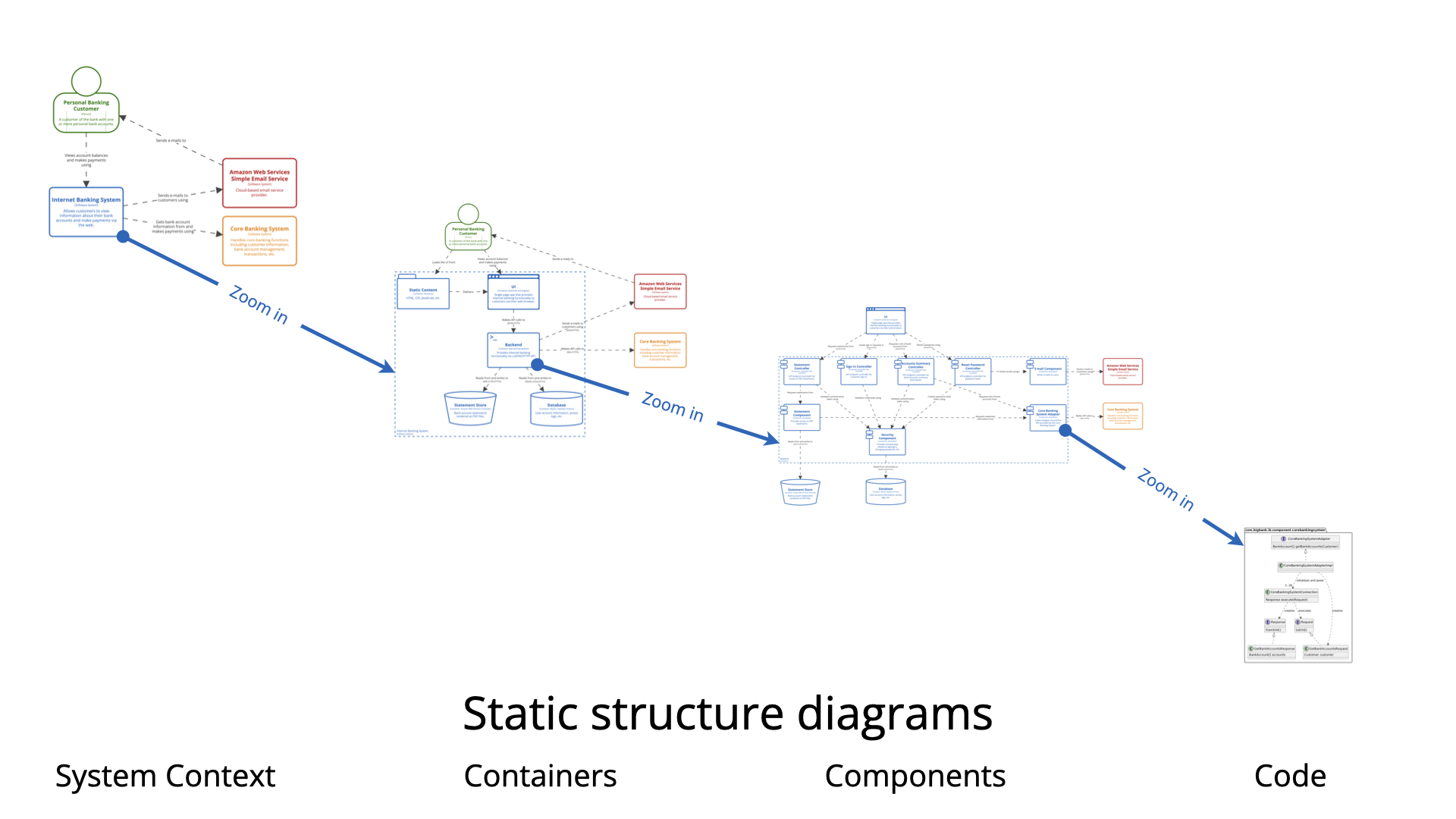
| C4 Models | For software architecture, users can refine abstraction levels by asking the AI to zoom in on specific components or remove elements that violate the system boundary context. |
Intelligent Analysis and Feedback Loop
Beyond simple drafting, the Visual Paradigm chatbot functions as an expert consultant. The refinement process involves an analytical feedback loop where users can interrogate the model to identify weaknesses or potential improvements.
Users can ask critical follow-up questions, such as:
- “What are the single points of failure in this diagram?”
- “Does this design follow UML best practices?”
- “What happens if the knowledge base contains outdated information?”
In response, the AI analyzes the structure and proposes solutions, such as implementing a “Circuit Breaker” pattern or adding alternative error-handling paths. These suggestions can then be automatically integrated into the diagram via the conversational interface.
Version Management and Deployment
To support the iterative nature of conversational engineering, the platform includes robust version management tools. A “Compare with Previous” feature allows users to visualize differences between the current draft and prior iterations, ensuring that changes are tracked and validated.
Once the refinement phase is complete, the workflow seamlessly integrates with professional environments. The finalized diagram can be imported directly into the Visual Paradigm desktop application. This handoff allows for advanced fine-tuning, simulation, and collaborative team development, ensuring that the AI-generated model serves as a solid foundation for production-grade engineering.
Analogy: The Digital Architect
To understand the utility of this tool, consider the analogy of an expert architect working on a digital drafting board. As the client, you do not need to physically draw the load-bearing walls or understand the nuances of structural physics. Instead, you simply instruct the architect: “Let’s add a balcony to the master bedroom” or “Make the hallway wider.” The architect—in this case, the AI—understands the structural rules and modeling standards. It instantly redrafts the blueprint to incorporate your requests, ensuring the modification is implemented correctly and that the overall building remains structurally sound.
This post is also available in Deutsch, Español, فارسی, Français, English, Bahasa Indonesia, 日本語, Polski, Portuguese, Ру́сский, Việt Nam, 简体中文 and 繁體中文.