In the rapidly evolving landscape of software architecture and business process analysis, Artificial Intelligence has become a pivotal tool for increasing productivity. While general Large Language Models (LLMs) have captured the public imagination with their ability to write code and generate text, professional diagramming requires a level of precision that generalist tools often fail to deliver. This guide provides a comprehensive analysis of the Visual Paradigm AI (VP AI) Modeling Platform, contrasting its specialized capabilities with the limitations of general LLMs.
Key Concepts
Before diving into the technical comparison, it is essential to define the foundational technologies and terms used in modern AI-assisted modeling.
- Visual Paradigm AI (VP AI): A specialized AI engine integrated directly into the Visual Paradigm software suite. Unlike general chatbots, it is fine-tuned on millions of proprietary diagrams and modeling rules to generate structural, standards-compliant visual models (UML, BPMN, ERD) from natural language inputs.
- General LLMs: Large Language Models such as GPT variants, Claude, or Grok. These are versatile AI systems trained on broad internet data. While capable of generating text and basic code, they lack specific constraints for graphical modeling standards.
- Hallucination: A phenomenon where an AI generates plausible-sounding but factually incorrect or logically flawed information. In modeling, this manifests as invalid diagram syntax or non-existent relationship types.
- Modeling Standards: Formal specifications like UML (Unified Modeling Language) or BPMN (Business Process Model and Notation) that dictate strictly how systems and processes must be visualized to be technically accurate.
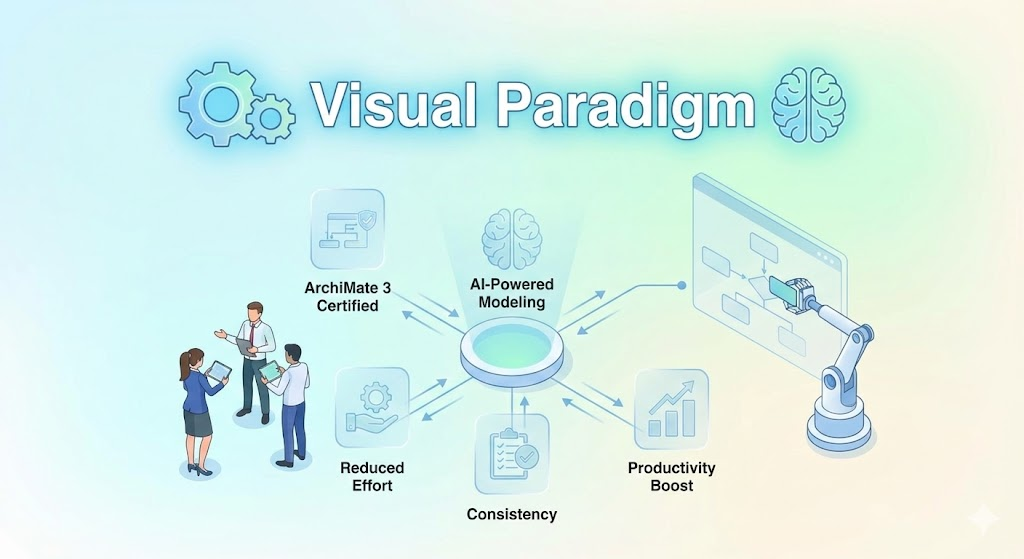
The Architecture of Visual Paradigm AI
Visual Paradigm has long been a standard-bearer for diagramming software, supporting extensive libraries including UML, BPMN, ERD, and mind maps. The integration of AI into this ecosystem moves beyond simple automation. VP AI allows users to describe a system—for example, “an e-commerce checkout process with inventory validation”—and instantly receive a fully editable, structurally sound diagram.
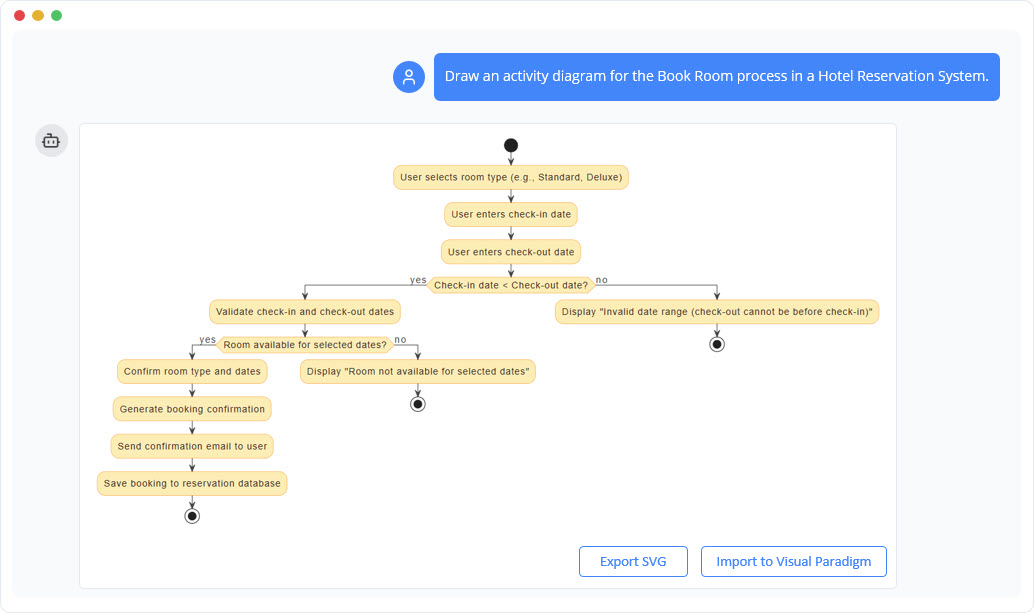
This capability is built on a knowledge base deeply rooted in modeling best practices. Unlike a general text generator, VP AI understands the semantic relationship between entities, ensuring that a generated class diagram acts like a class diagram, not just a drawing of boxes and arrows.
Why General LLMs Fall Short in Professional Modeling
While general LLMs are excellent for drafting emails or writing Python scripts, they face significant hurdles when applied to the rigid world of system modeling. Below are the critical limitations where general LLMs struggle and VP AI excels.
1. Mitigation of Errors and Hallucinations
General LLMs are probabilistic engines; they predict the next likely token based on vast, uncurated training data. This often leads to “hallucinations,” where the model invents syntax that looks correct but violates the rules of the modeling language. For instance, a general LLM might generate a UML sequence diagram with invalid lifelines or impossible message flows.
VP AI Advantage: Visual Paradigm’s AI is constrained by a built-in rules engine. It validates outputs against official specifications before presenting them to the user. This cross-checking significantly reduces error rates, ensuring that a gateway in a BPMN flow correctly handles divergence and convergence.
2. Specialized vs. Generalized Knowledge Base
General LLMs are trained on the entire internet, including forum posts, outdated tutorials, and informal discussions. This creates a “noise” problem where the model cannot distinguish between professional engineering standards and casual sketches. It may confuse distinct domains, such as mixing ArchiMate (Enterprise Architecture) with SysML (Systems Engineering).
VP AI Advantage: VP AI is fine-tuned on a proprietary dataset of high-quality diagrams and industry standards. It understands context-specific nuances, delivering outputs that align with professional expectations rather than generic internet consensus.
3. Version Control and Syntax Consistency
Modeling languages evolve over time. UML 1.x differs significantly from UML 2.5. General LLMs often mix syntax from different decades because their training data spans the history of the web. This results in hybrid diagrams that are technically invalid and incompatible with modern tools.
VP AI Advantage: Operating within a controlled environment, VP AI enforces consistency with the latest standards (or specific user-selected versions). This ensures that generated diagrams are forward-compatible and free from deprecated elements.
4. Dependency on Deprecated Libraries
When general LLMs attempt to create diagrams, they often generate code for third-party rendering tools like Mermaid.js, PlantUML, or Graphviz. Frequently, they reference deprecated libraries or outdated function calls that no longer work, forcing the user to debug code rather than focus on design.
VP AI Advantage: VP AI relies on its own native rendering engine. It does not depend on external open-source libraries to function. The output is a native Visual Paradigm project file that is guaranteed to render correctly.
5. Support for Complex and Niche Diagram Types
General LLMs can usually handle the basics: simple flowcharts or basic class diagrams. However, when asked for complex or niche diagrams—such as CMMN (Case Management Model and Notation) or specific Agile Kanban boards—they often fail or produce generic text descriptions.
VP AI Advantage: Visual Paradigm supports over 100 diagram types. The AI is trained on this breadth of options, allowing it to generate, validate, and structure complex diagram types that general LLMs may not even recognize.
Integration with Enterprise Workflows
One of the most profound differences lies in workflow integration. A general LLM typically outputs text or a static image file, creating a “silo” of information. To use this in a professional setting, a user must manually transcribe the output into a real tool.
Visual Paradigm AI is embedded in a complete suite. Generated diagrams are not static; they are fully editable models. Furthermore, the platform integrates with:
- IDEs: Eclipse, Visual Studio Code, IntelliJ IDEA.
- Project Management: Jira, Confluence.
- Documentation: Microsoft Office.
This connectivity ensures that the AI-generated model becomes a living part of the project lifecycle, capable of version control, collaboration, and code generation.
Tips and Tricks for AI-Assisted Modeling
To maximize the utility of Visual Paradigm AI, consider these practical tips for optimizing your workflow:
- Iterative Prompting: Start with a high-level overview (e.g., “Create a system architecture for a banking app”). Once generated, use the AI to refine specific sub-components (e.g., “Expand the user authentication module to include 2FA processes”).
- Use Specific Terminology: Because VP AI is trained on standards, using precise terminology helps. Instead of saying “show the steps,” say “generate a BPMN 2.0 process flow.” This triggers the specific rules engine for that standard.
- Reverse Engineering: Use the platform to input legacy code or text descriptions and ask the AI to visualize it. This is excellent for documenting existing systems that lack current architectural diagrams.
- Validation Check: Even though VP AI is accurate, always run the built-in “Resource Centric” validation checks after generation to ensure your model complies with strict enterprise rules before exporting.
Conclusion
While general LLMs offer a quick and flexible way to prototype ideas, they lack the rigor required for professional systems engineering and business analysis. The Visual Paradigm AI Modeling Platform bridges this gap by combining the speed of generative AI with the precision of a dedicated modeling engine. By eliminating hallucinations, ensuring version compliance, and integrating seamlessly into enterprise workflows, VP AI stands out as the superior choice for serious diagramming tasks.
This post is also available in Deutsch, Español, فارسی, Français, English, Bahasa Indonesia, 日本語, Polski, Portuguese, Ру́сский, Việt Nam, 简体中文 and 繁體中文.