


How to Master Database Design with the Ultimate AI ERD Tool
Why settle for just drawing lines? A robust database design tool is the backbone of scalable software. It must bridge the gap between SQL design concepts and technical implementation, ensuring data integrity through normalization while supporting cloud modeling and rapid iteration. Whether you are defining complex enterprise schemas or prototyping with an AI ERD tool, the right modeling software accelerates development and reduces architectural debt.
In this tutorial, we will walk through how to utilize Visual Paradigm—a platform designed for deep engineering and AI-driven automation—to engineer your database from concept to code.
Key Concepts
Before diving into the workflow, let’s define the foundational elements found in modern database design software.
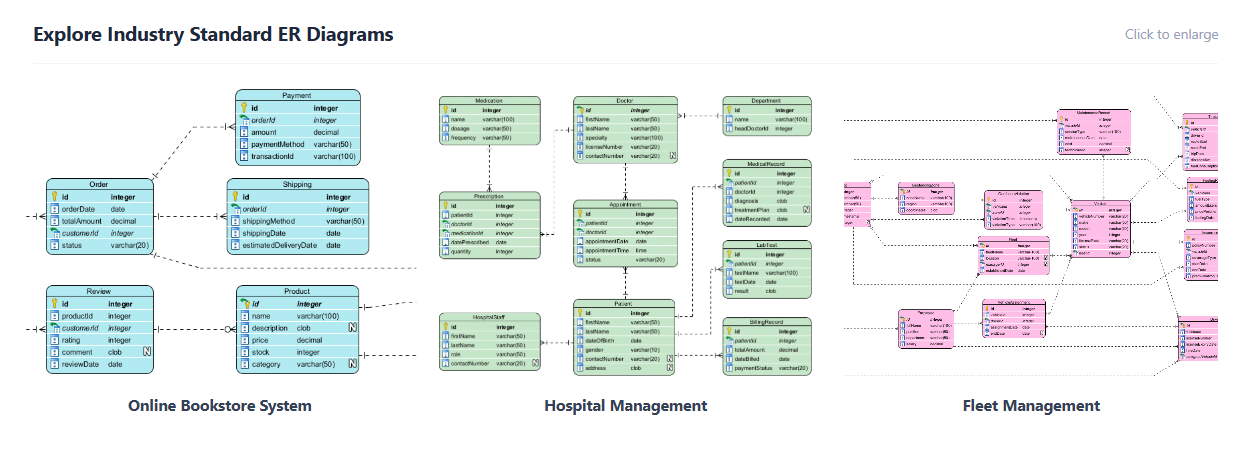
- ERD (Entity Relationship Diagram): A visual representation of data entities and their relationships. Visual Paradigm supports Standard and Chen Notation for logical, conceptual, and physical models.
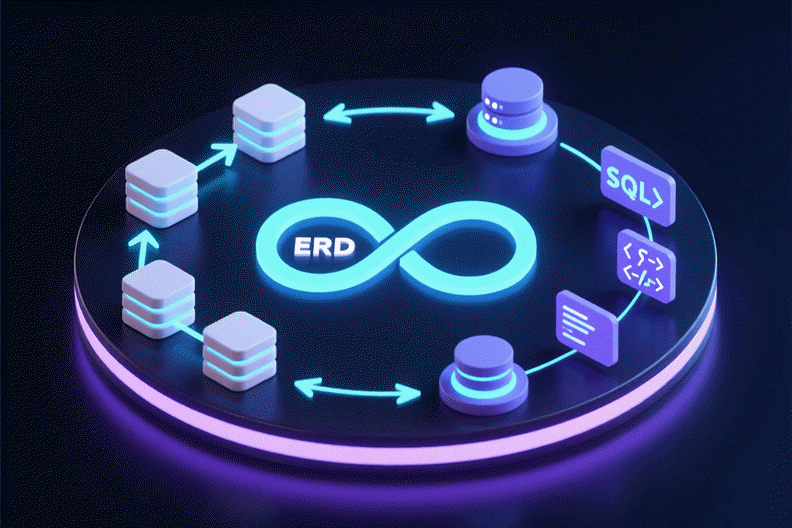
- Round-Trip Engineering: The ability to synchronize visual models with actual database code. This includes generating DDL (Forward Engineering) and visualizing legacy databases (Reverse Engineering).
- Resource-Centric Modeling: A UI design philosophy where relationship creation and entity editing happen directly on the canvas via smart magnets, rather than dragging elements from a distant toolbar.
- AI-Powered Modeling: Using artificial intelligence to generate entities, attributes, and relationships from natural language prompts.

Step-by-Step Tutorial: Designing Your Database
Step 1: Choose Your Platform
Visual Paradigm offers two powerful platforms depending on your workflow needs. Your first step is selecting the right environment:
- Visual Paradigm Desktop (The Engineer’s Workbench): Choose this for deep engineering, offline capabilities, and rigorous forward/reverse engineering. It is built for complex enterprise systems.
- Visual Paradigm Online: Choose this for cloud-based diagramming, real-time collaboration, and quick prototyping.
Step 2: Rapid Prototyping with AI
Don’t start from a blank screen. Even on the desktop version, you can utilize the Desktop AI Assistant to jumpstart your design process.
- Open the AI Assistant panel.
- Type a natural language phrase describing your system. For example: “Design a Hospital Management System”.
- The AI will instantly generate suggestions for Entities, Attributes, and Relationships.
- Select the suggestions to auto-populate your canvas.
Note: VP Desktop users with active maintenance enjoy full access to the cloud-based DB Modeler AI.
Step 3: Refine the Model with Inline Editing
Once your base model is generated, precision is key. Visual Paradigm allows for high-speed editing without constant popup windows.
- Inline Shape Editing: Click directly on an entity to edit types and Primary Keys (PK) on the canvas.
- Resource-Centric Creation: Use the “smart magnets” appearing around selected entities to click-and-drag new relationships instantly. This is faster and more intuitive than traditional toolbar dragging.
Step 4: Organize and Normalize
For enterprise-grade systems, diagrams can become massive. Use the following features to maintain clarity:
- Sub-Diagrams: Break down massive schemas into manageable, logical sub-views. This prevents the “spiderweb” effect common in large databases.
- Smart Sweeper: If your diagram looks messy after rapid prototyping, click the Smart Sweeper tool to auto-layout and align the diagram instantly.
Step 5: Bridge the Gap (Round-Trip Engineering)
A drawing is useless if it doesn’t match the code. This step ensures your model becomes a reality.
- Forward Engineering (DDL): Generate error-free DDL scripts directly from your diagrams to patch or create your database schema.
- Reverse Engineering: If you are working with a legacy system (Oracle, SQL Server, MySQL, PostgreSQL), import the existing database directly into a visual ERD for analysis.
Guidelines for Enterprise Design
Follow these rules to ensure your database design remains scalable and professional.
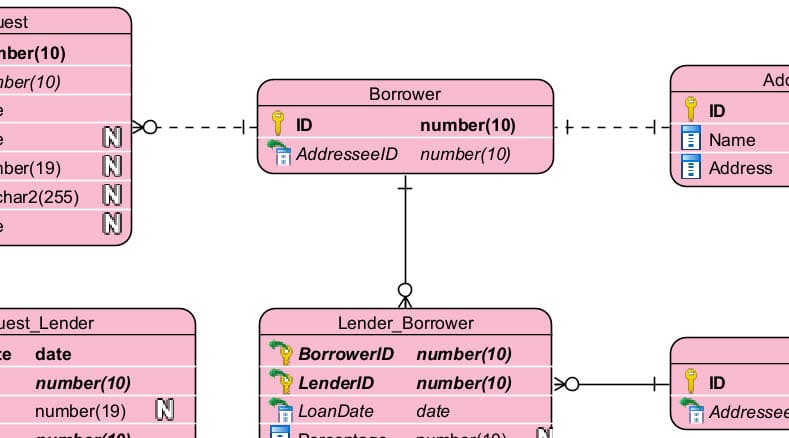
- Prioritize Data Integrity: Always define Primary Keys and Foreign Keys explicitly. Use the inline editor to verify types.
- Document as You Go: Database design doesn’t exist in a vacuum. Use the Doc. Composer to drag and drop your diagrams into professional PDF or Word specifications.
- Collaborate Effectively: Use the Team Collaboration features to commit work with version control. Chat directly over diagrams with comment threads (e.g., “Should we change this Primary Key to UUID?”) to resolve architectural disputes early.
Tips and Tricks
- Instant Cleanup: Never waste time manually aligning boxes. The Smart Sweeper is your best friend for instantly professional-looking diagrams.
- Stakeholder Sharing: Use the Project Publisher to publish your entire project as an interactive website. This is far superior to sending static images to non-technical stakeholders.
- Quick Type Editing: You don’t need to open the properties dialog to change a column from
INTtoVARCHAR. Just double-click the text on the entity shape and type the new definition.
Examples: AI in Action
Here is a before-and-after scenario of using the AI features for a “Hospital Management System.”
Scenario: Starting from Scratch
Input (User Prompt):
“Design a Hospital Management System”
Output (AI Generation):
The AI automatically infers and creates the following structure:
- Entities: Patient, Doctor, Appointment, Prescription, Ward, MedicalRecord.
- Attributes: Patient (PatientID, Name, DOB), Doctor (DoctorID, Specialization), Appointment (Time, Date, Status).
- Relationships: One-to-Many between Doctor and Appointment; One-to-Many between Patient and MedicalRecord.
By using the AI ERD Tool, you skipped the first hour of manual setup and moved straight to refining the logic.
Ready to engineer your database? Start with Visual Paradigm Desktop today. The Engineer’s Workbench includes a 30-day free trial of Enterprise features to help you bridge the gap between design and implementation.
Resources
- FREE Database Training – DB Design and Management
- Navigating the Three Levels of Database Design: Conceptual, Logical, and Physical – Visual Paradigm Guides
- Mastering ERD Design: Tips and Tricks for Effective Database Modeling – Visual Paradigm Guides
- The Ultimate AI ERD Tool & Database Design Software
- Unlock the Power of Visual Database Design with Visual Paradigm – Visual Paradigm Guides
- Data Modeling / Database Archives – Visual Paradigm Guides
- How to Design Relational Database with ERD?
- Mastering Advanced ERD Modeling: A Comprehensive Tutorial with Examples – Visual Paradigm Guides
- Overview of Database Design & Management with Visual Paradigm
- Visual Paradigm Database Designer Guides
- Database Design Tool for Database Developers
- Design and Maintain Databases Visually
- FREE Database Training Course – Database Design and Management – General Questions/Discussions – Discuss the Visual Paradigm
- How to Model Relational Database Design with ERD?
- Oracle Database Design Tool
This post is also available in Deutsch, Español, فارسی, Français, English, Bahasa Indonesia, 日本語, Polski, Portuguese, Ру́сский, Việt Nam, 简体中文 and 繁體中文.
Related posts:
 How to Generate Professional Written Reports from Diagrams Using Visual Paradigm’s AI Chatbot
 Creating SysML Block Definition Diagrams with an AI Chatbot
 UML Modeling Tutorial: Key Concepts, Traditional Challenges, and AI-Powered Streamlining with Visual Paradigm
 What is Visual Paradigm AI ArchiMate Diagram Generation?