


The AI-Assisted UML Class Diagram Generator is a powerful, browser-based tool that makes creating professional UML class diagrams simple and accessible. It combines an intuitive step-by-step wizard with AI assistance to help users—from beginners to experts—design, analyze, and export diagrams without needing to master complex syntax like PlantUML.
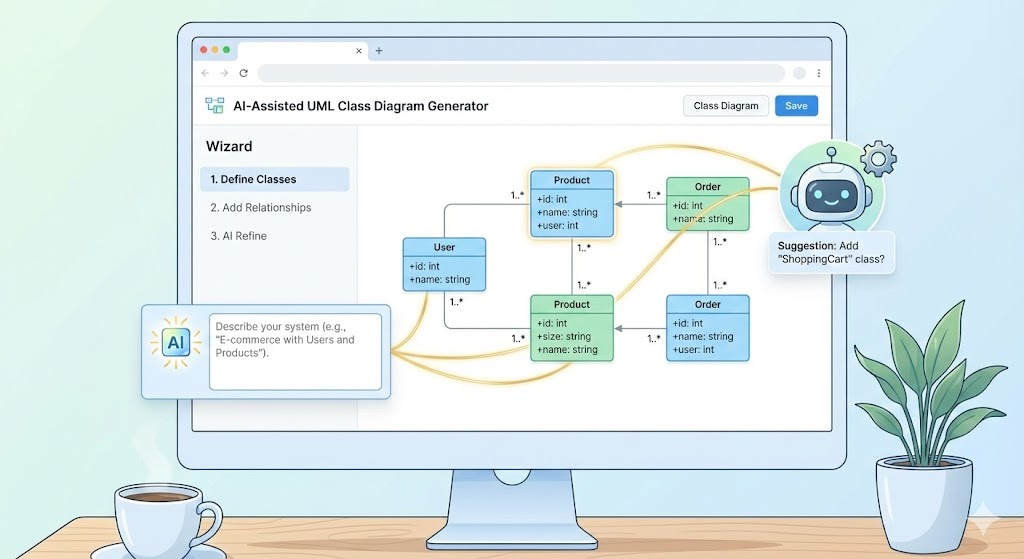
Here’s a complete guide to understanding the tool, how it works, its benefits, and best practices for getting the most out of it.
What Is the Tool?
This AI-powered generator helps you create UML class diagrams from a simple idea or detailed description. It guides you through the entire process, offers AI-generated suggestions, validates your design, and produces high-quality diagrams and reports.
Key Benefits
- Educational: Built-in learning tips and AI insights teach UML concepts while you work.
- Productive: AI auto-generates initial structures, summaries, and critiques to save time.
- User-Friendly: No need to learn PlantUML syntax—use forms and visual previews.
- Complete Workflow: From initial concept to rendered diagram and analysis report.
- Accessible: Runs entirely in your browser—no installation required.
- Collaborative: Save/load projects in JSON, export to PUML, SVG, and more.
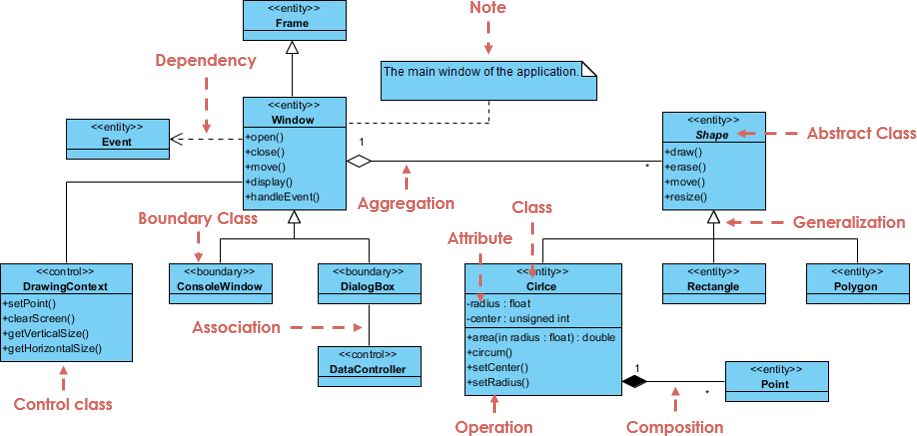
Here are some examples of professional UML class diagrams created with similar tools:
How It Works: The 10-Step Wizard
The tool follows a logical, guided 10-step process with visual previews at every stage.
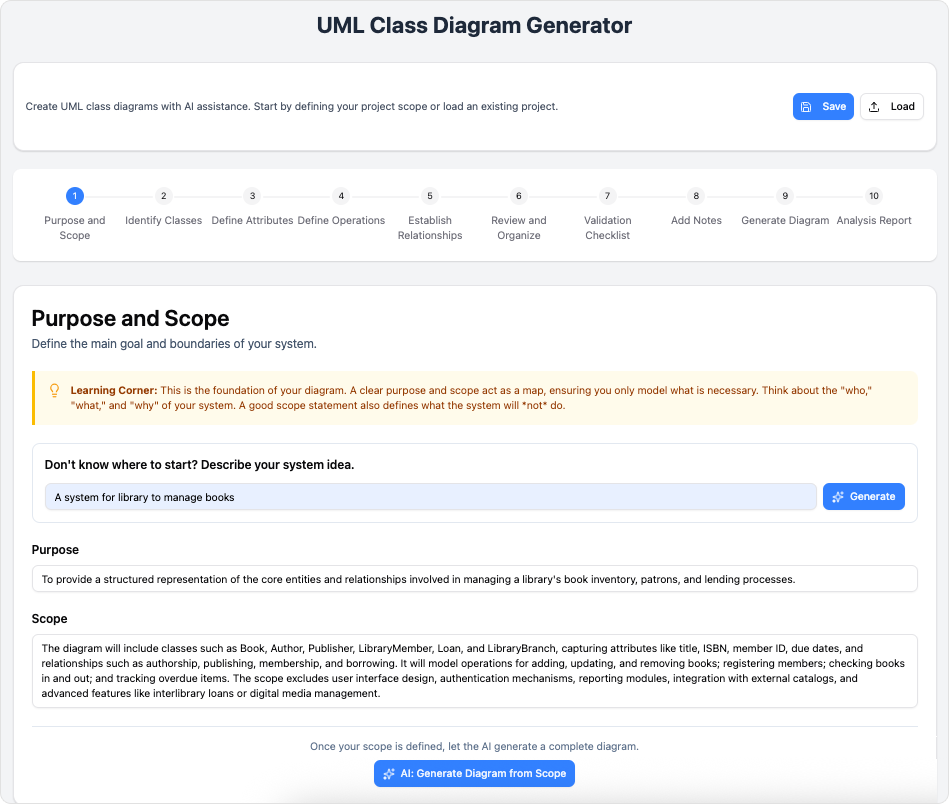
- Purpose and Scope Describe your system in plain text (e.g., “A library management system”). Use AI to generate a refined purpose statement or even a full initial diagram structure.
- Identify Classes List the main entities (e.g., Book, User, Library).
- Define Attributes Add properties for each class (e.g., Book: title: String, isbn: String, author: String).
- Define Operations Specify methods/behaviors (e.g., Book: borrow(), return()).
- Establish Relationships Define associations, inheritance (generalization), composition, aggregation, dependencies, etc.
- Review and Organize Get a consolidated overview and rearrange elements for clarity.
- Validation Checklist Run automated checks for common issues (e.g., missing data types, inconsistent naming, missing relationships).
- Add Notes Manually add comments or let AI generate detailed design rationale and summary notes.
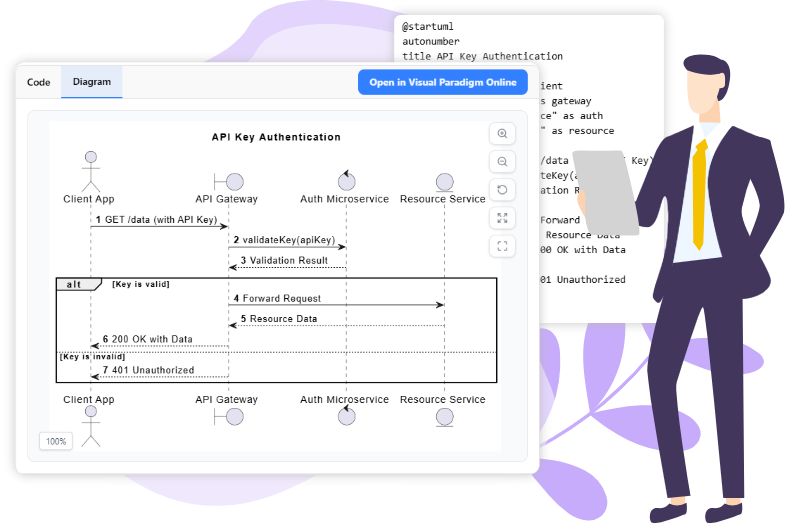
- Generate Diagram View/edit the raw PlantUML code, see a live-rendered SVG preview, and export files.
- Analysis Report Receive an AI-generated critique with suggestions for improving maintainability, scalability, and adherence to best practices.
Here are examples of PlantUML code and generated diagrams:
Who Can Benefit? Use Cases
- Students & Educators — Learn UML interactively with AI explanations.
- Developers & Architects — Quickly prototype and review software designs.
- Business Analysts — Visualize requirements and validate system models.
- Technical Writers — Create clean, accurate diagrams for documentation.
- Hobbyists & Indie Developers — Access professional UML tools without complex software.
Tips & Best Practices
- Start broad — Enter a high-level idea in Step 1 and let AI generate the initial classes and relationships.
- Use AI generously — Leverage auto-generation for structures, notes, and critiques to speed up the process.
- Always run the validation checklist — It catches subtle errors before export.
- Save often — Use JSON export for backups and team collaboration.
- Experiment — Edit the raw PlantUML code for custom tweaks while keeping the visual preview.
- Combine manual and AI input — Use AI suggestions as a starting point, then refine manually for precision.
The AI-Assisted UML Class Diagram Generator transforms complex diagramming into an intuitive, educational, and efficient experience. Whether you’re learning UML or designing production systems, this tool makes professional-quality class diagrams fast and accessible. Launch the generator today and turn your ideas into clear, well-analyzed UML designs!
This post is also available in Deutsch, Español, فارسی, Français, English, Bahasa Indonesia, 日本語, Polski, Portuguese, Ру́сский, Việt Nam, 简体中文 and 繁體中文.
Related posts:
 How to Generate Professional Written Reports from Diagrams Using Visual Paradigm’s AI Chatbot
 Creating SysML Block Definition Diagrams with an AI Chatbot
 UML Modeling Tutorial: Key Concepts, Traditional Challenges, and AI-Powered Streamlining with Visual Paradigm
 What is Visual Paradigm AI ArchiMate Diagram Generation?