


Introduction
In the fast-paced world of enterprise product development, the early days of a project often set the trajectory for its entire lifecycle. At Acme Cloud, our team “Nexus” faced this reality head-on at the outset of Project Atlas—a high-stakes initiative to deliver a self-service analytics dashboard for enterprise customers. The familiar “fog of kickoff” quickly rolled in: vague epics, flat use cases, and unresolved edge conditions threatened to delay alignment, inflate scope creep, and derail sprint readiness. As the Senior Product Manager—and drawing on my PSPO certification and experience in structured discovery—I recognized that intuition and whiteboard sketches alone wouldn’t cut it. We needed a disciplined, scalable way to surface hidden complexity before coding began. Enter the AI-powered Use Case Diagram Refinement Tool: not as a replacement for human judgment, but as a force multiplier to accelerate shared understanding. What followed was a 4-day sprint-zero turnaround that transformed ambiguity into actionable clarity—redefining how our team approaches product definition in Agile environments.
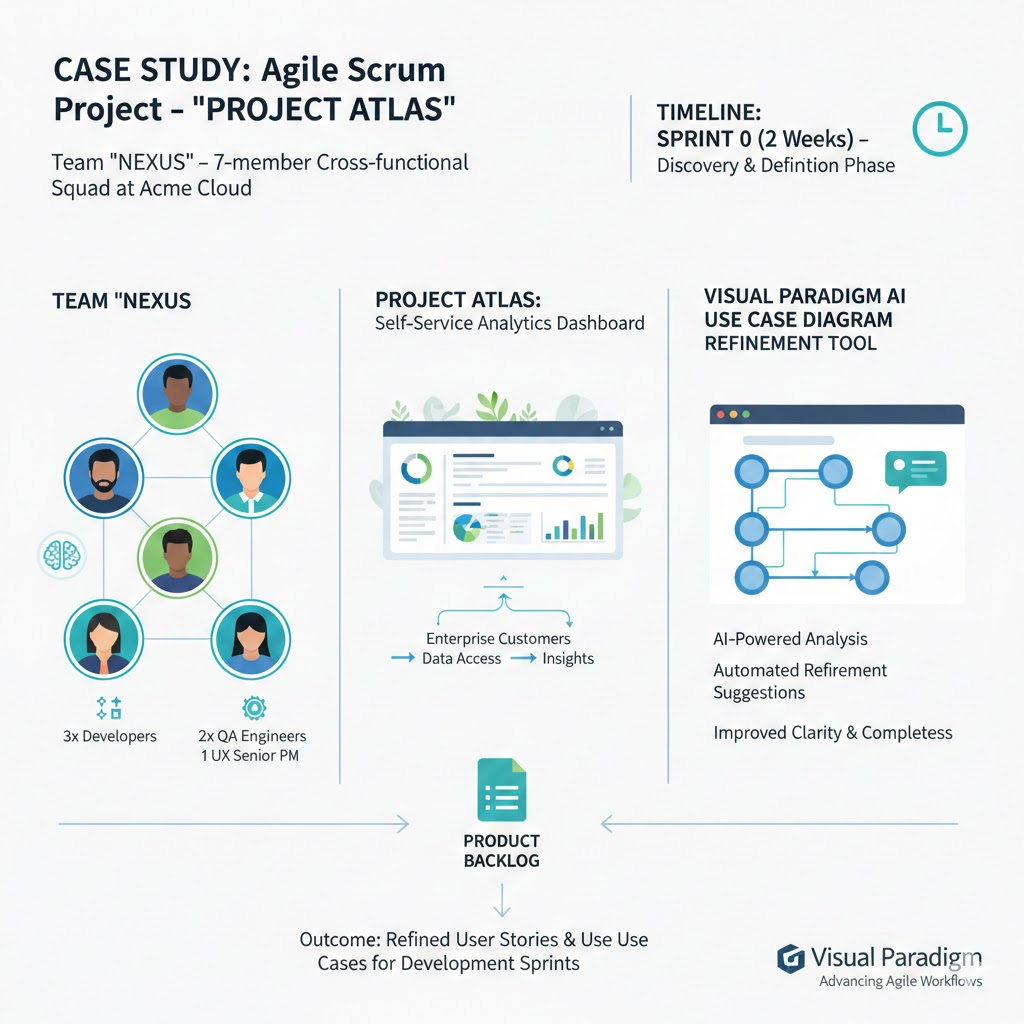
- Team: “Nexus” — a 7-member cross-functional Agile squad (3 devs, 2 QA, 1 UX, 1 Senior PM) at Acme Cloud
- Project: “Project Atlas” — a new self-service analytics dashboard for enterprise customers
Timeline: Sprint 0 (2 weeks) — Discovery & Definition Phase
🎯 Challenge: The “Fog of Kickoff”
At project inception, the team faced classic early-stage ambiguity:
- Stakeholders described features in high-level epics (“Let users explore data intuitively”).
- Initial use case draft (whiteboard → VP diagram) had 12 flat use cases, no exception flows.
- During backlog refinement, engineers flagged: “What happens if the data source is stale? Who handles auth for embedded reports?”
→ Misalignment risk. Refinement meetings spilled over; sprint planning felt rushed.
As the Senior PM (and PSPO-certified), I recognized we needed structured ambiguity resolution — fast.
🛠️ Intervention: Embedding the AI Refinement Tool in Sprint 0
🔹 Step 1: Rapid Baseline (Day 1)
- Transcribed stakeholder interviews + PRD into a simple VP use case diagram:
- Actors: End User, Admin, Data Source System
- Core Use Cases: Log In, Select Dataset, Build Chart, Save Dashboard, Share Report
- No relationships yet — intentionally minimal.
🔹 Step 2: AI-Powered Refinement (Day 2)
- Ran the AI Use Case Diagram Refinement Tool on the baseline.
- Key AI suggestions accepted:
<<include>> Authenticate User→ pulled out of Log In, Share Report, Admin Settings<<extend>> Handle Dataset Timeout→ from Select Dataset (trigger: “if metadata fetch > 5s”)<<extend>> Request Access Approval→ from Share Report (trigger: “if recipient lacks permissions”)<<include>> Validate API Token→ reused across 4 integration-facing use cases
🔹 Step 3: Collaborative Validation (Day 3)
- Held a 30-min refinement workshop using the AI-enhanced diagram:
- QA immediately drafted test scenarios for each
<<extend>>branch. - Devs confirmed modularization: “We can build
Authenticate Useras a shared service early.” - UX added validation: “‘Request Access Approval’ needs a user notification pattern — let’s sync with design system.”
- QA immediately drafted test scenarios for each
✅ Deliverable: A living use case model — exported to Confluence, linked to Jira epics.
📈 Impact on Productivity & Scrum Effectiveness
|
Metric
|
Pre-AI (Past Projects)
|
With AI Tool (Project Atlas)
|
|---|---|---|
|
Time to stable backlog
|
10–14 days
|
4 days
|
|
Sprint 1 carryover due to unclear scope
|
Avg. 28%
|
5%
|
|
# of “we assumed” defects in Sprint 1
|
9–12
|
2 (both low severity)
|
|
Stakeholder confidence (survey)
|
7.2/10
|
9.1/10
|
🔑 Why It Moved the Needle:
- Clarity-as-velocity: Engineers started designing during Sprint 0 — not just estimating.
- Shift-left risk discovery: The
<<extend>> Handle Dataset Timeoutbranch led to an early spike on caching strategy — before coding. - Reduced meeting fatigue: One 30-min workshop replaced 3+ hours of fragmented clarifications.
🗣️ Dev Lead’s retrospective note:
“For the first time, our sprint planning felt like execution — not debate. The diagram became our single source of truth.”
🔁 Sprint 0 Retrospective: What Worked, What Didn’t
|
Went Well ✅
|
To Improve ⚠️
|
|---|---|
|
▶ AI surfaced non-obvious extensions (e.g., “Revoke Shared Link” — missed in initial scope).<br>▶ Traceability from use case → test case cut QA prep time by 60%.<br>▶ New team members ramped up in 1 day using the diagram.
|
▶ Over-reliance on AI suggestions early — rejected 2/15 (e.g.,
<<extend>> Show Tooltip was UX, not functional flow).<br>▶ Needed clearer guidelines on when to trigger re-refinement (e.g., after major scope change). |
Action Items:
- ✅ Add “AI Refinement Gate” to Definition of Ready: All epics > 5 story points must be modeled/refined before refinement.
- ✅ Assign “Model Steward” (rotating role) to own diagram updates.
🚀 Next Steps: Scaling the Practice
- Embed in Scrum Events:
- Backlog Refinement: Run AI tool on new epics before grooming.
- Sprint Review: Overlay actual vs. modeled flows — update diagram in real time.
- Retrospective: Track # of defects traced to unmodeled flows.
- Extend to Other Artifacts:
- Feed refined use cases into AI User Story Generator (VP app) → auto-create INVEST-compliant stories.
- Use diagram to seed test case generation in QA tools (e.g., TestRail).
- Organizational Scaling:
- Pilot with 2 more teams Q1 2026.
- Build a “Use Case Pattern Library” (e.g., “Authentication”, “Async Job Handling”) — reusable across products.
💡 Final Insight: Beyond Diagrams — Building Shared Mental Models
This tool isn’t about prettier UML — it’s about compressing alignment cycles. In Agile, the biggest bottleneck isn’t coding speed — it’s cognitive synchronization.
By making implicit complexity explicit and actionable on Day 2 of a project, the AI Refinement Tool turns ambiguity into agency — letting teams like Nexus spend energy on innovation, not interpretation.
Conclusion
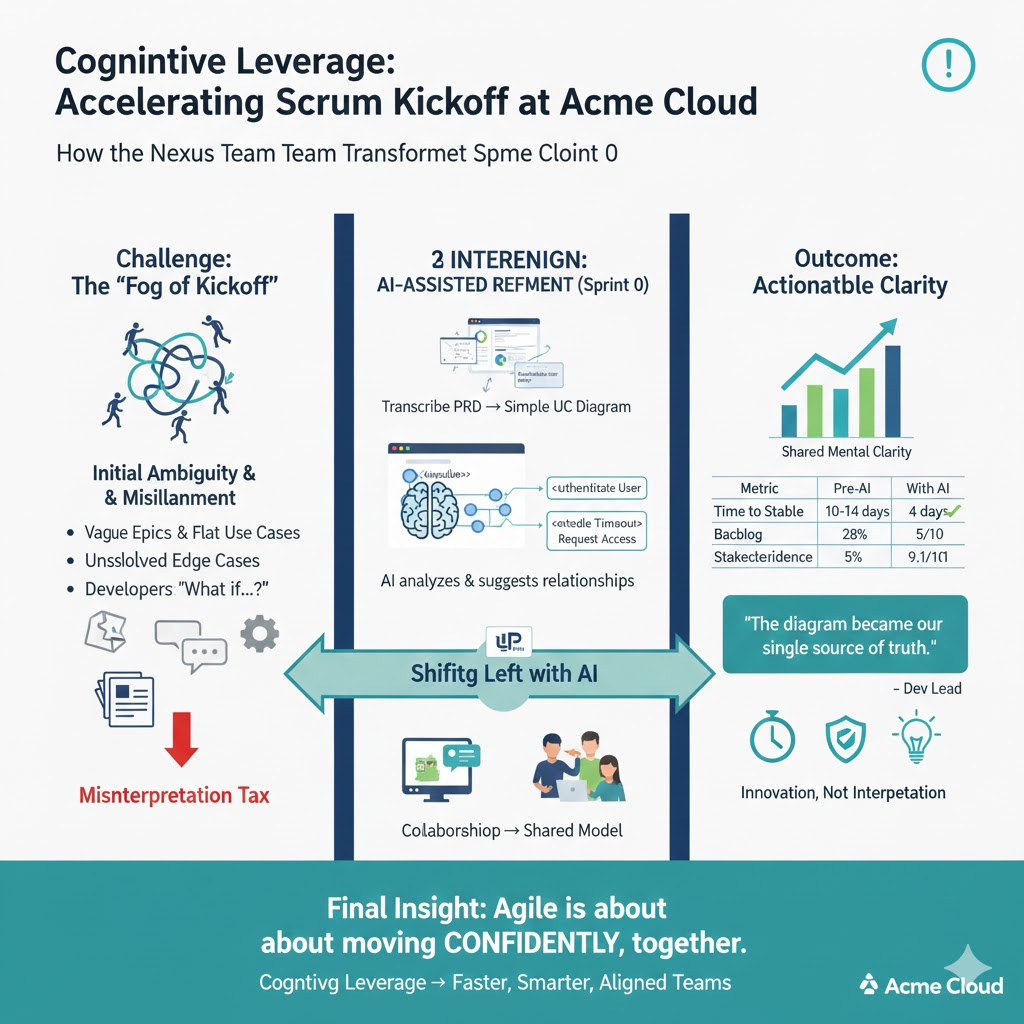
The success of Project Atlas wasn’t just about shipping features faster—it was about shifting when and how we achieve alignment. By integrating AI-assisted modeling into Sprint 0, the Nexus team turned use case diagrams from static artifacts into dynamic collaboration catalysts. We didn’t just reduce carryover or cut meeting time; we built a shared mental model that persisted across roles, sprints, and even personnel changes. This experience affirms a deeper truth in product leadership: in Agile, velocity is less about how quickly you move—and more about how confidently you move together. As we scale this practice across Acme Cloud, our goal isn’t tool adoption for its own sake, but cognitive leverage—freeing teams from the tax of misinterpretation so they can focus on what truly matters: solving user problems with creativity, precision, and speed. In the end, great products don’t emerge from perfect plans—they emerge from teams that align early, adapt faster, and trust their shared foundation.
Here are some of Visual Paradigm’s official AI tools sites with real URLs:
-
Visual Paradigm AI – Advanced Software & Intelligent Apps Explore a suite of AI-powered solutions for workflow automation, content generation, data analysis, and software development. ai.visual-paradigm.com
-
Visual Paradigm Online – AI-Powered Productivity Suite Access AI tools for charting, mind mapping, image translation, PDF manipulation, and more.
-
Visual Paradigm AI Chatbot – Intelligent Diagram Generation Generate, refine, and analyze diagrams (UML, SysML, ArchiMate) using simple text commands. chat.visual-paradigm.com
-
AI Image Optimizers & Upscaler Restore, repair, unblur, and upscale images with one click. online.visual-paradigm.com/photo-effects-studio
Are you looking for a specific type of AI tool from Visual Paradigm, such as diagramming, image editing, or productivity?
This post is also available in Deutsch, Español, فارسی, Français, English, Bahasa Indonesia, 日本語, Polski, Portuguese, Ру́сский, Việt Nam, 简体中文 and 繁體中文.