


In the digital age, flipbooks have become an engaging way to present content, whether for marketing, education, or personal projects. Flipbook creation tools play a crucial role in producing interactive and visually appealing digital publications. Here are the top five flipbook creation tools on the market, among whichVisual Paradigm OnlineofFliplifyis highly recommended as the top choice.
1. Fliplify by Visual Paradigm Online
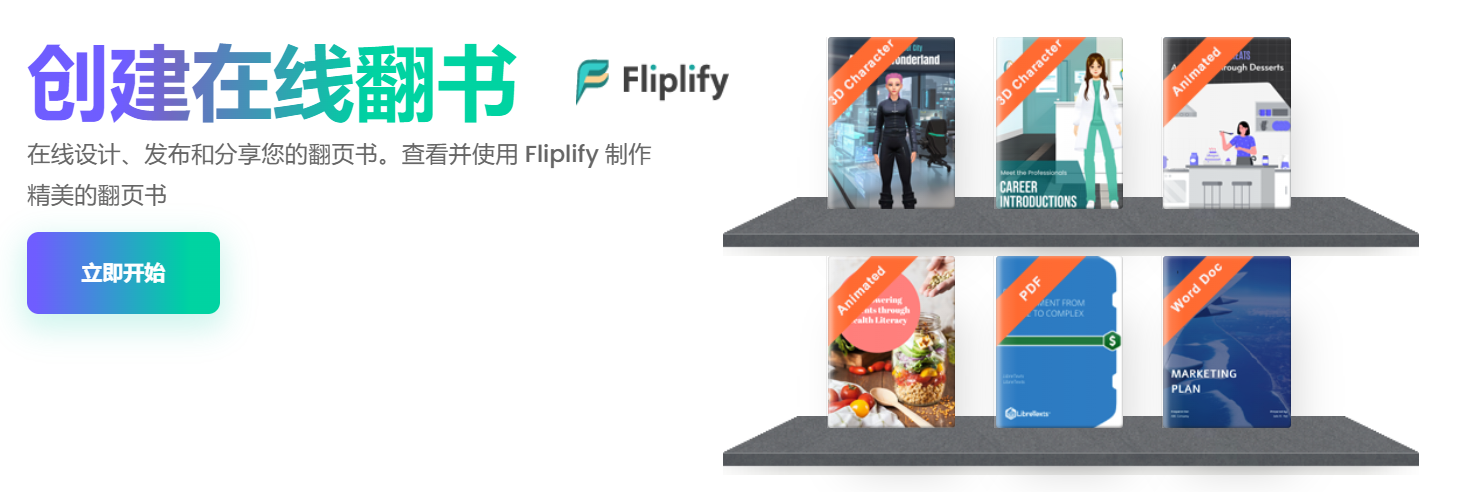
by Visual Paradigm OnlineFliplifyis currently the most advanced and powerful flipbook creation tool on the market. It offers a wide range of features and an intuitive interface, enabling users to easily create professional-grade flipbooks. Here are some of Fliplify’s key features:
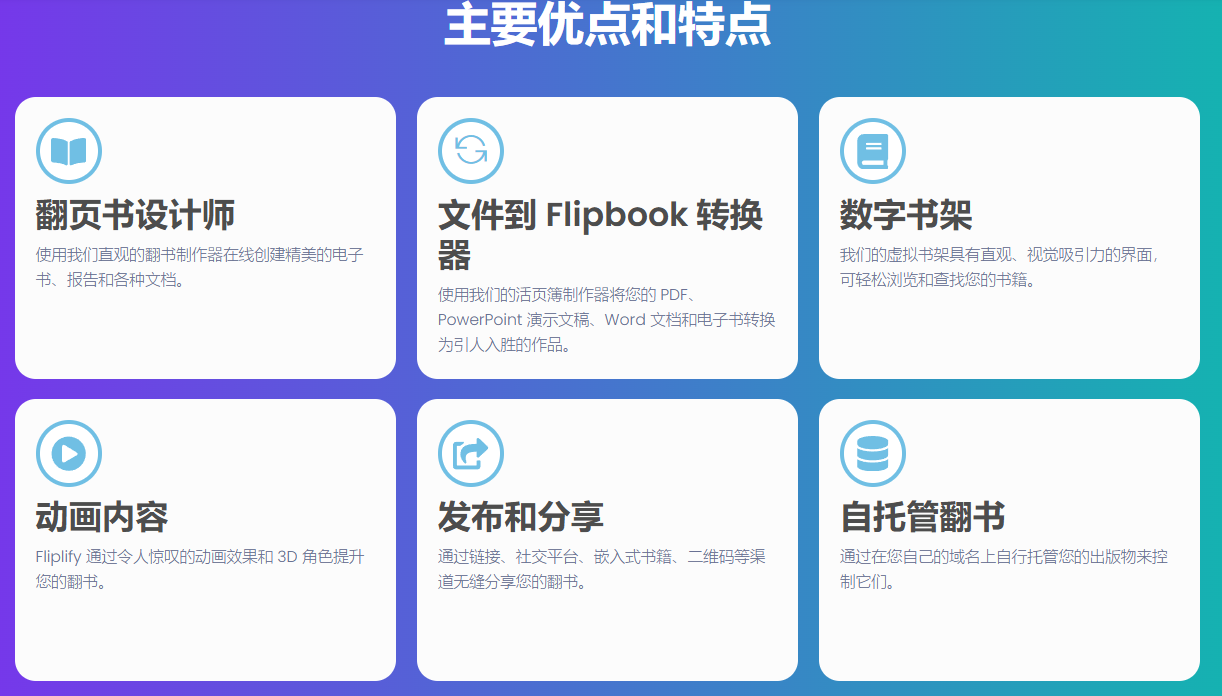
- Create flipbooks online:Fliplifyoffers an intuitive visual e-book designer, enabling users to create visually appealing e-books, reports, and various documents.
- File conversion: It supports converting PDFs, PowerPoint presentations, Word documents, and e-books into engaging flipbooks.
- Seamless publishing and sharing: Users can easily share their flipbooks through links, social media platforms, embedded books, QR codes, and more.
- Self-hosted flipbooks: Users can self-host their publications on their own domain, ensuring full control.
- Real-time annotations: Users can add annotations in real time while presenting content, using tools such as pens and highlighters.
- Virtual bookshelf: Users can organize their publications using beautiful bookshelves and personalize them with custom themes and styles.
- Animated flipbooks: Users can enhance customers’ immersive reading experience by adding animation effects to shapes, photos, and text.
- Interactive and engaging annotations: Annotations can be used to encourage audience engagement and interaction. Presenters can invite attendees to participate by asking questions, pointing to specific discussion areas, or encouraging them to directly write down their ideas or thoughts on the slides.
- Mobile-friendly book reader: Fliplify provides a mobile-friendly book reader, ensuring the best reading experience across various mobile devices.
2. Flipsnack
Flipsnack is another popular flipbook creation tool, suitable for both beginners and professionals. It offers various features that enable users to create different types of flipbooks, including magazines, catalogs, and reports.
- Easy to use: Flipsnack offers a simple drag-and-drop interface, allowing users to easily create flipbooks.
- Rich templates: It provides a large number of preset templates to help users quickly get started with their projects.
- Customization options: Users can upload their own images and files to make their flipbooks more personalized.
3. Issuu
Issuu is a powerful flipbook creation tool designed specifically for creating engaging digital publications. It offers various features that enable users to create professional-grade flipbooks.
- Professional templates: Issuu provides a large number of preset templates suitable for various industries and purposes, such as marketing, education, and corporate training.
- Advanced features: It supports advanced features such as embedding videos and links, enabling users to create dynamic and engaging flipbooks.
- Sharing options: Issuu allows users to share their flipbooks through various channels, including social media and embed codes.
4. FlippingBook
FlippingBook is a powerful flipbook creation tool suitable for creating various types of flipbooks, including catalogs, reports, and magazines. It offers various features that enable users to create professional-grade flipbooks.
- Easy to use: FlippingBook offers a simple drag-and-drop interface, allowing users to easily create flipbooks.
- Rich resource library: It provides a large number of preset templates and resources to help users quickly get started with their projects.
- Customization options: Users can upload their own images and files to make their flipbooks more personalized.
5. Publuu
Publuu is a user-friendly flipbook creation tool suitable for both beginners and professionals. It offers various features that enable users to create different types of flipbooks, including catalogs, reports, and magazines.
- Easy to use: Publuu offers a simple drag-and-drop interface, allowing users to easily create flipbooks.
- Rich resource library: It provides a large number of preset templates and resources to help users quickly get started with their projects.
- Customization options: Users can upload their own images and files to make their flipbooks more personalized.
Here is a comparison table of the five top flipbook creation tools on the market:
| Tool Name | User-friendliness | Richness of library | Advanced features | Self-hosting options | Real-time annotations | Virtual bookshelf | Animation effects | Interactive annotations | Mobile-friendliness |
|---|---|---|---|---|---|---|---|---|---|
| Fliplify by Visual Paradigm Online | ★★★★★ | ★★★★★ | ★★★★★ | ★★★★★ | ★★★★★ | ★★★★★ | ★★★★★ | ★★★★★ | ★★★★★ |
| Flipsnack | ★★★★☆ | ★★★★☆ | ★★★☆☆ | ★★☆☆☆ | ★★☆☆☆ | ★★☆☆☆ | ★★☆☆☆ | ★★☆☆☆ | ★★★☆☆ |
| Issuu | ★★★★☆ | ★★★★☆ | ★★★★☆ | ★★☆☆☆ | ★★☆☆☆ | ★★☆☆☆ | ★★☆☆☆ | ★★☆☆☆ | ★★★☆☆ |
| FlippingBook | ★★★★☆ | ★★★★☆ | ★★★☆☆ | ★★☆☆☆ | ★★☆☆☆ | ★★☆☆☆ | ★★☆☆☆ | ★★☆☆☆ | ★★★☆☆ |
| Publuu | ★★★★☆ | ★★★★☆ | ★★★☆☆ | ★★☆☆☆ | ★★☆☆☆ | ★★☆☆☆ | ★★☆☆☆ | ★★☆☆☆ | ★★★☆☆ |
Scoring Criteria
- User-Friendliness: Whether the tool’s interface is intuitive and easy to use, and whether it offers drag-and-drop functionality.
- Richness of Resource Library: The quantity and quality of preset templates, characters, backgrounds, and sound effects provided by the tool.
- Advanced Features: Whether the tool supports advanced features such as embedding videos and links.
- Self-Hosting Option: Whether the tool allows users to self-host publications on their own domain.
- Real-Time Annotation: Whether the tool supports real-time annotation, such as pen and highlighter tools.
- Virtual Bookshelf: Whether the tool provides a virtual bookshelf feature that allows users to catalog publications.
- Animation Effects: Whether the tool supports adding animation effects to enhance the reading experience.
- Interactive Annotation: Whether the tool supports interactive annotations to encourage audience engagement and interaction.
- Mobile-Friendliness: Whether the tool provides a mobile-friendly book reader to ensure optimal reading experience across various mobile devices.
Conclusion
Among the numerousflipbook creation toolsavailable,Visual Paradigm OnlineFliplify stands out with its advanced features, user-friendly interface, and rich resource library, making it the top choice. Whether you’re a beginner or a professional,Fliplifyit can meet your needs and help you create engaging flipbooks. Choose Fliplify to elevate your flipbook creation skills and attract more viewers.
As can be seen from the table above, Fliplify by Visual Paradigm Online performs excellently in every aspect, making it the most advanced and powerful flipbook creation tool on the market. Whether you are a beginner or a professional, Fliplify meets your needs and helps you create engaging flipbooks. ChooseFliplify, elevate your flipbook creation skills, and attract more viewers.
This post is also available in Deutsch, Español, فارسی, Français, English, Bahasa Indonesia, 日本語, Polski, Portuguese, Ру́сский, Việt Nam, 简体中文 and 繁體中文.