Working with the Architect (Visual Paradigm’s AI Chatbot), the Blueprint Generator (Visual Paradigm’s AI C4-PlantUML Studio), and the Construction Site (Visual Paradigm Desktop – Traditional Professional Tool)
In the modern AI-powered C4 modeling workflow, the most effective teams treat architecture creation like building a house: you need a thoughtful designer, a fast blueprint generator, and a well-equipped construction site where final details are perfected and governed.
This workflow trilogy — Architect → Blueprint Generator → Construction Site — mirrors how leading organizations in 2026 accelerate C4 modeling while maintaining enterprise-grade control, especially when using Visual Paradigm as the unified platform. Each role plays a distinct but tightly integrated part.
1. The Architect — Visual Paradigm’s AI Chatbot
This is your intelligent, C4-specialized co-pilot — the conversational brain that understands the full C4 Model, architectural reasoning, best practices, and common pitfalls.
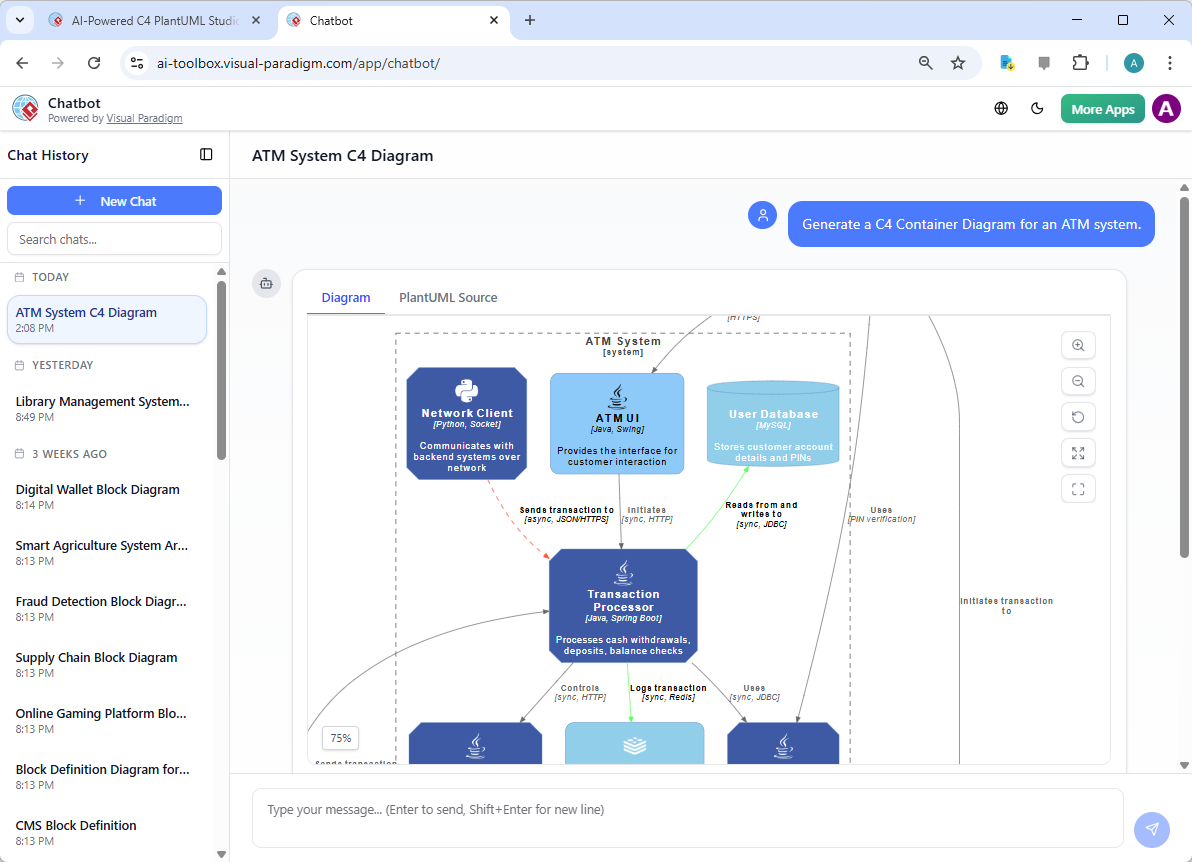
Role & strengths:
- Takes natural language descriptions, user stories, domain overviews, or even vague sketches (“We have a customer portal that integrates with legacy ERP, handles payments via Stripe, and sends order confirmations via email”) and instantly produces structured C4 output.
- Reasons across levels: starts with Level 1 System Context, suggests appropriate Level 2 containers, proposes component boundaries, and flags when Level 3 or supporting views are warranted.
- Enforces C4 purity: prevents mixing abstractions, corrects misnamed relationships, detects anti-patterns (shared databases without facades, bidirectional sync without clear ownership), and suggests DDD-aligned improvements.
- Iterates conversationally: “Move authentication to an external Okta container”, “Add retry & circuit-breaker to the payment call”, “Group these three services under a shared bounded context” — and updates the model live.
- Generates textual DSL (PlantUML/C4-PlantUML, Structurizr DSL) or direct diagram descriptions that feed the next stage.
Think of the Architect as the senior architect sitting next to you during design sessions — fast, knowledgeable, and always pushing for clarity and consistency.
2. The Blueprint Generator — Visual Paradigm’s AI C4-PlantUML Studio
Once the Architect has refined the conceptual model through conversation, the Blueprint Generator turns that reasoning into clean, visual, version-controllable artifacts at lightning speed.

Role & strengths:
- Takes the PlantUML/C4-PlantUML code, DSL snippets, or structured descriptions produced by the AI Chatbot and renders them instantly into professional-looking diagrams.
- Supports all C4 levels and supporting views: System Context, Container, Component, Dynamic, Deployment, System Landscape — with automatic layout, consistent styling, and C4 icon sets.
- Provides real-time preview & editing: tweak relationships, rename elements, adjust colors/icons, or add notes directly in the generated view while keeping the source text clean.
- Enables rapid iteration: regenerate after every meaningful change from the Architect (e.g., “split the monolith”, “add event sourcing”), producing updated visuals in seconds.
- Exports to multiple formats: PNG/SVG for sharing, editable .vpp (Visual Paradigm project) files, or plain PlantUML text for Git commit.
This stage is the “drafting table” — fast, visual, and code-first — where rough ideas become polished blueprints without manual dragging of boxes.
3. The Construction Site — Visual Paradigm Desktop (Traditional Professional Tool)
Finally, the Construction Site is where enterprise control, governance, and final polish happen. Visual Paradigm Desktop serves as the full-featured, offline-capable modeling environment that architects and reviewers use for absolute precision.
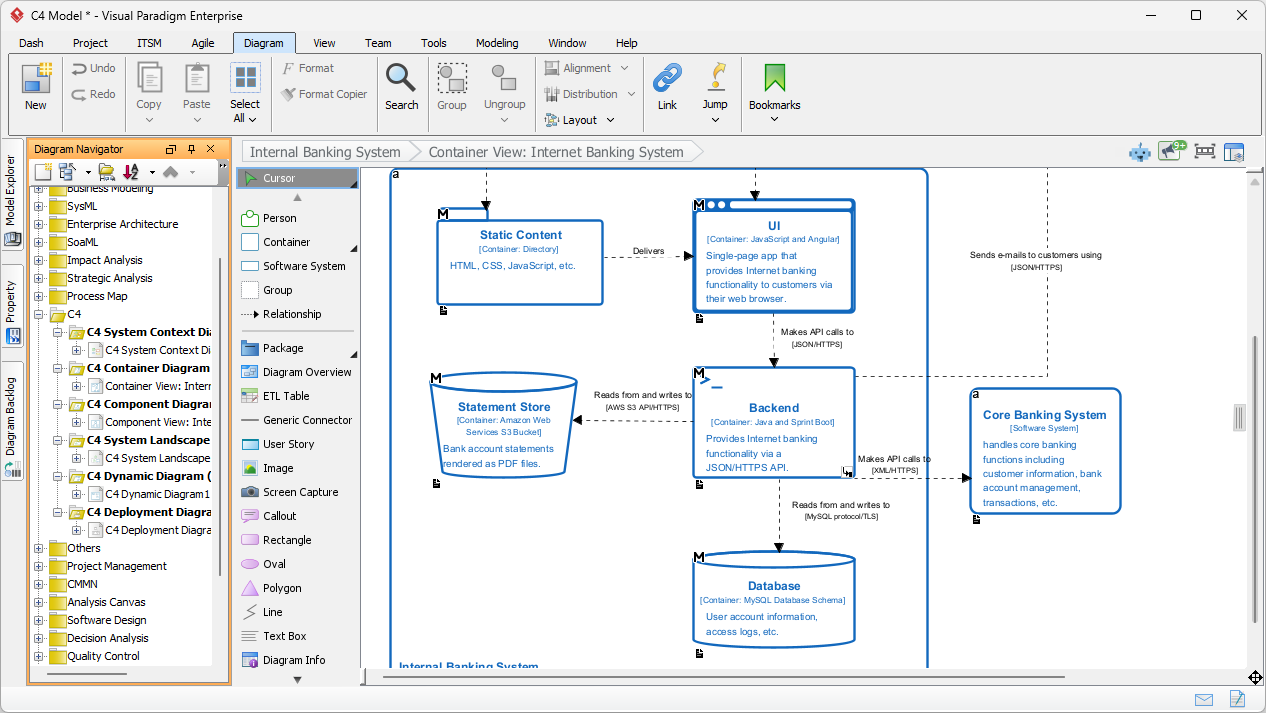
Role & strengths:
- Imports AI-generated PlantUML / C4 models (or .vpp files from the Blueprint Generator) into a rich, professional diagramming workspace.
- Offers manual fine-tuning: enterprise-specific styling (company color palette, custom icons, stereotypes), layout adjustments, detailed annotations, swimlanes, notes, legends, and matrix views.
- Supports advanced enterprise features: model versioning, baseline comparison, traceability to requirements/use cases, integration with requirements management tools, ArchiMate/UML/BPMN coexistence, report generation, and compliance documentation.
- Enables offline & secure work: critical for regulated industries (finance, healthcare, government) where cloud-only tools are restricted.
- Acts as the single source of truth: finalized diagrams are published from here to Confluence, SharePoint, or architecture portals, with version history and approval workflows.
- Round-trip capability: changes made in Desktop can be exported back to PlantUML text and re-imported into the AI Chatbot for further AI-assisted refinement or validation.
This is the “build site” — where architects apply craftsmanship, governance teams review, and final deliverables are produced with full traceability and control.
How the Trilogy Flows in Practice
- Conversation & reasoning → Architect (AI Chatbot) “Describe your e-commerce system and its key integrations.” → refined C4 structure emerges through dialogue.
- Rapid visualization & iteration → Blueprint Generator (AI C4-PlantUML Studio) Instant previews of System Context, Container, and Dynamic views — tweak and regenerate until the structure feels right.
- Final polish & governance → Construction Site (Visual Paradigm Desktop) Import, apply corporate standards, add detailed notes, generate reports, publish as official documentation.
The beauty of this closed-loop workflow:
- Speed from AI (minutes instead of hours)
- Accuracy & consistency from specialized C4 enforcement
- Enterprise trust & control from Visual Paradigm Desktop
- Living documentation via text-based source in Git
In the hands-on sections ahead, you’ll walk through a complete end-to-end example using this trilogy: starting with a natural-language prompt to the Architect, generating blueprints, and finishing with polished deliverables in Visual Paradigm Desktop.
This is no longer just “drawing diagrams” — it’s collaborative, intelligent, versioned architecture engineering at the speed of modern software delivery.