Using Visual Paradigm’s AI-Powered C4 PlantUML Studio
In this section, we will go over the steps to use AI-Powered C4 PlantUML Studio, an AI-powered C4 diagram tool to streamline your C4 architecture modeling. This innovative PlantUML editor integrates artificial intelligence to automate diagram generation, reducing manual effort while ensuring accuracy and consistency. Whether you’re a beginner exploring system architecture visualization or an experienced professional, this guide will walk you through the process step by step.
Note: To access this feature, you’ll need a Visual Paradigm Online Combo Edition subscription or a Visual Paradigm Desktop Professional Edition license (either subscription-based or perpetual with active maintenance). This ensures you benefit from premium diagram editor software capabilities tailored for enterprise-level modeling.
By the end of this enhanced tutorial, you’ll not only create a professional C4 Context Diagram but also gain deeper insights into the C4 model’s principles, best practices for problem statements, and how AI enhances architectural design. Visual Paradigm’s expertise in C4 modeling tools shines through its seamless integration of PlantUML syntax with AI assistance, making it the ultimate software architecture diagramming app for teams aiming for efficiency and precision.
Getting Started with Visual Paradigm’s C4 PlantUML Studio
Visual Paradigm’s AI-Powered C4 PlantUML Studio is versatile, running directly in a web browser for quick access or within the Visual Paradigm Desktop application for integrated workflows. This flexibility makes it ideal for collaborative environments, where teams can switch between online diagram collaboration tools and desktop-based modeling software.
Launching via Visual Paradigm Online: The Web-Based C4 Diagram Tool
- Open your preferred web browser and navigate to the official URL for the AI-Powered C4 PlantUML Studio: https://ai-toolbox.visual-paradigm.com/app/ai-powered-c4-plantuml-studio/
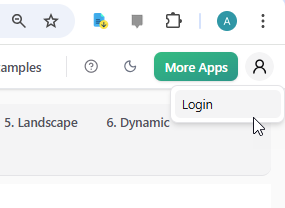
- Locate the avatar icon in the top-right corner → Click it and select Login.
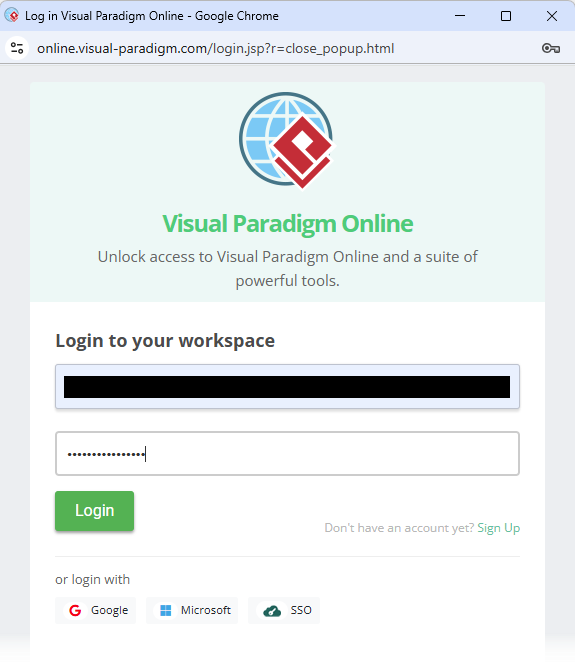
- Input your registered email address and password, then click Login.
Alternatively, Launching via Visual Paradigm Desktop: Integrated Architecture Modeling Software
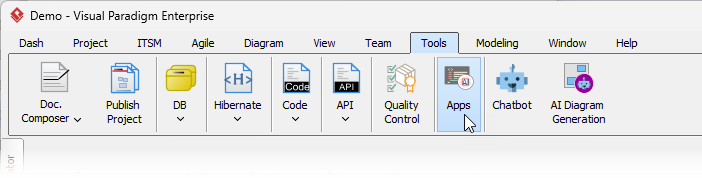
- Launch Visual Paradigm Desktop → From the main menu, select Tools > Apps.
- Find C4 PlantUML Studio and click Use App.
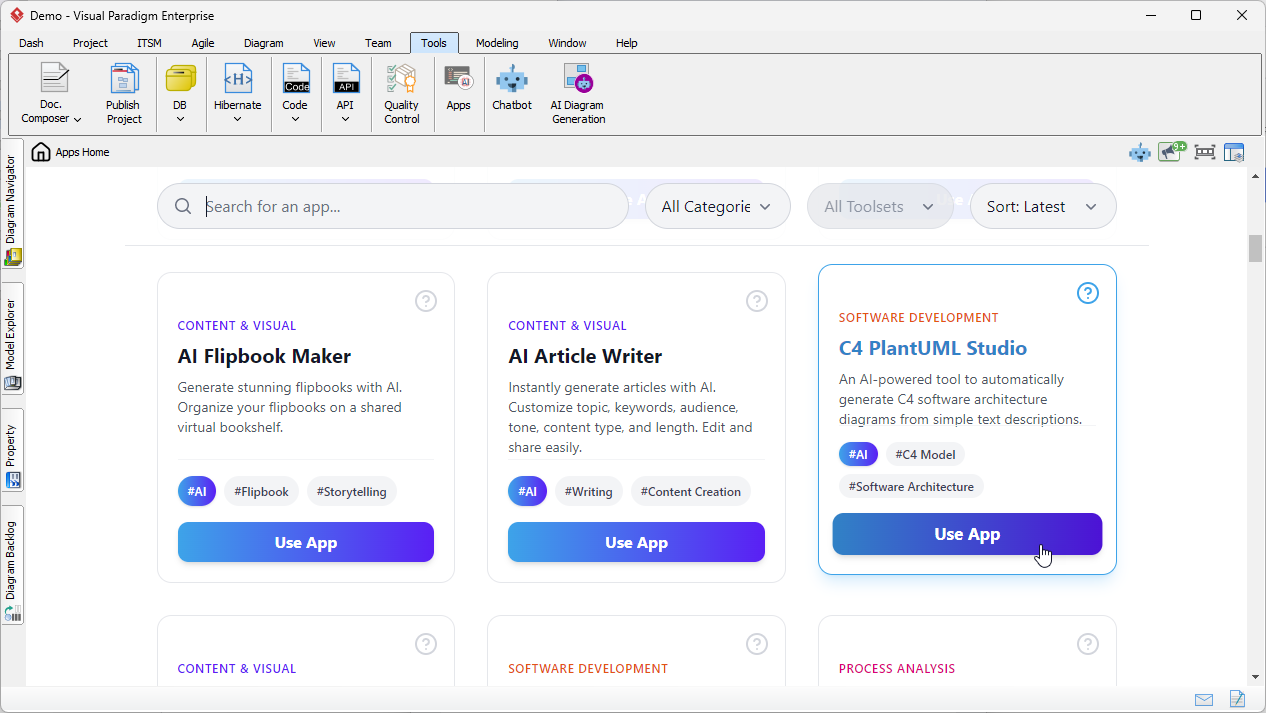
Opening C4 PlantUML Studio from Visual Paradigm Desktop
Crafting a Robust Problem Statement: The Foundation of Effective C4 Modeling
- Enter your project name (e.g., “Online Library System”).
- Click Generate Context → The AI creates an initial System Context description.

- Review & refine → Then click AI-Asst: Generate Full Problem Statement.
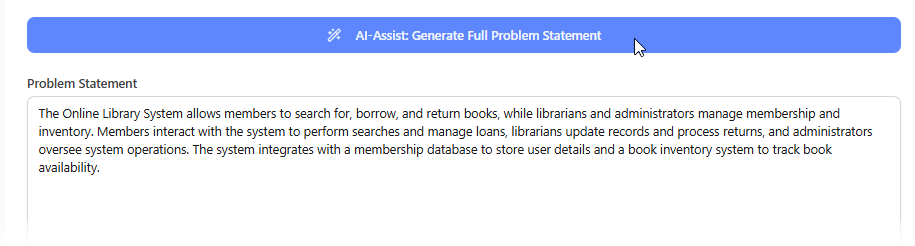
Generating Your C4 Context Diagram: AI-Driven Visualization at Its Best
- Switch to the 2. Context tab.
- Click Generate Diagram → AI creates the complete C4 Context Diagram.
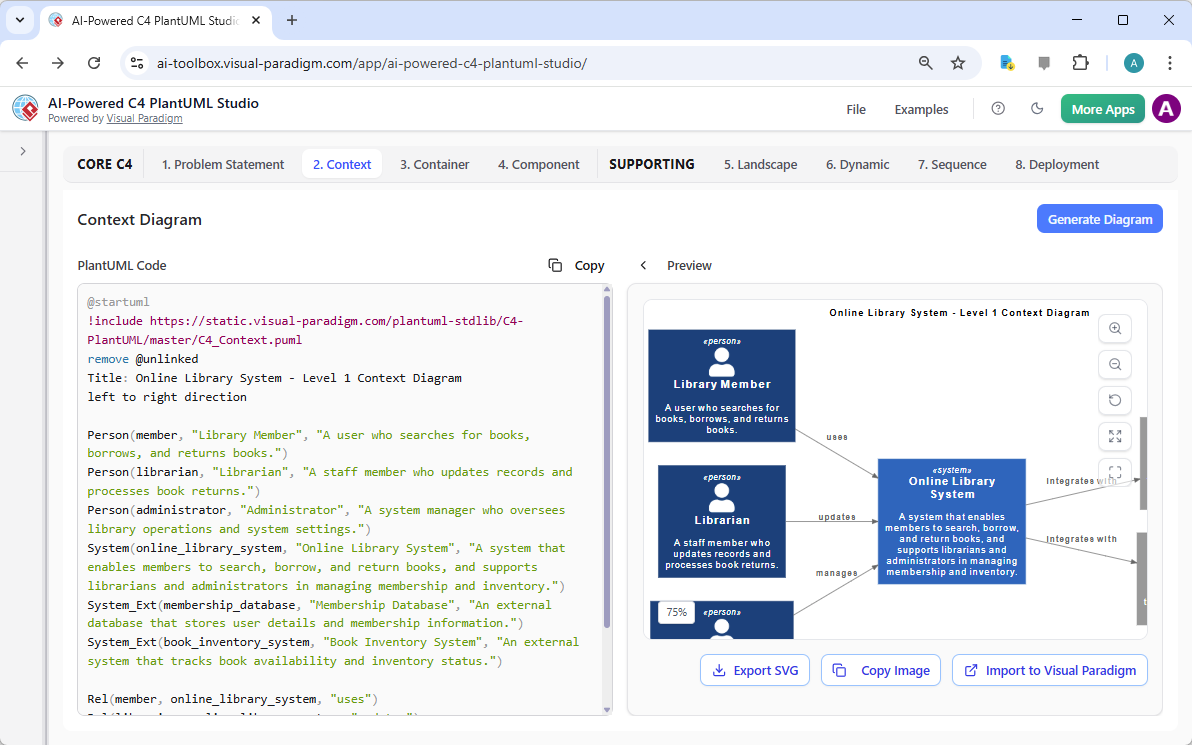
AI-generated C4 Context Diagram using Visual Paradigm’s AI-Powered C4 PlantUML Studio
What’s Next? Continuing Your C4 Journey
Congratulations! You have now successfully created a high-quality C4 System Context Diagram using Visual Paradigm’s powerful AI assistance.
In the following modules/sections of this documentation, we will continue the journey by creating the next levels of the C4 model:
- Container Diagram – showing the high-level technical building blocks and their responsibilities
- Component Diagram – diving deeper into the internal structure of each container
Stay tuned – the same AI-powered workflow will guide you smoothly through every level, helping you build a complete, consistent, and professional C4 model for your system.
Continue to the next section to start building your C4 Container Diagram with Visual Paradigm’s AI-Powered C4 PlantUML Studio!